Page 1 of 1
Homeworld
Posted: 14 Nov 2003, 04:14
by skipclarke
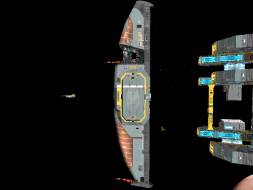
 Widescreen Grade: IncompleteMulti-monitor Grade: IncompleteRead Full Detailed Report - HomeworldThe first fully three-dimensional real-time strategy game. Released in 1999.
Other parts of the series are Homeworld: Cataclysm (2000) and Homeworld 2 (2003).
Homeworld: 4:3 and 15:9
Posted: 15 Nov 2005, 03:30
by The_cranky_hermit


And yet another hor+! No FOV adjustment needed.
I have the "BestSeller
Posted: 09 Nov 2011, 20:21
by Cinetyk
I have the "BestSeller Series" Retail version of the game and was able to apply this method for the game under Windows 7 Home Premium, 1680x1050 resolution (16x10). The registry path is:
ComputerHKEY_LOCAL_MACHINESOFTWAREWow6432NodeSierra On-LineHomeworld
Perhaps in other versions you can simply search for "Sierra On-Line" or "Homeworld" on the registry until you find the right folder.
Very sweet :)
Playing Homeworld on Windows 7
Posted: 20 Nov 2011, 00:11
by alaczar
Hi, I just registered to ask this question. How do I go about setting this game up on windows 7? I have tried changing the registry and still the game crashes to desktop after the first two splash screens, if someone could give me step by step instructions, it'd be awesome. Thank you.
Re: Homeworld
Posted: 16 Oct 2013, 08:15
by p1ague
In Windows 8, I had quite a bit of trouble with this, changing the registry keys at HKLM...\Homeworld didn't do ANYTHING and it was very frustrating. Finally, it occurred to me to do a search, and it turns out the proper settings were hidden in HKEY_CURRENT_USER\Software\Classes\VirtualStore\MACHINE\SOFTWARE\Wow6432Node\Sierra On-Line\Homeworld
Of course, for me, changing them did not result in a playable 16x9 game.. it did cause the game to render in 1920x1080.. but the main menu was drawn all the way across the screen with the actual clickable area not stretched, and crazy "trails" effects on the mouse pointer, while in actual gameplay it drew everything in a 4x3 square on the left edge of that rectangle, with fonts crushed into unreadable blobs. I don't know if this has anything to do with the fact that windows 8 insists on giving a popup as the game launches asking me what to do with the game CD. Guess I've got to settle for playing it in a 4x3 window (or change monitor settings every time I launch it to force a windowbox)

Edit: (I forgot to mention, but it's worth noting; my failure here is likely related to the fact that I am unable to follow the instructions with this game running in Win 8, because it refuses/fails to set any mode that uses OpenGL. I've had trouble finding out what might be up with that; I've seen a lot of threads from people talking about Win 8 not having OpenGL support, but that seemed to be an issue of early drivers not having the functionality, I have obtained the latest drivers which should be fine, and I'm almost positive that other games successfully render using OpenGL.)