Theres a fix for that here. there is an extra setting after EXTRA in texture quality
change it to NATIVE look here NATIVE Texture Quality settings thread
regards
Sal
That's weird, I have only 4 settings, low, medium, high and extra... No native. Should I set it in the config_mp.ini file? Version of the game is 1.2.358
i5-760 @3.5Ghz l msi 560ti hawk edition l WD1001FALS Caviar Black 1Tb l Kingston KVR1333D3N9 8Gb l GA-P55A-UD3R l Win7 x64 l 1680x1050
That's weird, I have only 4 settings, low, medium, high and extra... No native. Should I set it in the config_mp.ini file? Version of the game is 1.2.358
Its not in "texture quality", its "image quality".
Theres a fix for that here. there is an extra setting after EXTRA in texture quality
change it to NATIVE look here NATIVE Texture Quality settings thread
regards
Sal
That's weird, I have only 4 settings, low, medium, high and extra... No native. Should I set it in the config_mp.ini file? Version of the game is 1.2.358
There is no mention of tweaking .ini files in the thread, Im assuming that this is correct as others have mentioned it is..im goin to check once its all ready to go.
Quote from original thread
"And to clarify just a little: There are 5 options for image quality: low, medium, high, extra and NATIVE. Native is the highest and it looks way more better than any of the others combined."
|-----------------------------------end---------------------------------------|
Thats all they mention. Are you playing in non native resolution ?
regards
AMD Phenom II x6 1090T (BE) @ 3.950Ghz (stable) 1.4375V 24hrs Prime 95 Max heat 48c
Asus Crosshair IV Extreme AM3 890FX @ 3.020Ghz NB 1.3000v
[quote]That's weird, I have only 4 settings, low, medium, high and extra... No native. Should I set it in the config_mp.ini file? Version of the game is 1.2.358
Its not in "texture quality", its "image quality".
@dopefish: Cant wait ! :bigsmile:
Ooppps sorry glaring error. Perhaps too much coffee has been had 0:)
AMD Phenom II x6 1090T (BE) @ 3.950Ghz (stable) 1.4375V 24hrs Prime 95 Max heat 48c
Asus Crosshair IV Extreme AM3 890FX @ 3.020Ghz NB 1.3000v
I know this should be common sense but I am still getting a crash. Both DLLs and the Widescreen Fixer.exe should be in the main MW3 folder right? Thanks
the fix works, but when i use the fix the graphichs look terrible, like im playing in half the resoution im ment to be playing in.
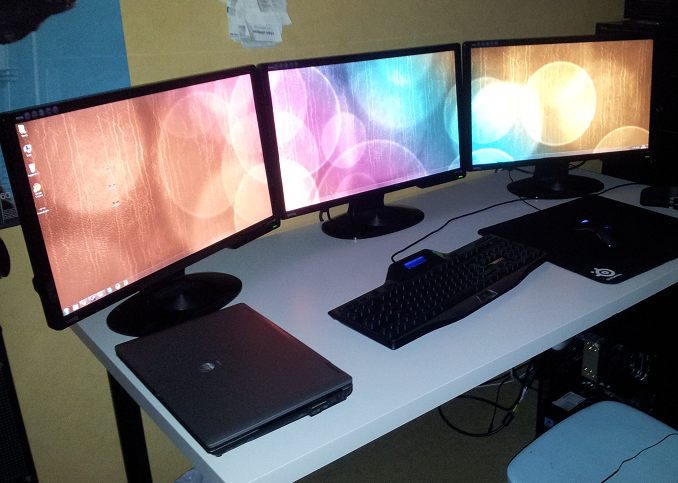
using 3x 16:9 monitor 1920x1080
NZXT H2 | Intel Core i5-2500K @ 3.3 GHz | Vengeance 8 GB @ 1333Mhz | ASUS P8P67 Pro Rev B3 | Asus Radeon HD 6870 DirectCU 1GB | Corsair HX650W | CM Hyper 212+ | Crucial M4 128 GB | 2x2TB HDD
the fix works, but when i use the fix the graphichs look terrible, like im playing in half the resoution im ment to be playing in.
using 3x 16:9 monitor 1920x1080
Ppl dont forget to set "Image Quality" to Native, in the Video menu options.
Two screenshots by salsoul :
Yeh the resolution was horrible even when I was playing with one monitor last night.
So I went back and double checked and widescreen fixer still works fine for black ops. However, when I run it out of the MW3 folder the dialog pops up that says "Widescreen Fixer has stopped working" "Windows is searching for a solution to the problem..."
Am I missing something does the new DLLs not go in the main MW3 directory? Thanks
That's nothing more than a calculator. It has nothing to do with the plugin.
I have not added the capability to adjust the FoV itself yet. I have a plugin locally that will adjust the FOV for single-player, but it will not work for multi-player because it will trigger a violation.
That's nothing more than a calculator. It has nothing to do with the plugin.
I have not added the capability to adjust the FoV itself yet. I have a plugin locally that will adjust the FOV for single-player, but it will not work for multi-player because it will trigger a violation.
can you please give me that plugin any way? if you have a version for multiplayer. ill test it and will say if ill get a ban.
i5-760 @3.5Ghz l msi 560ti hawk edition l WD1001FALS Caviar Black 1Tb l Kingston KVR1333D3N9 8Gb l GA-P55A-UD3R l Win7 x64 l 1680x1050