
I use the fallout Config tool for all resolution and other changes.
http://www.nexusmods.com/fallout4/mods/102/?
I have not noticed any Power Armor HUD problems though.
Fallout 4 Eyefinity/Surround
-
anteronoid

- I Donated

- Posts: 264
- Joined: 10 Nov 2010, 02:58
Re: Fallout 4 Eyefinity/Surround
| i7 6850K Broadwell-e @4.2Ghz | DDR4 32GB @3200Mhz| 2x Msi 1080 X | Asus X99 Deluxe II /H110i/AX1200iw |
| 3x Dell P2314H @ 5760x1080 + Philips 43" 4K IPS BDM4350UC Monitor + Oculus Rift CV1 |
| 1*Samsung EVO 960 500GB NVMe x4 gen.3 | 2x Intel SSD SATA III Raid 0 | 2x Intel SSD SATA III Raid 0 | 2x 2TB SSHD Seagate SATA III Raid 0 |
| Logitech G810 - G502 - G240 - G27 - G940 - | TrackIR 5 Pro | Saitek RHINO X55 HOTAS | Xbox One Elite Gpad |
Asus Vulcan Pro | Asus Xonar U7 | Sony STR-DE495P External Surround Home Cinema Reciever |
| 3x Dell P2314H @ 5760x1080 + Philips 43" 4K IPS BDM4350UC Monitor + Oculus Rift CV1 |
| 1*Samsung EVO 960 500GB NVMe x4 gen.3 | 2x Intel SSD SATA III Raid 0 | 2x Intel SSD SATA III Raid 0 | 2x 2TB SSHD Seagate SATA III Raid 0 |
| Logitech G810 - G502 - G240 - G27 - G940 - | TrackIR 5 Pro | Saitek RHINO X55 HOTAS | Xbox One Elite Gpad |
Asus Vulcan Pro | Asus Xonar U7 | Sony STR-DE495P External Surround Home Cinema Reciever |
Re: Fallout 4 Eyefinity/Surround
anteronoid wrote:jedolley wrote:I hate to be "that guy", but this thread is 72 pages long with information spread out all over the place. I tried to follow the instructions on page 1, but keep CTD when loading the game. Can someone please link or write a step-by-step guide to get Fallout 4 working (relatively well) in a eyefinity/surround setup?
Use the Flawless Widescreen plug in.
Are there any "undocumented" ways to get Flawless Widescreen to work with three 1920 x 1200 monitors in Nvidia Surround?
Re: Fallout 4 Eyefinity/Surround
Any chance someone could help me out here? Im trying to get Fo4 running in 5760x 1080. Tried loading Gamefreak3333 ba2 with no effect. Is it possible someone could outline exactly where im going wrong?
Hardware is 2x 290x in CF.
Changed isizew=5760
Extracted the ba2 to ..\Fallout4\Data
Ran the game, loads to the start menu, when trying to load a save, CTD...
running AMD driver v 16.15.2211
CF profile set 1:1, tried with CF disabled as well to no effect
Please Help!
Hardware is 2x 290x in CF.
Changed isizew=5760
Extracted the ba2 to ..\Fallout4\Data
Ran the game, loads to the start menu, when trying to load a save, CTD...
running AMD driver v 16.15.2211
CF profile set 1:1, tried with CF disabled as well to no effect
Please Help!
Re: Fallout 4 Eyefinity/Surround
Also to add, pretty much any ba2 replacements result in CTD

Re: Fallout 4 Eyefinity/Surround
Hi all - this was working fine until the 1.5 update and now it crashes to desktop when loading game if the ba2 file is replaced. Any idea what's causing this and how to fix please?
-
Peer_Review

- Posts: 76
- Joined: 11 Jun 2014, 02:54
Re: Fallout 4 Eyefinity/Surround
b0x3d wrote:Hi all - this was working fine until the 1.5 update and now it crashes to desktop when loading game if the ba2 file is replaced. Any idea what's causing this and how to fix please?
Just remove any edits you made to to the [interface] section of falloutprefs.ini. Then just start Flawless Widescreen and select the fallout 4 plugin.
Start the game and your all good to go. You can use any custom UI without having to edit it, or wait for someone else to edit it.
-
Presidential Candidate
- Posts: 5
- Joined: 21 May 2016, 07:06
Re: Fallout 4 Eyefinity/Surround
Does anyone have a manual fix for 5760x1080? Flawless causes my game to crash randomly.
EDIT: Apparently the latest files in this thread work just fine.
EDIT: Apparently the latest files in this thread work just fine.
Last edited by Presidential Candidate on 21 May 2016, 10:44, edited 1 time in total.
Re: Fallout 4 Eyefinity/Surround
Peer_Review wrote:b0x3d wrote:Hi all - this was working fine until the 1.5 update and now it crashes to desktop when loading game if the ba2 file is replaced. Any idea what's causing this and how to fix please?
Just remove any edits you made to to the [interface] section of falloutprefs.ini. Then just start Flawless Widescreen and select the fallout 4 plugin.
Start the game and your all good to go. You can use any custom UI without having to edit it, or wait for someone else to edit it.
Thanks mate!

Re: Fallout 4 Eyefinity/Surround
I'm running an AMD/Intel rig, I'm too tired to dig up my exact specs. Using the Flawless widescreen fix did terrifying things to my game. It didn't fix the HUD stretching, and kind of made things worse. All text, except for the loading screen text, is missing. Am I forgetting something?
-
anteronoid
- I Donated
- Posts: 264
- Joined: 10 Nov 2010, 02:58
Re: Fallout 4 Eyefinity/Surround
Fliael wrote:I'm running an AMD/Intel rig, I'm too tired to dig up my exact specs. Using the Flawless widescreen fix did terrifying things to my game. It didn't fix the HUD stretching, and kind of made things worse. All text, except for the loading screen text, is missing. Am I forgetting something?
Did you first configure the game to run in triple wide resolution?
FWS fixer wont do that for you and everything would probably look pretty fucked up like your describing if using FWS without the correct multi screen resolution set.
Also make sure your not using other ini edits for HUD/text correction or custom interface files. Do a "check integrity of cache files" check in the Steam client for a clean slate and try again. Also make sure your FWS is set to your specs on the FWS configuration settings. ie Enable AMD detection and Enable Display Detection Override, etc etc.
Good luck!

| i7 6850K Broadwell-e @4.2Ghz | DDR4 32GB @3200Mhz| 2x Msi 1080 X | Asus X99 Deluxe II /H110i/AX1200iw |
| 3x Dell P2314H @ 5760x1080 + Philips 43" 4K IPS BDM4350UC Monitor + Oculus Rift CV1 |
| 1*Samsung EVO 960 500GB NVMe x4 gen.3 | 2x Intel SSD SATA III Raid 0 | 2x Intel SSD SATA III Raid 0 | 2x 2TB SSHD Seagate SATA III Raid 0 |
| Logitech G810 - G502 - G240 - G27 - G940 - | TrackIR 5 Pro | Saitek RHINO X55 HOTAS | Xbox One Elite Gpad |
Asus Vulcan Pro | Asus Xonar U7 | Sony STR-DE495P External Surround Home Cinema Reciever |
| 3x Dell P2314H @ 5760x1080 + Philips 43" 4K IPS BDM4350UC Monitor + Oculus Rift CV1 |
| 1*Samsung EVO 960 500GB NVMe x4 gen.3 | 2x Intel SSD SATA III Raid 0 | 2x Intel SSD SATA III Raid 0 | 2x 2TB SSHD Seagate SATA III Raid 0 |
| Logitech G810 - G502 - G240 - G27 - G940 - | TrackIR 5 Pro | Saitek RHINO X55 HOTAS | Xbox One Elite Gpad |
Asus Vulcan Pro | Asus Xonar U7 | Sony STR-DE495P External Surround Home Cinema Reciever |
Re: Fallout 4 Eyefinity/Surround
Okay I used the .ini fix on hear and it looks great except when I do transfers and such. Which I also can't create my name at the very beginning of the storyline. Any fix on this?
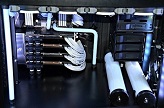
Windows 10 Pro
i7 5960x
Asus Rampage V Extreme U3.1
Titan X 4 Way SLI
8x8 64Gb 2666 Corsair Elite
2x Custom EK Loop on All Cards, Mobo, CPU
3x Phillips 272G5DYEB GSync
+ Asus VE228H
Corsair AX1500i + HX1000i (2500W)
2x Samsung 850 EVO Pro 1TB
2X WD Black 4 TB (8TB)
3x Asus 12B1ST ROM Drives
38 Fans, 5 Fan Controllers
4 x 60mm of Radiators
http://pcpartpicker.com/b/XtM8TW
i7 5960x
Asus Rampage V Extreme U3.1
Titan X 4 Way SLI
8x8 64Gb 2666 Corsair Elite
2x Custom EK Loop on All Cards, Mobo, CPU
3x Phillips 272G5DYEB GSync
+ Asus VE228H
Corsair AX1500i + HX1000i (2500W)
2x Samsung 850 EVO Pro 1TB
2X WD Black 4 TB (8TB)
3x Asus 12B1ST ROM Drives
38 Fans, 5 Fan Controllers
4 x 60mm of Radiators
http://pcpartpicker.com/b/XtM8TW
-
Presidential Candidate
- Posts: 5
- Joined: 21 May 2016, 07:06
Re: Fallout 4 Eyefinity/Surround
What do I need to edit to fix the bottom of terminal text being cut off? Like when there are large blobs on screen the last line or two always get cut off. The other thing is notes are too small to read what fixes that? I'm pretty sure they're both ini edits
Re: Fallout 4 Eyefinity/Surround
When updated to Fallout 4 v1.5 these empty brown info boxes appeared in the upper right screen when using WSGF with triple screens.
- Attachments
-
- ScreenShot2.jpg (1.24 MiB) Viewed 7313 times
-
Guest
Re: Fallout 4 Eyefinity/Surround
Ok so i finally bought FO4 last night on steam summer sale. (6/24/16 ) And it looks like we are on v 1.6 now. I am having a heck of a time finding information on how to get this working on the newest version as nobody seems to put dates on the updated links for various files. Also Flawless widescreen website is down? What do I need to do to get this game playable in eyefinity at 5760x1080?
Re: Fallout 4 Eyefinity/Surround
Please could the community help me.
I was using the interface.ba2 fix posted a few pages back however this is not working now. Also flawless widescreen crashes to desktop without any error messages.
Is there any fixes for 5760x1080 UI?
I was using the interface.ba2 fix posted a few pages back however this is not working now. Also flawless widescreen crashes to desktop without any error messages.
Is there any fixes for 5760x1080 UI?
-
WileyTheMan
- Posts: 7
- Joined: 12 Nov 2015, 17:52
Re: Fallout 4 Eyefinity/Surround
The benefits of using the tool from http://www.flawlesswidescreen.org/ pretty much outstrip the hassle of using a customized ba2 files, unless you know what you're doing and can edit them yourself. Believe me, I held on to using modified ba2 file up to 1.4 and finally realized that 90-95% of what I needed was in the memory hack (the tool above). After backing out all the screen modifications I made in the ini files, it works great in every game patch since. I am using Surround in 5760x1200.
The Flawless Widescreen tool is easy: Download and install it. Run the tool and click on Fallout 4 in the Available Plugins. Change options as you see fit but you should be fine with defaults. Make sure this tool is running on your system at the time you start Fallout 4. Very important.
Quick edit: I did actually keep a few edits in my ini for workshop icon sizes. If it helps, here's what I put in my fallout4.ini file under [Interface]:
fNoteDistance=12.0000
fBookDistance=36.6667
fWorkshopMenuItem3DScale=2.0000
The Flawless Widescreen tool is easy: Download and install it. Run the tool and click on Fallout 4 in the Available Plugins. Change options as you see fit but you should be fine with defaults. Make sure this tool is running on your system at the time you start Fallout 4. Very important.
Quick edit: I did actually keep a few edits in my ini for workshop icon sizes. If it helps, here's what I put in my fallout4.ini file under [Interface]:
fNoteDistance=12.0000
fBookDistance=36.6667
fWorkshopMenuItem3DScale=2.0000

Re: Fallout 4 Eyefinity/Surround
Hi guys, does anybody have an idea how to solve this? I haven't touched Fallout 4 in months, now I went back to it and oddly enough I cannot make it work anymore in a triple screen setup. I never uninstalled it in the first place so the settings remained the same. After I encountered the issue I did try erasing the old settings and redoing everything from scratch but I always get the same result: when the game launches it reverts my resolution to a non-bezel compensated one (so everything looks messed up from one screen to the next) and it adds a weird looking blue bar to the far right of the screen:

-
anteronoid
- I Donated
- Posts: 264
- Joined: 10 Nov 2010, 02:58
Re: Fallout 4 Eyefinity/Surround
Francesco wrote:Hi guys, does anybody have an idea how to solve this? I haven't touched Fallout 4 in months, now I went back to it and oddly enough I cannot make it work anymore in a triple screen setup. I never uninstalled it in the first place so the settings remained the same. After I encountered the issue I did try erasing the old settings and redoing everything from scratch but I always get the same result: when the game launches it reverts my resolution to a non-bezel compensated one (so everything looks messed up from one screen to the next) and it adds a weird looking blue bar to the far right of the screen:
Remove all settings and edits and use http://www.flawlesswidescreen.org/ tool.
Works for me after every update and patch to the game so far.
Easy and Simple.
| i7 6850K Broadwell-e @4.2Ghz | DDR4 32GB @3200Mhz| 2x Msi 1080 X | Asus X99 Deluxe II /H110i/AX1200iw |
| 3x Dell P2314H @ 5760x1080 + Philips 43" 4K IPS BDM4350UC Monitor + Oculus Rift CV1 |
| 1*Samsung EVO 960 500GB NVMe x4 gen.3 | 2x Intel SSD SATA III Raid 0 | 2x Intel SSD SATA III Raid 0 | 2x 2TB SSHD Seagate SATA III Raid 0 |
| Logitech G810 - G502 - G240 - G27 - G940 - | TrackIR 5 Pro | Saitek RHINO X55 HOTAS | Xbox One Elite Gpad |
Asus Vulcan Pro | Asus Xonar U7 | Sony STR-DE495P External Surround Home Cinema Reciever |
| 3x Dell P2314H @ 5760x1080 + Philips 43" 4K IPS BDM4350UC Monitor + Oculus Rift CV1 |
| 1*Samsung EVO 960 500GB NVMe x4 gen.3 | 2x Intel SSD SATA III Raid 0 | 2x Intel SSD SATA III Raid 0 | 2x 2TB SSHD Seagate SATA III Raid 0 |
| Logitech G810 - G502 - G240 - G27 - G940 - | TrackIR 5 Pro | Saitek RHINO X55 HOTAS | Xbox One Elite Gpad |
Asus Vulcan Pro | Asus Xonar U7 | Sony STR-DE495P External Surround Home Cinema Reciever |
Re: Fallout 4 Eyefinity/Surround
anteronoid wrote:Remove all settings and edits and use http://www.flawlesswidescreen.org/ tool.
Works for me after every update and patch to the game so far.
Easy and Simple.
I already tried that but it had no effect, I removed the Fallout4Prefs.ini file in the main Fallout 4 folder and all the other *.ni files in Documents/My Games/Fallout4.
Am I missing something?
-
anteronoid
- I Donated
- Posts: 264
- Joined: 10 Nov 2010, 02:58
Re: Fallout 4 Eyefinity/Surround
Francesco wrote:anteronoid wrote:Remove all settings and edits and use http://www.flawlesswidescreen.org/ tool.
Works for me after every update and patch to the game so far.
Easy and Simple.
I already tried that but it had no effect, I removed the Fallout4Prefs.ini file in the main Fallout 4 folder and all the other *.ni files in Documents/My Games/Fallout4.
Am I missing something?
Have you removed those custom *.ba2 files as well?
If you have fresh .ini files this tool could come in handy to configure the resolution/fullscreen parameters at first start and then lock the .ini files.
http://www.nexusmods.com/fallout4/mods/102/?tab=2
Also you have to configure the FWS tool to your settings.
Start the FWS first, load the Fallout4 plugin, then the game.
In the status window/log you should see if it detects the game exe when you start it.
Also, the FWS might not work with pirate versions.
| i7 6850K Broadwell-e @4.2Ghz | DDR4 32GB @3200Mhz| 2x Msi 1080 X | Asus X99 Deluxe II /H110i/AX1200iw |
| 3x Dell P2314H @ 5760x1080 + Philips 43" 4K IPS BDM4350UC Monitor + Oculus Rift CV1 |
| 1*Samsung EVO 960 500GB NVMe x4 gen.3 | 2x Intel SSD SATA III Raid 0 | 2x Intel SSD SATA III Raid 0 | 2x 2TB SSHD Seagate SATA III Raid 0 |
| Logitech G810 - G502 - G240 - G27 - G940 - | TrackIR 5 Pro | Saitek RHINO X55 HOTAS | Xbox One Elite Gpad |
Asus Vulcan Pro | Asus Xonar U7 | Sony STR-DE495P External Surround Home Cinema Reciever |
| 3x Dell P2314H @ 5760x1080 + Philips 43" 4K IPS BDM4350UC Monitor + Oculus Rift CV1 |
| 1*Samsung EVO 960 500GB NVMe x4 gen.3 | 2x Intel SSD SATA III Raid 0 | 2x Intel SSD SATA III Raid 0 | 2x 2TB SSHD Seagate SATA III Raid 0 |
| Logitech G810 - G502 - G240 - G27 - G940 - | TrackIR 5 Pro | Saitek RHINO X55 HOTAS | Xbox One Elite Gpad |
Asus Vulcan Pro | Asus Xonar U7 | Sony STR-DE495P External Surround Home Cinema Reciever |
Who is online
Users browsing this forum: No registered users and 11 guests