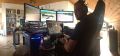
rdunlap wrote:Are you using Bezel correction? In my current setup I cant use Bezel correction or i get an off center crosshair. He put in the description block in the plugin that it was designed for 16:9 but I am pretty sure that's because the Game layout was designed around 16:9. Let me dig up my notes, one of the ini settings will shift the display center. This may cause a strip to the side that's blank or that is black. I have had both before I gave up and switched to no Bezel correction. Its a failure in the NVidea drivers or the engine one. Just no way to be certain at this point.
If i do find the ini settings notes I will PM them to you. These settings I am describing are precisely the ones HaYDeN warns about in his plugin. They can make text popups disappear and all kinds of stuff while running his plugin.
EDIT: One small piece of information. A friend of mine runs AMD and said to ask if you had tried borderless windowed. Basically he said whichever you were running try the other as it seems as if some rigs want one and others want the other. If its like NV then that changes performance some but I don't have a lot of info on it.
Robert
While tinkering with the "bFull Screen" and "bBorderless" settings in the Fallout4Prefs.ini file, the game created a Fallout4Custom.ini file on launch, and in it were some additional settings for [Display], "iLocation X" and "iLocation Y". Entering a value of -150 for "X" somewhat corrected the view towards center (but with the crosshair not shifted). And it did create the vertical strip of desktop to be visible on the far right, as well as the taskbar, even though the prefs were set to borderless. And HUD messages get bridged between two monitors. Sigh.
It appears that using 16:10 monitors creates a slew of additional issues. It would be a godsend if this were addressed...
 might be time to slow down and sip some coffee and re-engage brain. The 16:10 has to be throwing the curve at this point. My bag of tricks is empty. I would think 16:10 issues would be height related not width. The NVidia drivers are doing well for me, the only ones that gave me a hard time was the one released a day or so before the game itself and that was frame rate issues only.