Page 4 of 8
Re: DRAGON QUEST® XI: Echoes of an Elusive Age 21:9 request
Posted: 16 Sep 2018, 14:40
by thaiusmle
susahamat wrote:i'll lookin the issue when game on sale, very unacceptable to buy in my country

Re: DRAGON QUEST® XI: Echoes of an Elusive Age 21:9 request
Posted: 17 Sep 2018, 23:38
by Oldman
susahamat wrote:i'll lookin the issue when game on sale, very unacceptable to buy in my country
A cracked version is already available in case you just want to investigate the issue

Re: DRAGON QUEST® XI: Echoes of an Elusive Age 21:9 request
Posted: 18 Sep 2018, 01:52
by susahamat
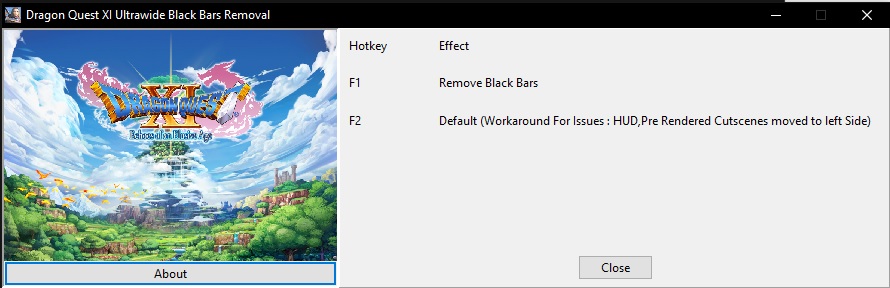
i've tried with CODEX release(Cracked) but out of luck here. the HUD and Pre Rendered Cutscenes still moved to left side . but i've made a trainer for fov correction in realtimecutscenes/in-gameplay and blackbars removal, just press hotkey
F1 to remove letterboxed or F2 back to default this is workaround if issue shown up! , this's just optional until someone had knowledge for messing with an issue
DQ11_UWBlackbarsRemoval (Zippyshare)
- DQ11_UWBlackbarsRemoval.jpg (77.47 KiB) Viewed 8646 times
Re: DRAGON QUEST® XI: Echoes of an Elusive Age 21:9 request
Posted: 18 Sep 2018, 11:22
by Igdrazyl
Someone to take codex release (DRAGON QUEST XI.exe) and tried to modify it to play correctly with a resolution of 3440x1440p at fullscreen ?
The HUD patch of Susahamat is good, but the resolution "crash" when we go to setup option in game.
Thanks a lot
Re: DRAGON QUEST® XI: Echoes of an Elusive Age 21:9 request
Posted: 19 Sep 2018, 10:47
by nanaoA
can u add fov slider? thx
Re: DRAGON QUEST® XI: Echoes of an Elusive Age 21:9 request
Posted: 19 Sep 2018, 11:01
by susahamat
@nanaoA: working on it
Re: DRAGON QUEST® XI: Echoes of an Elusive Age 21:9 request
Posted: 19 Sep 2018, 11:38
by maximogta
When I unzip the DQ11_UWBlackbarsRemoval.EXE file windows says error 0x800700E1, the file may contain a virus.

, but thanks anyways. Could it be true?
Sorry my bad english. Im from spain.
PD: I have the cracked version.
Re: DRAGON QUEST® XI: Echoes of an Elusive Age 21:9 request
Posted: 19 Sep 2018, 11:44
by susahamat
sorry because that file is trainer should be always flagged by some anti virus . try add file in exclusion AV App
Re: DRAGON QUEST® XI: Echoes of an Elusive Age 21:9 request
Posted: 19 Sep 2018, 12:22
by susahamat
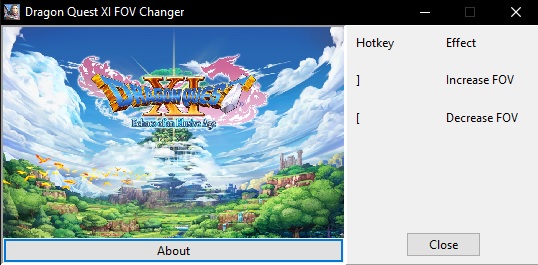
DRAGON QUEST XI Echoes of an Elusive Age XI FOV Changer CET & Trainer
- DQ11FOVChangerTrainer.jpg (61.57 KiB) Viewed 9498 times
How To ?choose one cheat engine table or trainer depending you prefer > Extract rar > Open DQ11FOVChangerTrainer or DQ11FOVChangerCET > play a gamePress Hotkey :
] for increase FOV,
[ for decrease FOVTroubleshooting & Issues :
1.The FOV Changer Trainer doesn't worked when pressing hotkey (Workaround: Alt+Tab then Re-open file or download this modified exe here
DRAGON QUEST XI (Zippyshare) copy & replace in installation folder Game\Binaries\Win64)
Trainer:
Cheat Engine Table:
Re: DRAGON QUEST® XI: Echoes of an Elusive Age 21:9 request
Posted: 20 Sep 2018, 03:24
by thaiusmle
Thanks for the fix. I think the glitch is acceptable IMO. I still wish Square Enix released the game with native 21:9 support. It should not take them long at all to do that if they have access to the engine.
Re: DRAGON QUEST® XI: Echoes of an Elusive Age 21:9 request
Posted: 21 Sep 2018, 10:47
by polo12
@ Susahamat
Thank you very much for the FoV trainer

you made my day !
Re: DRAGON QUEST® XI: Echoes of an Elusive Age 21:9 request
Posted: 21 Sep 2018, 13:45
by tramphuochuy
Hi thank you very much for your works , where i can find a patch for 5870x1080 , please ^^
Re: DRAGON QUEST® XI: Echoes of an Elusive Age 21:9 request
Posted: 21 Sep 2018, 14:36
by susahamat
working on it
Re: DRAGON QUEST® XI: Echoes of an Elusive Age 21:9 request
Posted: 21 Sep 2018, 16:55
by susahamat
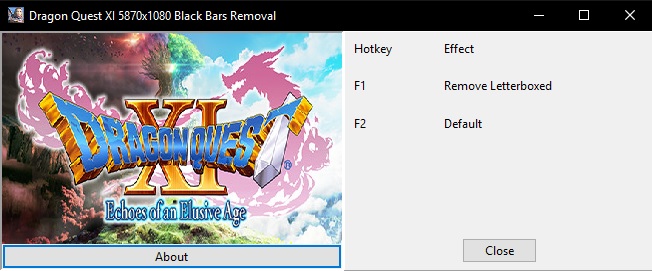
Dragon Quest XI Multi Monitor Black Bars Removal
- DQ11_5870x1080BlackRemoval.jpg (68.75 KiB) Viewed 7083 times
How to?Make Sure Run a Game in Borderless Mode > Close a Game , Play a Game again > When in-gameplay press Alt+Tab then Run The Trainer > Press F1 To Remove Black Bars ,
F2 back to default if issues appear48x9 (3840x720;4800x900; 5760x1080; etc...) :
DQ11_MMBlackRemoval5870x1080
(REQ:@tramphuochuy)DQ11_5870x1080BlackRemoval
Re: DRAGON QUEST® XI: Echoes of an Elusive Age 21:9 request
Posted: 21 Sep 2018, 21:08
by tramphuochuy
absolute great , thanks susahamat , hope you can help us for more games , 7 coffee donated via paypal ^^!

Re: DRAGON QUEST® XI: Echoes of an Elusive Age 21:9 request
Posted: 21 Sep 2018, 23:34
by Jadam
Hey, I'm not big into mods and I'm not very tech literate. However, I followed the instructions from an earlier post and the fix didn't work for me at all. I refunded the game but have been itching it to play for a while so I'm hoping someone here can help me out and explain what I did wrong. Simply put instead of getting black bars on both sides of the image to force it to run 2560x1440 I got one big black bar on the right side of the monitor and the game ran on the entire left side of the monitor. While I can't provide an exact screenshot of the game, I can provide something similar that can generalize my problem and maybe someone else can help me. I should also note all I did was simply extract the 7zip file from like page 2 of this thread and renamed that file and placed it into the proper location.
Link #1) this is what the game kind of looked after the fix that I tried to implement (
https://imgur.com/a/wCHsjyU)
edit 1: I know the SS is WoW but like I said I refunded the game so I can't give you an exact screenshot. This screenshot is just a simple generalization.
Re: DRAGON QUEST® XI: Echoes of an Elusive Age 21:9 request
Posted: 22 Sep 2018, 04:02
by susahamat
tramphuochuy wrote:absolute great , thanks susahamat , hope you can help us for more games , 7 coffee donated via paypal ^^!
wow thanks for coffee mate

you've made my day , of course i'll keep continue to help other

Jadam wrote:Hey, I'm not big into mods and I'm not very tech literate. However, I followed the instructions from an earlier post and the fix didn't work for me at all. I refunded the game but have been itching it to play for a while so I'm hoping someone here can help me out and explain what I did wrong. Simply put instead of getting black bars on both sides of the image to force it to run 2560x1440 I got one big black bar on the right side of the monitor and the game ran on the entire left side of the monitor. While I can't provide an exact screenshot of the game, I can provide something similar that can generalize my problem and maybe someone else can help me. I should also note all I did was simply extract the 7zip file from like page 2 of this thread and renamed that file and placed it into the proper location.
sorry to hear that , btw what your aspect ratio and Resolution you've played? are you tried put the number resolution through .ini file ? . the location in here Documents\My Games\DRAGON QUEST XI\Saved\Config\WindowsNoEditor, open gameusersettings . change this
ResolutionSizeX=
ResolutionSizeY=
because in video settings in-game the resolution number is fake, or try run in borderless mode
Re: DRAGON QUEST® XI: Echoes of an Elusive Age 21:9 request
Posted: 22 Sep 2018, 06:14
by akitoyiu
Hi, I am using the 5760x1080 version after using the removeblackbox, the graphic looks strange, with very thick black lines drawing the character.
Anyone know if there is a possible workaround?
Thanks,
Re: DRAGON QUEST® XI: Echoes of an Elusive Age 21:9 request
Posted: 22 Sep 2018, 06:55
by susahamat
@akitoyiu : when char in moving ? would you mind capture the problem share screenshoot here , let me take a look
Re: DRAGON QUEST® XI: Echoes of an Elusive Age 21:9 request
Posted: 22 Sep 2018, 11:25
by akitoyiu
susahamat wrote:@akitoyiu : when char in moving ? would you mind capture the problem share screenshoot here , let me take a look
Hi Susahamat,
screen captures as below: