Page 4 of 4
Halo 2: Detailed Report
Posted: 26 Mar 2009, 16:26
by StingingVelvet
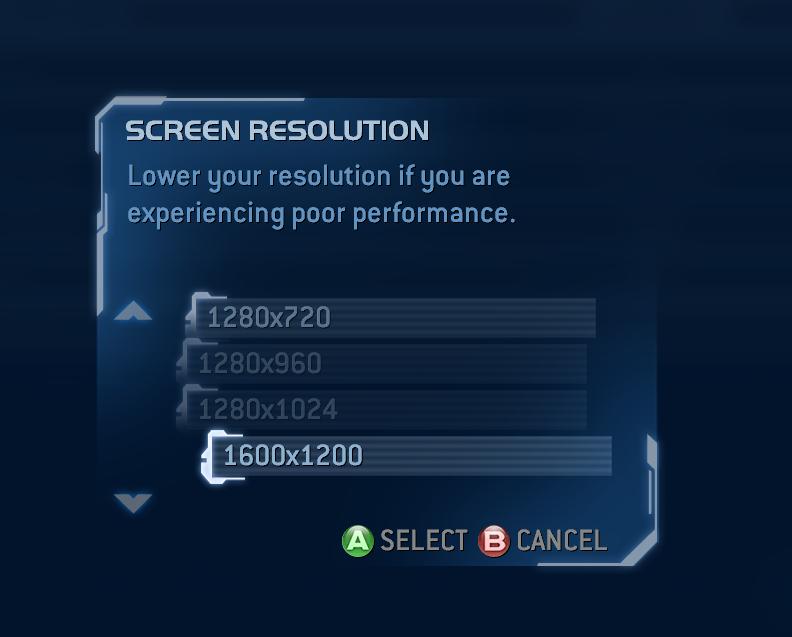
Two years ago, you said 1280x800 and 1280x768 worked. Any idea why they aren't working now?
Nope. It's a new comp, that's all I can say. Halo 2 seems to have dissapearing resolutions for everyone, which is really odd.
Edit: I actually said "all resolutions up to 16080x1050 are listed" but didn't list specifics... good thing you called me out on specifics elsewhere ;)
Whether they were there or not I do not know, but they aren't now, unless I somehow missed them. I'm loading up Halo 2 in a few moments to check twice.
Halo 2: Detailed Report
Posted: 26 Mar 2009, 16:52
by StingingVelvet
Yeah, no 1280x800 or 1280x768.
Halo 2: Detailed Report
Posted: 27 Mar 2009, 03:56
by InnerGoat
-vidmode never did anything in H2V from what I remember. That's a command for Halo PC/CE.
Also, 1280x800 is there on my laptop. It may have to do with the monitor .inf file? H2V is just a joke in the end, and I really wish it wasn't. :(
Re: Halo 2: Detailed Report
Posted: 05 May 2010, 21:04
by Leapo
Re: Halo 2: Detailed Report
Posted: 06 May 2010, 11:43
by scavvenjahh
Excellent ! I was saving parts to build a Vista/Halo 2 PC and test multi-mon support... Now I don't have to. 8)
Could you post a screenie of the very beginning of the game, so that we can compare it to the ones posted in the Screen Change section of the DR ?
(To be honest, a 4:3 shot of the main menu would also be great for my MMMM project) :P
Re: Halo 2: Detailed Report
Posted: 06 May 2010, 19:23
by Leapo
Could you post a screenie of the very beginning of the game, so that we can compare it to the ones posted in the Screen Change section of the DR ?
Just to be clear; you want a screenshot of that calibration-ring-thingy?
Re: Halo 2: Detailed Report
Posted: 07 May 2010, 08:14
by scavvenjahh
Yep, a multi-mon version of this:

A 16:9 version would be great too, actually :wink:
And if you think this part's not the best to represent actual gameplay, feel free to take a set of screenies of a different place. Any complete 4:3/16:10/16:9/multi-mon comparison of the same spot would be grrreat.
Re: Halo 2
Posted: 19 Apr 2014, 07:00
by NeoG
Now that DSFix works on Halo 2 this info needs to be updated
21:9 works great and you can use custom resolutions
Re: Halo 2
Posted: 11 Apr 2018, 15:13
by Gungoose360

Just installed it again on my Windows 10 OS, WORKS GREAT! And here I thought id be stuck at 1080p till I looked up 21:9 support for Halo 2 PC and found this amazing wisdom... Thank you!

Got the trial version of UltraMon (what a great program BTW) so was able to get a proper scaling at slightly larger than desktop to compensate for the window borders. The FOV and level of control is flawless! Rarely do I find a game that doesn't require much tweaking to make right for UWS.


