Page 24 of 72
Post your "Command Centre" Pictures Here
Posted: 13 Jun 2006, 10:33
by Paradigm Shifter
Honestly? Both. :lol:
I found a pub when I was on holiday that made it's own cider... man, that stuff was nice. Lethal, too... 14% alcohol in cider is insane. :D
But yeah... don't drink cider for the booze, drink it for the taste. :D
...
I know most watercooling blocks are quite pricy, but I guess it depends.
Sounds like you shook some dust loose when you moved it. ;) Or the heatsink seated better...
Post your "Command Centre" Pictures Here
Posted: 13 Jun 2006, 19:03
by Gilly
Honestly? Both. :lol:
I found a pub when I was on holiday that made it's own cider... man, that stuff was nice. Lethal, too... 14% alcohol in cider is insane. :D
But yeah... don't drink cider for the booze, drink it for the taste. :D
...
I know most watercooling blocks are quite pricy, but I guess it depends.
Sounds like you shook some dust loose when you moved it. ;) Or the heatsink seated better...
£25 for the MCW60 on my graphics card puts it at the same price as an accelerato...
working it out its about £125 more for water than a CPNS9500 and VP900 combo :P
Post your "Command Centre" Pictures Here
Posted: 15 Jun 2006, 00:24
by skipclarke
The accessory TT gfx waterblocks are actually very inexpensive - only around $40 CDN.
Here is the probably model you need http://www.thermaltakeusa.com/product/Liquid/Upgrade/cl-w0088/cl-w0088.asp
This one might also fit
http://www.thermaltakeusa.com/product/Liquid/Upgrade/cl-w0038/cl-w0038.asp
Their complete WC line up http://www.thermaltakeusa.com/product/Liquid/liquid_index.asp
I have the BigWater 735 & it does an excellent job. When I upgrade I will probably do the Symphony (like Tamlin)
I recommend the pump & Rad be mounted in the outside rear of the case (it's meant for that also) rather than in the case - noticeably gets more latent heat out of the case.
I put mine on a bracket so it sits to the side for more need front to back room on the not-to-deep desk. it is also near the window AC unit :D
I also added 2 more TT fans in the side grill :wink:

Post your "Command Centre" Pictures Here
Posted: 15 Jun 2006, 06:00
by Ice[DDZ]
Sweet, thanks Doug. I like the look of the fans on the side window of the case. Was it anything special to do those, cause I thought about doing that myself but didn't want to have to do anything with the mesh that's on the door already.
Post your "Command Centre" Pictures Here
Posted: 15 Jun 2006, 07:21
by Option B
"]Sweet, thanks Doug. I like the look of the fans on the side window of the case. Was it anything special to do those, cause I thought about doing that myself but didn't want to have to do anything with the mesh that's on the door already.
Naa that looks pretty easy to do Ice we could do that realy quick here some night.. would look good with the red fans you talked about aswell .. I think I also have a few red LEDs here that we can swap out with the front one on yours..
Option
Post your "Command Centre" Pictures Here
Posted: 17 Jun 2006, 01:38
by skeeder
mines nothing exciting. But what the hell, I got upgrade plans like no other.
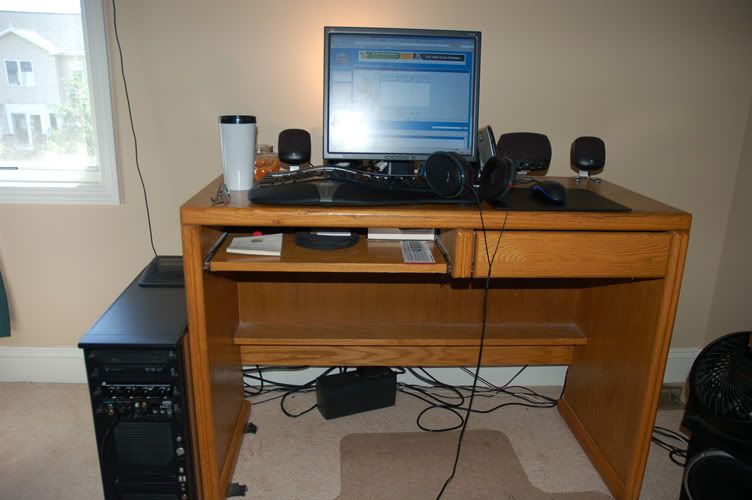
17" Viewsonic VP171b and...I do love it. Now, I'll love it next to something MUCH bigger.
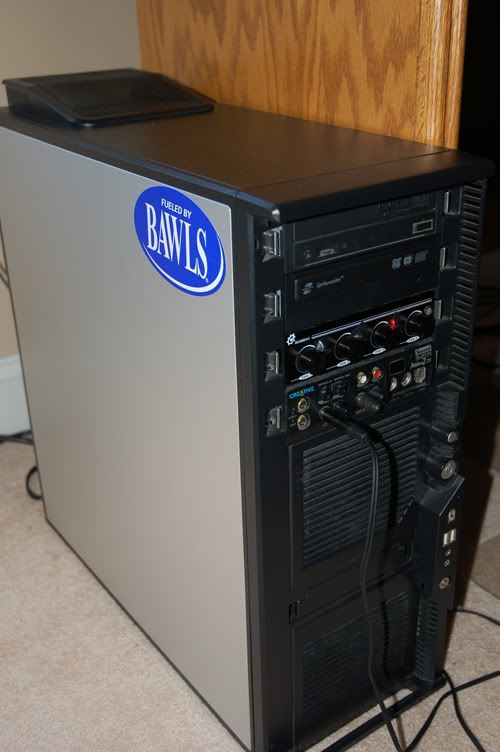
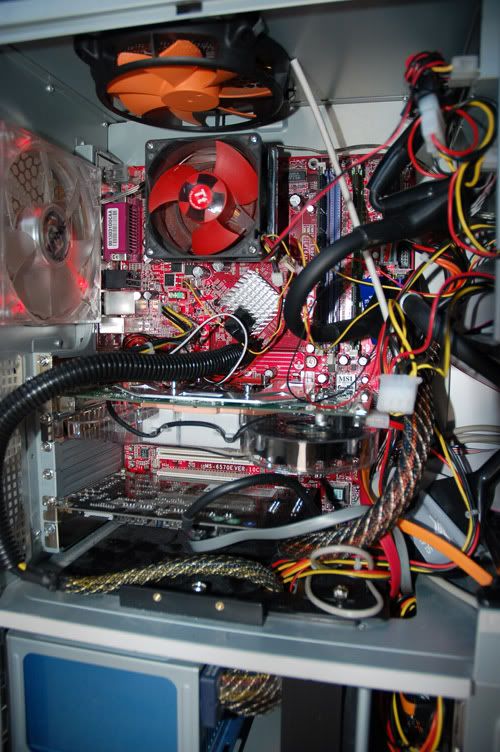
socket A forever! :wink:
Post your "Command Centre" Pictures Here
Posted: 17 Jun 2006, 04:47
by RUS007
Got to love those Silent Wheels :)
Post your "Command Centre" Pictures Here
Posted: 17 Jun 2006, 13:12
by skipclarke
Ice,
RE: "Was it anything special to do those, cause I thought about doing that myself but didn't want to have to do anything with the mesh that's on the door already."
Nope - those TT fans mount right on the grill mesh - no mod needed.
I did however need to use small washers on the mounting bolts so that they wouldn't slide through the mesh. I used 1/4" stainless steel ones.
I have yet to cut the fan speed controller faceplates that come with them

I wanted to use these (below) but figured the 120mm would be better than the 80mm
I think these are the best looking fans I ever saw - just something about them...
 On the subject of cooling & fans
I moded 2 of the TT RAM cooling kits
I took the fan off of the aluminium kit

& put it on the Hi Perf copper kit

& I used the left over heat sinks for the GFX card chips not covered by the GFX card TT waterblock.
CAUTION
If you use the included two sided sticky tape to mount the pieces - watch it if you ever remove it !!!!
I ruined 2 512Mg sticks of high end dual channel DDR2 RAM when I removed them - the RAM chips came off - $300 thrown away :shock:
Use a razor blade or Xacto knife & take your time....
Post your "Command Centre" Pictures Here
Posted: 18 Jun 2006, 16:51
by skipclarke
Here is my wife's Command Centre (my "old" game rig)
It is located behind mine in the same room.
Noitice the "STOLEN" WSGF mousepad :roll:
P4 2.6 HT
ATI 9800 XT
Benq 19" 1935NXM (great screen)
1 Gig RAM
Logitech wireless keyboard/mouse
Audigy 2
Yada yada yada

Post your "Command Centre" Pictures Here
Posted: 18 Jun 2006, 17:58
by Paradigm Shifter
Huge 'n' grainy pic alert! ;)
Post your "Command Centre" Pictures Here
Posted: 18 Jun 2006, 18:11
by Option B
My new Command Center...


Option
Post your "Command Centre" Pictures Here
Posted: 18 Jun 2006, 18:13
by ctrlsteef
Cool, the computer exposed like that. It shows that you are prowed of it. :D
I can imagine why, that thing seriously is cool 8)
Post your "Command Centre" Pictures Here
Posted: 18 Jun 2006, 18:26
by Paradigm Shifter
Like the setup, Option B.
Having to get up to change a disk would drive me mad, though... :lol:
Post your "Command Centre" Pictures Here
Posted: 18 Jun 2006, 18:58
by Option B
I might change a disk every 2-3 weeks
I have one game installed and the BF2 disk stays in that drive all the time ..
Option
Post your "Command Centre" Pictures Here
Posted: 19 Jun 2006, 00:07
by skipclarke
RE: "Huge 'n' grainy pic alert! :wink: "

I couldn't resist inserting this one here :lol: :wink:
Post your "Command Centre" Pictures Here
Posted: 19 Jun 2006, 03:07
by skeeder
I might change a disk every 2-3 weeks
I have one game installed and the BF2 disk stays in that drive all the time ..
Option
I actually used Alcohol to rip the DVD image to my drive and mount it with DT. Now I just click on it and it launchs no problem. better than a disc if you ask me...
Post your "Command Centre" Pictures Here
Posted: 21 Jun 2006, 01:40
by Evil Incarnate
I didn't want to make a dozen thumbnails to accompany these images, so I am just going to link to the web directory they are in and give some information about my "command center" in this post. :)
Link to images: http://ryan.thecarshopwy.com/Public/CommandCenter/
I am still working on the cable arrangement for the monitors' cables; I don't want to cut into the desk, in case I sell it later, but the power cable is about 8 inches short for the left monitor for me to run them any other way. I don't want to buy a short extension cord from a local store, as I don't need that much slack, and I cannot get a longer power cable locally, so I would have to pay for shipping and everything else... The joys of living in a small town. :lol:
Not all of the guns in the pictures are real; I don't think anyone cares anyways, so I won't tell which ones are real and which ones are for show.
I am a big duct tape fan, and and even bigger Green Bay Packers fan (although that is harder to admit to lately, with their past two seasons being nothing short of a disgrace).
For the most part I think everything is pretty well organized; considering more than half of everything around here gets used at least once a day. The dorm-sized refrigerator is great, especially since I never sit down at that desk (I like to stand most of the time, except for when I am on my machine). There are over five different flashlights in the area covered by the photographs; I don't know why, but I really like to buy flashlights and keep them everywhere.
You can't see the rear two speakers, but I am using a Logitech Z680 5.1 Surround setup. I think that about covers everything else. If for some strange reason you have a question, feel free to ask.
Post your "Command Centre" Pictures Here
Posted: 21 Jun 2006, 03:12
by skeeder
you have a wacom pad! lucky! I want one!
Post your "Command Centre" Pictures Here
Posted: 21 Jun 2006, 03:16
by Ice[DDZ]
Love the Xasor Incarnate. Your setup reminds me of my old one when I had two monitors and my Xasor.
And actually, I'm interested in which guns are actually real. If anything I wanna say the shotgun is and nothing else? The M4 could be, but it looks plasticy (Or maybe black paint?). And the P99 (or something along those lines) and Beretta look like airsoft.
I've been thinking about picking up an M4 airsoft myself. I'd love to get one of the Stoner based models, love the look of the RIS system and full stock with carrying handle :D I'd like to buy Classic Army but I hear they have issues with the guns not being well made and I'd go with Marui but I so want a full metal body :)
EDIT: so that's a wacom pad??? Is it the kind you can see what you draw as you draw it on he pad or does it show up on the screen when you draw on the pad?
Post your "Command Centre" Pictures Here
Posted: 21 Jun 2006, 03:21
by skeeder
"]
EDIT: so that's a wacom pad??? Is it the kind you can see what you draw as you draw it on he pad or does it show up on the screen when you draw on the pad?
Pretty much, I've used ones at school with Mac's they rock! much better than older pads. pretty much a godtool in PS. Some people even paint with those.
(heres some http://www.deviantart.com/view/33059835/ )