Page 3 of 3
Re: Borderlands GOTY Remake 21:9 REQUEST
Posted: 08 Apr 2019, 13:27
by Shiftosis
jackfuste wrote:Darktalon wrote:Is there a way to disable head bob while sprinting? I've been having to scroll through my weapons to prevent it when I sprint, otherwise I want to barf.
Replace
BorderlandsGOTY.exe in the game folder -
BorderlandsGOTY_no_shake.7z- Camera shake is disabled at sprinting
Wyrdmacht wrote:Love the effort this community puts into eyefinity support! The .exe patch looks great, for some reason though my left screen is mirroring the wire frame image of the right screen; all ghostly like...strange I know. Anyone having similar issues?
Disable in-game FXAA, use FXAA in the driver or ReShade.
I don' t know if you are the person that fixed this or not, but either way, I took the time to register an account just so that I can thank you for Fixing the Camera Shake/ Head Bob while sprinting. I've been searching everywhere for a way to fix it. I've requested help on the steam forums, the official gearbox forums, countless of cheat engine forums, then someone linked this to me. I've never been able to play any of the borderlands games because of this problem that the devs have ignored all these years. Idk if this fix exists for borderlands 2 but now I can at least enjoy borderlands 1. Thank you so much. I'm really grateful. You have no idea how many people you will actually help play this game. Thank you thank you thank you. If you haven't can you make the same fix for borderlands 2?

Re: Borderlands GOTY Remake 21:9 REQUEST
Posted: 08 Apr 2019, 20:31
by Haldi
It's awesome without camera shaking! You rock
Re: Borderlands GOTY Remake 21:9 REQUEST
Posted: 13 Apr 2019, 11:00
by funboy321
Getting some odd vertical lines on the 2 outer screens dudes. Any thoughts ?
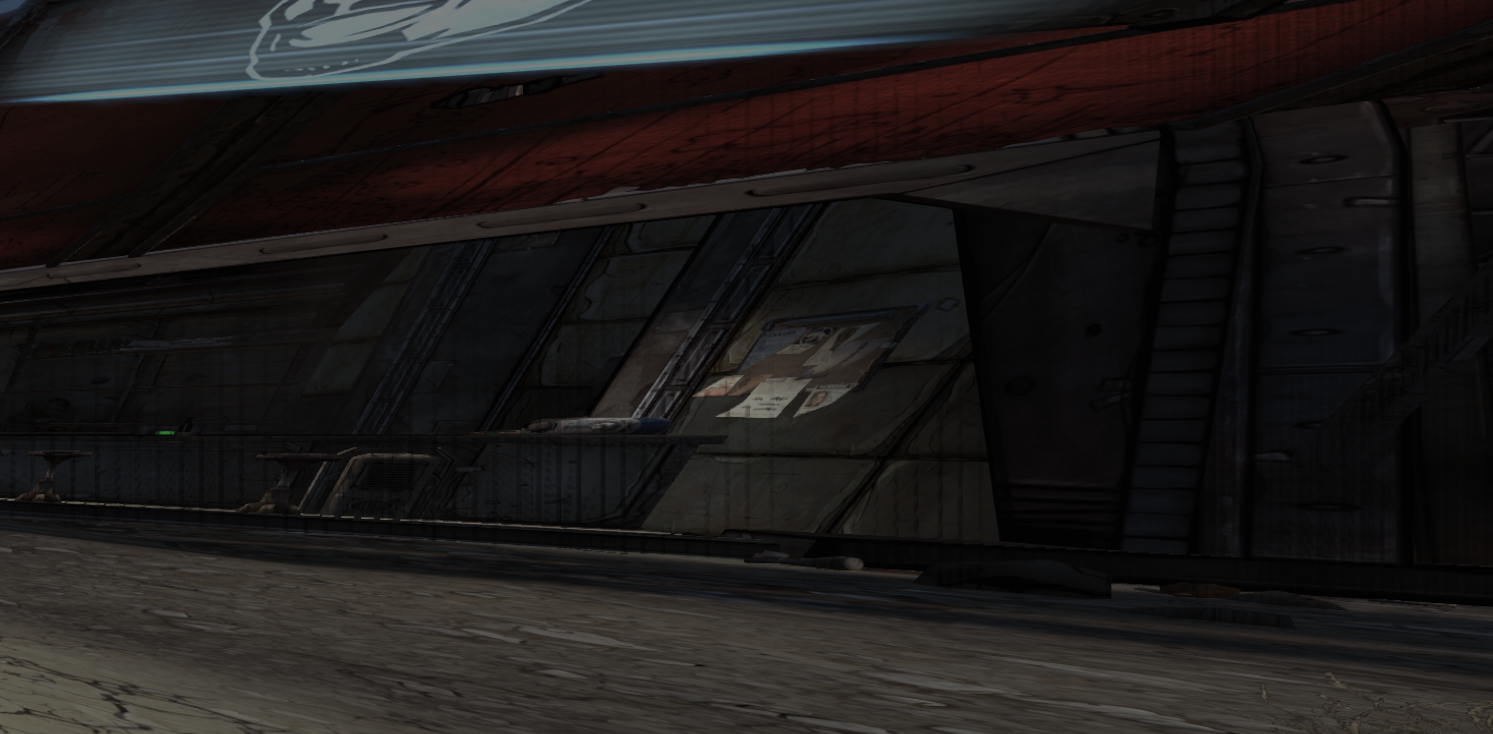
- Screenshot_1.png (1.36 MiB) Viewed 10367 times
Re: Borderlands GOTY Remake 21:9 REQUEST
Posted: 13 Apr 2019, 22:51
by MobsterOO7
funboy321 wrote:Getting some odd vertical lines on the 2 outer screens dudes. Any thoughts ?
Screenshot_1.png
Is FXAA on? That might be the same bug that was mentioned earlier.
I would just like to point out that the cel shading is 3X as thick as it should be horizontally. It makes things look a little wonky. I have included a screenshot for example.

Re: Borderlands GOTY Remake 21:9 REQUEST
Posted: 13 Apr 2019, 23:12
by funboy321
MobsterOO7 wrote:funboy321 wrote:Getting some odd vertical lines on the 2 outer screens dudes. Any thoughts ?
Screenshot_1.png
Is FXAA on? That might be the same bug that was mentioned earlier.
I would just like to point out that the cel shading is 3X as thick as it should be horizontally. It makes things look a little wonky. I have included a screenshot for example.
Could be that dude. FXAA is off after reading the earlier posts, I got the wire frame effect similar as someone further up.
Re: Borderlands GOTY Remake 21:9 REQUEST
Posted: 14 Apr 2019, 16:30
by ambivert
funboy321 wrote:Getting some odd vertical lines on the 2 outer screens dudes. Any thoughts ?
Screenshot_1.png
Disable Ambient Occlusion and see if that fixes it. I believe I had to disable AO in the Borderlands video settings, then activate Ambient Occlusion in Nvidia Inspector to get those lines to go away.
Re: Borderlands GOTY Remake 21:9 REQUEST
Posted: 22 Apr 2019, 18:51
by Sinbad
In ReShade, I recommend SMAA instead of FXAA because it produces superior results. Also disable FXAA from the in-game menu as it's not needed.
Re: Borderlands GOTY Remake 21:9 REQUEST
Posted: 08 May 2019, 18:49
by funboy321
ambivert wrote:funboy321 wrote:Getting some odd vertical lines on the 2 outer screens dudes. Any thoughts ?
Screenshot_1.png
Disable Ambient Occlusion and see if that fixes it. I believe I had to disable AO in the Borderlands video settings, then activate Ambient Occlusion in Nvidia Inspector to get those lines to go away.
It was Ambient Occlusion, thanks for all your help.