Page 3 of 4
Re: Life Is Strange
Posted: 20 Oct 2015, 18:56
by Funkengreuven
Thanks Helifax for the upcoming fix!

I look forward to replaying the game from the beginning in surround. I remember in episode 1 (and maybe 2) you could fix it by editing the config file, but the fix stopped working & I lost interest in playing the game on a single screen. Now we can get our $$$ worth.
Re: Life Is Strange
Posted: 21 Oct 2015, 05:04
by S P A C E
Wijkert wrote:S P A C E wrote:Thanks for the new fix, Wijkert. Any chance you can make one for 3440x1440? I used the one you provided and it worked great. I'm just wondering if using one for 3440x1440 would make a difference. Thanks again!
Try this one:
https://drive.google.com/file/d/0B8t_dI ... sp=sharingThese fixes are dependent on the aspect ratio. 2560x1080 (~2.37) is almost the same as 3440x1440 (~2.39). That's why my first fix kinda works for you as well. That said, the fix helifax is talking about sounds a lot more thorough. But even if the FOV is corrected without the arrows moving out of place, the game wasn't designed for wider aspect ratio's, so I aspect that characters will still pop in and out of view in cut scenes.
Thanks again, Wijkert! The fix works great. I'll be using it in the meantime until helifax releases his new fix.
Re: Life Is Strange
Posted: 21 Oct 2015, 19:11
by helifax
 Fix is up at: http://3dsurroundgaming.com/WSF.html
My favourite : Unreal Engine;))
THIS WAS TESTED ONLY ON SURROUND! No idea if it will work for 21:9 single monitor (or how). Please share results!Tested ONLY on Steam version. Other versions not supported.Tested:
Episode 1-5 STEAM
Fixes:
- Aspect Ratio correction. (black bars)
- Automatic FOV adjustment to your resolution (based on the INTENDED FOV in-game). So, no need anymore to bind keys for fov values and break everything.
- HUD correction. UI is centred on the middle monitor now.
- In-game "Interaction UI" is correctly scaled and correctly positioning over the element. (Meaning you can ACTUALLY play the game, is not missing or miss-aligning).
Requires:
WideScreen Fixer version 662.
You can download it from the same page(TOP of PAGE).
Install:
- Put the dll file in the "Plugins" folder of WideScreen Fixer.
- Start WSF (as Admin)
- Start game, once is started press "*" (numpad star) key to enable the fix.
Known issues:
- Do not use FOV keybinds with this fix. The FOV is automatically calculated. Using a different FOV than the fix provides will break the lining up of the UI.
- There might still be some scenes where the fov is not updated. (This game uses Dynamic FOV almost constantly and is hard for me to find all values).
- If the game glitches (like falling through the floor - Episode 2 "Shoot bottles" encounter) disable the fix and reload the last checkpoint (Is so much one can do).
Enjoy!
Re: Life Is Strange
Posted: 23 Oct 2015, 21:46
by Mesenzio
Thank you so much for the fix helifax! I briefly tested it on my 21:9 2560x1080 monitor and it seems to run well. The main menu looks a bit strange but in game it seems good. I will keep you posted if I notice something.
- 2015-10-21_00002.jpg (120.63 KiB) Viewed 5472 times
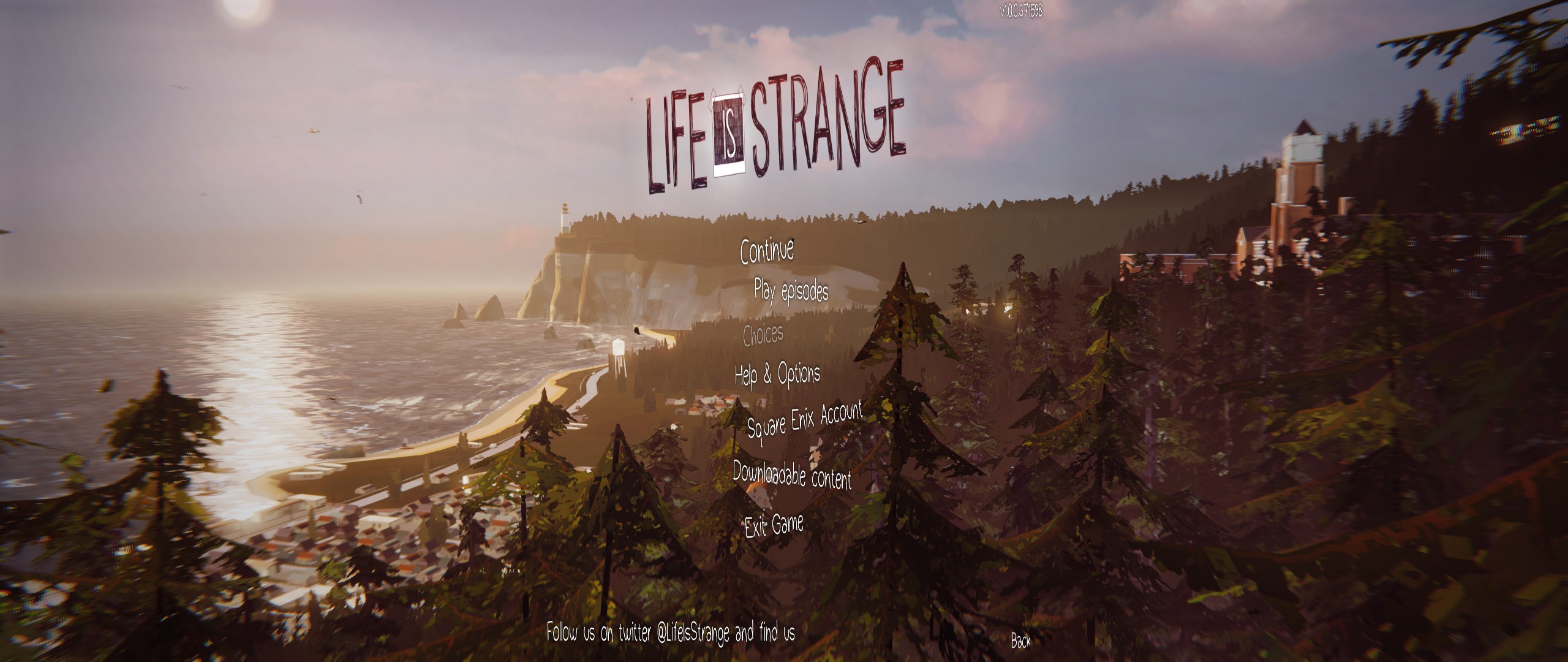
- 2015-10-21_00003.jpg (427.99 KiB) Viewed 5534 times
Someone should add your solution on the game report, it's not even mentioned and it works much better.
Re: Life Is Strange
Posted: 23 Oct 2015, 22:04
by KillingArts
works like a charme so far, helifax (21:9 here). thank you so much!

Re: Life Is Strange
Posted: 24 Oct 2015, 16:41
by MaxCaufield
helifax wrote:Fix is up at: http://3dsurroundgaming.com/WSF.htmlMy favourite : Unreal Engine;))
THIS WAS TESTED ONLY ON SURROUND! No idea if it will work for 21:9 single monitor (or how). Please share results!Tested ONLY on Steam version. Other versions not supported.Tested:
Episode 1-5 STEAM
Fixes:
- Aspect Ratio correction. (black bars)
- Automatic FOV adjustment to your resolution (based on the INTENDED FOV in-game). So, no need anymore to bind keys for fov values and break everything.
- HUD correction. UI is centred on the middle monitor now.
- In-game "Interaction UI" is correctly scaled and correctly positioning over the element. (Meaning you can ACTUALLY play the game, is not missing or miss-aligning).
Requires:
WideScreen Fixer version 662.
You can download it from the same page(TOP of PAGE).
Install:
- Put the dll file in the "Plugins" folder of WideScreen Fixer.
- Start WSF (as Admin)
- Start game, once is started press "*" (numpad star) key to enable the fix.
Known issues:
- Do not use FOV keybinds with this fix. The FOV is automatically calculated. Using a different FOV than the fix provides will break the lining up of the UI.
- There might still be some scenes where the fov is not updated. (This game uses Dynamic FOV almost constantly and is hard for me to find all values).
- If the game glitches (like falling through the floor - Episode 2 "Shoot bottles" encounter) disable the fix and reload the last checkpoint (Is so much one can do).
Enjoy!
I had a problem with this fix when i activate this fix it doesn't delete black bars instead of this whole screen is start shaking. Tell me please what i did wrong!
NOTE: My resolution is 1280x1024 and Aspect Ratio is 5:4
Video of problem:
[youtube]https://youtu.be/0oMj9WCxujM[/youtube]
Re: Life Is Strange
Posted: 25 Oct 2015, 17:08
by MaxCaufield
Someone answer me or not?
Re: Life Is Strange
Posted: 26 Oct 2015, 12:11
by helifax
Mesenzio wrote:Thank you so much for the fix helifax! I briefly tested it on my 21:9 2560x1080 monitor and it seems to run well. The main menu looks a bit strange but in game it seems good. I will keep you posted if I notice something.
2015-10-21_00002.jpg
2015-10-21_00003.jpg
Someone should add your solution on the game report, it's not even mentioned and it works much better.
Ah, yes the menu might look funky since I think I developed it using a triple screen mode in mind;) I see you are using only one monitor so that is why it might look squished. The UI is still positioned in the middle of the image (where the central monitor) should exist;)
I'll check it out and see if this is the case;)
Re: Life Is Strange
Posted: 26 Oct 2015, 12:14
by helifax
MaxCaufield wrote:Someone answer me or not?
No idea mate. You have a weird monitor there. No idea why is not working for you. You need to figure it out.
Btw, are you playing the game from Steam?
Re: Life Is Strange
Posted: 26 Oct 2015, 12:45
by MaxCaufield
helifax wrote:MaxCaufield wrote:Someone answer me or not?
No idea mate. You have a weird monitor there. No idea why is not working for you. You need to figure it out.
Btw, are you playing the game from Steam?
Yes on Steam
Re: Life Is Strange
Posted: 27 Oct 2015, 03:56
by Mesenzio
helifax wrote:Mesenzio wrote:Thank you so much for the fix helifax! I briefly tested it on my 21:9 2560x1080 monitor and it seems to run well. The main menu looks a bit strange but in game it seems good. I will keep you posted if I notice something.
2015-10-21_00002.jpg
2015-10-21_00003.jpg
Someone should add your solution on the game report, it's not even mentioned and it works much better.
Ah, yes the menu might look funky since I think I developed it using a triple screen mode in mind;) I see you are using only one monitor so that is why it might look squished. The UI is still positioned in the middle of the image (where the central monitor) should exist;)
I'll check it out and see if this is the case;)
Yes, menus and interface are centered but squished, I supposed that is the issue. Totally playable though, so no biggie.
I had a crash in Episode 2 however,
.
Re: Life Is Strange
Posted: 27 Oct 2015, 12:14
by BillyEastman
helifax wrote:Mesenzio wrote:Thank you so much for the fix helifax! I briefly tested it on my 21:9 2560x1080 monitor and it seems to run well. The main menu looks a bit strange but in game it seems good. I will keep you posted if I notice something.
2015-10-21_00002.jpg
2015-10-21_00003.jpg
Someone should add your solution on the game report, it's not even mentioned and it works much better.
Ah, yes the menu might look funky since I think I developed it using a triple screen mode in mind;) I see you are using only one monitor so that is why it might look squished. The UI is still positioned in the middle of the image (where the central monitor) should exist;)
I'll check it out and see if this is the case;)
Any chance we can get this fix working for 3440x1440 single monitors with the menus and ui not being all squished? It would be greatly appreciated.
Re: Life Is Strange
Posted: 27 Oct 2015, 12:19
by helifax
Mesenzio wrote:helifax wrote:Mesenzio wrote:Thank you so much for the fix helifax! I briefly tested it on my 21:9 2560x1080 monitor and it seems to run well. The main menu looks a bit strange but in game it seems good. I will keep you posted if I notice something.
2015-10-21_00002.jpg
2015-10-21_00003.jpg
Someone should add your solution on the game report, it's not even mentioned and it works much better.
Ah, yes the menu might look funky since I think I developed it using a triple screen mode in mind;) I see you are using only one monitor so that is why it might look squished. The UI is still positioned in the middle of the image (where the central monitor) should exist;)
I'll check it out and see if this is the case;)
Yes, menus and interface are centered but squished, I supposed that is the issue. Totally playable though, so no biggie.
I had a crash in Episode 2 however,
.
Yes, I know. For some reason the game goes highwire there if the fix is enabled. (You either get a crash or you fall through the floor). I wasn't able to find out what causes that behaviour though... If you disable the fix when that scene starts (before shooting the 1st bottle) and enable it after all the bottles are shot you should get around this issue...
Re: Life Is Strange
Posted: 02 Nov 2015, 20:46
by helifax
For 21:9 Users:
- I made a toggle to disable the HUD centering. You can find it if you click on the little gear in WSF. By default the option is disabled.
You can grab the latest plugin from here:
http://3dsurroundgaming.com/WSF.html Requires:
WideScreen Fixer version 662.
You can download it from the same page(TOP of PAGE).
Install:
- Put the dll file in the "Plugins" folder of WideScreen Fixer.
- Start WSF (as Admin)
- Start game, once is started press "*" (numpad star) key to enable the fix.
Known issues:
- Do not use FOV keybinds with this fix. The FOV is automatically calculated. Using a different FOV than the fix provides will break the lining up of the UI.
- There might still be some scenes where the fov is not updated. (This game uses Dynamic FOV almost constantly and is hard for me to find all values).
- If the game glitches (like falling through the floor - Episode 2 "Shoot bottles" encounter) disable the fix and reload the last checkpoint (Is so much one can do).
Cheers! Let me know if is working
Re: Life Is Strange
Posted: 04 Nov 2015, 01:07
by BillyEastman
helifax wrote:For 21:9 Users:
- I made a toggle to disable the HUD centering. You can find it if you click on the little gear in WSF. By default the option is disabled.
You can grab the latest plugin from here:
http://3dsurroundgaming.com/WSF.html Requires:
WideScreen Fixer version 662.
You can download it from the same page(TOP of PAGE).
Install:
- Put the dll file in the "Plugins" folder of WideScreen Fixer.
- Start WSF (as Admin)
- Start game, once is started press "*" (numpad star) key to enable the fix.
Known issues:
- Do not use FOV keybinds with this fix. The FOV is automatically calculated. Using a different FOV than the fix provides will break the lining up of the UI.
- There might still be some scenes where the fov is not updated. (This game uses Dynamic FOV almost constantly and is hard for me to find all values).
- If the game glitches (like falling through the floor - Episode 2 "Shoot bottles" encounter) disable the fix and reload the last checkpoint (Is so much one can do).
Cheers! Let me know if is working
the hud is still messed up....when I leave hud fix off (default) the hud doesnt scale correctly to 21:9 screen and markers are not placed correctly over object (they look stretched out) when the hud fix is on the hud and markers are squished (which im guessing is the correct use since it is being centered for triple monitor setups)
if you can get the hud so its not stretched and is correct for a single 21:9 aspect monitor that would be amazing....I've been waiting for this fix to play the last episode cant wait to play it.
Re: Life Is Strange
Posted: 04 Nov 2015, 01:35
by helifax
I don't have a 21:9 Monitor and honestly I don't care:)
I have Surround and the fix was made for Surround/Eyefinity!
Since you are using ONE monitor the only thing I can say is use a 16:9 Aspect Ratio resolution;) It's not like you are MISSING 2 FREAKING SCREENS anyway:))
Sorry, but I can't CODE things for something I can't test and have no idea how it looks like;))
(No pun intended)
Re: Life Is Strange
Posted: 04 Nov 2015, 15:30
by BillyEastman
helifax wrote:I don't have a 21:9 Monitor and honestly I don't care:)
I have Surround and the fix was made for Surround/Eyefinity!
Since you are using ONE monitor the only thing I can say is use a 16:9 Aspect Ratio resolution;) It's not like you are MISSING 2 FREAKING SCREENS anyway:))
Sorry, but I can't CODE things for something I can't test and have no idea how it looks like;))
(No pun intended)
no problem...I guess ill play in 16:9 then....thanks for trying though its really appreciated
Re: Life Is Strange
Posted: 07 Nov 2015, 18:56
by Mesenzio
I played it on a 21:9 and with the last version the hud fix was quite good, maybe a bit squished but definitely playable. I encountered only one bud in Episode 5 when
.
Re: Life Is Strange
Posted: 15 Nov 2015, 20:29
by TheBoruwek
helifax i am using your fix and i have 2560x1080 monitor. The problem is that during cutscenes my screen is shaking most of the time... Any solutions?
Re: Life Is Strange
Posted: 23 Jan 2016, 21:52
by NewMNT
Is there any way to remove the black bars with the latest patch? What values do I hex edit in the .exe