
Oh, well that counts me out as i can only run this by using Windowed mode and click, hold & dragging it to fit my multi-display. I wish Nvidia Surround was not so obtuse about using different configs or resolutions. You would think a company that sophisticated would update their CP to use a Soft TH type of rendering...
Thanks Master H!
Hey BTW are you looking forward to BATTLEFRONT on the PC? Probably the same sumo-wrestling match with that game to render properly in 3D as it uses the Frostbite 3 engine right?
Dragon Age Inquisition - 21:9 Confirmed
-
Gungoose360
- Posts: 35
- Joined: 16 Mar 2014, 21:36
- Location: USA
Re: Dragon Age Inquisition - 21:9 Confirmed
Acer Predator AG7750-U222 (2010)
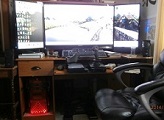
16G DDR3 RAM, Dual GTX 980s, Intel 6-Core 990X CPU @3.75 Ghz (OC), Sony 43 inch 4KTV (center display in Landscape mode) two 1280p 24" monitors (attached to center display in Portrait mode), Windows 7 64-Bit on 2TB Western Digital Black HD, Windows 10 64-Bit on WD 1.5TB Green. PDP Stealth Xbox ONE Wired Controller for decreased latency.
16G DDR3 RAM, Dual GTX 980s, Intel 6-Core 990X CPU @3.75 Ghz (OC), Sony 43 inch 4KTV (center display in Landscape mode) two 1280p 24" monitors (attached to center display in Portrait mode), Windows 7 64-Bit on 2TB Western Digital Black HD, Windows 10 64-Bit on WD 1.5TB Green. PDP Stealth Xbox ONE Wired Controller for decreased latency.


Re: Dragon Age Inquisition - 21:9 Confirmed
You mean Star Wars Battlefront?
The one that I/we fixed in 3D Vision in the beta? ^_^
https://forums.geforce.com/default/topi ... on-thread/
If so, then yes probably I'll pick it up;))
But the HUD is also spanned on all screens in Window Mode;)) I remember this from the beta;))
The one that I/we fixed in 3D Vision in the beta? ^_^
https://forums.geforce.com/default/topi ... on-thread/
If so, then yes probably I'll pick it up;))
But the HUD is also spanned on all screens in Window Mode;)) I remember this from the beta;))
WideScreen Fixer... Fixes your Surround problems to give a gorgeous 3D Surround Experience!
WideScreen Fixer
Only website to show TRUE 3D Vision Surround Gaming Videos(viewable by anyone) only at
3D Vision Surround Gallery
E-mail and Paypal (for people who wants it): [email protected]
WideScreen Fixer
Only website to show TRUE 3D Vision Surround Gaming Videos(viewable by anyone) only at
3D Vision Surround Gallery
E-mail and Paypal (for people who wants it): [email protected]
Re: Dragon Age Inquisition - 21:9 Confirmed
gumbo1919 wrote:Just started playing and the game seems to function as intended on 2560x1080. Only drawback I have seen so far are the cinematics, as they seem to be rendered in 16:9 leaving black bars on the sides. Other than that, the hud scales as it should and the FOV seems great. I will post back if i find any issues.
The Cinematics can be changed to 21:9.
Edit the ProfileOptions_Profile in the Documents\Bioware\DAI\Save folder
Set the following Changes
GstRender.FieldOfView 90.000000
GstRender.ResolutionScale 1.200000
Who is online
Users browsing this forum: No registered users and 5 guests