Page 3 of 3
(No subject)
Posted: 03 Mar 2012, 00:16
by khanitez
;)
the game freeze when i use
Posted: 15 Mar 2012, 19:51
by sneaker-78-
the game freeze when i use widescreen fixer :(
Solutions ?
any update on the cutscene
Posted: 07 Apr 2012, 14:10
by jukens
any update on the cutscene fix? otherwise works great, thanks
DopeFish, the have you had a
Posted: 19 May 2012, 08:35
by khanitez
DopeFish, the have you had a chance to take a look at the cut-scene fix?
Re: Detailed Report: Warhammer 40,000: Space Marine
Posted: 27 Mar 2013, 07:31
by khanitez
Is all hope abandoned?

Re: Detailed Report: Warhammer 40,000: Space Marine
Posted: 10 Apr 2013, 09:12
by dopefish
I'd have to look again but I thought the cutscenes were fixed?
Re: Detailed Report: Warhammer 40,000: Space Marine
Posted: 17 Apr 2013, 20:01
by khanitez
From my understanding, with the cutscene fix enabled, the cutscenes lock-up after a few seconds of play. If you could get this fixed, it'd be wonderful. You've done most of the hard work. Your support has phenomenal, btw!
Re: Detailed Report: Warhammer 40,000: Space Marine
Posted: 11 May 2013, 08:56
by khanitez
Any update, Dopefish?
Re: Warhammer 40,000: Space Marine
Posted: 14 May 2015, 12:49
by GallingSiren
Hey I realize this is literally a thread without a new post in over two years, I guess considering most of the community and hub-bub has died down that's not surprising. The game was also in the same version for about two years.
A patch for Space Marine was released a few months ago that makes it crash whenever widescreen fixer, or flawless widescreen's fix is enabled, I and about maybe 50 people on the planet are the only people who still play this game in all likelihood but I'd like to throw it out there in hopes maybe it'll get fixed - I love playing this game with my friends.
Re: Warhammer 40,000: Space Marine
Posted: 03 Jan 2016, 09:47
by msowen
I just started this game and can confirm that flawless widescreen causes the game to freeze.
Re: Warhammer 40,000: Space Marine
Posted: 08 Jan 2016, 14:17
by scavvenjahh
Working combo: current
Widescreen Fixer +
old game exe from a 2012 backup. Disclaimer: I have no idea what the outdated exe does to your game.
Give it a shot if you will, it's the only combination of fixer+exe that does anything to my HUD - and works without crashes.
Re: Warhammer 40,000: Space Marine
Posted: 08 Jan 2016, 15:44
by Peer_Review
scavvenjahh wrote:Working combo: current
Widescreen Fixer +
old game exe from a 2012 backup. Disclaimer: I have no idea what the outdated exe does to your game.
Give it a shot if you will, it's the only combination of fixer+exe that does anything to my HUD - and works without crashes.
Spectacular Scav, I was just thinking about this game yesterday. I had meant to come post here, but I received an emergency call out to the ICU about some telemetry equipment and never had the time. So imagine my surprise to see this out of nowhere when I end up getting back around to it. I actually tried a couple of older exe's from Gamecopyworld but none worked any better so I gave up after that. Hell I was only about halfway through when the plugin stopped working, so you have my thanks.

Re: Warhammer 40,000: Space Marine
Posted: 10 Aug 2016, 23:52
by anteronoid
Got this on the Steam Sale, but it wont work with the fixer and the old 2012 backup exe anymore. Steam wont allow the game to start at all if using the old exe.

Anyone have any other idea on how to fix the HUD?
Re: Warhammer 40,000: Space Marine
Posted: 07 Sep 2016, 09:41
by czarman
Alternative FOV via CheatEngine:
Change Value Type to FLOAT, Scan Type EXACT Value Rounded (default) and put
0.6981316805 as a Value in.(thanks dopefish for the Value)
the FOV will be in one of the 10 Addresses start with 18....... - so far i couldn't create a Restore Point

Now you can create a Hotkey like the Forwardbutton so you will still have the original Zoom FOV
Before: 0.69
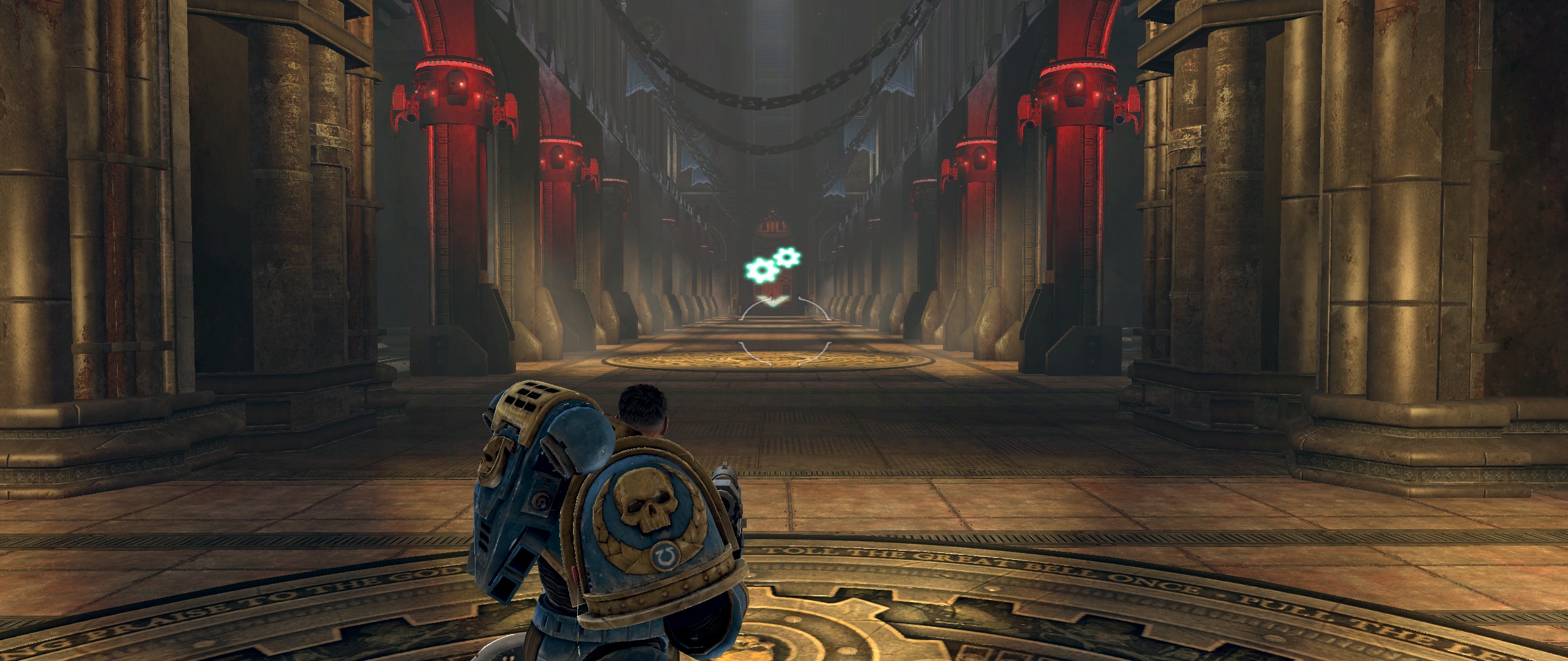
- SpaceMarine 2016-09-07 10-38-43-15.jpg (571.7 KiB) Viewed 7484 times
After: 1.39
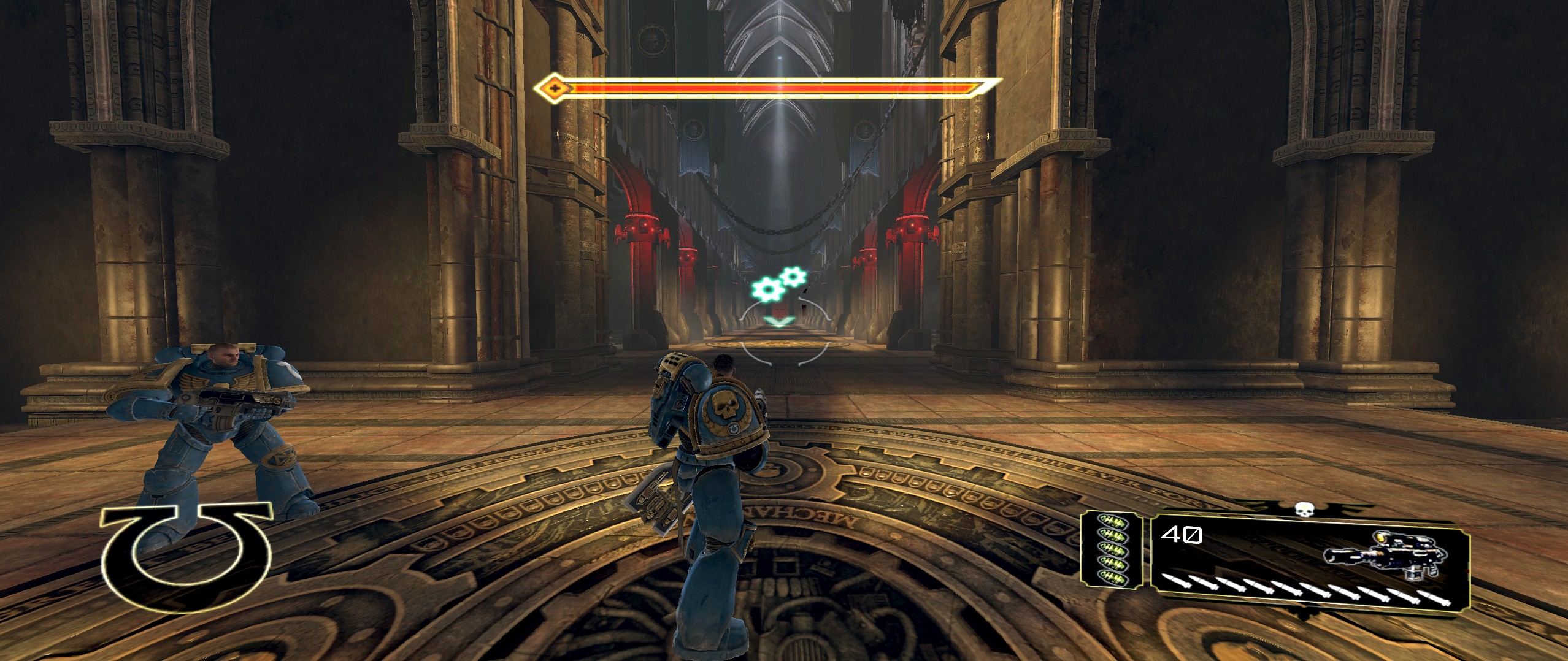
- SpaceMarine 2016-09-07 10-39-07-87.jpg (634.84 KiB) Viewed 7500 times
Re: Warhammer 40,000: Space Marine
Posted: 24 Sep 2016, 14:50
by anteronoid
Thank you for this!

With this information i was able to make a CE trainer to change the value on the fly.
It changes the FOV Zoom, it makes it playable.
But still the HUD is a major issue. Would be nice to be able to scale it too.
For anyone interested in the trainer, here are the link. (yes, it uses Cheat Engine, so your AntiVirus tool will probably go nuts. Don't worry, false positives)
Looks like this.

Re: Warhammer 40,000: Space Marine
Posted: 24 Sep 2016, 19:48
by czarman
Nice
- here my tryouts - numeric + or - are not working at all ....numeric 0 - 3 are working except on the normal Gun BOLD PISTOL.
Re: Warhammer 40,000: Space Marine
Posted: 24 Sep 2016, 20:55
by anteronoid
czarman wrote:Nice
- here my tryouts - numeric + or - are not working at all ....numeric 0 - 3 are working except on the normal Gun BOLD PISTOL.
Thx!
Hmmm, yes. Something gets weird with incremental changes when using the .exe trainer. It works when using the .CETRAINER file, but the very same file converted or saved to .EXE stops working with NUM+ and NUM-.
Im not good enough codewize to fix it. I tryed lots of stuff but it beats me.
Also, It's weird it wont work for the BOLD PISTOL, cant test since im only in the first lvl in the campaign i think.
But i also only had the deafault value to go on. If its not working with that gun, the game must use some other code to alter FOV for that particular gun(?).
EDIT: Yeah, I had the gun already..lol..its the default gun. Looks like it uses some locked FOV setting, its even not the same as default. It must be using another variable.

Anyway I've uploaded a new pack, its updated and includes the .CETRAINER file as well, so you can run that instead of the .exe if you need the incremental function. (or find the bug

) You need to have Cheat Engine installed in your PC to run it though.
Fix available from the
PC Gaming Wiki Community Files (search there)