Page 3 of 5
Re: COD Black Ops 2 Multi Monitor support?
Posted: 16 Nov 2012, 15:30
by De La NoChe
Thank you for all your hard work Hayden!!!! Its working great. I've been playing online multi-player for and hour now and no BAN.
Radar and other parts of HUD are still messed up. If you don't have time to fix anything else, please at least fix the Radar. Its hard to play Domination and other objective game types without radar.
Again thank you! This came at a perfect time. I am off all day today, I checked for the fix as soon as I woke up. Needless to say... you made my day

Re: COD Black Ops 2 Multi Monitor support?
Posted: 16 Nov 2012, 17:30
by enforcer
@de le noche
What are your quality settings ?
the textures looking real bad. Could it be that you use low ?
here is a 1920x1200 shot:
http://steamcommunity.com/sharedfiles/f ... =108549659When i tried dopefish fix the textures become real bad. So im wondering if the same happens with Hayden´s fix.
Re: COD Black Ops 2 Multi Monitor support?
Posted: 16 Nov 2012, 17:59
by De La NoChe
enforcer wrote:@de le noche
What are your quality settings ?
the textures looking real bad. Could it be that you use low ?
here is a 1920x1200 shot:
http://steamcommunity.com/sharedfiles/f ... =108549659When i tried dopefish fix the textures become real bad. So im wondering if the same happens with Hayden´s fix.
LOL... Yes I play on low everything with no AA. I enjoy HIGH FPS and simple clear graphics in my FPS games. I like smooth game-play with easy to see enemy targets. Most comp players know where I am coming from.
In those screenshots I was using Hayden's "Flawless Widescreen" fix, not Dopefish's "Widscreen Fixer" .
I could easily turn the everything on "high" or "extra" if I wanted to and it would look "pretty" and take screenshots, but since I play games for game-play and not graphics I didn't think to change my settings before posting screens. I just wanted to get the word out that the fix is working to my fellow gamers
Re: COD Black Ops 2 Multi Monitor support?
Posted: 16 Nov 2012, 23:38
by mr stroke
Good to see the fix is working (Hopefully the fix works for Multiplayer). Will try out when I get home.
Re: COD Black Ops 2 Multi Monitor support?
Posted: 17 Nov 2012, 22:41
by TheUnk
Seems like neither Widescreen Fixer or Flawless fixes the HUD in multiplayer for me. It says it's enabled and lists HUD Left 1920 (I play at 5760x1080) but the radar is top left of the left screen.
Re: COD Black Ops 2 Multi Monitor support?
Posted: 18 Nov 2012, 02:56
by mr stroke
Hayden your awesome, the fix is working for multiplayer!
Two questions for anyone that knows-
Why is my res stuck at 4360x900 and 5760x1080 isn't available?
And any chance at a HUD center fix?
Re: COD Black Ops 2 Multi Monitor support?
Posted: 18 Nov 2012, 14:33
by dopefish
HaYDeN is on a business trip I think. We were looking into the multiplayer HUD already. It doesn't work the same as it did in previous CoD games. I've been looking into it but haven't found anything that works yet.
Re: COD Black Ops 2 Multi Monitor support?
Posted: 18 Nov 2012, 22:52
by tinmann
The game is still broken for me. The game still only spans 2 and a half monitors. Any suggestions?
Re: COD Black Ops 2 Multi Monitor support?
Posted: 18 Nov 2012, 23:26
by dopefish
Potentially good news...

I managed to move one element and stretch another at the same time.
Re: COD Black Ops 2 Multi Monitor support?
Posted: 19 Nov 2012, 03:27
by De La NoChe
dopefish wrote:Potentially good news...
I managed to move one element and stretch another at the same time.
I just wanted to thank you and Hayden for all your hard work. You guys are awesome.
I never realized how important Radar is.

Re: COD Black Ops 2 Multi Monitor support?
Posted: 19 Nov 2012, 16:01
by elmy
http://www.youtube.com/watch?v=ntTAO_U9Pog just a quick video using Hayden's fix running Black Ops 2 in Eyefinity 5760 X 1080p using 2 Sapphire 7870 GHZ Flex Editions.
Intel 2600k @ 4.8 GHZ and Crucial Memory at 1866 Cas 9.
http://imageshack.us/photo/my-images/441/dsc06606d.jpg/ picture of my rig
It was on the front cover of CPU magazine Oct 2011.
Re: COD Black Ops 2 Multi Monitor support?
Posted: 19 Nov 2012, 21:51
by De La NoChe
http://youtu.be/-abK579Hmhs^ Here is a 3x1 setup recorded in FRAPS. Its much easier to see than the above video. I am using Hayden's fix in this video.
Re: COD Black Ops 2 Multi Monitor support?
Posted: 19 Nov 2012, 22:04
by Wijkert
De La NoChe wrote:http://youtu.be/-abK579Hmhs^ Here is a 3x1 setup recorded in FRAPS. Its much easier to see than the above video. I am using Hayden's fix in this video.
I would love it if more forum members would make these kind of vids.
I will wait untill the hud is centered (I hope either Dopefish or HaYDen can help). Need to see the map to play well.
Re: COD Black Ops 2 Multi Monitor support?
Posted: 19 Nov 2012, 22:45
by De La NoChe
Wijkert wrote:De La NoChe wrote:http://youtu.be/-abK579Hmhs^ Here is a 3x1 setup recorded in FRAPS. Its much easier to see than the above video. I am using Hayden's fix in this video.
I would love it if more forum members would make these kind of vids.
I will wait untill the hud is centered (I hope either Dopefish or HaYDen can help). Need to see the map to play well.
Ya... I feel ya about the no Radar problem. I've been playing without the Radar and its killing my game-play. I've been just playing mostly FFA since that the one where you least need a radar. Having no Radar is killing my stats ... but I don't care that much.
Re: COD Black Ops 2 Multi Monitor support?
Posted: 20 Nov 2012, 00:42
by BIGGRIMTIM
Hasn't really been an issue for me. Just play on hardcore servers and the radar is gone anyway.
Re: COD Black Ops 2 Multi Monitor support?
Posted: 26 Nov 2012, 17:47
by De La NoChe
There is still no fix for centering HUD. Does anyone know if Hayden or Dopefish are still working on it?
Radar is my main concern. I could care less about ammo or anything else on the heads up dispslay.

"Radar is a necessity"
Re: COD Black Ops 2 Multi Monitor support?
Posted: 27 Nov 2012, 07:56
by dopefish
It's still being looked into.
Re: COD Black Ops 2 Multi Monitor support?
Posted: 27 Nov 2012, 15:31
by BuckNutty
Hey guys,
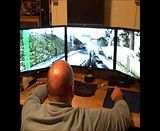
Thanks for widesreen fixer and flawless wide screen. I have been using them now for years on all types of games. I have a question, why is it that the further the image is from the center of the screen the more stretched it gets? For example look at my video below. Notice the SLI indicator is like 3x the width it normally is on a single screen. Is that an intentional effect or some glitch in the driver?
Re: COD Black Ops 2 Multi Monitor support?
Posted: 29 Nov 2012, 05:27
by BuckNutty
Here is a better example of how triple screens distorts thing on the out side edges of the sceen.
First we have a screen shot of me looking at a girl.

Here i did not move at all i just panned to the left so the girl was on the right screen. So how distored she is? Is there a way to fix this? Blops 2 seems to have more distortion than most.

Re: COD Black Ops 2 Multi Monitor support?
Posted: 29 Nov 2012, 08:47
by xk1114
Hey guys,
I'm sorry my english is so poor. The following content is the google translation.
I have been loyal users of widescreen fixer.It has been working well
But in Call of Duty: Black Ops II it doesn't work.
My GPU is 6990 and 3 24"monitor Resolution 5760X1200.DRIVE 12.11. Call of Duty: Black Ops II in Steam. OS:Windos 7 64bit
But when the game is running, widescreen fixer lost response.
I install all the Requirements .net 4.0 , C++2010 SP1. widescreen fixer operating normally in diabloIII.
What should i do to eliminate the problem? Or should I pay attention to what?
I hope you can answer this question.Thank you very much
Best wishes
