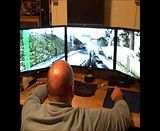
Thank you for all your hard work Hayden!!!! Its working great. I've been playing online multi-player for and hour now and no BAN.
Radar and other parts of HUD are still messed up. If you don't have time to fix anything else, please at least fix the Radar. Its hard to play Domination and other objective game types without radar.
Again thank you! This came at a perfect time. I am off all day today, I checked for the fix as soon as I woke up. Needless to say... you made my day
When i tried dopefish fix the textures become real bad. So im wondering if the same happens with Hayden´s fix.
LOL... Yes I play on low everything with no AA. I enjoy HIGH FPS and simple clear graphics in my FPS games. I like smooth game-play with easy to see enemy targets. Most comp players know where I am coming from.
In those screenshots I was using Hayden's "Flawless Widescreen" fix, not Dopefish's "Widscreen Fixer" .
I could easily turn the everything on "high" or "extra" if I wanted to and it would look "pretty" and take screenshots, but since I play games for game-play and not graphics I didn't think to change my settings before posting screens. I just wanted to get the word out that the fix is working to my fellow gamers
Seems like neither Widescreen Fixer or Flawless fixes the HUD in multiplayer for me. It says it's enabled and lists HUD Left 1920 (I play at 5760x1080) but the radar is top left of the left screen.
HaYDeN is on a business trip I think. We were looking into the multiplayer HUD already. It doesn't work the same as it did in previous CoD games. I've been looking into it but haven't found anything that works yet.
http://youtu.be/-abK579Hmhs ^ Here is a 3x1 setup recorded in FRAPS. Its much easier to see than the above video. I am using Hayden's fix in this video.
De La NoChe wrote:http://youtu.be/-abK579Hmhs ^ Here is a 3x1 setup recorded in FRAPS. Its much easier to see than the above video. I am using Hayden's fix in this video.
I would love it if more forum members would make these kind of vids. I will wait untill the hud is centered (I hope either Dopefish or HaYDen can help). Need to see the map to play well.
Philips BDM4065UC(3840x2160) Acer Z35(2560x1080@200hz); 980 Ti Hybrid @stock ; 6700K 4.6ghz (1.35v)/D15; 16GB 3200mhz; Asus Maximus Ranger VIII; AX860; 1TB 960 EVO; 750GB 840 EVO; Teufel Concept D 500; Sennheiser HD6XX; Windows 10 (latest build)
De La NoChe wrote:http://youtu.be/-abK579Hmhs ^ Here is a 3x1 setup recorded in FRAPS. Its much easier to see than the above video. I am using Hayden's fix in this video.
I would love it if more forum members would make these kind of vids. I will wait untill the hud is centered (I hope either Dopefish or HaYDen can help). Need to see the map to play well.
Ya... I feel ya about the no Radar problem. I've been playing without the Radar and its killing my game-play. I've been just playing mostly FFA since that the one where you least need a radar. Having no Radar is killing my stats ... but I don't care that much.
Hey guys, Thanks for widesreen fixer and flawless wide screen. I have been using them now for years on all types of games. I have a question, why is it that the further the image is from the center of the screen the more stretched it gets? For example look at my video below. Notice the SLI indicator is like 3x the width it normally is on a single screen. Is that an intentional effect or some glitch in the driver?
Here is a better example of how triple screens distorts thing on the out side edges of the sceen. First we have a screen shot of me looking at a girl. Here i did not move at all i just panned to the left so the girl was on the right screen. So how distored she is? Is there a way to fix this? Blops 2 seems to have more distortion than most.






 "Radar is a necessity"