[-noun] Web community dedicated to ensuring PC games run properly on your tablet, netbook, personal computer, HDTV and multi-monitor gaming rig. https://www.wsgf.org/phpBB3/
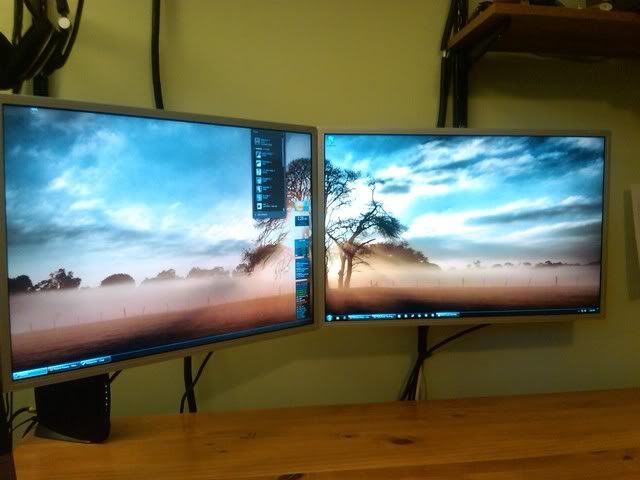
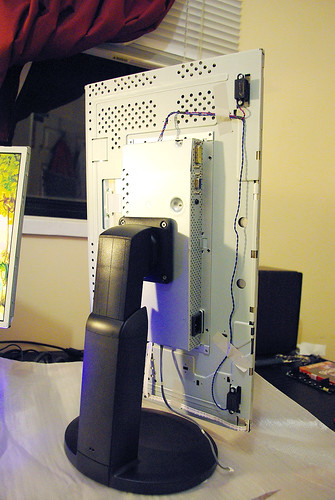
Just did my first strip down of a monitor - took my Hanns G 28" ($249.99 at tiger direct right now). Bought wife a desk and she is gonna us it (until i can get 2 more) and the damn monitor was like 1/2 inch to big on both sides - so 5-6 screws on the outside, 2 screws on the inside and disconnecting the craptacular internal speakers and PoW - 1/2 in bezels on a 28" LCD
@ 250 a pop and @ 1920x1200 thats a pretty nice set with native HDMI support
Re: Stripped monitors for thin bezel
Posted: 13 Jan 2011, 19:58
by t0asty
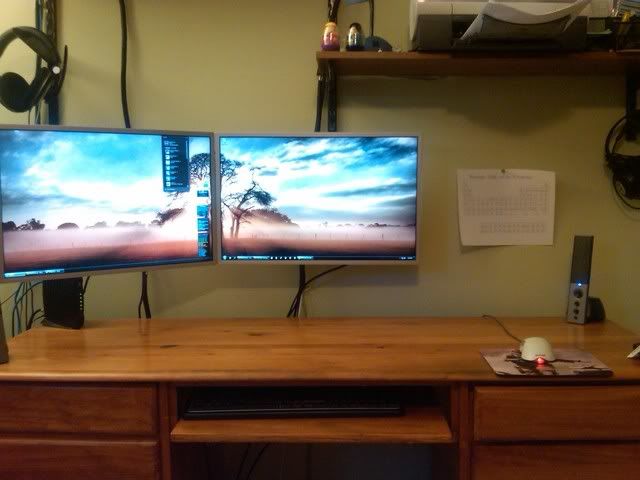
just joined WSGF after a long time of just browsing. After hours of searching and trying to figure out how to remove the bezel of my two w2408h's, I finally was able to. I had a monitor with some vertical lines on it, so I figured why not. If I was able to do it without breaking it, I was going to buy a third one from a guy on craigslist for $200. Here's how it turned out:
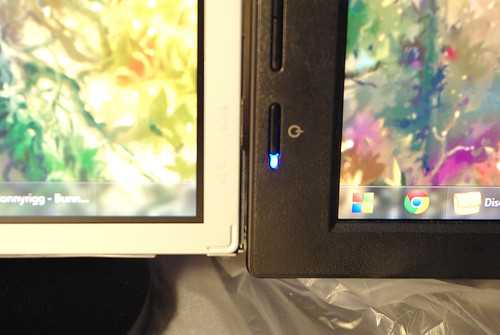
Before:
After
Not too shabby coming from almost 3" of bezel to just under a 1/2" Ignore the periodic table of elements haha, I am a Chem major and it comes in handy.
Reduced the bezel size from 1.5 cm to .5 cm on each side.
Project log and slide show over at my blog.
http://electricteardown.blogspot.com/
Re: Stripped monitors for thin bezel
Posted: 15 Mar 2011, 22:37
by rebelstar
More de-bezel setup pics please :D
Re: Stripped monitors for thin bezel
Posted: 25 Mar 2011, 18:34
by rebelstar
Well, I have stripped one of my Benq G2420HD, looks perfect with very thin metal bezel, I was very excited and.... FAIL :( There is no way to fix it with the my vesa wall mount since its attaching to plastic body of the monitor.
I'm not sure how this guy attached this monitor like this
Any suggestions from you guys? I believe I need to do some custom welding mounts like this one
Re: Stripped monitors for thin bezel
Posted: 01 May 2011, 18:21
by profd
Well, I have stripped one of my Benq G2420HD, looks perfect with very thin metal bezel, I was very excited and.... FAIL :( There is no way to fix it with the my vesa wall mount since its attaching to plastic body of the monitor.
Any suggestions from you guys? I believe I need to do some custom welding mounts like this one
My benq XL2410T's are the same for anyone wondering. No vesa holes. :(
The plastic did pop off dead easy though.
Re: Stripped monitors for thin bezel
Posted: 14 May 2011, 06:32
by svtbmg
Anyone know if my Acer S231HL's can have the cover and bezels removed to make a thinner bezel setup like the OP? I dont want to tear it apart and risk damaging the cover if it is a waste of time. I may take them back for a set of ASUS VE248H's if those work better for bezel modding.
Re: Stripped monitors for thin bezel
Posted: 04 Jul 2011, 06:59
by rebelstar
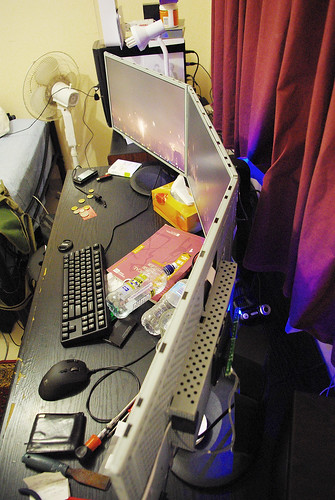
Finally I did it.
Complete debezel + custom wall mount (black painted wood)
Was:
Now:
First photo after job done, no cable management yet. Also need to tight some screws updown to have straight angles for 100% neat looking
Re: Stripped monitors for thin bezel
Posted: 05 Jul 2011, 14:35
by rebelstar
Quick setup review, sorry for my english http://www.youtube.com/watch?v=nTHcop4ybio
Mounting 3 bezelless Asus VW246H
Posted: 05 Aug 2011, 23:36
by Seraph
So I've got these 3 great Asus monitors. model VW246H. I took one apart to see what it looked like and brainstorm options for mounting it. It seems the VESA mounting is built into the outer shell, not the panel housing itself.
Pics here:
I was planning to get an Ergotech Triple Monitor Stand (100-D16-B03) to mount these puppies on after I removed the casing, is this possible? I don't see any screw holes. O_o
Would I need to buy VESA mounting brackets and gorilla glue them on?
Any ideas or suggestions would be greatly appreciated. Removing the outer casing cuts the bezel size in half, so I'd really like to be able to do it.
Thanks in advance!
I had the same problem, I
Posted: 11 Aug 2011, 22:12
by rebelstar
I had the same problem, I wonder have you read previous few posts?
Had thoughts of doing this
Posted: 13 Aug 2011, 03:26
by ZeosPantera
Had thoughts of doing this for my FW900's. I have never thought to run all three of them but if I did 5 inches of bezel would be annoying.
(No subject)
Posted: 17 Aug 2011, 17:02
by rebelstar
Hi guys! First post~ I
Posted: 31 Aug 2011, 20:14
by Setiawan
Hi guys! First post~
I purchased 3 x LG IPS231P-BN's last week, and decided to tinker with them a little bit yesterday :)
Before I stripped them down, I tried searching around to see if debezel-ing an LED monitor would be any different to CCFL backlit monitors (was worried that perhaps the LED's might shine through). However, I could not for the life of me find any cases of debezel-ed LED monitors! Being the brave and courageous soul that I am (you can tell by my profile picture), I took the plunge anyway.
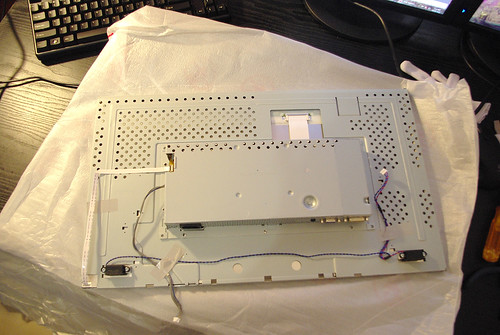
I stripped down the monitor (scuffing up the cases quite severely), only to find that the VESA mounting holes did not penetrate the inner casing. Instead, I found four depressions in the metal, where I would liked to have seen four holes.
Now, I'm really not the great handyman I'd like to be, but I knew that I wanted holes there, and I can't think of a better way to make a hole in metal than with a drill. I separated the large metal bracket/case/thing-with-lots-of-holes from the bare LCD panel. Stuck to this metal bracket was the power supply, and the board that gets all the inputs. The power supply was right beneath where the VESA mount needed to be, and it wouldn't budge - now I was playing a dangerous game. I went to the garage, dug through all the tools and found the power drill and the right drill bit. Rolled up my sleeves, plugged in the drill, took a deep breath.. at which point I passed the drill to my Dad :). Now I have holes in my monitors! yay
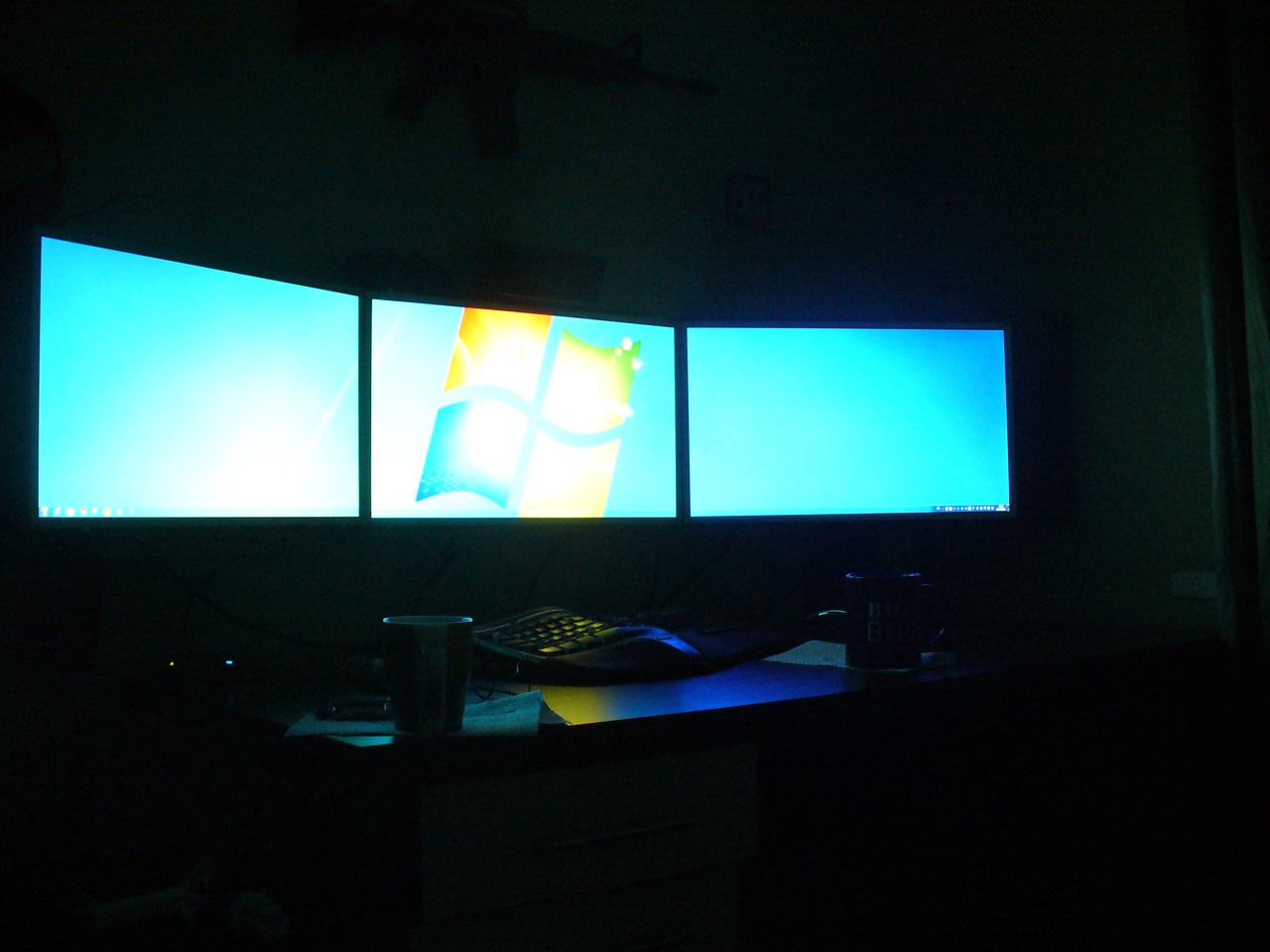
As you can see, it all went relatively smoothly, so now I have three bezel-free LED monitors sitting on my desk.
TL;DR: Took off the casing, drilled holes for VESA mount, less distracting bezels now
BTW, are magnets harmful to LCD displays? I'm thinking of buying black flexible magnetic strips and lining them up with whats left of the bezels.
Hi all. Sometimes lurker,
Posted: 17 Sep 2011, 07:41
by ADSTA
Hi all. Sometimes lurker, first time poster.
I decided to take the plunge and attempt to remove the cases off my three Dell U2311H.
Cases removed easily enough.
Then I came to a screaming halt.
The part of the monitor with the Vesa mount is not connected firmly to the panel.
It easily moves a few millimeters and no way in hell was I going to test if it was actually strong enough.
I was severely disappointed with that as I measured the panel bezel as 10mm compared to the cases 18mm.
While it was apart I decided to remove the usb ports on the side and cut the mounting area.
I will use this as the center monitor so both side monitors can now be flush against the middle one.
If anyone has any mounting ideas I'm all ears.
OMG. Guys, you even can't
Posted: 17 Sep 2011, 14:05
by rebelstar
OMG. Guys, you even can't load few previous pages to read? When I disassebled my monitors I did read every post from this topic. ADSTA, see the previous pages and my thoughts regarding mounting even with the youtube link. Also you can drill the holes as did previous lucky eyefinity guy.
Stripped XL2410T
Posted: 05 Oct 2011, 15:38
by S1L3N7D3A7H
Those are some nice Benq Monitors; same shell design as my XL2410T.
Here are some shots of my mod I am doing to one monitor first.
I reused some hardware from the shell. The threaded fasteners on the back of the cover came in handy for adhering them to the panel using some 3200 PSI Locktight adhesive.
Just had to drill some holes in the PCB case and fix some 4mm .70 x 20mm bolts for the vesa mounts. Used the shell as a guide to make the fasteners perfectly lined up on the pannel.
Will post more pictures soon, but right now the adhesive is drying for 24 hours.
Will get 2 more soon for eyefinity.
It is COMPLETE! Wow!!! I am
Posted: 06 Oct 2011, 03:21
by S1L3N7D3A7H
It is COMPLETE! Wow!!! I am going to order 2 more of these from newegg when they get in stock. I might have to pick up a 6990 and a nice triple monitor stand.
Nice. Mine Benq 2420HDs have
Posted: 06 Oct 2011, 05:02
by rebelstar
Nice. Mine Benq 2420HDs have the same bodies
Here is two more pics. I
Posted: 06 Oct 2011, 05:42
by S1L3N7D3A7H
Here is two more pics. I added a little bit extra support; purely based on paranoia reasonings, none founded in logic at all. But... It sure was fun. LMAO.