Mirror's Edge

Detailed breakdowns of how games react to widescreen, ultra-wide, 4k and multi-mon
User avatar
scavvenjahh
Editors
Editors
Posts: 3424
Joined: 06 Mar 2008, 17:20

Re: Mirror's Edge

Post by scavvenjahh »

:welcome

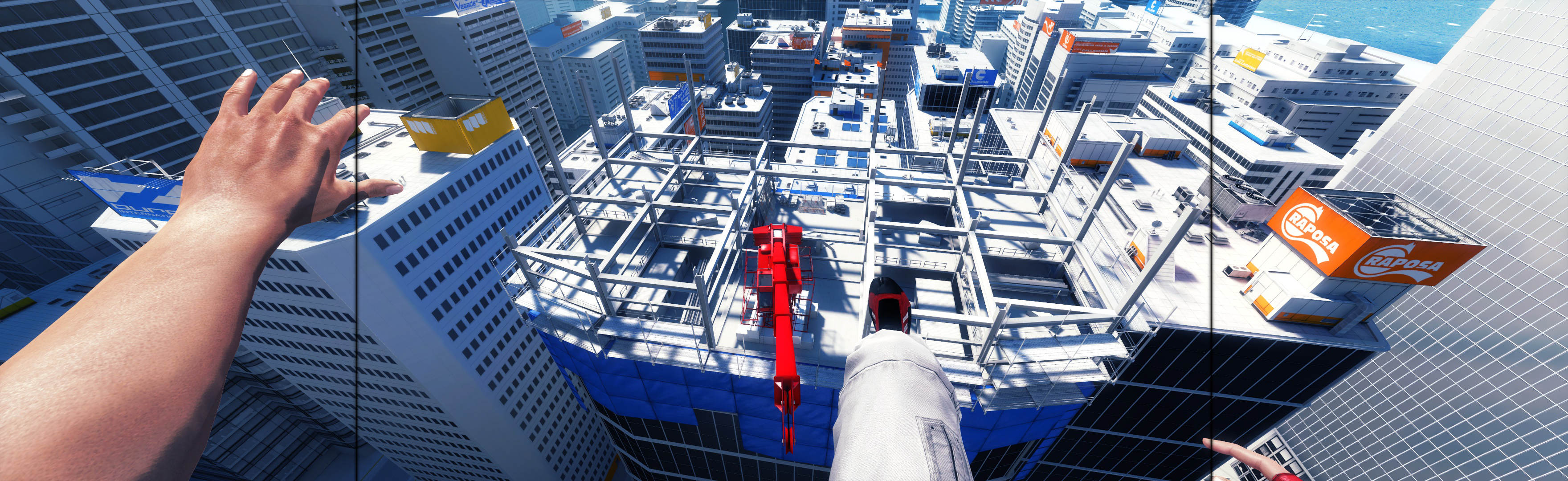
For 21:9 you need to use the same solution as for Multi-monitor. Grab Flawless Widescreen, run it and click Mirror's Edge in the list of available plugins. Then leave FWS running, launch the game and you should be enjoying fullscreen parkour in no time.

If everything goes well, feel free to upload your screenshots to the Detailed Report !
User avatar
luluco250
Posts: 3
Joined: 15 Jul 2015, 00:44

Re: Mirror's Edge

Post by luluco250 »

I'm having problems with Mirror's Edge at 21:9. Using Flawless Widescreen works perfectly, however adding Bindings to TdInput.ini (such as a shortcut to exit the game with Alt+F4) breaks the fix. The hud seems to receive the fix just the same, however a vertical letterbox remains. I assume this is because the memory hack no longer works properly, due to new values in the game's allocated memory (sorry if this isn't the correct nomenclature). Is there any possible work around for this?
Pictures demonstrating the problem:

Image
Before any bindings/inputs added to TdInput.ini

Image
After adding new inputs.

Like I said before, the hud is still altered, but the FOV remains the same and the game presents a vertical letterbox.
Any possibility of fixing this issue?
imusrt
Insiders
Insiders
Posts: 291
Joined: 21 Oct 2014, 23:33

Re: Mirror's Edge

Post by imusrt »

luluco250,

I have confirmed that this game won't spread if TdInput.ini is edited. This issue should be noted in game's DR. You should find alternate solution for key binding.

I would recommend a gaming mouse that has extra programmable buttons. This gets you past the need for binding edits. It's more flexible, less problems, & easier setup per game. Worth it.
maxz
Posts: 5
Joined: 24 Sep 2015, 13:50

Re: Mirror's Edge

Post by maxz »

I have a problem with 2560x1080. I have flawless widescreen and the Mirror's Edge Plugin enabled and I'm running version 1.01 of Mirr'rs Edge (although it's cracked version, this might be a problem). When I run the game in 1920x1080 it looks normal, everything works fine, but when I go 2560x1080 in the in-game menu it goes into a weird low resolution mode but its still 16:9. Anybody encountered this same problem? Maybe I should just buy the game?
imusrt
Insiders
Insiders
Posts: 291
Joined: 21 Oct 2014, 23:33

Re: Mirror's Edge

Post by imusrt »

maxz, there are a couple things you should try.

1. When FWS is on & game is started, what does FWS say in its status window? If game process is not being found, buying the game will fix it.

(But if FWS finds game, continue)

2. Go to link below & do point #3: "Flawless Widescreen (FWS)". This procedure will override resolution to proper.
http://www.wsgf.org/blog/imusrt/2015/09/04/mirrors-edge-2009-manual-plp-instructions
Image
maxz
Posts: 5
Joined: 24 Sep 2015, 13:50

Re: Mirror's Edge

Post by maxz »

Thank you for the quick reply imusrt. As a side note, I think this community is awesome and I already donated to both FWS and WSGF, hopefully I'll get a donator badge next to my user name soon. Obviously I'll be relying on these user tweaks for the next few years so I'm being self-serving here too.

Well I'm testing it now. As for part 1, the game is indeed detected in FWS and it recognizes the version correctly.

I'll go to the link now and test, and report back later!
maxz
Posts: 5
Joined: 24 Sep 2015, 13:50

Re: Mirror's Edge

Post by maxz »

Ok so I bought the game on Origin just to eliminate the possibility of the version being bad, it cost me 3€ so no big deal.

I did what you said in the instructions, here's what my flawless widescreen looks like:
Image

I also disabled scaling in my Nvidia Control panel:
Image

I started my Mirror's Edge game and set the resolution in game to 2560x1080. Then I run Flawless Widescreen with the Mirror's Edge plugin enabled. When I'm done with that all the menus look low-res, this doesn't bother me, it wouldn't be a problem as long as the game actually worked in 21:9.
However when I start a new game, the game is still in 16:9 with black bars on the side.

Here's what my Mirrors Edge plug-in in looks like.

Image

Oh and when I start the game it briefly flashes to full-screen and then immediately goes back to 16:9

I'm on Windows 10 64-bit with a GTX 970.

Anything else I should try? Need any other info?

imusrt
Insiders
Insiders
Posts: 291
Joined: 21 Oct 2014, 23:33

Re: Mirror's Edge

Post by imusrt »

Alright, you can fix this.
1. First try changing Hud Y: 0. That is correct entry for your layout.

2. If #1 looks bad too, FWS resolution override settings need to be fudged a bit. I know it sounds weird, but do it.

Use these FWS menu settings:
- Width: 2560
- Height: 1080
- Horizontal Display Count: 3
- Vertical Display Count: 1
- Hud Width: 1920
- Hud Height: 1080
- Hud X: 320 (2560 minus 1920 divided by 2 = imaginery side offset)
- Hud Y: 0
(this all tells FWS you have imaginary skinny side monitors & 16:9 center, which should correct your issues)
Last edited by imusrt on 29 Sep 2015, 20:36, edited 1 time in total.
maxz
Posts: 5
Joined: 24 Sep 2015, 13:50

Re: Mirror's Edge

Post by maxz »

Ok so here's my settings now:
Image

However it still doesn't work, exactly the same problem as before. Once again the game briefly flashes to fullscreen so as to tease me and then the black borders on the sides come back :(
Could there be some scaling option? I did disable scaling in nvidia control panel. I'm running flawless widescreen as administrator to give it full access.

Sorry to bother you with this, I really appreciate the help though.
imusrt
Insiders
Insiders
Posts: 291
Joined: 21 Oct 2014, 23:33

Re: Mirror's Edge

Post by imusrt »

[edited]
Sorry, the HUD X offset was incorrect I think. Re-read my post above (edited nums) & try the FWS override numbers again. This is likely what is blocking your spread.

However other 21:9 gamers have no problem with this game. It is possible there is something weird going on, on only your PC. Not sure cause, but I would think the manual method would still work...
Eterno
Posts: 1
Joined: 07 Feb 2016, 16:27

Re: Mirror's Edge

Post by Eterno »

maxz, you should change ingame language to English. This might help
User avatar
Timobkg
Posts: 79
Joined: 17 Jul 2010, 21:49

Re: Mirror's Edge

Post by Timobkg »

I'm also having trouble getting Mirror's Edge to work in multi-monitor using Flawless Widescreen.

Running fresh install of Mirror's Edge 1.0.1.0 via Origin. I followed the manual instructions and in FWS I've got Override Display Detection set and configured correctly.

Flawless Widescreen detects the game, and displays the following:
Mirror's Edge - Path=C:\Program Files (x86)\Origin Games\Mirrors Edge\Binaries\MirrorsEdge.exe (32bit)
Base Address=0x400000, Process ID=9988, Version=v1.0.1.0 (Manual) -> Detected: 1.0.1.0 (Origin)
Resolution=6030x1080, Aspect=5.583, Monitors=3x1, Bezel Comp=False - (\\.\CustomDisplay on FWS Virtual Adapter)

But if I set the game to that resolution, all the menus become a garbled low-res mess with text overlapping on the center screen, and in game only the center monitor displays anything, while the side monitors are on but blank.
caiomatrix
Posts: 1
Joined: 13 Jun 2016, 01:08

Re: Mirror's Edge

Post by caiomatrix »

Anyone find a way to use ultrawide in time trials? It's 16:9 with Pure Pack DLC.
Nabushi
Posts: 1
Joined: 27 Jun 2017, 04:36

Re: Mirror's Edge

Post by Nabushi »

Timobkg wrote:I'm also having trouble getting Mirror's Edge to work in multi-monitor using Flawless Widescreen.

Running fresh install of Mirror's Edge 1.0.1.0 via Origin. I followed the manual instructions and in FWS I've got Override Display Detection set and configured correctly.

Flawless Widescreen detects the game, and displays the following:
Mirror's Edge - Path=C:\Program Files (x86)\Origin Games\Mirrors Edge\Binaries\MirrorsEdge.exe (32bit)
Base Address=0x400000, Process ID=9988, Version=v1.0.1.0 (Manual) -> Detected: 1.0.1.0 (Origin)
Resolution=6030x1080, Aspect=5.583, Monitors=3x1, Bezel Comp=False - (\\.\CustomDisplay on FWS Virtual Adapter)

But if I set the game to that resolution, all the menus become a garbled low-res mess with text overlapping on the center screen, and in game only the center monitor displays anything, while the side monitors are on but blank.


I got the same problem and can't find any solution. Steam version and surround Nvidia.
Post Reply

Who is online

Users browsing this forum: Google [Bot], Semrush [Bot] and 10 guests