Patched: Age of Empires 2 Conquerers

Topics about game solutions, and success or failure in getting them to work.
patela20
Posts: 2
Joined: 15 Apr 2011, 16:06

Re: Patched: Age of Empires 2 Conquerers

Post by patela20 »

Web Server is down ATM, service people are sent in to bring it back up ASAP.

OK Thanks for the update.

Any ideas on the problem I'm having?

boekabart
Posts: 94
Joined: 15 Jan 2010, 18:54

Re: Patched: Age of Empires 2 Conquerers

Post by boekabart »

[quote]Web Server is down ATM, service people are sent in to bring it back up ASAP.

OK Thanks for the update.

Any ideas on the problem I'm having?
Well it seems your patched exe doesn't match any of the ones that I made the patch for... Try to get the right one (Myth, IIRC) is all I can suggest. You can mail me your exe (zipped) and I'll see if I can create a patch for that one, but I can't promise how long that will take... BB

BTW server is back up
exxxxcalibur
Posts: 1
Joined: 22 Apr 2011, 22:01

Re: Patched: Age of Empires 2 Conquerers

Post by exxxxcalibur »

So, two doubts.

1. How to get a 1.0e version in Multiplayer? I get a filename called 1.0e but in Multiplayer it shows 1.0C.


2. Does someone get it working on Voobly? It returns a bad executable because of their anti-cheat solution.
Cynoc
Posts: 1
Joined: 02 May 2011, 02:48

Re: Patched: Age of Empires 2 Conquerers

Post by Cynoc »

So I ran the AoE2Wide from my desktop and it worked for a 1.0c patch I got. Now there is a AoC1.0c 1366x768.bat on my desktop, as well as one in my AoE2 main folder along with a age2_x1_1.0c_1366x768.exe. I have tried running the shortcuts for the bat and exe from the desktop and the original ones in the main folder, all as an Administrator and not as an Admin, but everytime I try it just pops up an error message.


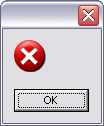
That one is if I use the .bat from the desktop, as seen just under the command prompt. If I use the .bat from the main folder it just runs something real quick and nothing happens. If I run the patched .exe from the main folder it doesn't show the command prompt, just the little blank error message with the X.

Any help with this would be much appreciated.

P.S. Yes I am installing WoW in the background, it's a new laptop so I am putting all of my games on it now.
User avatar
skipclarke
Founder
Founder
Posts: 7358
Joined: 13 Oct 2003, 05:00

Re: Patched: Age of Empires 2 Conquerers

Post by skipclarke »

I get errors in the cmd window too, but it created a bat on my desktop and it works ...
boekabart
Posts: 94
Joined: 15 Jan 2010, 18:54

Re: Patched: Age of Empires 2 Conquerers

Post by boekabart »

It could be that since it's a new laptop, you have to manually install DirectX 9.0c on it.
Breeeze
Posts: 4
Joined: 28 May 2011, 22:09

Re: Patched: Age of Empires 2 Conquerers

Post by Breeeze »

Hello!

I have some strange problems with the resolution patch.
I have a notebook with 1280x800 pixels, so I installed the resolution patch. Yesterday it did not work at all, I could only play on normal 800x600 resolution.
Today suddenly it worked (online) on the first game I played, on the second, AoE II crashed when loading the match, two times in row. I also tried it offline, and it always crashes when loading the match.
Any idea of a solution, I can't play it at all at the moment :(
boekabart
Posts: 94
Joined: 15 Jan 2010, 18:54

Re: Patched: Age of Empires 2 Conquerers

Post by boekabart »

Online doesn't seem to work for anyone, so... How do you start the game, do you use the batch file?
Hello!

I have some strange problems with the resolution patch.
I have a notebook with 1280x800 pixels, so I installed the resolution patch. Yesterday it did not work at all, I could only play on normal 800x600 resolution.
Today suddenly it worked (online) on the first game I played, on the second, AoE II crashed when loading the match, two times in row. I also tried it offline, and it always crashes when loading the match.
Any idea of a solution, I can't play it at all at the moment :(
Breeeze
Posts: 4
Joined: 28 May 2011, 22:09

Re: Patched: Age of Empires 2 Conquerers

Post by Breeeze »

Now this is a bit weird.
I was starting the game via the standard shortcut on the Desktop, file was age2_x1.Exe (from the Collectors Edition DVD, no Crack), first game, it worked, then it stopped working but crashed when the game started.
When I try age2_x1_1.0e_1280x800.exe or the bat, it now seems to work (it didnt work before).
So the problem for SP is solved, but my problem now is, that if I play in Multiplayer (and I mostly play online) the game always crashes, is there a way to fix that? And it's pretty interesting that it did work online once.
AlphaScorpii
Posts: 4
Joined: 04 Jun 2011, 17:36

Re: Patched: Age of Empires 2 Conquerers

Post by AlphaScorpii »

So there is no way to make this work in voobly?

I can't even play normal 1280x1024 game. My screen is behaving akward and it's unplayable. I've googled but didn't find any1 having exact problem like me. I don't have problem with colors but the screen. Don't know how to describe it but it feels like screen want's to get out of display... Left or right sides are shaking.
boekabart
Posts: 94
Joined: 15 Jan 2010, 18:54

Re: Patched: Age of Empires 2 Conquerers

Post by boekabart »

So there is no way to make this work in voobly?

I can't even play normal 1280x1024 game. My screen is behaving akward and it's unplayable. I've googled but didn't find any1 having exact problem like me. I don't have problem with colors but the screen. Don't know how to describe it but it feels like screen want's to get out of display... Left or right sides are shaking.

After trying the patched version, and using the normal again, go to settings and choose 800x600 and then the highest possible again. this fixes the saved resolution in the registry.

BTW I think Voobly stole my patch and are now selling it as a premium option. So if you really want to play wide online, pay the thieves!
AlphaScorpii
Posts: 4
Joined: 04 Jun 2011, 17:36

Re: Patched: Age of Empires 2 Conquerers

Post by AlphaScorpii »

Yep, guess they used your's patch :).
Breeeze
Posts: 4
Joined: 28 May 2011, 22:09

Re: Patched: Age of Empires 2 Conquerers

Post by Breeeze »

Hi!
Thank you for the advice, that helped! Is there really no way of using that patch in voobly, by renaming the file name or similar?
Dunno if they used your patch but I won't buy that premium crap anyways...
Breeeze
Posts: 4
Joined: 28 May 2011, 22:09

Re: Patched: Age of Empires 2 Conquerers

Post by Breeeze »

okay, I set the resolution back to 1024x768, tested it in Singleplayer with the normal .exe -> worked
tried to play a game on voobly -> game crashes :( it keeps crashing over and over again.

Am I doing something wrong or whats going on here? I cant play online at all... I dont want to remove the patch because i also play a lot SP and LAN and it really helps there.
BigMike
Posts: 2
Joined: 10 Jun 2011, 08:21

Re: Patched: Age of Empires 2 Conquerers

Post by BigMike »

Hello WSGF,

New member here :) Thanks for all the hard work with this! Looking forward to playing AoC on full resolution! :rockout

I applied boekabart's patch and received the "is not the expceted size" and "doesn't meet the hashcode" errors. So I downloaded a few 1.0C NoCD files, and they patch fine, but when I launch the game, I get the same small no-message error dialog that Cynoc gets. I am running WinXP:


I am running a 1.0C version of the game that is fully portable. Looking at the different age2_x1.exe NoCD v1.0C files I just downloaded, I see that they measure 2,637 KB but my portable age2_x1.exe NoCD file only measures 2,633 KB. So obviously they are different.

I've uploaded my 1.0C NoCD age2_x1.exe file here: http://bigmike.marlincrawler.com/files/age2_x1.zip I have full intents to donate to this project since I know a lot of work was done and I appreciate the care for this classic game that I cannot get enough of. I am an original full-licensed owner of this game, fan for life, and would like to treat boekabart to a nice coffee or lunch if he could get this 2,633 KB version patched.

Thanks for the consideration, I hope I can experience this game in full resolution, and I hope this also helps Cynoc's trouble as well!!

Regards,
BigMike
BigMike
Posts: 2
Joined: 10 Jun 2011, 08:21

Re: Patched: Age of Empires 2 Conquerers

Post by BigMike »

Update....

When I play AoC in Voobly, it says 1.0C. But when I play AoC on my own LAN with friends, it just says "CD 1.0". In my registry under,

HKEY_LOCAL_MACHINESOFTWAREMicrosoftMicrosoft GamesAge of Empires II: The Conquerors Expansion1.0

it lists the "Version" as "1.0C". Can you figure it out from the file I've uploaded and linked above?

Thanks!!
Mike
AlphaScorpii
Posts: 4
Joined: 04 Jun 2011, 17:36

Re: Patched: Age of Empires 2 Conquerers

Post by AlphaScorpii »

I bought premium so I'm using "their" resolution patch. Problem is that in 10-20% of games my PC freeze when setting up multiplayer game. Sometimes right when game starts but more often when setting up a game.
pumab9999
Posts: 8
Joined: 27 Feb 2011, 14:38

Re: Patched: Age of Empires 2 Conquerers

Post by pumab9999 »

Hm... well it works for me. And I can play online with GameRanger (:
I downloaded and used a nocdcrack (for 1.0c) from here:
http://www.freeinfosociety.com/site.php?postnum=1924
It works both on my laptop (with 1280 x 800) and my pc (1360 x 768).
Without any color bug on Win7 32bit.
pumab9999
Posts: 8
Joined: 27 Feb 2011, 14:38

Re: Patched: Age of Empires 2 Conquerers

Post by pumab9999 »

lol I just tried it on a 1900x1080 hd tv. It was awesome ! :D worked perfectly
HoSe_is_Insane
Posts: 1
Joined: 01 Jul 2011, 09:33

Re: Patched: Age of Empires 2 Conquerers

Post by HoSe_is_Insane »

lol I just tried it on a 1900x1080 hd tv. It was awesome ! :D worked perfectly


How did you did that? I tried the same thing but i cant see one live from each direction. = from the horizontal line i cant see how many resources i have, what age i am in etc + i cant see one line from the other 3 directions.
Post Reply

Who is online

Users browsing this forum: Semrush [Bot] and 10 guests

