
Hayden,
I don't understand why, but your fix does absolutely nothing for me(I'm sure I am missing something in configuration...)
My native resolution is 5040*1050; and I don't use bezel correction.
Thanks for any help you may suggest...
Skyrim Multi-Monitor User Interface Fix Discussion
-
CrickDo666
- Posts: 31
- Joined: 31 Mar 2012, 19:47
ahhh updated fixer on my
ahhh updated fixer on my first day off in awhile
stupid dummy i am i updated it and now the map is screwed up
it looks like all of the icons show up on my right screen for a second
then disappear this is the only flaw but crazily it is a game-breaking one!
please help game gods! i need a fix!
stupid dummy i am i updated it and now the map is screwed up
it looks like all of the icons show up on my right screen for a second
then disappear this is the only flaw but crazily it is a game-breaking one!
please help game gods! i need a fix!

Thought I saw something about
Thought I saw something about this somewhere but now can't find it.
I just replaced my monitors and am running 5760 X 1080 ( 6010 X 1080 bezel corrected). Now Skyrim has a glitch where the crosshairs are misaligned i.e.- arrows / blows go to the right of where the crosshairs show. Happening in 2D or 3D, bezel corrected or not.
Anyone have a fix?
EDIT: Also just now noticed the map is screwed up as well. Totally unusable. No icons, towns, etc. just typography.
Using Widescreen Fixer, Skyrim version 1.5.26.0.5, above resolution.
I just replaced my monitors and am running 5760 X 1080 ( 6010 X 1080 bezel corrected). Now Skyrim has a glitch where the crosshairs are misaligned i.e.- arrows / blows go to the right of where the crosshairs show. Happening in 2D or 3D, bezel corrected or not.
Anyone have a fix?
EDIT: Also just now noticed the map is screwed up as well. Totally unusable. No icons, towns, etc. just typography.
Using Widescreen Fixer, Skyrim version 1.5.26.0.5, above resolution.
-
skgtheblij
- Posts: 5
- Joined: 13 May 2012, 08:39
Map doesn't work
I think I'm having the same issue as the people above me. Was away from Skyrim for a while, so I decided to update. I'm now running 1.5.26.0.5 and when I apply Flawless Widescreen it says Version UNSUPPORTED! and when I use Widescreen Fixer the map gets completely unusable (no icons) and there seems to be some random see-through pixelation.
Thanks for any help!!
Thanks for any help!!


skgtheblij wrote:I think I'm
I think I'm having the same issue as the people above me. Was away from Skyrim for a while, so I decided to update. I'm now running 1.5.26.0.5 and when I apply Flawless Widescreen it says Version UNSUPPORTED! and when I use Widescreen Fixer the map gets completely unusable (no icons) and there seems to be some random see-through pixelation.
Thanks for any help!!
Hey there:)
I just retested WindeScreen Fixer r499 with my Skyrim plugin and it works as described. I couldn't run into your problem. Can you give me more info on what exactly you do that you see no icons on the map? I expect you activate the fix too soon. Try to increase the activation time to something more than 5 seconds like 10-15 depending on how modded your game is.
Hope this helps you.
Best Regards,
Helifax
WideScreen Fixer... Fixes your Surround problems to give a gorgeous 3D Surround Experience!
WideScreen Fixer
Only website to show TRUE 3D Vision Surround Gaming Videos(viewable by anyone) only at
3D Vision Surround Gallery
E-mail and Paypal (for people who wants it): [email protected]
WideScreen Fixer
Only website to show TRUE 3D Vision Surround Gaming Videos(viewable by anyone) only at
3D Vision Surround Gallery
E-mail and Paypal (for people who wants it): [email protected]
Halifax,Your solution
Halifax,
Your solution doesn't seem to anything, anymore, either. In fact, when the game starts, if I mouse over the menu (Continue/Load/etc), it crashes to desktop.
Todd Howard must have been raped by an Eyefinity user, or something...
Your solution doesn't seem to anything, anymore, either. In fact, when the game starts, if I mouse over the menu (Continue/Load/etc), it crashes to desktop.
Todd Howard must have been raped by an Eyefinity user, or something...

You guys sure you are not
You guys sure you are not using any new add-ons? I don't believe Skyrim has been updated. with regards to it saying "UNSUPPORTED" make sure your exectuable is still stock not patched in any way.
Resident Jester - Flawless Widescreen - Widescreen gaming the way it should be.
[Steam Profile]
Want to keep Flawless Widescreen alive? Donate Here
[Steam Profile]
Want to keep Flawless Widescreen alive? Donate Here
-
skgtheblij
- Posts: 5
- Joined: 13 May 2012, 08:39
Halifax and Hayden, thank you
Halifax and Hayden, thank you so much for your replies!
Hayden, yes I am using a non-stock .exe, and that cant change unfortunately. :) Looks like my only hope is Halifax... though that's not looking too good either. The two issues i'm having are some random transparent pixels (first image) and the map displaying no icons. Other than that it works great. And i've tried playing with the patch application time, anything from 2 sec to 15 sec. The game launches pretty quick, so anything longer than like 5 the patch isn't applied when i'm at the main menu.


Hayden, yes I am using a non-stock .exe, and that cant change unfortunately. :) Looks like my only hope is Halifax... though that's not looking too good either. The two issues i'm having are some random transparent pixels (first image) and the map displaying no icons. Other than that it works great. And i've tried playing with the patch application time, anything from 2 sec to 15 sec. The game launches pretty quick, so anything longer than like 5 the patch isn't applied when i'm at the main menu.
As for my situation, it
As for my situation, it doesn't say that it isn't supported, but just has a different error message. This only started happening when I started running the new resolution after switching to the new monitors.
Again, I'm dealing with the misaligned crosshairs and the "no icons" map issue. Everything else seems to be fine, and I could almost deal with the misaligned crosshairs, but the map issue is pretty major.
I'm running 5760 X 1080 ( 6010 X 1080 bezel corrected), using Widescreen Fixer, Skyrim version 1.5.26.0.5, Windows 8, i7 920, 24gb ram, 2 X 240gb Solid State in RAID 0, 2TB storage, 2 X GTX 580's in SLI surround 3D Vision, 3 X Viewsonic 24" V3D245's.
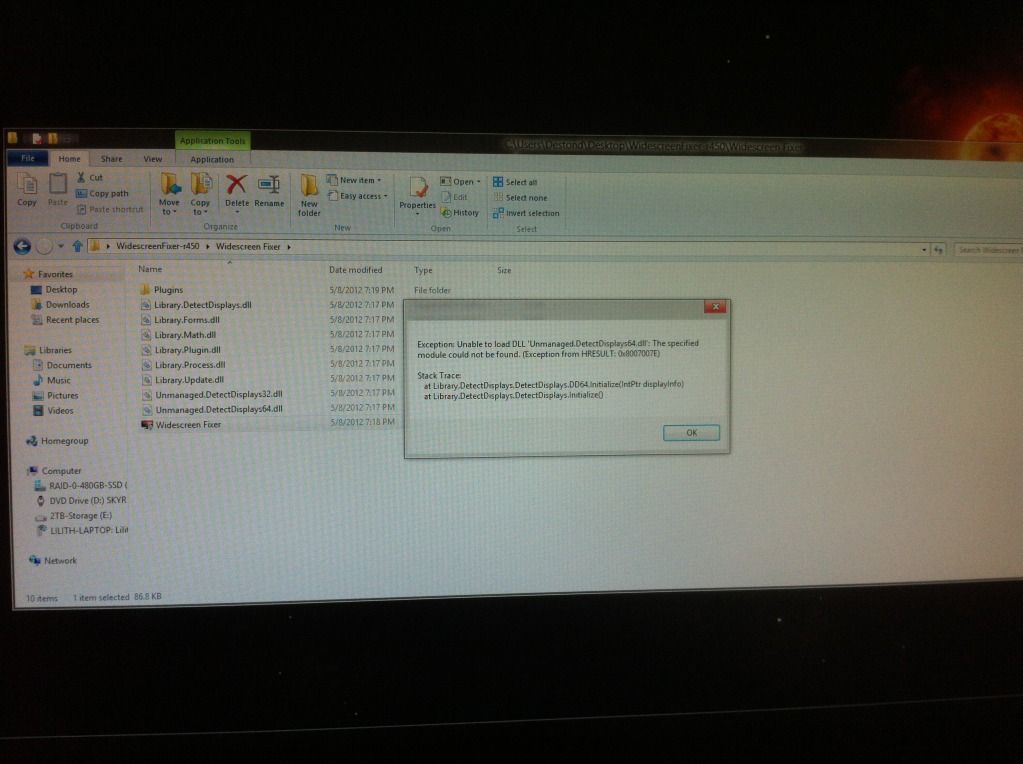
The error message:
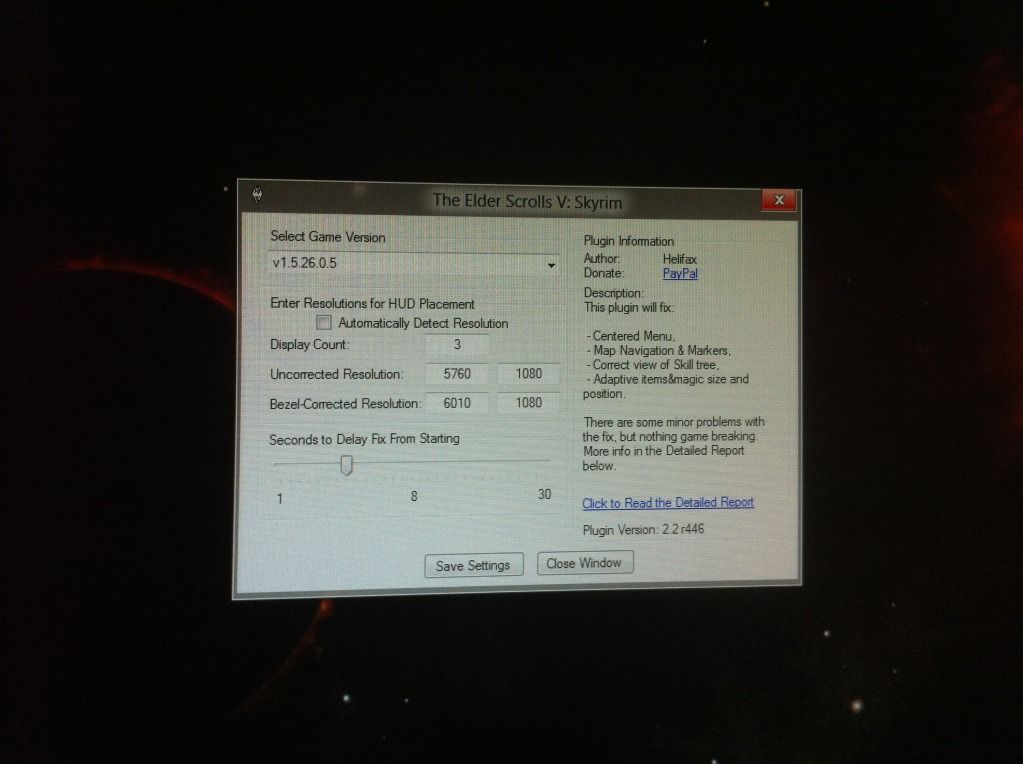
The Fixer settings:
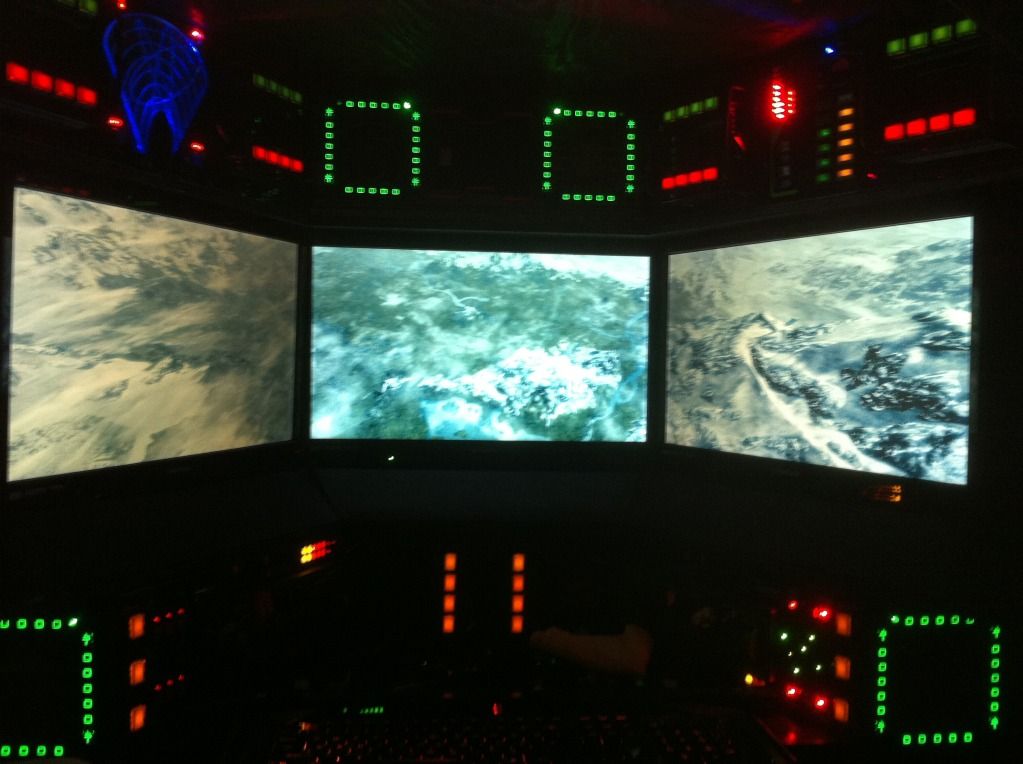
The map with no icons:
Thanks!
Again, I'm dealing with the misaligned crosshairs and the "no icons" map issue. Everything else seems to be fine, and I could almost deal with the misaligned crosshairs, but the map issue is pretty major.
I'm running 5760 X 1080 ( 6010 X 1080 bezel corrected), using Widescreen Fixer, Skyrim version 1.5.26.0.5, Windows 8, i7 920, 24gb ram, 2 X 240gb Solid State in RAID 0, 2TB storage, 2 X GTX 580's in SLI surround 3D Vision, 3 X Viewsonic 24" V3D245's.
The error message:
The Fixer settings:
The map with no icons:
Thanks!
-
CrickDo666
- Posts: 31
- Joined: 31 Mar 2012, 19:47
hayden its not skyrim that
hayden its not skyrim that updated its the widescreen fixer app when i had plugin 2.1 it was fine now the old plugin wont work and i cant find an old version ( stupid me with an overwrite) so yeah i think its more the fixer less the games fault
I can confirm the map issue
I can confirm the map issue at least is indeed because of the Widescreen Fixer version. The newest version has the issue, but when I run a saved version of WSF (v3.1 r432), The map icons and functionality are back.
-
skgtheblij
- Posts: 5
- Joined: 13 May 2012, 08:39
Working
Halifax for the win!
I reverted to 1.5.24.0.5, and it seems to be working okay. It may be a little bit stretched, but it is certainly playable. Sometimes the crosshairs and compass show up on the left monitor, but going in and out of the menu seems to fix that. Thanks so much Halifax you're the best!
I reverted to 1.5.24.0.5, and it seems to be working okay. It may be a little bit stretched, but it is certainly playable. Sometimes the crosshairs and compass show up on the left monitor, but going in and out of the menu seems to fix that. Thanks so much Halifax you're the best!
-
CrickDo666
- Posts: 31
- Joined: 31 Mar 2012, 19:47
ameernuub will u plz post a
ameernuub will u plz post a quick link to the working version just so i can play a lil before i go back to work ( i doubt a new solution will be ready soon enough thxx
Sure... Go to the Skyrim
Sure... Go to the Skyrim game details page. Near the bottom where the screenshot comparisons are, I've posted the mentioned older version of WSF for you.
-
CrickDo666
- Posts: 31
- Joined: 31 Mar 2012, 19:47
thank you much!!and heres
thank you much!!
and heres hopin for a quick fix!
and heres hopin for a quick fix!
Hello all,I have tested
Hello all,
I have tested today the latest version of Widescreen fixer with Skyrim and it workes for me.. (nvidia hardware) but I dont have any mods added to the game. As a check can you please remove all mods and try to use the fix with a clean Skyrim and tell me if it works? If this is the way...then I can see what mod affects my fix, but I need a list of possible mods interfering with my mod:)
From the error I saw a couple of posts back..it seems that there is a problem in WideScreen fixer when it comes to detect the type of hardware...I will try and let Dopefish know about this.
But please let me know if the fix works correctly without any mods.
Best Regards,
Helifax
I have tested today the latest version of Widescreen fixer with Skyrim and it workes for me.. (nvidia hardware) but I dont have any mods added to the game. As a check can you please remove all mods and try to use the fix with a clean Skyrim and tell me if it works? If this is the way...then I can see what mod affects my fix, but I need a list of possible mods interfering with my mod:)
From the error I saw a couple of posts back..it seems that there is a problem in WideScreen fixer when it comes to detect the type of hardware...I will try and let Dopefish know about this.
But please let me know if the fix works correctly without any mods.
Best Regards,
Helifax
WideScreen Fixer... Fixes your Surround problems to give a gorgeous 3D Surround Experience!
WideScreen Fixer
Only website to show TRUE 3D Vision Surround Gaming Videos(viewable by anyone) only at
3D Vision Surround Gallery
E-mail and Paypal (for people who wants it): [email protected]
WideScreen Fixer
Only website to show TRUE 3D Vision Surround Gaming Videos(viewable by anyone) only at
3D Vision Surround Gallery
E-mail and Paypal (for people who wants it): [email protected]
-
CrickDo666
- Posts: 31
- Joined: 31 Mar 2012, 19:47
CrickDo666 wrote:thank you
thank you much!!
and heres hopin for a quick fix!
the fix (or prev version) ameernuub posted works so its most def the widescreen update that broke my map
as far as mods im using a few that might cause issue namely
skyui
real roads on maps
colored map icons
so who knows
what mods are you using ameernuub? maybe the common one is the issue...?
Nothing but Extended Death
Nothing but Extended Death Cam and Deadlier Traps, and those aren't it.
-
CrickDo666
- Posts: 31
- Joined: 31 Mar 2012, 19:47
mkay well im all amd not
mkay well im all amd not nvidia so theres that
Who is online
Users browsing this forum: Google [Bot], Semrush [Bot] and 28 guests