
Skyrim Multi-Monitor User Interface Fix Discussion
another new patch...
cool... another new patch... let the new search for the perfect wide screen fix begins... all over again for the 11th time... i am SO tired of this... sigh....
super12 wrote:cool... another
cool... another new patch... let the new search for the perfect wide screen fix begins... all over again for the 11th time... i am SO tired of this... sigh....
Agreed, I'll be honest I got this setup because I figured "hey, developers should be able to code their games correctly for widescreen... right?" but of course that bit me in the butt.
Admittedly it looks GREAT when it's working but it's just a lot of upkeep when the developer doesn't do their job in the first place.
Funny enough I had a 42 inch HDTV as a monitor before I swapped to triple monitor... sometimes I wish I had it back.... other times I love that I switched...
Here's to hoping patch 1.5 takes less time to fix than this last one...

The 1.5 patch is just a beta
The 1.5 patch is just a beta right now and is optional. Not forcing us to update yet, but sure to force update when the actual patch goes live. What is annoying me is that I set Skyrim to not auto update through Steam but it keeps reverting back to auto=-update. I absolutely don't want it to auto-update but if it keeps overriding my decision to set it to not auto-update seriously going to get pissed. I'm currently playing the heck out of Skyrim and I'm not going to bother with any more patches unless I encounter something that needs me to patch.


Im still about - I'm still
Im still about - I'm still working on gettings things in Flawless Widescreen.
eg. Borderlands ->

Skyrim is next on my list.
And with such a release will come Open-source goodness of the plugins - as they are written in LUA...
eg. Borderlands ->
Skyrim is next on my list.
And with such a release will come Open-source goodness of the plugins - as they are written in LUA...
Resident Jester - Flawless Widescreen - Widescreen gaming the way it should be.
[Steam Profile]
Want to keep Flawless Widescreen alive? Donate Here
[Steam Profile]
Want to keep Flawless Widescreen alive? Donate Here
First post here. I finally
First post here. I finally took the plunge and registered, mainly to express my gratitude.
THANK YOU Hayden, I for one am glad you are taking your time. I played co-op Borderlands for a long time with my friend but when I went Eyefinity it was very hard to me. I see Mass Effect on your list - could the patch be applied to Mass Effect 2, as well? Looking forward to your release.
Also, thanks to helifax for a GREAT plugin and dopefish for the program that has really helped me to enjoy Skyrim. With all the great mods out, I am having a lot of fun with the game. Anyone tried out the new 1.5 patch with the ranged killcams? All I can say is - it's about time!
Finally, some recommendations. I recently switched to an AMD 6990 + 6970 combo. This has TREMENDOUSLY improved my performance with Skyrim. I am running all settings on Ultra (AA off) with the FXAA graphics mods and usually get around 50fps outdoors and way over that indoors. I switched from a 5870 X 2 setup, which did not perform well. So, anyone looking for an upgrade to their AMD 5000 series system, consider the AMD 6990. You can find cards on eBay in great condition. Also consider the Mad Catz amBX Cyborg gaming lights. In a dark gaming environment, these can greatly boost the atmosphere and mood of the games you're playing.
THANK YOU Hayden, I for one am glad you are taking your time. I played co-op Borderlands for a long time with my friend but when I went Eyefinity it was very hard to me. I see Mass Effect on your list - could the patch be applied to Mass Effect 2, as well? Looking forward to your release.
Also, thanks to helifax for a GREAT plugin and dopefish for the program that has really helped me to enjoy Skyrim. With all the great mods out, I am having a lot of fun with the game. Anyone tried out the new 1.5 patch with the ranged killcams? All I can say is - it's about time!
Finally, some recommendations. I recently switched to an AMD 6990 + 6970 combo. This has TREMENDOUSLY improved my performance with Skyrim. I am running all settings on Ultra (AA off) with the FXAA graphics mods and usually get around 50fps outdoors and way over that indoors. I switched from a 5870 X 2 setup, which did not perform well. So, anyone looking for an upgrade to their AMD 5000 series system, consider the AMD 6990. You can find cards on eBay in great condition. Also consider the Mad Catz amBX Cyborg gaming lights. In a dark gaming environment, these can greatly boost the atmosphere and mood of the games you're playing.
HaYDeN wrote:Skyrim is next
Skyrim is next on my list.
And with such a release will come Open-source goodness of the plugins - as they are written in LUA...
Thank you for the update HaYDeN! That is great news.

Project Flawless Widescreen
Project Flawless Widescreen is looking very good. I wonder since the Skyrim Creation Kit came out, would it then get easier to to fix when Skyrim updates are available.
In the mean time you are our angel HaYDeN.:)
In the mean time you are our angel HaYDeN.:)


HaYDeN wrote:Im still about -
Im still about - I'm still working on gettings things in Flawless Widescreen.
eg. Borderlands ->...
Skyrim is next on my list.
And with such a release will come Open-source goodness of the plugins - as they are written in LUA...
Excellent news m8, thanks a lot. 8)
HaYDeN wrote:Im still about -
Im still about - I'm still working on gettings things in Flawless Widescreen.
eg. Borderlands ->http://iforce.co.nz/ i/5snmhgln.xig.jpg
Skyrim is next on my list.
And with such a release will come Open-source goodness of the plugins - as they are written in LUA...
Awesome! I need to finish the story-line in Borderlands co-op, and the current F9-F10 toggle eyefinity 'fix' ain't working so well...
Can't wait to see it when it comes out!
Thanks HaYDeN!
A few screen shots and still
A few screen shots and still on sir HaYDeN fix. Still testing and learning to take good ingame screen shots.
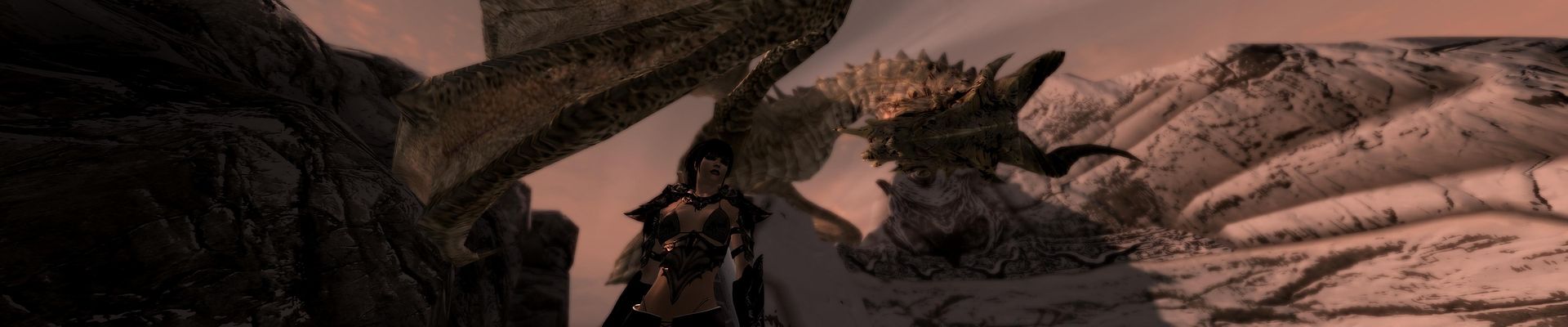
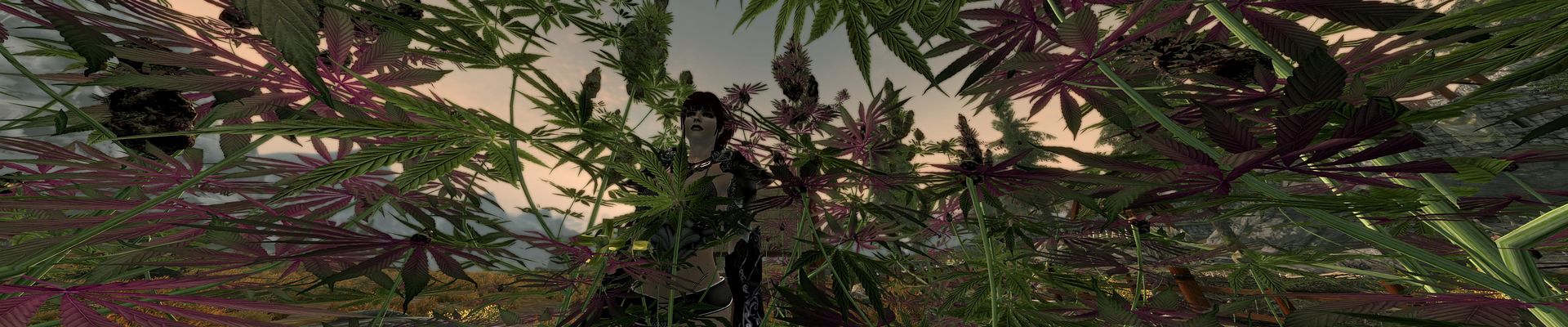
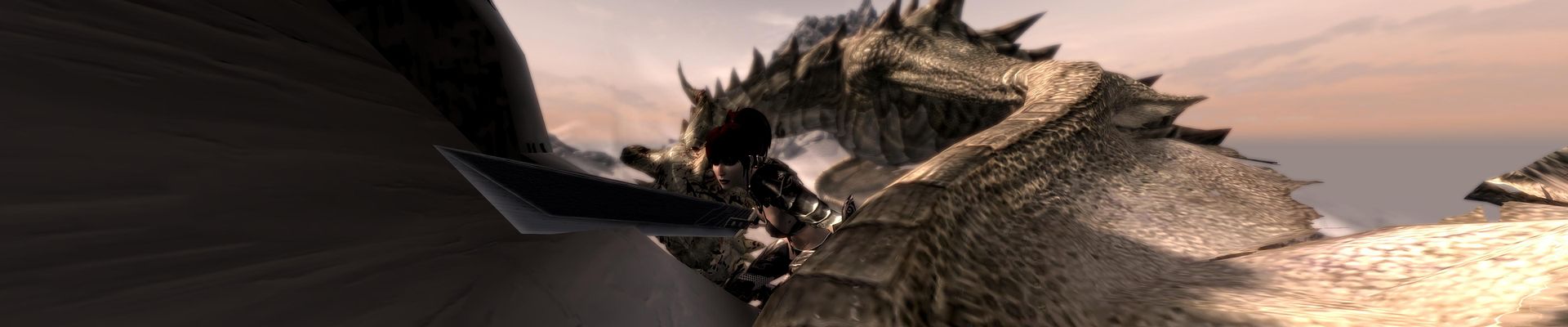
-
peppergomez
- Posts: 49
- Joined: 03 Sep 2007, 19:13
Hey folks,I am having
Hey folks,
I am having trouble applying Widescreen Fixer fixes to either Mass Effect 3 or to Skyrim, and figure there must be something I'm doing wrong. I am using the SoftTH approach because I am using PLP monitors: 20" at 1200x1600, 30" at 2560x1600, and 20" at 1200x1600. I am able to get the game to span across all three monitors, but in both cases the in-game menus and vertical sizing continues to be incorrect, with the menus too zoomed in, spanning off of both bottom and top edges of the screen.
Note that I am using Nexus Mod Manager in Skyrim, and both Script Dragon and Skyrim Script Extender, to run various mods.
Here's what I have done:
1) In the respective game folder (Steamapps>Common>Skyrim, and Origin Games>Mass Effect 3>Binaries>Win32), I have pasted the config.SoftTHconfig and d3d9.dll files. I used the SoftTh 2.x configuration tool to determine a total resolution of 5238x1600 to compensate for bezels. Here then is my config.SoftTHconfig file:
[spoiler][main]
renderResolution=5238x1600
nonlocalFormat=RGB16D
keepComposition=0
smoothing=1
debugD3D=0
zClear=0
vsync=1
tripleBuffer=0
screenshotFormat=jpg
dllPathD3D9=auto
dllPathDXGI=auto
dllPathD3D11=auto
[overrides]
forceResolution=0
antialiasing=0
processAffinity=1
FOVForceHorizontal=0
FOVForceVertical=0
[debug]
compatibleIB=0
compatibleTex=0
compatibleVB=0
[head_primary]
; borderA=0
; borderL=139
sourceRect=1339,0,2560,1600
screenMode=2560x1600
[head_1]
; borderA=0
; borderL=0
devID=1
sourceRect=0,0,1200,1600
destRect=0,0,1200,1600
transportResolution=1200x1600
transportMethod=local
noSync=0
fpsLimit=0
[head_2]
; borderA=0
; borderL=139
devID=2
sourceRect=4038,0,1200,1600
destRect=0,0,1200,1600
transportResolution=1200x1600
transportMethod=local
noSync=0
fpsLimit=0[/spoiler]
2) In the respective My Games config file for each game, I have typed in my desired resolution (in Skyrim: SkyrimPrefs.ini: isizeH=1600 and isizeW=5238 and in Bioware>Mass Effect 3>BIOGame>Config>GamerSettings.ini: ResX=5238 ResY=1600). Note that I have also tried changing the horizontal from 5238 to 4960.
3) I downloaded and installed the latest Widescreen Fixer, as well as the latest Mass Effect 3 and Skyrim plugin. I have tried using "Automatically Detect Resolution" checked. When I do this, the detected resolution is 4960x1600. When unchecking it, I changed the Bezel-Corrected resolution to 5238 1600. I am unsure what to change Uncorrected Resolution to. It currently reads 14880 1600. I am not sure if this might be part of the problem. I have left FOV at 90.
4) I load Mass Effect 3 (or Skyrim) and press "Q" (my selected Hotkey to enable Widescreen Fixer) at the intro screen. In the Widescreen Fixer menu there is a "Yes" next to both Game Running: and Fix Enabled: (I determined this by at one point removing both the config.SoftTHconfig and d3d9.dll files from either game directory so that the games ran on only my center monitor.
Sorry for what might be a lengthy post here, but I wanted to outline the steps I'm following here, in case I'm doing anything wrong. I am running AMD 6970 MSI cards, but have disable Eyefinity b/c it doesn't support PLP mixed resolutions.
So, to recap: None of the Widescreen Fixer features are working for me in either Mass Effect 3 or in Skyrim. Running either game with Widescreen Fixer on or off results in the same thing: unusable in-game menus.
Can anyone help me out? Thanks.
Thanks.
I am having trouble applying Widescreen Fixer fixes to either Mass Effect 3 or to Skyrim, and figure there must be something I'm doing wrong. I am using the SoftTH approach because I am using PLP monitors: 20" at 1200x1600, 30" at 2560x1600, and 20" at 1200x1600. I am able to get the game to span across all three monitors, but in both cases the in-game menus and vertical sizing continues to be incorrect, with the menus too zoomed in, spanning off of both bottom and top edges of the screen.
Note that I am using Nexus Mod Manager in Skyrim, and both Script Dragon and Skyrim Script Extender, to run various mods.
Here's what I have done:
1) In the respective game folder (Steamapps>Common>Skyrim, and Origin Games>Mass Effect 3>Binaries>Win32), I have pasted the config.SoftTHconfig and d3d9.dll files. I used the SoftTh 2.x configuration tool to determine a total resolution of 5238x1600 to compensate for bezels. Here then is my config.SoftTHconfig file:
[spoiler][main]
renderResolution=5238x1600
nonlocalFormat=RGB16D
keepComposition=0
smoothing=1
debugD3D=0
zClear=0
vsync=1
tripleBuffer=0
screenshotFormat=jpg
dllPathD3D9=auto
dllPathDXGI=auto
dllPathD3D11=auto
[overrides]
forceResolution=0
antialiasing=0
processAffinity=1
FOVForceHorizontal=0
FOVForceVertical=0
[debug]
compatibleIB=0
compatibleTex=0
compatibleVB=0
[head_primary]
; borderA=0
; borderL=139
sourceRect=1339,0,2560,1600
screenMode=2560x1600
[head_1]
; borderA=0
; borderL=0
devID=1
sourceRect=0,0,1200,1600
destRect=0,0,1200,1600
transportResolution=1200x1600
transportMethod=local
noSync=0
fpsLimit=0
[head_2]
; borderA=0
; borderL=139
devID=2
sourceRect=4038,0,1200,1600
destRect=0,0,1200,1600
transportResolution=1200x1600
transportMethod=local
noSync=0
fpsLimit=0[/spoiler]
2) In the respective My Games config file for each game, I have typed in my desired resolution (in Skyrim: SkyrimPrefs.ini: isizeH=1600 and isizeW=5238 and in Bioware>Mass Effect 3>BIOGame>Config>GamerSettings.ini: ResX=5238 ResY=1600). Note that I have also tried changing the horizontal from 5238 to 4960.
3) I downloaded and installed the latest Widescreen Fixer, as well as the latest Mass Effect 3 and Skyrim plugin. I have tried using "Automatically Detect Resolution" checked. When I do this, the detected resolution is 4960x1600. When unchecking it, I changed the Bezel-Corrected resolution to 5238 1600. I am unsure what to change Uncorrected Resolution to. It currently reads 14880 1600. I am not sure if this might be part of the problem. I have left FOV at 90.
4) I load Mass Effect 3 (or Skyrim) and press "Q" (my selected Hotkey to enable Widescreen Fixer) at the intro screen. In the Widescreen Fixer menu there is a "Yes" next to both Game Running: and Fix Enabled: (I determined this by at one point removing both the config.SoftTHconfig and d3d9.dll files from either game directory so that the games ran on only my center monitor.
Sorry for what might be a lengthy post here, but I wanted to outline the steps I'm following here, in case I'm doing anything wrong. I am running AMD 6970 MSI cards, but have disable Eyefinity b/c it doesn't support PLP mixed resolutions.
So, to recap: None of the Widescreen Fixer features are working for me in either Mass Effect 3 or in Skyrim. Running either game with Widescreen Fixer on or off results in the same thing: unusable in-game menus.
Can anyone help me out? Thanks.
Thanks.
Hello i still cant get my 3
Hello i still cant get my 3 screens to work on skyrim.... iv done everything it has told me to do and nothing ... the only thing i can find that might be the problem is this:
+ Searching for RUNNING Skyrim Process...
+ Skyrim process found...
+ Process opened successfully!
# Image: c:program files (x86)steamsteamappscommonskyrimTESV.exe
# Version: 1.4.27.0
! This version is not supported, Terminating.
# Supporting: 1.1.21.0, 1.2.12.0, 1.3.7.0, 1.3.10.0
??? how so i get a version to work? or do you guys need to make a new one for that to work?
+ Searching for RUNNING Skyrim Process...
+ Skyrim process found...
+ Process opened successfully!
# Image: c:program files (x86)steamsteamappscommonskyrimTESV.exe
# Version: 1.4.27.0
! This version is not supported, Terminating.
# Supporting: 1.1.21.0, 1.2.12.0, 1.3.7.0, 1.3.10.0
??? how so i get a version to work? or do you guys need to make a new one for that to work?
HaYDeN wrote:Im still about -
Im still about - I'm still working on gettings things in Flawless Widescreen.
eg. Borderlands ->
Skyrim is next on my list.
And with such a release will come Open-source goodness of the plugins - as they are written in LUA...
Hayden thanks for that.
Your fix has been the only one to ever work properly for me and others on Picture-landscape-portrait setups because it allows me to type in the resolution of my middle landscape monitor and override the automatic divide/3, i.e. 2560.
It was perfect.
Looking forward to it mate!
nanofurry wrote:??? how so i
??? how so i get a version to work? or do you guys need to make a new one for that to work?
Hey nanofurry, welcome to WSGF, please check game's Detailed Report, under Eyefinity / Surround Specific Solution, helifax' solution is the only one currently supporting v. 1.4.27 ok ? :onethumb
New Patch is out and of
New Patch is out and of course Helifax solution doesnt work anymore! :(
Is there any chance to get an updated widescreenfixer-plugin?
Steam sucks!
Is there any chance to get an updated widescreenfixer-plugin?
Steam sucks!

Right....So, give it to me
Right....So, give it to me straight, Doc. The latest Steam update just slipped in and did a number on the WSFixer. I had 2.3 weeks of delicious fun all thanks to Helifax-- :crown:
....But now it's broke, again. :~
With the rest of us, I'll wait patiently for a 'Fix Update' via Hayden/Helifax. 0:)
....In the meantime, I'm going to go beat my head against the wall, maybe slip into the Bethesda Forums and belittle them with a couple of posts....and then await Ondamour's reply/lesson on
'How everyone should be happy that Bethesda drops a hot steamy load, into the consumers mouth, and yet doesn't even have the courtesy to turn around and piss rinse us out."
...I got it...Just don't want to hear it again.
....But now it's broke, again. :~
With the rest of us, I'll wait patiently for a 'Fix Update' via Hayden/Helifax. 0:)
....In the meantime, I'm going to go beat my head against the wall, maybe slip into the Bethesda Forums and belittle them with a couple of posts....and then await Ondamour's reply/lesson on
'How everyone should be happy that Bethesda drops a hot steamy load, into the consumers mouth, and yet doesn't even have the courtesy to turn around and piss rinse us out."
...I got it...Just don't want to hear it again.
DAYAMIT!!! I have been
DAYAMIT!!! I have been playing Skyrim steadily with the Widescreen Fixer and Helifax's great fix and now they patch sneaks in.
I'm really sick of the autoupdate especially when I set the game to not autoupdate and it resets back to autoupdate EVERY DAMN TIME!
Also I hvae tried starting Steam with my comp disconnected from the net to get Steam to start in Offline mode to avoid patching and it won't do that. Why even have an option for offline mode when it won't start in offline mode.
Sorry for the rant, Steam just annoys the hell outta me sometimes.
Now to wait (barely) patiently for the Widescreen Fixer/Skyrim fix to get updated for the update.
I'm really sick of the autoupdate especially when I set the game to not autoupdate and it resets back to autoupdate EVERY DAMN TIME!
Also I hvae tried starting Steam with my comp disconnected from the net to get Steam to start in Offline mode to avoid patching and it won't do that. Why even have an option for offline mode when it won't start in offline mode.
Sorry for the rant, Steam just annoys the hell outta me sometimes.
Now to wait (barely) patiently for the Widescreen Fixer/Skyrim fix to get updated for the update.
so I reverted my ugrids back
so I reverted my ugrids back to 5 and I did not know there was a update. I thought I lost all my saves cause it would not load. This update screwed everything up. i could not figure out why the fix was not working grrrrrrrrrrrrrrrrr
and now we wait for there up
and now we wait for there up date
I can still play. I am using
I can still play. I am using a old tesv with an old helifax plugin and get this, IT HAS BETTER PERFORMANCE!
Who is online
Users browsing this forum: No registered users and 5 guests