Page 13 of 15
Re: Ace Combat 7 no Ultrawide (Fix !!)
Posted: 22 May 2019, 06:57
by QuadGore
@MapMan how did you find out the offset code ? (English is not my first language, that's why I don't understand it not perfect)
If I know this and the other stuff could make the new exe.
Re: Ace Combat 7 no Ultrawide (Fix !!)
Posted: 22 May 2019, 08:07
by Wolxhound
@MapMan, i change the hex, but the HUD is on the left side now, full resolution 3440x1440 works fine. is there a Hex code for the HUD, tried the old method and it doesn't work for me. Game doesn't want to run after following the setup steps.
Re: Ace Combat 7 no Ultrawide (Fix !!)
Posted: 22 May 2019, 09:29
by QuadGore
DLC is out, i hope for the fix now <3.
Damn why did Namco Bandy not fix that shit, I did not get it

Ok I Edit the exe.
(replaced this
"41 2C 01 4C 89 CB 0F 29" with this "
41 2C 00 4C 89 CB 0F 29" | Edited the Offset with
"258B4D8")
So normally after these steps I have to edit the resolution Hex in my case it's 2560x1080.
So I have to replace the
"35 FA 0E 3C" with
"AA 05 33 3C" ,
susahamat says quote: only one instance per fix , you should'nt write another instance!!!
but this does not work for me the, the Image is to large. So what did I wrong ??
All other things work, centered subtitles, HUD all ok just the to large Image.. Please help
EDITNow it works Perfect!
I Found the Right Hex to change (
"35 FA 0E 3C" to
"AA 05 33 3C") but it's in a other line. Have a look at the attachment screenshot
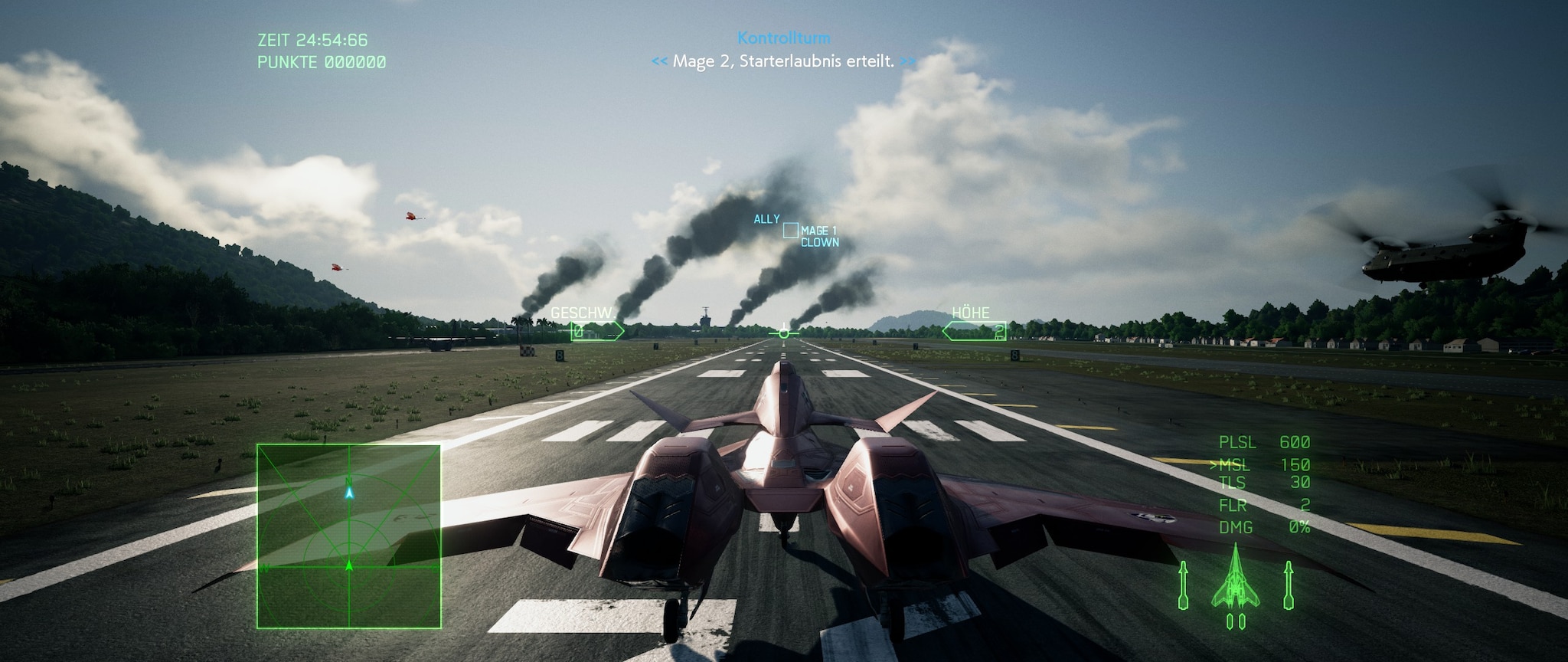
I have uploaded the 21:9 2560x1080p.exe Here are the link click please give feedback if it works for you !Here are the screenshot <3:
Re: Ace Combat 7 no Ultrawide (Fix !!)
Posted: 22 May 2019, 14:05
by TheRazgriz
QuadGore wrote:DLC is out, i hope for the fix now <3.
Damn why did Namco Bandy not fix that shit, I did not get it
Ok I Edit the exe.
(replaced this
"41 2C 01 4C 89 CB 0F 29" with this "
41 2C 00 4C 89 CB 0F 29" | Edited the Offset with
"258B4D8")
So normally after these steps I have to edit the resolution Hex in my case it's 2560x1080.
So I have to replace the
"35 FA 0E 3C" with
"AA 05 33 3C" ,
susahamat says quote: only one instance per fix , you should'nt write another instance!!!
but this does not work for me the, the Image is to large. So what did I wrong ??
All other things work, centered subtitles, HUD all ok just the to large Image.. Please help
EDITNow it works Perfect!
I Found the Right Hex to change (
"35 FA 0E 3C" to
"AA 05 33 3C") but it's in a other line. Have a look at the attachment screenshot
I have uploaded the 21:9 2560x1080p.exe Here are the link click please give feedback if it works for you !
Uhm, nope.
I've tried to manually change the Hex, no luck, I also have to "request access" to download your .exe
Re: Ace Combat 7 no Ultrawide (Fix !!)
Posted: 22 May 2019, 14:22
by QuadGore
Ok now it should work.
I hope for an FOV changer update

Re: Ace Combat 7 no Ultrawide (Fix !!)
Posted: 26 May 2019, 00:22
by Chiclettero
Please send help
Re: Ace Combat 7 no Ultrawide (Fix !!)
Posted: 27 May 2019, 15:07
by QuadGore
Re: Ace Combat 7 no Ultrawide (Fix !!)
Posted: 31 May 2019, 18:20
by Dragonlord3344
Gotta say how helpful this forum has been, so much so i had to sign up and say so, also...
There was an update like yesterday and i lost my widescreen again, luckly thru this forum post ive been able to learn how to get this and i found where the new values are, and since i play in 3440x1440 you may have to adjust as needed
0258B790 and changed 35 FA 0E 3C to ED D1 33 3C
for the 3440x1440, if you want 2560x1080 its like AA 05 33 3C
and
0E9859B0 is where i changed 41 2C 01 4C 89 CB 0F 29 to 41 2C 00 4C 89 CB 0F 29
Re: Ace Combat 7 no Ultrawide (Fix !!)
Posted: 01 Jun 2019, 14:57
by Optimiser
Thanks so much! That worked properly when I finally was able to work out and follow all the listed instructions properly. (it's not easy for an average PC user).
How do you know which hex values to change to get the desired result?
Re: Ace Combat 7 no Ultrawide (Fix !!)
Posted: 01 Jun 2019, 21:53
by QuadGore
Yeah I love this Forum <3
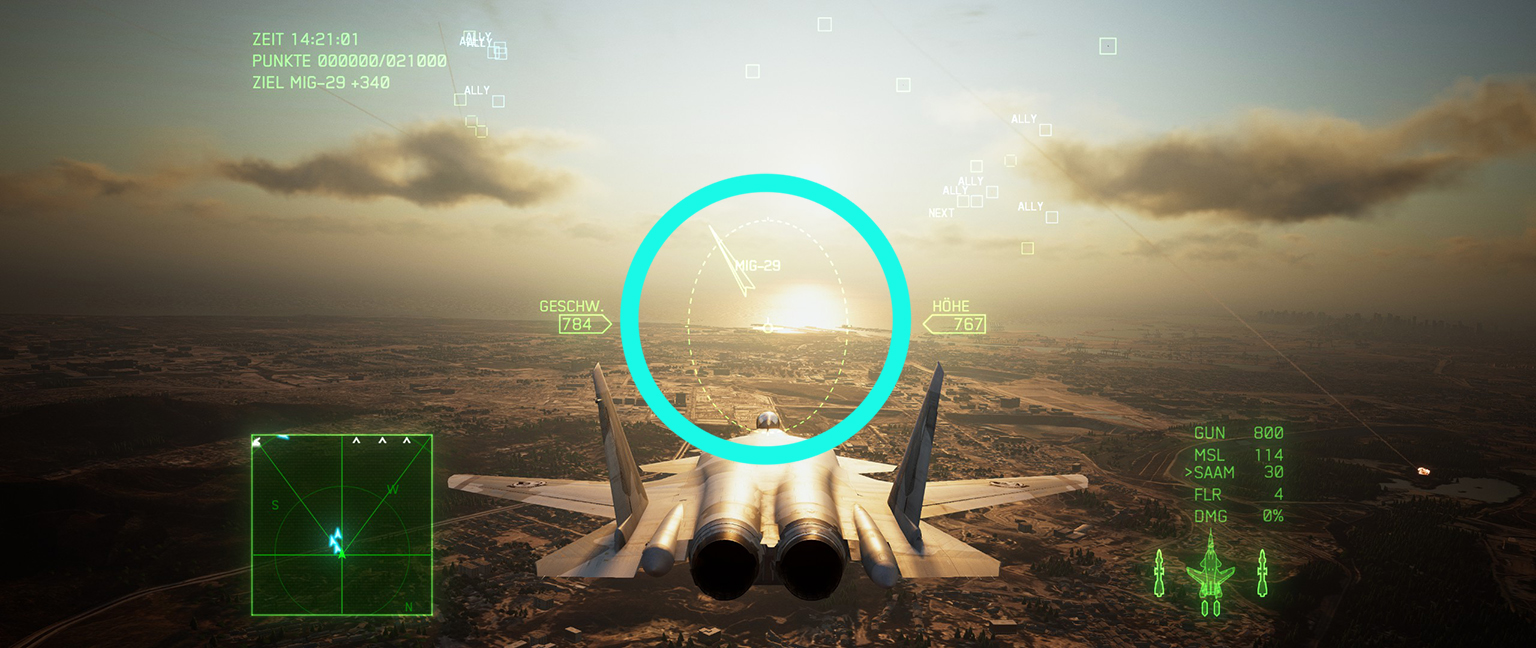
Have a little Problem with the HUD, it's not round but oval How can I fix that ??
- 20190601224444_1.jpg (635.57 KiB) Viewed 8882 times
Re: Ace Combat 7 no Ultrawide (Fix !!)
Posted: 03 Jun 2019, 12:22
by QuadGore
Please help If you can !
Re: Ace Combat 7 no Ultrawide (Fix !!)
Posted: 09 Jun 2019, 18:57
by MalachXaviel
Not sure how much help this will be QuadGore (especially since I'm having troubles of my own) but I noticed that if I edited the values using a Hex Editor as opposed to using that magic.py, I didn't have the oval issue.
(Edit: looks like I was imagining the oval, I took a bunch of screenshots with different fix techniques and they all looked exactly alike)
My problem is the hud. What value are you guys editing to center the hud? I've tried editing the offset at 258b4d8, when I change the 35 FA 0E 3C value to ED D1 33 3C (for 3440x1440 ) this doesn't seem to do anything. I even went through the entire exe and edited all instances of 35 FA 0E 3C to change to ED D1 33 3C and other than one value that makes all planes explode as soon as the mission starts, the hud didn't move.
I'm guessing the 41 2C 00 4C 89 CB 0F 29 is what removes the black bars, which that part seems to be working ok but it's the hud centering that I can't seem to figure out.
I even did the steps posted at
http://www.wsgf.org/forums/viewtopic.php?p=176013#p176013 which seems to work ok for removing the black bars (although it makes the reticle oval but I would accept that at this point), but once the game starts the hud is still off center and I've located the value this magic.py seems to be changing, and it's the same one I've been changing above which doesn't seem to do anything.
(Edit: Resolved the problem by reinstalling to a different drive as the drive I was using was setup as a network drive. Not entirely sure why it worked, probably a permission issue, but I'm not complaining.)
Re: Ace Combat 7 no Ultrawide (Fix !!)
Posted: 11 Jun 2019, 06:53
by Dragonlord3344
Nother update, now resolution changed to line 0258AB90 where i changed 35 FA 0E 3C to ED D1 33 3C
for the 3440x1440, if you want 2560x1080 its like AA 05 33 3C
and
0E36FC10 is where i changed 41 2C 01 4C 89 CB 0F 29 to 41 2C 00 4C 89 CB 0F 29
Re: Ace Combat 7 no Ultrawide (Fix !!)
Posted: 16 Jun 2019, 09:13
by Optimiser
Dragonlord3344 wrote:Nother update, now resolution changed to line 0258AB90 where i changed 35 FA 0E 3C to ED D1 33 3C
for the 3440x1440, if you want 2560x1080 its like AA 05 33 3C
and
0E36FC10 is where i changed 41 2C 01 4C 89 CB 0F 29 to 41 2C 00 4C 89 CB 0F 29
It doesn't seem to work.
Re: Ace Combat 7 no Ultrawide (Fix !!)
Posted: 16 Jun 2019, 19:27
by Valheureux
Patch 1.12 what worked for me 3440x1440 :
1. Go to Steam and right-click on ACE COMBAT 7 in library
2. Properties :: Local Files : Verify intergrity : This will reinitialize everything
3. Launch game, choose fullscreen 3440x1440
4. Close game
5. Regedit the .exe with HxD only for :
0E36FC10 is where i changed 41 2C 01 4C 89 CB 0F 29 to 41 2C 00 4C 89 CB 0F 29
(removing black bars)
Done! (The menus will look weird but all is good in game HUD and resolution)
Re: Ace Combat 7 no Ultrawide (Fix !!)
Posted: 17 Jun 2019, 17:07
by F14love
can someone help me?
My screen resolution is
3840x1600,
only with "Ace7Game_32x9v1.exe" I have fullscreen, but have HUD problem!
(I know it's not the right one, but there's nothing else!)

Re: Ace Combat 7 no Ultrawide (Fix !!)
Posted: 18 Jun 2019, 03:26
by goot
has anyone been able to get 32:9 aspect ratio working after the 1.12 patch?
No hex edit works
Re: Ace Combat 7 no Ultrawide (Fix !!)
Posted: 19 Jun 2019, 16:26
by Jacob Singer
Yeah, I'll second a fix for 32:9 after the latest patch? Pretty please? I'll be your bestie!
Re: Ace Combat 7 no Ultrawide (Fix !!)
Posted: 20 Jun 2019, 23:41
by Ghaleon4
Me too; plz help us fix it again!
Re: Ace Combat 7 no Ultrawide (Fix !!)
Posted: 28 Jun 2019, 20:04
by markuscicero5
MalachXaviel wrote:I noticed that if I edited the values using a Hex Editor as opposed to using that magic.py, I didn't have the oval issue.
I even did the steps posted at
http://www.wsgf.org/forums/viewtopic.php?p=176013#p176013 which seems to work ok for removing the black bars (although it makes the reticle oval but I would accept that at this point), but once the game starts the hud is still off center and I've located the value this magic.py seems to be changing, and it's the same one I've been changing above which doesn't seem to do anything.
(Edit: Resolved the problem by reinstalling to a different drive as the drive I was using was setup as a network drive. Not entirely sure why it worked, probably a permission issue, but I'm not complaining.)
Sorry to hear you have been having trouble with the script.
I updated the script on 5/22 to more accurately hex edit the executable and double check the results when it's done. Are you using that version or an older one?
I believe your HUD misalignment issue is because the set of shaders with the proper adjustments weren't being downloaded. You can see those files here:
https://github.com/mpm11011/ac7-ultrawide/tree/master/ShaderFixes. You say you had a network drive set up as your AC7 install location?
I will look into making the script more robust. I haven't tested it with the latest patch of the game, so we'll see what happens.