I'd just like to second all of this post. Thanks so much for all your hard work, dude. I've been continuing to enjoy this game the past couple of weeks thanks to you. :)
Your fix is awesome and greatly greatly greatly appreciated . I am mainly happy Hayden did not fall off a cliff in nz and s ok.
If he makes a new fix, fine. If not, yours is plenty good and I would have continued playing the game forever with it.
I'd just like to second all of this post. Thanks so much for all your hard work, dude. I've been continuing to enjoy this game the past couple of weeks thanks to you. :)
[quote]Your fix is awesome and greatly greatly greatly appreciated . I am mainly happy Hayden did not fall off a cliff in nz and s ok.
If he makes a new fix, fine. If not, yours is plenty good and I would have continued playing the game forever with it.
I havent played it for a few weeks now, but wanted to start again with a second play-trough as a different class and with some nice mods. Reinstalled the game and HD texture back, Some mods with steam and some from nexus.
Downloaded the latest patch from here to play,
Not supported, so I would really appreciate a new version. I enjoyed the game a lot and I am hoping to do that again.
Video_Caption: 2x AMD Radeon HD 6900 Series (crossfire enabled)
Video_AdapterRAM: 0MB
Large menus / latency issues experienced. Patch injecting is out of date as manual configuration of the native Skyrimperf file does nothing to fix the issue. I have yet to see if my crossfire is actually working as it is supposed to. Both kingdom of amalur and skyrim unplayable due to menu errors (Skyrim = menu huge / Kingdom of Amalur = unable to pick quests from questbook). Is there an ETA on the next fixes?
Any idea if Hayden plans on updating his fix for 1.4? His last post seemed to imply that he would only update it if there was a need for it. With all due thanks and appreciation to Helifax for his fix, I would still like to throw a vote in for Hayden's fix being needed. Perhaps it was just my setup but Hayden's fix worked for me without having to swap "modes" before reading a book or using my map. All though this is not a huge issue, if given the choice to not have to use hotkeys I would definitely prefer it. Thanks to everyone here!
I am also waiting for HaYDen's next fix before I play again. It really sucks that even with the fixes posted here by dedicated wide screen gamers that Bethesda keeps breaking the fixes and does not apply their own fix.
This is the last game I buy in advance without knowing if it supports surround gaming.
HayDen, please, yes it is needed.
CPU i-7920 DO @3.6 Ghz, PSU Corsair AX1200, GPU's 2 EVGA GTX 580's in SLI Surround, Monitors 3 Ea Samsung 245T's 24" @ 5760 X 1200, Storage, Boot Drive 120 Gb OCZ Vertex 2 SSD, Program drives, 2 Ea 300 Gb V-Raptors in RAID 0, Storage drive, WD RE3 1 TB, M
Anyone know a little bit on how Hayden's fix works? Since he seems unwilling to release his source and we have to wait umpteen weeks for fixes at version changes, I'd be willing to try to create something and open-source it, but it would really short-circuit the process if someone knows what the fix actually does already... (And, yes, I am a coder.)
PS: No disrespect intended to Hayden, but I've been without Skyrim for a while and I'd like to rectify this for myself instead of waiting for a benevolent handout.
Anyone know a little bit on how Hayden's fix works? Since he seems unwilling to release his source and we have to wait umpteen weeks for fixes at version changes, I'd be willing to try to create something and open-source it, but it would really short-circuit the process if someone knows what the fix actually does already... (And, yes, I am a coder.)
PS: No disrespect intended to Hayden, but I've been without Skyrim for a while and I'd like to rectify this for myself instead of waiting for a benevolent handout.
If you read the output log in his program, you can see how many bytes it's writing and for what purpose.
I'm not sure if it's possible to inspect what's being written to as it happens though.
Been in Singapore for a week on business, returning to NZ tomorrow - I'll have a look then assuming its still required.
Been in Singapore for a week on business, returning to NZ tomorrow - I'll have a look then assuming its still required.
Are you kidding, off course its needed! I'm all cranky, from not being able to play a proper game of Skyrim.
The only thing that i was able to do was go nuts and kill every one on sight, (Ingame in Skyrim i mean!!) wich by the way got me the Master Criminal Acievement LOL.
But of course i have my last good Pre 1.4 Save and will pick it up from there once your AWSOME Fix is good to go with 1.4, oh my High King.
Hope this will motivate you HaYDeN!
1.4 Fix will be greatly appriciated by all Widescreen Skyrim players, cause it worked the best, and "hassle free" so to speak.
I tried editing Hayden's .91 to accept the 1.4 version and while I got it to proceed it'd just cause the game to CTD after doing its thing. (opened in a hexeditor and found the spot with the 1.3 version memtion and just changed the values while hoping it was a strprefix rather then a strcmp type check and it seems to be). Yah this guy would need to be fixed proper I'm afraid. Helifax your fix is neat and all but the second time I tried to open the map and my mouse got stuck on the left monitor was enough to me want the 'simple and it just works'ness of Hayden's fix.
I've even tried cracking open the swf files that make up the game's UI but I really don't know what I'm looking for in terms of how to teach them to be more respectful of ultra wide resolutions. If anyone does happen to know flash though, I got at them by using the old FO3archive extractor to open up and pull them out of the interfaces.bsa and then opened them up with a trial copy of this swf editor: http://www.sothink.com/product/swfquicker/ I'm thinking that editing these files would be the best long-term solution since far as i understand they are the things being poked with the various memory editors any ways and this would make such a fix resilient to updates in the executable.
[quote]Been in Singapore for a week on business, returning to NZ tomorrow - I'll have a look then assuming its still required.
Been in Singapore for a week on business, returning to NZ tomorrow - I'll have a look then assuming its still required.
Are you kidding, off course its needed! I'm all cranky, from not being able to play a proper game of Skyrim.
The only thing that i was able to do was go nuts and kill every one on sight, (Ingame in Skyrim i mean!!) wich by the way got me the Master Criminal Acievement LOL.
But of course i have my last good Pre 1.4 Save and will pick it up from there once your AWSOME Fix is good to go with 1.4, oh my High King.
Hope this will motivate you HaYDeN!
1.4 Fix will be greatly appriciated by all Widescreen Skyrim players, cause it worked the best, and "hassle free" so to speak.
Anxiously awaiting.....WHOO-SAH there boy. chill. dont risk offeding trying to be funny.
I have been walking through all current 216 pages to get here. I haven't picked up this game since the first week I bought it since everything was so clunky with my 3H2Go setup. So back to flight simming I went. I decided today to see if there were any updates to make everything work well on 3x widescreen setups. It appears there was for a while right up until v1.4 updates rolled around.
Easy question-
Currently I have Helifax's (option 2) patch running to allow the widescreen work right. It appears this only fixes the resolution but non of the menu items, is that correct? While the menus are readable, they are entirely to large to be useful.
If this what I need HaYDen's patch for? I trust once Hayden has a new working patch, I won't need Helifax's fix? I am confused as to which ones I will need in the end.
I have been walking through all current 216 pages to get here. I haven't picked up this game since the first week I bought it since everything was so clunky with my 3H2Go setup. So back to flight simming I went. I decided today to see if there were any updates to make everything work well on 3x widescreen setups. It appears there was for a while right up until v1.4 updates rolled around.
Easy question-
Currently I have Helifax's (option 2) patch running to allow the widescreen work right. It appears this only fixes the resolution but non of the menu items, is that correct? While the menus are readable, they are entirely to large to be useful.
If this what I need HaYDen's patch for? I trust once Hayden has a new working patch, I won't need Helifax's fix? I am confused as to which ones I will need in the end.
Thanks and sorry for the noob question.
Currently:
5040x1050 3H2Go
Skyrim v1.4.21.04
Win7 64 / SB2600 @ 4.6 / 570 gtx 2.5gb
Thanks
Benjamin
????!?!???!? Menus to large? not at that resolution. The only thing is that you need to toggle before reading a book or going to the map:) And the mouse being stuck on the left screen..that is also in Hayden's fix;)). For that you need just to try to open the map again:)
PS: I read a post above that was very hilarious:)) I am now working on a fix so that you can command the game through voice! that way you dont need to press any keys at all!! Hell you dont even need a computer!!! ;))
WideScreen Fixer... Fixes your Surround problems to give a gorgeous 3D Surround Experience! WideScreen Fixer
Only website to show TRUE 3D Vision Surround Gaming Videos(viewable by anyone) only at 3D Vision Surround Gallery
I have been walking through all current 216 pages to get here. I haven't picked up this game since the first week I bought it since everything was so clunky with my 3H2Go setup. So back to flight simming I went. I decided today to see if there were any updates to make everything work well on 3x widescreen setups. It appears there was for a while right up until v1.4 updates rolled around.
Easy question-
Currently I have Helifax's (option 2) patch running to allow the widescreen work right. It appears this only fixes the resolution but non of the menu items, is that correct? While the menus are readable, they are entirely to large to be useful.
If this what I need HaYDen's patch for? I trust once Hayden has a new working patch, I won't need Helifax's fix? I am confused as to which ones I will need in the end.
Thanks and sorry for the noob question.
Currently:
5040x1050 3H2Go
Skyrim v1.4.21.04
Win7 64 / SB2600 @ 4.6 / 570 gtx 2.5gb
Thanks
Benjamin
????!?!???!? Menus to large? not at that resolution. The only thing is that you need to toggle before reading a book or going to the map:) And the mouse being stuck on the left screen..that is also in Hayden's fix;)). For that you need just to try to open the map again:)
PS: I read a post above that was very hilarious:)) I am now working on a fix so that you can command the game through voice! that way you dont need to press any keys at all!! Hell you dont even need a computer!!! ;))
If you're taking suggestions, it would be great if your fix did not require user input at all. :)
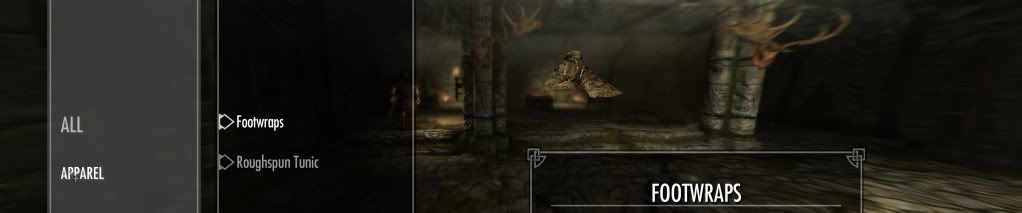
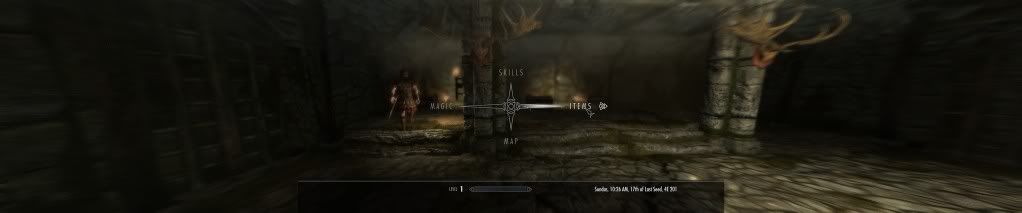
Hmm - I have missed something somewhere then I suppose. The user interface for items area takes 1 full screen on the left (1/3 of the view). I just cleared out the entire data folder and/uninstalled/reinstalled just to make sure I hadn't screwed something up along the way when the games was first released.
It all looks like this
Do I need to do anything specific with the perfs.ini?
I leave the Widescreen Fixer on auto-detect (nVidia), 1 monitor 5040x1050 and go...
Not sure what else I need to do to get the menus to scale correctly.
It should be noted, I didn't install the cheat engine and CT tables. Seeing 'Legacy' in the instructions, I wasn't sure if it was still needed.
PS: Personally, I would have coded it to complain but not crap out on version changes.
There is a log output as part of the program when it successfully patches - right inside the program itself. It doesnt say what's written, but it does tell you how many bytes and what it's purpose is.
Hmm - I have missed something somewhere then I suppose. The user interface for items area takes 1 full screen on the left (1/3 of the view). I just cleared out the entire data folder and/uninstalled/reinstalled just to make sure I hadn't screwed something up along the way when the games was first released.