Page 2 of 5
Re: The Evil Within
Posted: 17 Oct 2014, 11:29
by zappoo
Hi Guys, this is my first time writing at WSGF

Thank you very very much for all your hard Work, been using some other Fixes from Widescreenfixer in the Past and also Donated some Bucks
)
The Evil Within Fix is now Live? Can somebody help me finding the download Link - or am i just blind?
Again, thank you very very much. Keep up the good work!
Edit: Nevermind, found it via Updating Flawless Widescreen
Re: The Evil Within
Posted: 17 Oct 2014, 14:19
by cloud226
same here, the fix removes the letterbox, but only displays in the center screen.
in Flawless Status Window, it shows "Resolution=2016x1080, Aspect=1.867, Monitors=1x1, Bezel Comp=True", while my actual resolution is 6048x1080, could this be the reason?
thanks
Re: The Evil Within
Posted: 17 Oct 2014, 14:34
by HaYDeN
cloud226 wrote:same here, the fix removes the letterbox, but only displays in the center screen.
in Flawless Status Window, it shows "Resolution=2016x1080, Aspect=1.867, Monitors=1x1, Bezel Comp=True", while my actual resolution is 6048x1080, could this be the reason?
thanks
Do you have AMD hardware? cause I'm really sick and tired of repeating how shit AMD API's (for display detection) are, eg. they don't work properly (especially for Crossfire), nor are they programmer friendly.
I'll likely never own AMD gear again, so it's not something on my list to investigate... the only way forward would be someone providing teamviewer or something for a reasonable period of time to troubleshoot the problem or something.
But yes, what you've pointed out will be exactly the issue - your displays are being detected incorrectly... for whatever reason, as a temporary work around you can hardcode your display configuration by going to settings -> display detection -> enable display detection override.
Re: The Evil Within
Posted: 17 Oct 2014, 15:44
by danshop
i just want to drop by and say thanks for the hard work!
its working great on my 21:9 monitor

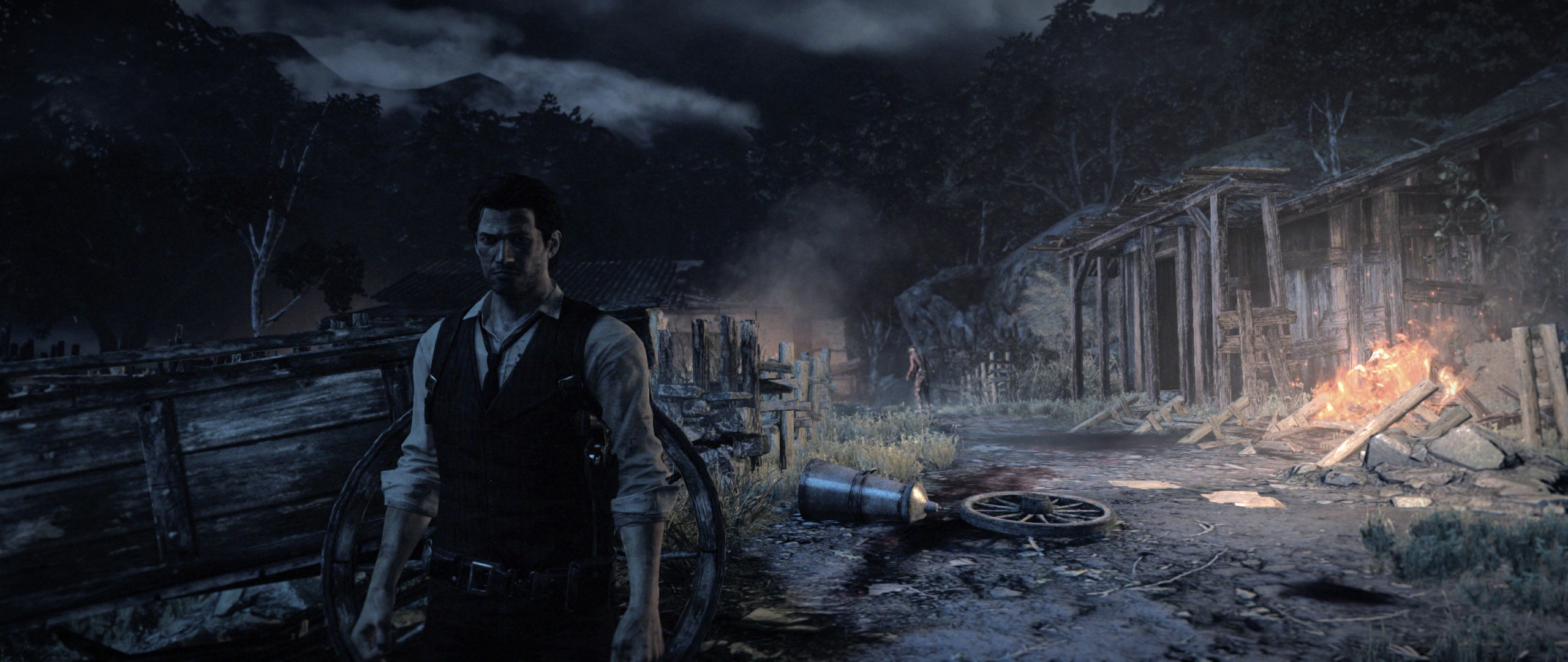
- Image1.jpg (1.54 MiB) Viewed 6700 times
Re: The Evil Within
Posted: 17 Oct 2014, 21:23
by magoo25
Thanks Hayden.
The fix works perfectly for me.
Using NVidia 2D Surround on three 24" monitors in landscape....5670 x 1200, no adjustments needed.
Sent some cash your way.
Re: The Evil Within
Posted: 17 Oct 2014, 23:07
by null-subject
Hey Hayden, thanks the fix, it works great! (obvious "but" incoming -_-)
There's one thing bugging me though, I don't know if I'm the only one getting this: when I'm aiming, the fov fix doesn't seem to work. For example, when aiming with the handgun, I don't see my character model at all, everything zooms in way too much. I'm just wondering if that's something that could be tinkered with, or not?
Re: The Evil Within
Posted: 18 Oct 2014, 02:49
by HaYDeN
null-subject wrote:Hey Hayden, thanks the fix, it works great! (obvious "but" incoming -_-)
There's one thing bugging me though, I don't know if I'm the only one getting this: when I'm aiming, the fov fix doesn't seem to work. For example, when aiming with the handgun, I don't see my character model at all, everything zooms in way too much. I'm just wondering if that's something that could be tinkered with, or not?
Well, the intention is that it would apply the same changes to the aiming FOV - I'll have to check, if that's the case... I'm surprised people haven't brought it up sooner, I'm about to start playing the game so I don't know.
You can adjust the FOV in realtime by pressing + and - so you can soon see if it has any impact.
Re: The Evil Within
Posted: 18 Oct 2014, 03:14
by cloud226
HaYDeN wrote:cloud226 wrote:same here, the fix removes the letterbox, but only displays in the center screen.
in Flawless Status Window, it shows "Resolution=2016x1080, Aspect=1.867, Monitors=1x1, Bezel Comp=True", while my actual resolution is 6048x1080, could this be the reason?
thanks
Do you have AMD hardware? cause I'm really sick and tired of repeating how shit AMD API's (for display detection) are, eg. they don't work properly (especially for Crossfire), nor are they programmer friendly.
I'll likely never own AMD gear again, so it's not something on my list to investigate... the only way forward would be someone providing teamviewer or something for a reasonable period of time to troubleshoot the problem or something.
But yes, what you've pointed out will be exactly the issue - your displays are being detected incorrectly... for whatever reason, as a temporary work around you can hardcode your display configuration by going to settings -> display detection -> enable display detection override.
That's it, I went for the "Detection Override" and it's all good now!
Sorry for the trouble, I'll definitely go for a Nvidia card next time, I had quite a few pains with AMD driver as well
Re: The Evil Within
Posted: 18 Oct 2014, 03:26
by stone2
HaYDeN wrote:cloud226 wrote:same here, the fix removes the letterbox, but only displays in the center screen.
in Flawless Status Window, it shows "Resolution=2016x1080, Aspect=1.867, Monitors=1x1, Bezel Comp=True", while my actual resolution is 6048x1080, could this be the reason?
thanks
Do you have AMD hardware? cause I'm really sick and tired of repeating how shit AMD API's (for display detection) are, eg. they don't work properly (especially for Crossfire), nor are they programmer friendly.
I'll likely never own AMD gear again, so it's not something on my list to investigate... the only way forward would be someone providing teamviewer or something for a reasonable period of time to troubleshoot the problem or something.
But yes, what you've pointed out will be exactly the issue - your displays are being detected incorrectly... for whatever reason, as a temporary work around you can hardcode your display configuration by going to settings -> display detection -> enable display detection override.
Same here. It works however when I enable Display Detection Override, so thanks for your help in fixing that. My resolution is 6048 x 1200. What should I set the Hud Width and Hud Height to? HudX and HudY? Same as my resolution or leave alone?
Cheers
Re: The Evil Within
Posted: 18 Oct 2014, 06:33
by twitchyzeroo
HaYDeN wrote:twitchyzeroo wrote:hayden, thanks so much for getting a fix out in such a timely manner.
It's not working for me.
I can see it working briefly during loading screens, but in game, cutscenes and in the menus it's single screen yet i seem to be taking the fps penalty of pushing a Surround setup
Latest nvidia drivers, latest FWS with TEW plugins. Win 8.1 Pro x64 GTX 670 SLI resolution 6000x1080
ive enabled the fps counter and locked fps to 60 via the game's console but I doubt that breaks your fix.
I understand SLI will likely be forever broken given the engine at hand but I need to play it in my native Surround res.
Any ideas?
doesn't make much sense, are there any errors in status tab?
so I didn't find a fix but found a workaround
the game needs to be in the exact same resolution as my windows desktop. Odd because it didnt work yesterday but now it does. It's unplayable at my native res without SLI, even running surround 900p it's just barely playable...I might hold off a month or two to see if Bethesda might release sli profile although im not hopeful.
Thanks again for the community fix!
Re: The Evil Within
Posted: 19 Oct 2014, 20:45
by Slippy
Hi,
First off, love Flawless Widescreen. I find it to be an essential piece of PC gaming software.
I've been enjoying your FOV fix for The Evil Within. There is one small issue I have however.
When aiming with the gun over-the-shoulder, the FOV becomes reduced again so that you still only see the gun on screen. Alt + Tabbing out and increasing the FOV in Flawless Widescreen will fix this, so that you can see Sebastian's whole arm and the edge of his face properly again. But when I stop aiming, the FOV will then be crazy high (since I just adjusted it) which gives the screen a fish eye lens look.
I have used a Cheat Engine exe (
http://www.reddit.com/r/theevilwithin/comments/2jde9g/modevil_within_fov_mod/) to also change FOV, and it keeps it at 90 degrees at all times (normal view and also when aiming). Unfortunately that mod breaks sniper zooming, which is why I prefer yours.
Here are some screens to show what I mean better:
Cheat engine 90 FOV:

Cheat engine 90 FOV when aiming:

Flawless Widescreen, approx 90 FOV:
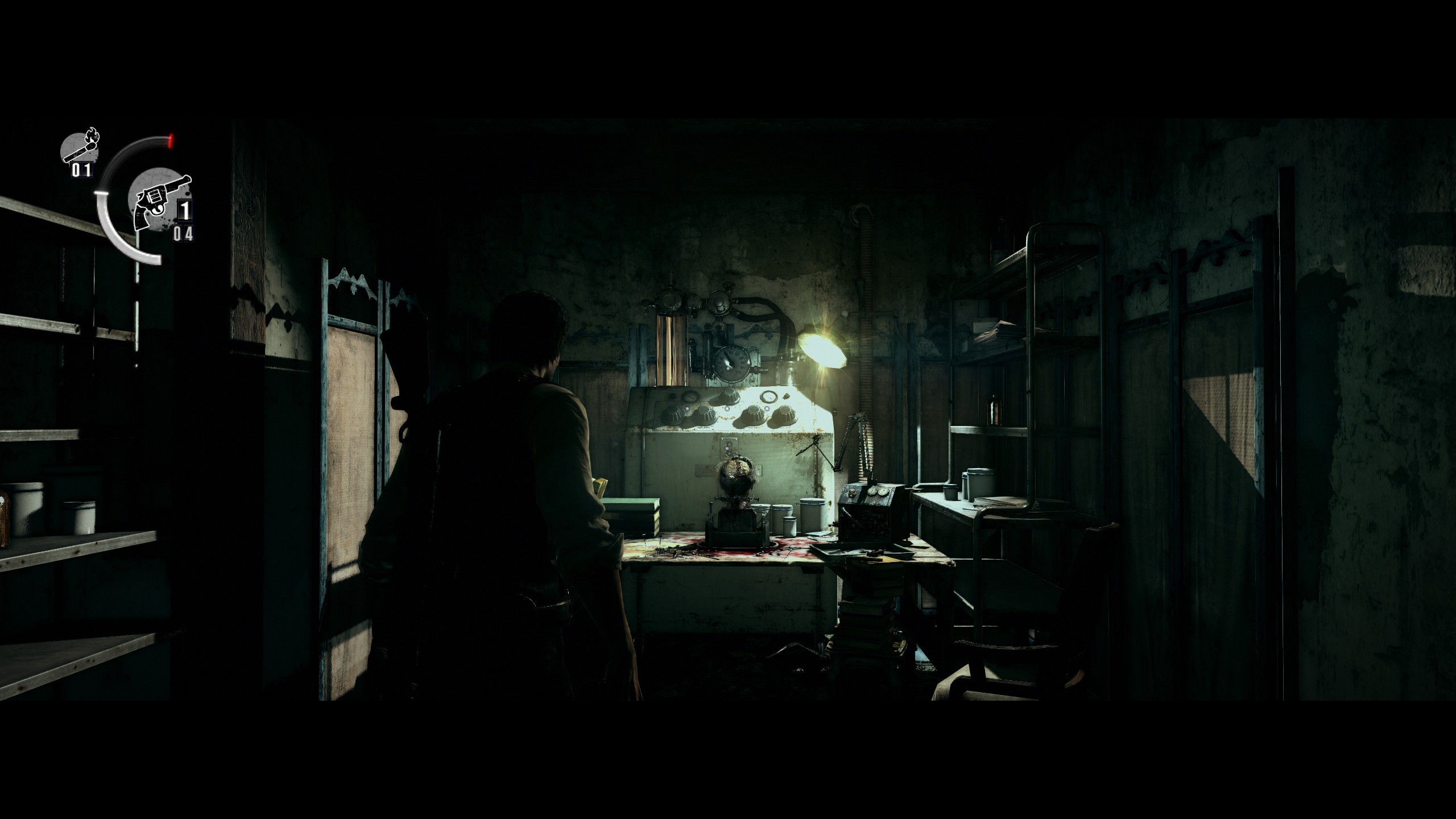
Flawless Widescreen when aiming (FOV lowers a lot more)
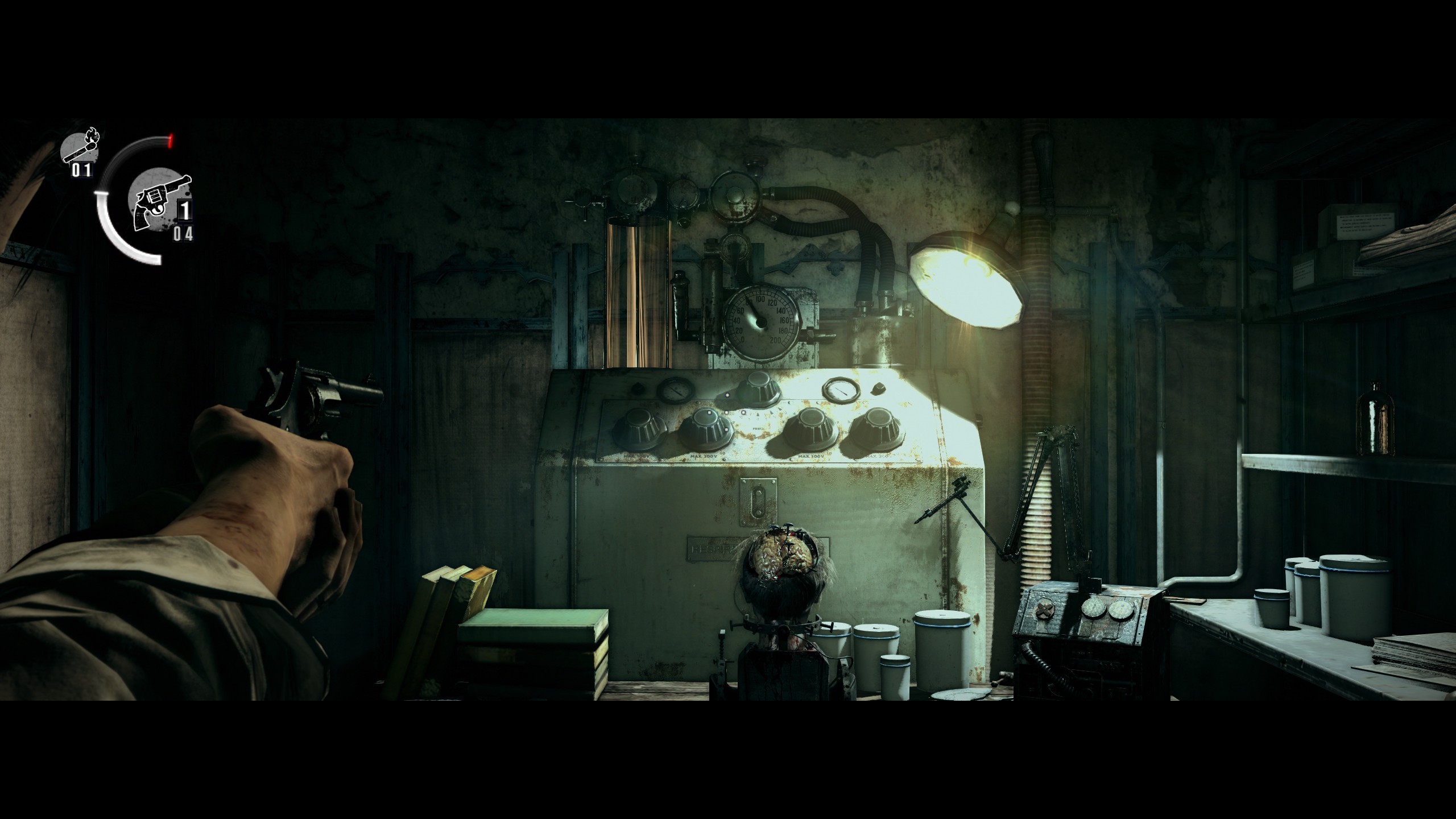
(note: I am not using the letterbox correction as I don't like the small bugs it introduces, but the same behavior is seen when running in 16:9)
Would it be possible in Flawless Widescreen to have a separate FOV slider for aiming, or a tick box to keep normal view + aiming the same?
Re: The Evil Within
Posted: 19 Oct 2014, 22:49
by dkz77
Thanks Hayden fix works perfectly

There are three anti-aliasing settings - FXAA, MLAA and SMAA
In your opinion what is the best ...
here they say... The optimal smoothing mode for the game is the SMAA
http://translate.google.com/translate?hl=it&sl=ru&tl=en&u=http%3A%2F%2Fgamegpu.ru%2Faction-%2F-fps-%2F-tps%2Fthe-evil-within-test-gpu.html&sandbox=1
Re: The Evil Within
Posted: 20 Oct 2014, 08:14
by Amon Amarth
Anyone else getting really awful framerate on Surround? I used the console to unlock the FPS, but I'm getting about 12-26 FPS! Seems strange, does anyone have an SLi profile or some FPS fix for the game? This is down right unplayable.
Re: The Evil Within
Posted: 20 Oct 2014, 09:55
by Toothless Spoon
Amon Amarth wrote:Anyone else getting really awful framerate on Surround? I used the console to unlock the FPS, but I'm getting about 12-26 FPS! Seems strange, does anyone have an SLi profile or some FPS fix for the game? This is down right unplayable.
That's the game unfortunately mate, and without SLi to help out as well it's not going to get any better. The game @ 1920x1080 isnt that great either, but obviously better than surround. Looking at the forums, you can see a lot of people complaining about the framerates, and massive dips - even on the PS4 the game dips below 30, so it's the game.
Re: The Evil Within
Posted: 20 Oct 2014, 17:35
by wist
hey guys
please help as soon as I run the game I just hear the first second of some intro sound and then windows says my graphics stopped working but has recoved ..and cannot get the game to run

check the screen thanks my graphics card is ATI mobility Radeon HD 4670

Re: The Evil Within
Posted: 23 Oct 2014, 14:59
by scavvenjahh
Hey wist

This is not exactly a widescreen issue, so you'd better ask on the game's official forums for tech help.
Back on topic: anybody up for a Detailed Report ? This bogus ultrawide default aspect ratio is... fascinating.
Re: The Evil Within
Posted: 29 Oct 2014, 22:43
by onthemour1
Any fix for update on flawless? The new game update no longer works with it
Re: The Evil Within
Posted: 30 Oct 2014, 03:04
by kiax0001
Looks like the developers released a new patch for the game and flawless isn't working anymore.
Hayden, any chance of an update?
see here:
http://steamcommunity.com/app/268050/discussions/0/620695877099729474/Thanks,
kiax0001
Re: The Evil Within
Posted: 30 Oct 2014, 18:11
by Funkengreuven
Second that... Just when you have it working perfect they go and screw it up. I know they're trying to make the game better for others, but it totally hosed up the fix and it doesn't recognize the game has launched. Hope this is an easy update...
Re: The Evil Within
Posted: 03 Nov 2014, 23:01
by gumbo1919
Played a bit of the demo and was ready to pull the trigger. Glad I didn't. Hopefully this can be rectified.