Be mindful he's showing you XP + NVIDIA, not Win 7 + AMD. I've not seen anyone definitively show AMD can do over 8000 with Eyefinity as the spanning method for the Matrox boxes.
Be mindful he's showing you XP + NVIDIA, not Win 7 + AMD. I've not seen anyone definitively show AMD can do over 8000 with Eyefinity as the spanning method for the Matrox boxes.
Actually, that is eyefinity in that video, if I'm not mistaken. So that has to be win7 or vista.
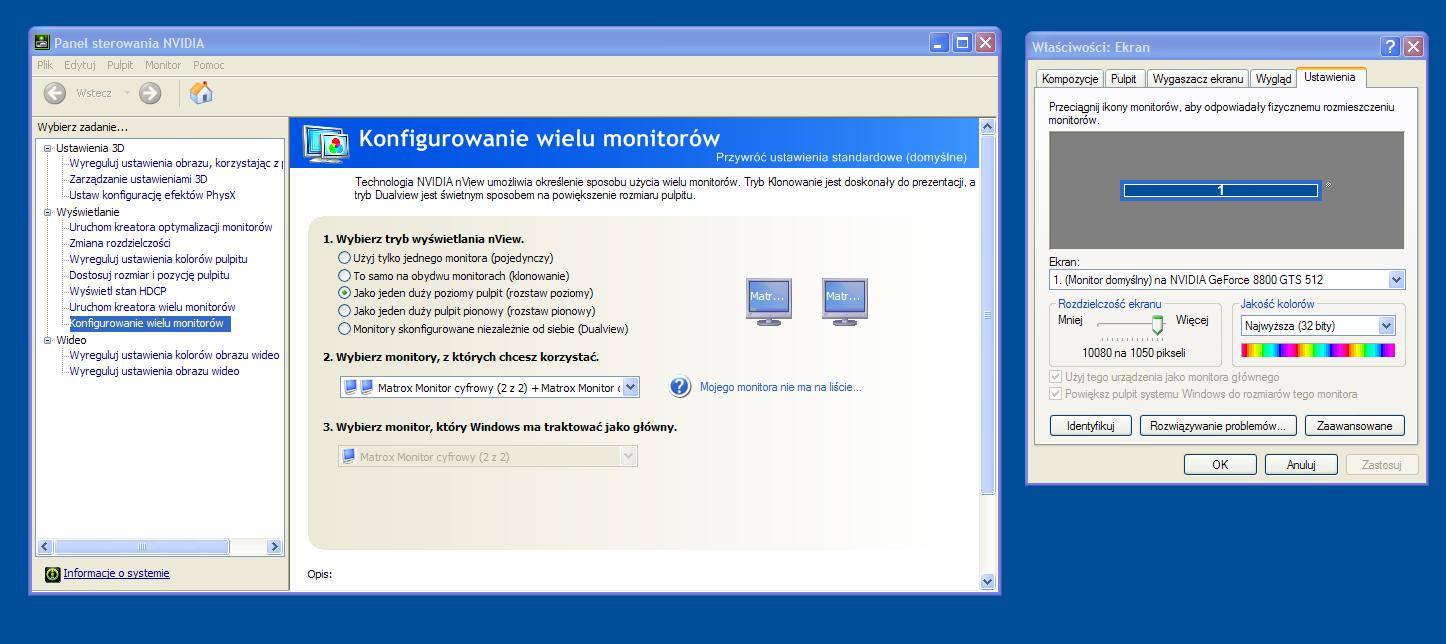
First screen was on 2x matrox is XP + NVIDIA 10080x1050 (i have only 22" 1680x1050 monitors)
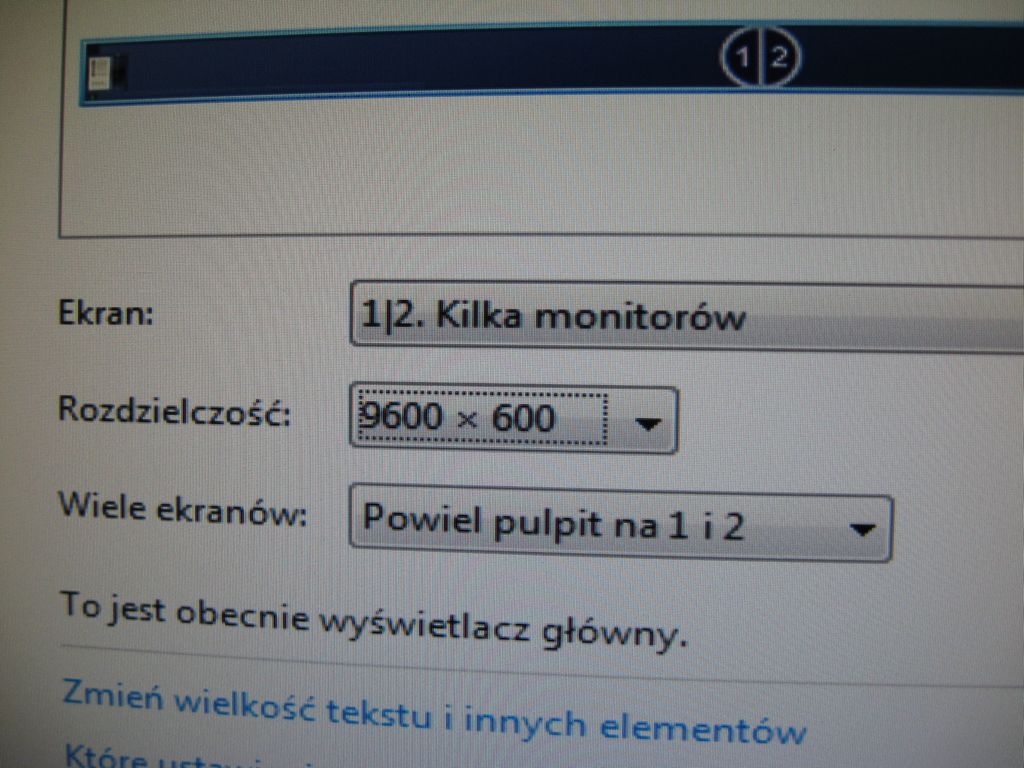
Second screen/video 12 monitor video is on windows 7 but 8000barier isnt broken, I tried 4x1 setup -12 monitors in row (3 = 2400x600) so should be 9600x600 but unfortunantely drivers force me down to 640x480 per screen (7680x480)
Soon I will buy dp @ dual link DVI and try again, also I will try with 15x1 setup.
Most of my curiosity is if the limitation is a soft or a hard limit on the AMD side. It's somewhat pointing to be both with the driver software limited to 8000 pixels but the hardware capping at 8192 pixels. I believe I saw awhile back that the dxcaps limits on new NVIDIA stuff actually jumped to 16k hardware limits a series or so back? I might be making things up out of a hazy memory though.
If the AMD limit is purely software driver limited, I'd like to ask AMD to up it to 16k if possible.
I tried to break barrier today with nvidia gpus, I plug 2x gtx280 to 3 screens - surround 5040x1050 works fine.
Instead one monitor i plugged one matrox triplehead and got 3840x1024 res each so total res without matrox drivers should be 11520x1024.
Unfortunantely SLI suround not work with matroxs. I tried even with matrox drivers @ 5040x1050 each and 2400x600 each (to check if this is not fault by 8k limit but its not)
So I still need to wait for active dp @dual link dvi adapter
each display 2400x600
eyefinity group 4x1 9600x600 res
DONE
Tip:
After when I plugged all set to working with only amd gpu driver (without matrox or mviewer drivers) all work except one monitor. It shows 1600x600 res (dual), I dont know WTF (when I have installed hd5870 e6 before and all works instant), so to do 9600x600 unfortunanetly I have to install matrox driver, run setup and change in RESOLUTION MODES from 1280x768 and others to only 800x600. Then all works fine and windows show 4 x 2400x600
I am trying to find out If I can run 4 TH2Go units on the same PC?? I am going to use smaller TFT Screens likle in the 5" and 7" range so rez will not have to be high..
so will getting 4 TH2Go digital units be possible ??
I am trying to find out If I can run 4 TH2Go units on the same PC?? I am going to use smaller TFT Screens likle in the 5" and 7" range so rez will not have to be high..
so will getting 4 TH2Go digital units be possible ??
ok that is good news now I was looking on the Matrox website and they say the monitors need to run the SAME resolution is there any weay to run a lower rez on one of the smaller monitors
??
ok that is good news now I was looking on the Matrox website and they say the monitors need to run the SAME resolution is there any weay to run a lower rez on one of the smaller monitors
??
IT not that each monitor has to have the same physical resolution, they just need to be running the same resolution from the unit itself. Basically mixed out resolutions aren't supported. 3840x1024 is just 3x1280x1024.