[-noun] Web community dedicated to ensuring PC games run properly on your tablet, netbook, personal computer, HDTV and multi-monitor gaming rig. https://www.wsgf.org/phpBB3/
[quote]I will try to take a look at this sometime this week.
Thanks for letting me know!
Nice :)
Can't wait for the results!
I don't see a NOLFDLL.REZ in my NOLF GOTY folder to replace. Is there anything that this patch does differently than the URA mod?
BTW, if the stretched weapons in 1st-person view ever get fixed, that would be awesome!
Just copy it to your NOLF dir, and then when launching the game, do not click "Launch" right away, but go to "Advanced" and add "-rez NOLFDLL.REZ" to the Command Line box. Also, make sure that "Always specify these command-line parameters" is checked - so you do not have to set anything the next time you launch the game.
And yes, this mod works like a charm. It is much better than the URA's mod.
It would be good to put this in the mod readme as it's not there. Also not mentioned in the readme is you have to go to the autoexec.cfg and manually put in the desired screen width and screen height.
Actually, the game is
Posted: 16 Jul 2011, 15:23
by redrain85
EDIT: Never mind. While the game will automatically load NOLFDLL.REZ, it loads it in the wrong order. It needs to be loaded last in order to take effect. So the commandline has to be used.
My comments after trying this
Posted: 17 Jul 2011, 20:08
by Mike89
My comments after trying this mod. The good is I can now play NOLF that fits my screen (1920x1080).
Really though it's not really a widescreen view, meaning the side to side view is exactly the same as 4:3 with the top cut off. Kinda defeats the benefits of the wide screen view. I'd rather have the wider view even if it did fish boul the sides a bit (I don't notice the effect playing Tron 2 with the Killer App Mod with the wider view) As mentioned the weapons are stretched. The cutscenes are also an issue as the vertical view being less, the tops of heads get cut off, etc.
Just giving constructive feedback from a users standpoint.
Personally I prefer the URA
Posted: 18 Jul 2011, 07:52
by Androidmonk
Personally I prefer the URA mod because you can switch between 16:10 and 4:3 modes in-game, and in 4:3 mode the weapons/items don't appear stretched. I like this because I can quickly switch modes to see how items (i.e., laser gun, code breaker) are supposed to look.
Ah, nuts. My main computer's
Posted: 22 Jul 2011, 22:01
by lazyhealer
Ah, nuts. My main computer's motherboard or cpu just bit the dust, so it will be a bit longer before I can poke around with this more.
I'm still looking for the code that would stretch the 1st-person hands / weapon model stuff. I'm also looking for a way to change the resolution in-game. I have it displaying the widescreen resolutions, but then the menus get messed up until you quit and reload.
So, still working on it, but will have to wait a bit to fix my computer.
Sorry to hear about that,
Posted: 24 Jul 2011, 01:18
by Androidmonk
Sorry to hear about that, lazyhealer. I hope you get your computer back soon. :)
Thanks, Androidmonk!There
Posted: 26 Jul 2011, 23:26
by lazyhealer
Thanks, Androidmonk!
There were a couple of issues with going widescreen past the 90 degree FOV. The fishbowl effect was way too much to handle, and the zoom hud would have to be replaced (not sure how to do that). I forget if there was anything else to it since I can't play with it at the moment. When I'm able I'll play with that more, as it would probably fix the 1st-person hands/weapon stretching. I'm wondering if they did something goofy like render the hand model stuff to a separate buffer and then draw that in a post-processing step, but that would probably be too slow to do. Alas, it appears that the rendering code is not present in the NOLF1 source. It's probably in a binary dll.
I tried modifying the object loading code to change the scale ratios of the objects as they're loaded into memory, but that did not appear to have any discernible effect.
Ah well, will poke at it again when I can replace the hardware. Oddly enough, I did not smell nor see any magic smoke escaping!
Finally! Computer fixed!
Posted: 01 Nov 2011, 03:44
by lazyhealer
Alrighty, I've finally fixed my computer -- took a 1000 watt power supply for some reason!
I'm super busy nowadays (back to a full-time programming job), but will fiddle with this some more when I have time.
lazyhealer wrote:Alrighty,
Posted: 01 Nov 2011, 12:51
by thales100
Alrighty, I've finally fixed my computer
Nice. :onethumb
Re: No one lives Forever 1
Posted: 26 Oct 2013, 15:28
by oceanclub
Just reinstalled NOLF1 and found this thread. Does anyone know what became of this work? I'd love to play it 1680x1050.
P.
Re: No one lives Forever 1
Posted: 19 Jan 2014, 12:04
by Wobak
I guess lazyhealer didnt continue his project so I decided to make an extended widescreen patch. Here is version 1: The fishbowl effect is present with larger FOVs but doesnt really interfere with the gameplay.
Features: -Pick supported widescreen resolutions in the display menu, the 16 Bit modes have been removed. -Set horizontal FOV through command line. The vertical FOV is calculated automatically -The splashscreen and menu backgrounds are no longer stretched.
Installation: 1. Put the "WidescreenPatch.rez" file in your NOLF directory. 2. Run the launcher, click on "Advanced". 3. Put this into the commandline field: „-rez "WidescreenPatch.rez"„ (without the outer quotes). 4. Make sure "always pass these command-line parameters" is checked. 5. The default horizontal FOV is 90, if you want to change that, add „++fovX "value"„ to the end of the command line (once again without the outer quotes). 3. Start the game, go to display and select the desired resolution. Enjoy the game!
Known Problems: -The first person weapons remain stretched. The scaling is apparently done by the engine and contrary to Nolf2 there is no console command to set the aspect. -You cant join or host multiplayer games. This is because the released sourcecode is from version 1.003 while the game of the year edition is 1.004. The hosting could be enlabled but then then texts from the bonus mission could not be displayed anymore.
Re: No one lives Forever 1
Posted: 22 Feb 2014, 17:10
by Wobak
Here is the second version due to the large interest It uses the workaround lazyhealer suggested to counteract the firstperson weapon stretching
Features: -Pick supported widescreen resolutions in the display menu, the 16 Bit modes have been removed. -The FOV is Hor+ (the larger the aspect ratio, the more is seen). -The cutscenes are anamorphic (they fill out as much of the screen as possible). -The firstweapon stretching is counteracted by scaling them. -The splashscreen and menu backgrounds are no longer stretched. -Subtitles and popup texts now take up the correct screen width. -Circular shadows now actually stay active. Originally they were deactivated after any cutscene played.
Installation: 1. Put the "WidescreenPatch.rez" file in your NOLF directory. 2. Run the launcher, click on "Advanced". 3. Put this into the commandline field: „-rez "WidescreenPatch.rez"„ (without the outer quotes). 4. Make sure "always pass these command-line parameters" is checked. 5. If you want to set the horizontal FOV to another value, add „+FovX "value"„ to the end of the command line (once again without the outer quotes). 3. Start the game, go to display and select the desired resolution. Enjoy the game!
Known Problems:
Spoiler:
-You cannot play on GotY (1.004) servers with this patch. This is due to the patch being based on the 1.003 source code because the 1.004 source code wasnt released. -Hosting a game isnt possible either. Hosting a 1.003 game could be enabled, but that would remove all text (objectives, intel, etc.) from the "Rest and Relaxation" bonus mission of the GotY edition. -The firstperson weapons distort in animations and their movement doesnt match up with the movement of their attachments. This is a result of the streching workaround and cant be fixed. -When using a FOV different from the Hor+ value the firstperson weapons are offseted. This may be counteracted in the future. -The scopes dont scale properly. The scaling is in some weird way dependent on the FOV. This may be fixed in the future. -The sides of the scoped are not covered up yet. This may be fixed in the future.
Comparisons:
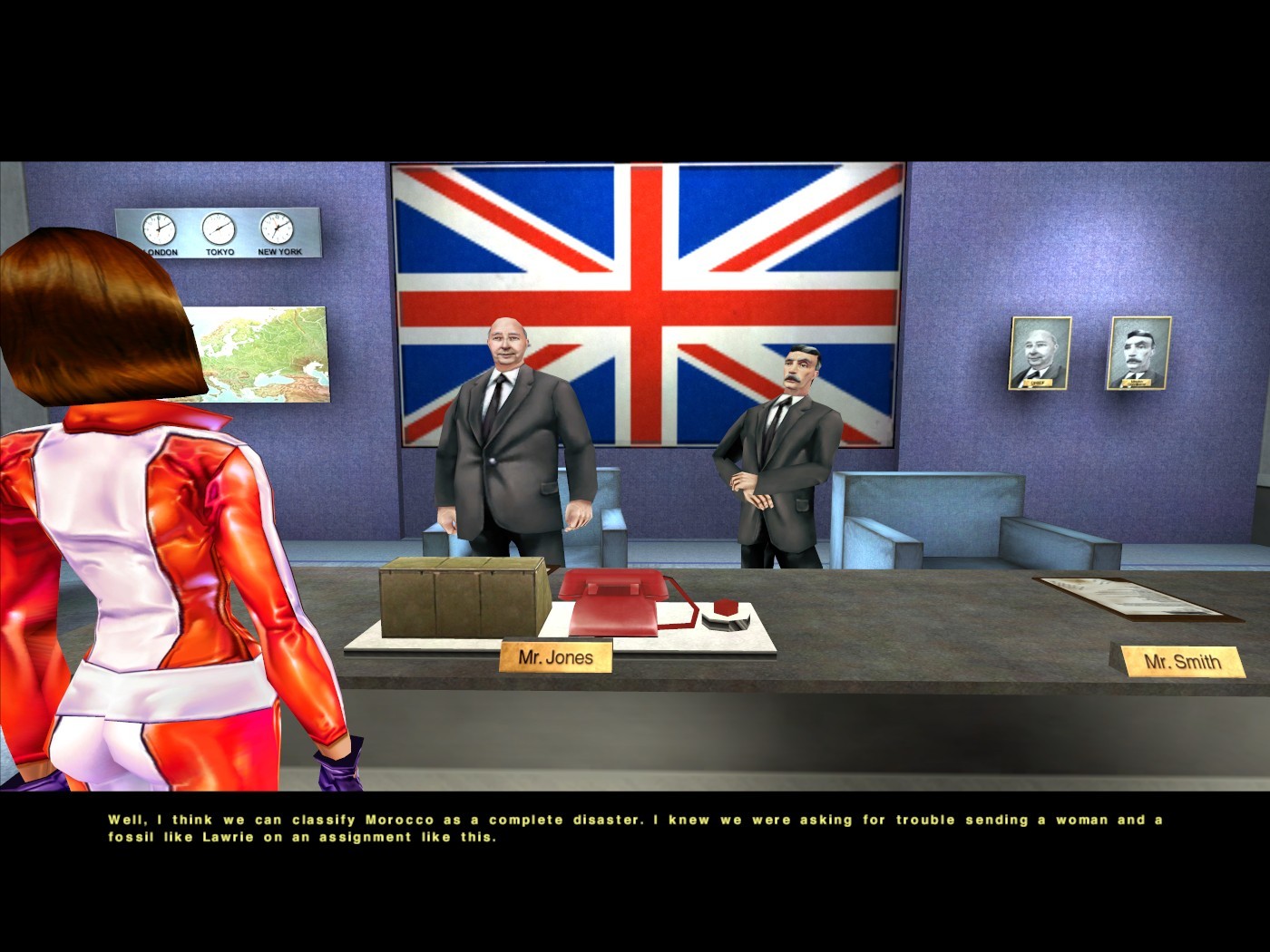
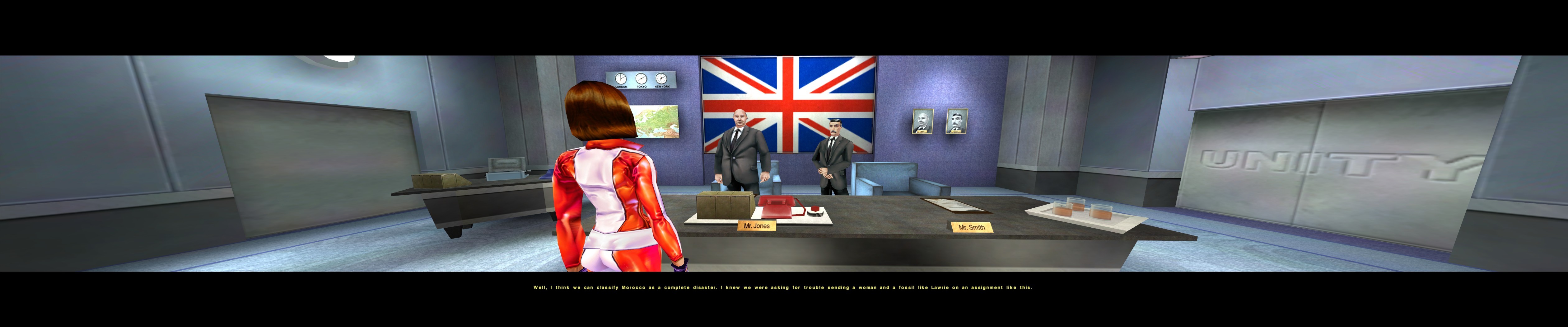
cutscene:
Spoiler:
original. 4x3:
original 16x9:
patched 16x9:
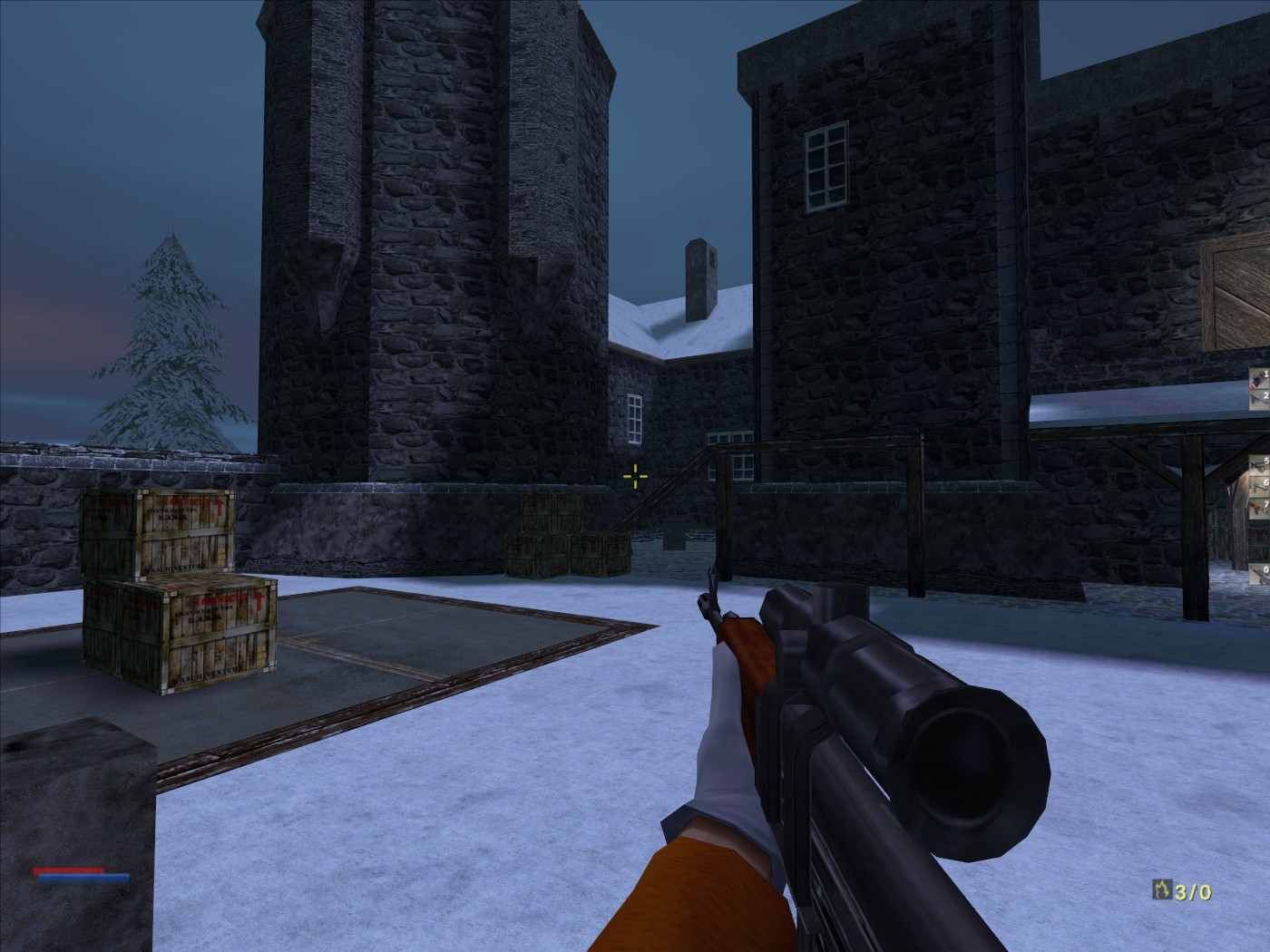
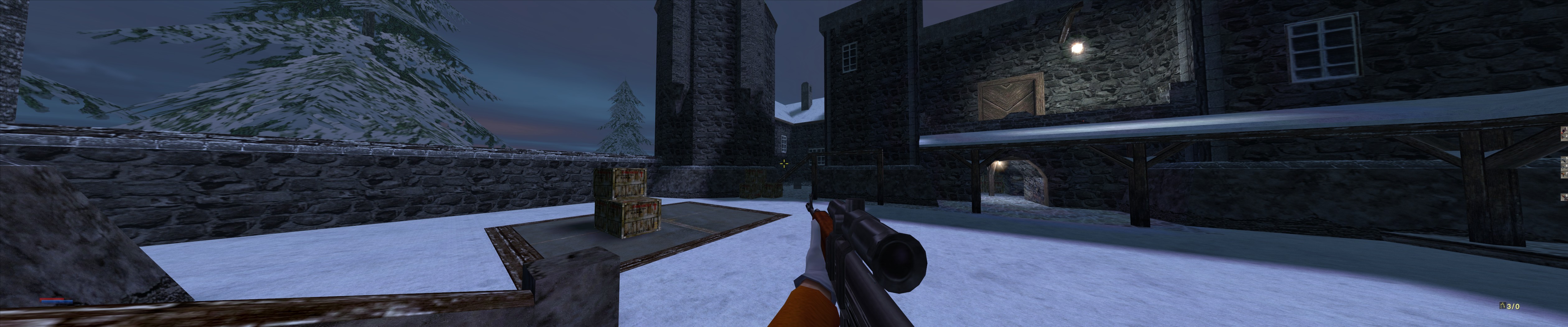
weapons:
Spoiler:
original 4x3:
original 16x9:
patched 16x9:
the firstperson weapon workaround is not really nice so if you have another aspect ratio than 16x9, please give feedback on how well it works.
Re: No one lives Forever 1
Posted: 15 Mar 2014, 01:41
by ThunderDan
Thanks Wobak for making this mod! I've only tested it out for a few minutes but from what I've seen it works great.
Re: No one lives Forever 1
Posted: 18 Mar 2014, 12:16
by Wobak
Thanks! Tell me if you run into any problems or have suggestions.
Re: No one lives Forever 1
Posted: 10 Feb 2015, 11:35
by czarman
Any chance you could made more Resolutions: 2560 x 1440 or 3440 x 1440 So far max working Res. is 1920 x 1440 everything above wont work.
Re: No one lives Forever 1
Posted: 10 Feb 2015, 13:18
by jackfuste
zeyrok wrote:Any chance you could made more Resolutions: 2560 x 1440 or 3440 x 1440 So far max working Res. is 1920 x 1440 everything above wont work.
Resolutions higher than 2048 pixels should work after that.
Re: No one lives Forever 1
Posted: 11 Feb 2015, 14:41
by Wobak
Wow, that's cool. How exactly does it work and can it be applied to other games aswell? Looks like the 1stperson weaponoffset is not correct for ultrawide though Does it vary between different weapons?
Re: No one lives Forever 1
Posted: 12 Feb 2015, 08:42
by czarman
WOW that was fast - and works perfect - finally NOLF 1 in 21:9 (3440 x 1440) - Widescreen fix from WOBAK and High Resolution Fix from jackfuste - thanks a lot.
Just find out jackfustes High Resolution Fix (D3DIM700.DLL) is also working for Aliens versus Predator 2 and Addon Primal Hunt
Re: No one lives Forever 1
Posted: 12 Feb 2015, 15:40
by Wobak
Cool, I should probably release my widescreen patch for AvP 2 then.
Re: No one lives Forever 1
Posted: 12 Feb 2015, 22:21
by jackfuste
Wobak wrote:Wow, that's cool. How exactly does it work and can it be applied to other games aswell?
This is API fix. Function "Create Device" has screen resolution check, if resolution higher than 2048 pixels, then it return "88760082" (error value).
Wobak wrote:Looks like the 1stperson weaponoffset is not correct for ultrawide though Does it vary between different weapons?
Here's mine widescreen fix, based on GOTY edition (v1.004) - available from the PC Gaming Wiki Community Files (search there)
Installation - copy all content from archive to game folder.
- All screen resolutions are available in the game menu and launcher - Hor+ - Hor+ cutscenes - Weapon centered


 everything above wont work.
 Does it vary between different weapons?
 that was fast - and works perfect - finally NOLF 1 in 21:9 (3440 x 1440) - Widescreen fix from WOBAK and High Resolution Fix from jackfuste - thanks a lot.