Page 2 of 3
Deus Ex
Posted: 30 Dec 2007, 03:17
by Krooga
1680*1050 (it's a Viewsonic VX2235 22" LCD)
Deus Ex
Posted: 30 Dec 2007, 13:27
by Krooga
OK, I reinstalled Deus Ex and suddenly it works fine, I can select 1680*1050 from in-game. Very peculiar.
Deus Ex
Posted: 01 Feb 2008, 01:52
by Varg007
OK, I reinstalled Deus Ex and suddenly it works fine, I can select 1680*1050 from in-game. Very peculiar.
I installed the Steam version of Deus Ex and could select 1680*1050 without messing with the .ini files :)
Deus Ex
Posted: 10 Feb 2008, 21:49
by Tanuki

The anamorphic behavior will cut two-line text in higher resolutions.
Do you need an exact resolution list Cranky?
Deus Ex
Posted: 10 Feb 2008, 22:04
by The_cranky_hermit
Do you need an exact resolution list Cranky?
Nope. I never noticed this flaw, but it shouldn't affect playability since all lines are spoken. I'll call it an SP anomaly and regrade accordingly.
Deus Ex
Posted: 12 Mar 2008, 00:50
by dylanamus
I've read through this thread and tried everything listed, but it almost seems as though Dues EX is ignoring the FOV variables: when I quit and reload the game, changes to the FOV figure have made no difference to the screen output.
Below are images of dues ex configured to run 1680x1050 (native resolution) with FOV of 85.
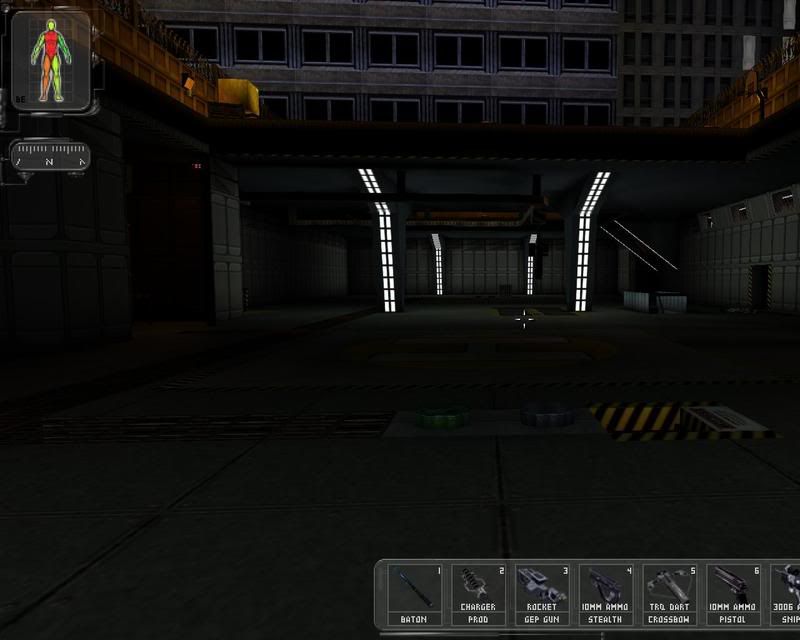

Below is after applying the OTP User Interface Fix.
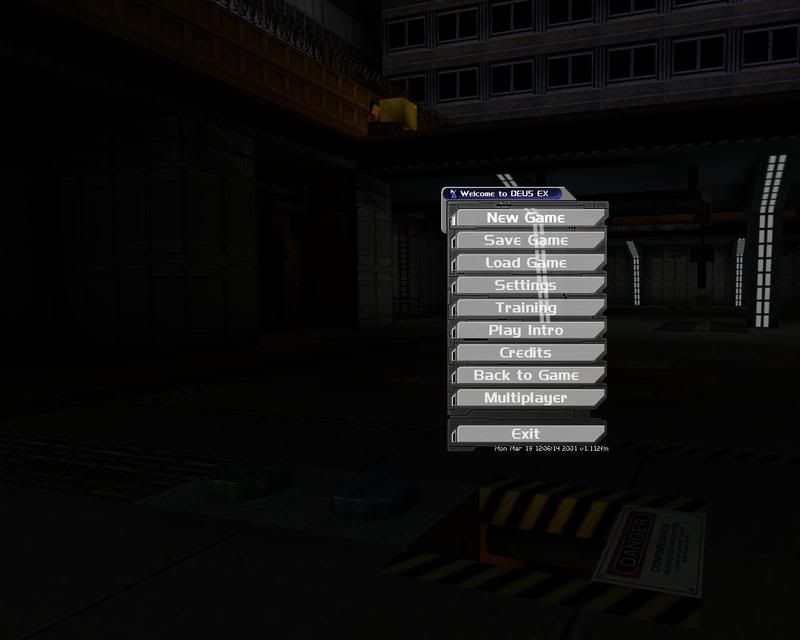
Could someone please tell me what could possibly fix this?
Cheers!
Deus Ex
Posted: 13 Mar 2008, 23:24
by Tanuki
It is impossible to tell from your pics what is changing.
Can you get a 4:3 pic and a 16:10 pic in the same spot? Try loading from a savegame and taking a screenshot.
Also check you are changing the right file in the game folders.
Deus Ex
Posted: 16 Mar 2008, 02:50
by dylanamus
I changed the files listed in this thread. The screenshots automatically come out in 4:3, despite the screen being 16:10 (it's a notebook). Notice that the HUD is half sticking out the right hand side of the screen as though it isn't adjusting the horizontal FOV.
Deus Ex
Posted: 03 Oct 2008, 13:07
by Somian
how can i set the gametap version to 1920x1080?
Deus Ex
Posted: 30 Oct 2008, 01:55
by yuriks
I'm having problems setting the game to use a widescreen 1440x900 resolution. I've edited DeusEx.ini, but when I run the game it seems to cap my FullscreenViewportY to 864, Windowed mode is normal (but then it goes out of the bounds of my desktop =P). I've tried re-installing the game to no avail. Also tried both with and without the OTP HUD fix and with and without the new OpenGL driver, and Direct3D, none work correctly. (My FullscreenViewportX seems to stay at 1440 normally.)
Deus Ex
Posted: 21 Nov 2008, 22:47
by fiskstolpe
A while ago I wanted to play through DX once more, and after searching back and forth I finally found this fix: http://www.kentie.net/article/dxguide/index.htm
I've played almost half of the game with this fix (with Direct3D in 1920x1200) without any problems at all, so give it a go and see if it works for you. As you can see the fix can also correct the HUD scaling issue.
Re:
Posted: 11 Jan 2010, 10:19
by Kenny®
A while ago I wanted to play through DX once more, and after searching back and forth I finally found this fix: http://www.kentie.net/article/dxguide/index.htm
I've played almost half of the game with this fix (with Direct3D in 1920x1200) without any problems at all, so give it a go and see if it works for you. As you can see the fix can also correct the HUD scaling issue.
Thanks for the link. I had trouble with HUD scaling but after adding the OTP HUD fix it just fine :)
Re:
Posted: 20 Jan 2010, 17:05
by Deusfaux
Looks like this game won't work in 2560x1600. If I edit the .ini file for that resolution the game opens up in a window and afterwards the WindowedViewportX/Y settings have been set to 2048x1200. I guess these might be the absolute maximum X/Y resolution limits or has someone else succeeded in topping them?
Having same issue.
Also having this issue in Unreal Tournament.
Re: Deus Ex
Posted: 22 Apr 2010, 12:38
by Leapo
I really hate to grave-dig a thread, but in honor of the $5 deal on steam, it might be a good idea to update the widescreen fix for this game.
This will prevent the Deus Ex UI from stretching and looking ugly at high resolutions: http://deusex2.filefront.com/file/OTP_UI_Fix;84991
The INI edit is no-longer required. All you need to do is install this updated renderer: http://kentie.net/article/d3d10drv/
Here's a quick list of what it fixes:
- Widescreen (and triplehead) resolutions will now show up in-game.
- FOV will now automatically adjust for widescreen (and triplehead).
- Guns no-longer become 3x too large in triplehead.
- Flares no-longer become 3x too large in triplehead.
- Stuttering on dual core processors fixed.
- Support for bumpmapping and parallax mapping
- Support for external textures (Such as the S3 textures included with UT99)
This same renderer also fixes Unreal Tournament 99 and Rune. Their wiki pages should also be updated to point to this updated to reflect this much nicer fix.
Re: Deus Ex
Posted: 22 Apr 2010, 14:03
by thales100
I really hate to grave-dig a thread, but in honor of the $5 deal on steam, it might be a good idea to update the widescreen fix for this game.
Thanks, looks good. :)
Re: Deus Ex
Posted: 23 Apr 2010, 07:45
by scavvenjahh
This same renderer also fixes Unreal Tournament 99 and Rune. Their wiki pages should also be updated to point to this updated to reflect this much nicer fix.
We could add a line about the fix, but comparison screenshots are the minimum requirement to really update a solution.
Re: Deus Ex
Posted: 24 Apr 2010, 19:18
by Leapo
I can add screenshots if you want, but they aren't going to be any different than the screenshots in the original post. Both methods get you hor+, the updated renderer is just a lot simpler (and comes with additional fixes).
I'll grab some quick eyefinity screenshots...
Re: Deus Ex
Posted: 24 Apr 2010, 20:21
by Leapo
Alright, I'll just go through point-by-point...
==Method==
Download the updated renderer from here: http://kentie.net/article/d3d10drv/ (
Direct Link)
The "DeusEx" folder inside the archive contains "d3d10drv" "d3d10drv.dll" and "d3dDrv.int". Copy all three of these files into
System
Start the game, go to Video Options, and change your renderer to "Direct3D10 Support". When the game restarts, you will see all possible resolution options with automatic Hor+ FOV adjustment.
==Screen change==
This game is Hor+ (automatic with updated renderer)
1024x768 (4:3)

1680x1050 (16:10)

Eyefinity

==Supported resolutions==
I have successfully run this game at these resolutions: 1024x768, 1280x720, 1280x768, 1280x800, 1440x900, 1400x1050, 1680x1050, 5040x1050, 5292x1050 (bezel corrected).
Others have confirmed that 1920x1080, 1920x1200, and 2560x1600 also work correctly with the new renderer.
==Singleplayer anomalies==
Cut-scene subtitles get get cut off in widescreen. Dialog is all spoken so it's not a huge issue.
==Multiplayer support==
Hor+ with updated renderer. Servers can't check what renderer you're using, so this isn't a problem.
==Aspect ratio support==
Correct and automatic with updated renderer installed.
==HUD stretch==
The HUD scales correctly, but does become very blocky and pixelated at high resolutions.
If you prefer your HUD stay its original size and sharp, this will fix it: http://deusex2.filefront.com/file/OTP_UI_Fix;84991
==Cut-scenes==
Cutscenes are Hor+ as well, with the updated renderer

==Grading==
Calculated grade: B
Major unresolved issues: None
Minor unresolved issues: None
Summary of widescreen-related flaws:
Fan-made patch is required
Cropped subtitles in cut-scenes
Re: Deus Ex
Posted: 26 Apr 2010, 05:48
by JohnnyWakko
Can we get some screen shot comparisons to the DX10 Rendered game, and the standard game? I can't seem to see much difference on that home page.
Re: Deus Ex
Posted: 26 Apr 2010, 06:48
by Leapo
Can we get some screen shot comparisons to the DX10 Rendered game, and the standard game? I can't seem to see much difference on that home page.
By default, there's no difference in quality or appearance. It fixes bugs, fixes dual core issues, adds proper widescreen/surround support, and makes the game generally more stable on modern systems.
It does have some extras, if you enable them. Support for AA and AF, 3rd party high resolution DDS textures, transparency anti-aliasing, bump mapping, normal mapping, parallax mapping (may require 3rd party texture packs), etc. are all supported.


