Page 10 of 15
Re: WSGF Ultimate Desk Stand v2
Posted: 11 Jul 2016, 07:05
by AKWintermute
Hi I was wondering if the stands allow for adjustment "on the fly". I'm a software developer so during the day I'd like to run 1 or 2 of the monitors in portrait mode and then be able to easily rotate them back to landscape for gaming.
Re: WSGF Ultimate Desk Stand v2
Posted: 11 Jul 2016, 13:47
by skipclarke
Yes. You can rotate the pivots while the monitor is still attached.
Re: WSGF Ultimate Desk Stand v2
Posted: 16 Jul 2016, 00:13
by OldQuack
b0n3z wrote:
Hello OldQuack,
I'm currently running ASUS (3) PG279Q with (1) PG278Q above 3+1 configuration. These PG279Q monitors are 27", however the physical width of these are just under 24 1/2". I can tell you that I can have some pretty sharp angles to turn in the outside monitors. But in order to really give you an answer - I would need to know the angle you need.
I would suggest taking a picture with a protractor showing the angle from the center monitor.
-b0n3z
c1em3ntchua wrote:Hi OldQuack, I have three Acer XB271HU, with the side monitors mounted at 43 degrees with respect to the middle one. It seems like I can go all the way to 90 degrees if I want to. It's not that clear (in the second image) but the 5-segment bar ends at around the top edge of the G27 rim.
http://i.imgur.com/PaCwflg.jpghttp://i.imgur.com/Gy8xDPb.jpg
Lost track of things there for awhile as a stand solution for my monitors got kicked to a back burner.
Bonez - Once upon a time I had a protractor somewhere in this house. I have pencil compass but not a protactor. Go figure. But seeing multiple reviews and the pics shown by c1em and others. Im pretty confident it would work. Even if I have to open the angles a bit, I can still make it work.
With that said, I have one on the way. Just ordered it, so I'm looking forward to it's arrival and getting it set up.
To be honest, I was considering the 100-D16-BO3-TW on Amazon. Yes, I could have had that one for (much) less, but I was worried about the stock extensions that come with that stand. And who could pass up those cable management clips. (And is it possible to get extras if needed?)
I'm mostly a lurker here, but I've had my eye on that monitor stand ever since I came across these forums while doing some research of wide screen stuff.

Re: WSGF Ultimate Desk Stand v2
Posted: 29 Jul 2016, 17:23
by skipclarke
octojay wrote:I see this stand ""only"" supports 24-25" monitors on either side of a 34" ultrawide.
I have a 34" ultrawide flanked by 2x 27" panels, are there any sort of mods I can do to this stand to accommodate my setup? Or will I just have to wait for a version 3?
Thanks!
You would need the WSGF Mega
http://www.wsgf.org/products/wsgf-mega-desk-stand-v2
Re: WSGF Ultimate Desk Stand v2
Posted: 31 Jul 2016, 17:17
by Donbuster
Use case question. I currently use 3 BenQ xl2420z 24 inch 16:9 monitors for my bottom 3, and a dell Dell U2415 24.1 inch 16:10 monitor mounted to an ergotech freedom arm wall mount as my auxiliary. My lower 3 are always in landscape, but I need to be able to convert the upper from landscape to portrait. Does this mount support 3l+1p (and have a 90 degree pivot up top) OR can I use the upper pole to place the ergotech freedom arm (since I know the WSGF stand is ergotech, its possible that the parts might be intercompatible). If not, can someone direct me to a solution to recreate this setup WITHOUT A WALL MOUNT (I note that the freedom arm on non wall mount does not reach high enough for my uses), as I'm off to uni, and have a feeling the school doesn't want me drilling into the dorm wall...
Re: WSGF Ultimate Desk Stand v2
Posted: 03 Aug 2016, 18:35
by skipclarke
Donbuster wrote:Use case question. I currently use 3 BenQ xl2420z 24 inch 16:9 monitors for my bottom 3, and a dell Dell U2415 24.1 inch 16:10 monitor mounted to an ergotech freedom arm wall mount as my auxiliary. My lower 3 are always in landscape, but I need to be able to convert the upper from landscape to portrait. Does this mount support 3l+1p (and have a 90 degree pivot up top) OR can I use the upper pole to place the ergotech freedom arm (since I know the WSGF stand is ergotech, its possible that the parts might be intercompatible). If not, can someone direct me to a solution to recreate this setup WITHOUT A WALL MOUNT (I note that the freedom arm on non wall mount does not reach high enough for my uses), as I'm off to uni, and have a feeling the school doesn't want me drilling into the dorm wall...
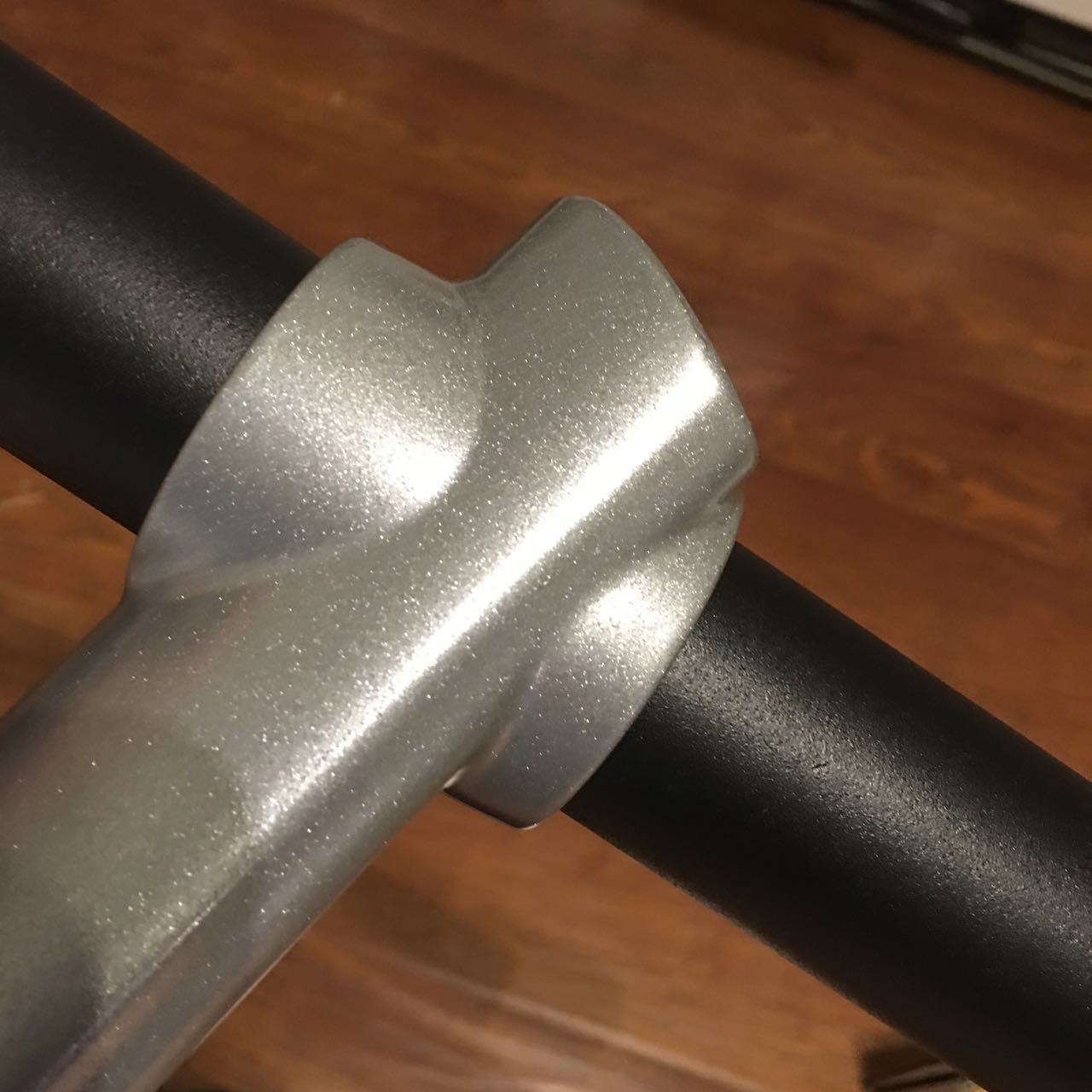
I have had someone try this. I didn't hear back that they had any issues. I did pre-test the wall mount arm, and it does fit over the WSGF Stand pole (see picture). You'll need to use the retaining ring under the arm mount to set its height.
- IMG_0307.jpg (128.35 KiB) Viewed 4999 times
Re: The best triple monitor stand?
Posted: 08 Aug 2016, 13:53
by skipclarke
obvious94 wrote:Hey guys. Any recommendations for a triple monitor stand? I also need a review for it, I can't go buying it based on others opinions. Thank you.
Uh, we sell a triple stand here. There's a link in the top menu to several reviews.
Re: WSGF Ultimate Desk Stand v2
Posted: 11 Aug 2016, 19:31
by Donbuster
I have had someone try this. I didn't hear back that they had any issues. I did pre-test the wall mount arm, and it does fit over the WSGF Stand pole (see picture). You'll need to use the retaining ring under the arm mount to set its height.
So, after trying this for several days, I have some comments to help anyone else with the same question.
The pole designed for the Ergotech Freedom Arm is slightly slimmer than the pole found on the WSGF ultimate. Therefore the plastic retaining sleeve that comes with the Freedom arm is both unneeded and impossible to install without making the pole too thick to fit the stand on. While this sleeve COULD be used to set the height of the arm as you suggested, I would not advise doing so.
What I did instead was take the part designed to mount the upper track for monitor four, and install it upside down on the pole, and simply slid the freedom arm on top. At the maximum height, with fairly heavy monitors below, and a monitor just about of the minimum weight a freedom arm will support, the stand WILL fall over at the freedom arms maximum extension. After it gets moved about an inch down the pole, the stand merely becomes unstable at maximum freedom arm height and extension directly in front. Maximum extension to either side is not a problem.
People attempting this setup should take care not to put the arm at its maximum extension without adding additional weight at the bottom, though looking at the balance, simply C-clamping the back of the desk stand to the desk is a non destructive method of securing it, something I intend to do once I move this setup to its more permanent location on Tuesday.
Despite the lack of a retaining sleeve, the freedom arm does NOT tend to sit at a downwards angle dependent on monitor location like it does when mounted to the normal pole/ wall mount without the sleeve, thanks to the additional thickness of the pole. I will check this thread from time to time, if you want to direct anyone with questions my way.
HELP! Advice on triple monitor stand (Newb here lol)
Posted: 26 Aug 2016, 19:30
by Neurodrive
Hey everyone!
Heard alot about the WSGF and figured you guys were the best to come to for my questions. so heres the dilemma. I got 3
Curved 27" Screens (
http://www.samsclub.com/sams/samsung-27 ... 0171646.ip). I want to vesa mount them but i have no idea what will work! any advice is GREATLY appreciated. im very new when it comes to doing something like this and have no idea what to go for. I was looking at the Ergotech 100-D16-B03-TW but from reviews im seeing it BARELY fits 27" monitors and with mine being curved i would assume i would have to bend them in more to give it that surround feel or edge to edge feel it would need. I would assume if there is a 32" monitor stand that would work i just cant find one. ANY advice is helpful as again im a big new when it comes to triple monitor builds. Just in case you need to know my build info, I included it below. I appreciate ANY and ALL help thanks!
Intel Core i7 6700K
Asus z170-A Motherboard
G.Skill Ripjaws (32GB) Ram
Samsung 850 Evo SSD (500GB)
XFX Radeon RX 480 8GB GPU
EVGA Supernova 1000w PSU
Re: WSGF Ultimate Desk Stand v2
Posted: 27 Aug 2016, 17:24
by b0n3z
Donbuster wrote:I have had someone try this. I didn't hear back that they had any issues. I did pre-test the wall mount arm, and it does fit over the WSGF Stand pole (see picture). You'll need to use the retaining ring under the arm mount to set its height.
So, after trying this for several days, I have some comments to help anyone else with the same question.
The pole designed for the Ergotech Freedom Arm is slightly slimmer than the pole found on the WSGF ultimate. Therefore the plastic retaining sleeve that comes with the Freedom arm is both unneeded and impossible to install without making the pole too thick to fit the stand on. While this sleeve COULD be used to set the height of the arm as you suggested, I would not advise doing so.
What I did instead was take the part designed to mount the upper track for monitor four, and install it upside down on the pole, and simply slid the freedom arm on top. At the maximum height, with fairly heavy monitors below, and a monitor just about of the minimum weight a freedom arm will support, the stand WILL fall over at the freedom arms maximum extension. After it gets moved about an inch down the pole, the stand merely becomes unstable at maximum freedom arm height and extension directly in front. Maximum extension to either side is not a problem.
People attempting this setup should take care not to put the arm at its maximum extension without adding additional weight at the bottom, though looking at the balance, simply C-clamping the back of the desk stand to the desk is a non destructive method of securing it, something I intend to do once I move this setup to its more permanent location on Tuesday.
Despite the lack of a retaining sleeve, the freedom arm does NOT tend to sit at a downwards angle dependent on monitor location like it does when mounted to the normal pole/ wall mount without the sleeve, thanks to the additional thickness of the pole. I will check this thread from time to time, if you want to direct anyone with questions my way.
Hello Donbuster,
I would be really interested in viewing several pictures please. I too have also thought about putting a series 200 or Freedom Arm. I'm hoping the series 200 doesn't have the same diameter problem of being a different size. My plans are to use a part highlighted in the image (series 200 part) for my top monitor mount. Then I could move the monitor forward and not have the gap between the center monitor and the top monitor tilted downwards. These come in silver and black. So black would be a bonus.
-b0n3z
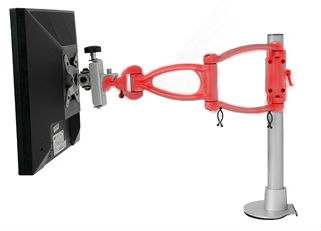
UPDATE: Looks like I solved the monitor gap and don't need this expensive monitor arm after all.
http://www.wsgf.org/forums/viewtopic.php?f=93&t=26462&start=20 
Re: HELP! Advice on triple monitor stand (Newb here lol)
Posted: 27 Aug 2016, 19:57
by b0n3z
Neurodrive wrote:Hey everyone!
Heard alot about the WSGF and figured you guys were the best to come to for my questions. so heres the dilemma. I got 3
Curved 27" Screens (
http://www.samsclub.com/sams/samsung-27 ... 0171646.ip). I want to vesa mount them but i have no idea what will work! any advice is GREATLY appreciated. im very new when it comes to doing something like this and have no idea what to go for. I was looking at the Ergotech 100-D16-B03-TW but from reviews im seeing it BARELY fits 27" monitors and with mine being curved i would assume i would have to bend them in more to give it that surround feel or edge to edge feel it would need. I would assume if there is a 32" monitor stand that would work i just cant find one. ANY advice is helpful as again im a big new when it comes to triple monitor builds. Just in case you need to know my build info, I included it below. I appreciate ANY and ALL help thanks!
Intel Core i7 6700K
Asus z170-A Motherboard
G.Skill Ripjaws (32GB) Ram
Samsung 850 Evo SSD (500GB)
XFX Radeon RX 480 8GB GPU
EVGA Supernova 1000w PSU
Hello Neurodrive

I have the WSGF Ultimate Desk Stand v2 and I'm also using (4) 27" monitors. However mine are not curved. But in looking at your link and the physical specs, our monitors seem to be the same width. So If I had (3) of these curved monitors, the WSGF Ultimate Desk Stand v2 is what I would purchase. I wouldn't suggest the Ergotech 100-D16-B03-TW as the telescopic wings don't allow multiple angles with 27" compared to the WSGF. I also don't care for the telescopic wings personally. The WSGF also comes with plenty of cable clips. My only concern was my monitors are VESA 100 mount and yours show to be VESA 75. However, in looking at the specs they support 75x75 mm or 100x100 mm VESA compliant.
-b0n3z
Re: WSGF Ultimate Desk Stand v2
Posted: 02 Sep 2016, 04:19
by tittyballz
Been looking at this thing for a little while and just wondering, with 3x 27" what angles can the side ones come into?
I'm a little tight on room and figure I'll need them around 30 - 45°.
With the Thru Desk Mount could a pine desk handle it with 3 27" or could that eventually cause the desk to crack / fail?
Thanks

.
Re: WSGF Ultimate Desk Stand v2
Posted: 02 Sep 2016, 13:11
by c1em3ntchua
tittyballz wrote:Been looking at this thing for a little while and just wondering, with 3x 27" what angles can the side ones come into?
I'm a little tight on room and figure I'll need them around 30 - 45°.
With the Thru Desk Mount could a pine desk handle it with 3 27" or could that eventually cause the desk to crack / fail?
Thanks
.
You won't have any issues with the angle. I am using 3 x 27" at 45 degrees.
Re: WSGF Ultimate Desk Stand v2
Posted: 03 Sep 2016, 00:47
by tittyballz
c1em3ntchua wrote:You won't have any issues with the angle. I am using 3 x 27" at 45 degrees.
Cool

, now to start saving for this monster

.
3x1 Stand Purchase?
Posted: 13 Sep 2016, 23:20
by Meiyo
I currently have a 3+1 setup (3xVN279QL Monitors and 1 cheap wall mounted monitor). I really like the Ergotech stands, but given the fact that I have 27" monitors the base stand will not work. I would be forced to get the telescoping wings and I do not like the stability of the wings. I found your stand and I really like the upgraded arm, but I am really stuck on the price for what I need the stand for.
I will always be in a 3x1 setup with a +1 wall mounted. I plan on upgrading my +1 to a 30-40" TV later this year. Do you offer a smaller package with the following items?
Short pole (16")
Heavy Duty Base
Five Segment Bar
3 Pivots (1 standard, 2 Adjustable)
few cable clips
Neoprene Base Pad
Re: 3x1 Stand Purchase?
Posted: 13 Sep 2016, 23:32
by skipclarke
We no longer offer a stand that "just" does 3x1-Landscape. When we did, it was only $25 cheaper than the current Ultimate v2. A couple of years ago we consolidated the two different SKUs we had: Triple XL (only 3x1) and the Ultimate v1 into the single (current) v2 SKU.
Re: 3x1 Stand Purchase?
Posted: 13 Sep 2016, 23:38
by Meiyo
That makes me sad,
I can't justify $400+ for a stand that I won't use it's most important features. Or purchasing the base stand from ergotech and then the upgrade bar I am still at $374 and I have an extra arm that I would never use.
Re: 3x1 Stand Purchase?
Posted: 13 Sep 2016, 23:40
by skipclarke
Sorry about that. With the previous stand, you would have been at $350 + S/H. I can't break apart the stands as I have them now, as them I'm left with extra pieces that I don't have any need for. Sorry again.
Re: 3x1 Stand Purchase?
Posted: 13 Sep 2016, 23:42
by Meiyo
I guess I'll have to look for something else.
Re: WSGF Ultimate Desk Stand v2
Posted: 27 Oct 2016, 01:48
by tittyballz
Got my stand last week, finally got around to pulling it out and mocking everything up... this is one big mother especially with 3x 27" screens.
Cant wait to have this thing fully setup in the coming months

.
I did notice one small problem, the locking pin for the monitor bracket head thing isn't going all the way in on the left arm, something seems to be off by a fraction of a millimetre, will check this properly when I set it up for good.

