
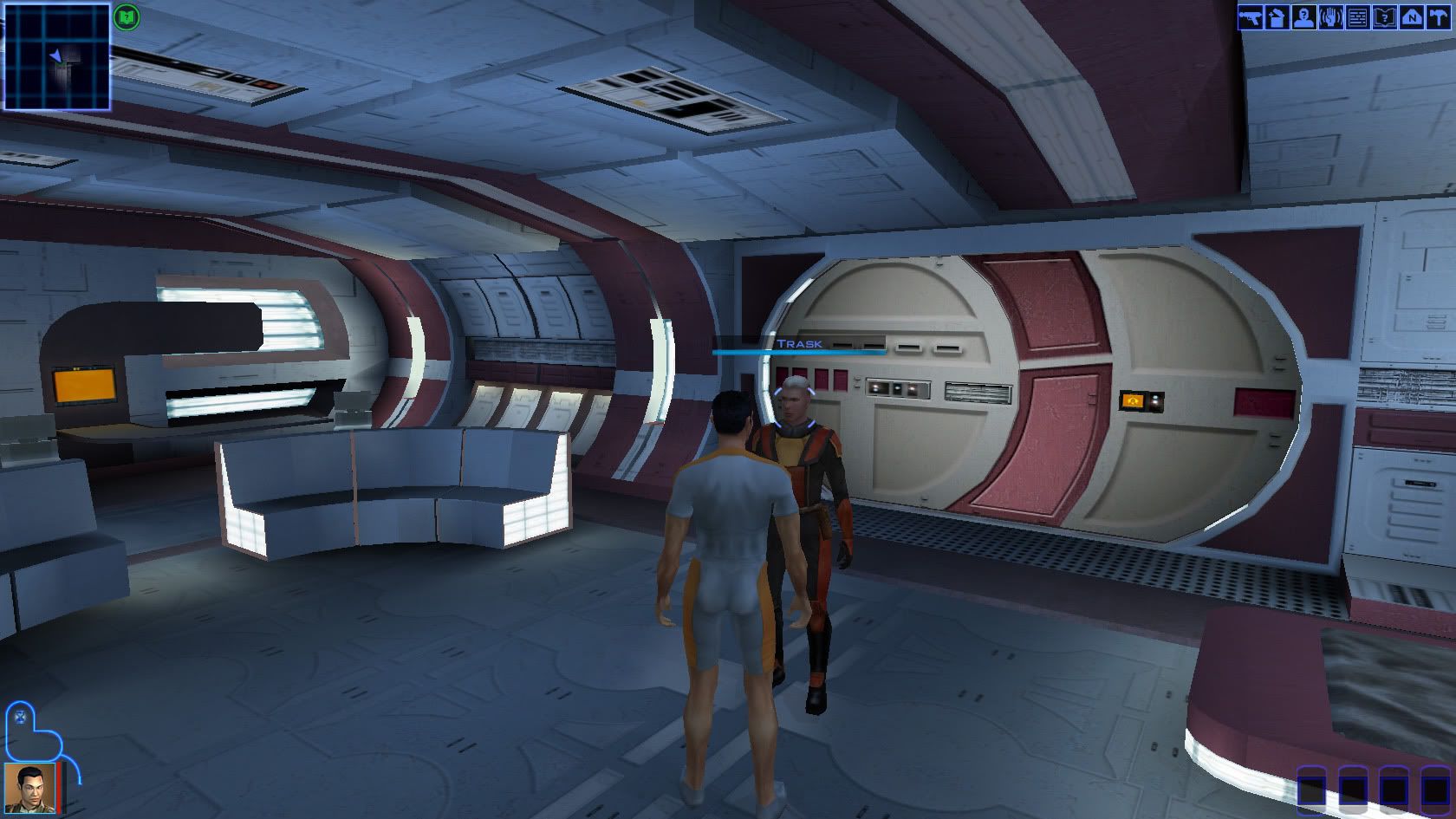
Sorry if there's an answer to this already (I didn't read all 13 pages) but I'm having a trouble with the HUD in 1360 x 768.
I used the supposed HUD fixer and tried inputting 1530 x 864 into the patch as well as making it my resolution, but 1530 x 864 then doesn't appear in the game.
I've posted a full topic on it here http://www.widescreengamingforum.com/node/#comment-
I've never had this much trouble, normal it's just a quick number change in the .ini file, so if anyone's got an answer feel free to explain it like I'm a complete idiot.
My main problem is downscaling from 1530 x 864 to 1360 x 768 so that the text appears in conversations. Whilst this is mentioned nearly every other post I can't actually find any information on how to actually do it.
A walkthrough of the entire process would be nice but I'm guessing no one will do one, and I can't seem to find one in the official tutorials on this site so...
I don't know, any help in any form would be greatly appreciated.
Star Wars: Knights of the Old Republic
Knights of the Old Republic
I am having trouble with my HUD as well.
I was unable for some reason to patch using UniWS, although I was given a patch complete message. The hex edit hack worked for me to get my resolution to 1920x1200, where the game looks great.
The only trouble is that now I have the HUD in the middle of my screen instead of at the bottom where it belongs. I have tried to use the 1920x1200 gui file provided by someone or another, but it isn't working for me. I did unzip it into the Override folder, but there is no change in the HUD location. Any tips?
Oh, also I cannot unpatch using UniWS for some reason.
My system is vista64 with nvidia gtx280 cards.
I was unable for some reason to patch using UniWS, although I was given a patch complete message. The hex edit hack worked for me to get my resolution to 1920x1200, where the game looks great.
The only trouble is that now I have the HUD in the middle of my screen instead of at the bottom where it belongs. I have tried to use the 1920x1200 gui file provided by someone or another, but it isn't working for me. I did unzip it into the Override folder, but there is no change in the HUD location. Any tips?
Oh, also I cannot unpatch using UniWS for some reason.
My system is vista64 with nvidia gtx280 cards.
Knights of the Old Republic
Aezed: when you say UniWS isn't working, do you mean the patch buttons are greyed out and you can't actually apply the patch - or that the resolution doesn't work when you start the game? Note that after patching with UniWS you must then choose that resolution in the game's options, it doesn't automatically use it. Alternatively, you can set the resolution after patching by editing the game's .ini file (found in the main install directory). If the patch buttons are greyed out this means that UniWS can't match the hex code in the file - usually the case if the game hasn't been fully patched or you're using a cracked/no-CD exectable.
The edited hud files are found here: http://www.widescreengamingforum.com/wiki/index.php/WSGF_Hacks_for_SW:KOTOR
They rely on the game being patched/hex edited to use the 1024x768 interface regardless of your actual target resolution. If you patched to use a different base interface resolution (Step Two in the hex editing guide) that is why they're not showing up.
However, you should be able to avoid having to completely redoing the hex editing by simply renaming the hud file: mipc210x7.gui. If you hex edited to enable the 1600x1200 base interface then rename this file to mipc216x12.gui, or mipc212x9.gui for the 1280x960/1024 interface.
EthanWoods: I replied in the thread you started.
The edited hud files are found here: http://www.widescreengamingforum.com/wiki/index.php/WSGF_Hacks_for_SW:KOTOR
They rely on the game being patched/hex edited to use the 1024x768 interface regardless of your actual target resolution. If you patched to use a different base interface resolution (Step Two in the hex editing guide) that is why they're not showing up.
However, you should be able to avoid having to completely redoing the hex editing by simply renaming the hud file: mipc210x7.gui. If you hex edited to enable the 1600x1200 base interface then rename this file to mipc216x12.gui, or mipc212x9.gui for the 1280x960/1024 interface.
EthanWoods: I replied in the thread you started.
Knights of the Old Republic
Anyone know how to get unwis working with the recently released steam version of the game? Im getting the patch buttons greyed out. I tried hex editing the exe but it just got too confusing for me.
-
The_cranky_hermit
- Insiders

- Posts: 3010
- Joined: 07 Nov 2005, 04:16
Knights of the Old Republic
Steam exe's are encrypted, since there isn't any disc-based copy protection. You're not going to get far hex editing it.
Knights of the Old Republic
Yeah, I got around it by using a modified version of the exe. All good now, enjoying my Steam version of the game! :D
-
The_cranky_hermit
- Insiders
- Posts: 3010
- Joined: 07 Nov 2005, 04:16
Knights of the Old Republic
You should move your modified game away from Steam and launch it standalone. There's a good chance if you keep it in the Steam directory, Steam will at some point detect that vital files have been messed with, and will re-download the encrypted stuff.
-
StingingVelvet

- Posts: 1506
- Joined: 09 Aug 2006, 14:17
Knights of the Old Republic
You should move your modified game away from Steam and launch it standalone. There's a good chance if you keep it in the Steam directory, Steam will at some point detect that vital files have been messed with, and will re-download the encrypted stuff.
Yup.
And as I said in the other thread, we should all note that cracking the exe to launch outside of Steam, which is technically what we have all done, is against Steam's ToS and theoretically they could disable your account for it.
No one here is responsible if that happens to you. Recognize the risks, however minor they may be.
1680 x 945 native?
Would someone be nice enough to make me a 1680 x 945 HUD fix? I suppose I could just use the 1530 x 864 or try to do it myself, but I have no idea what I am doing.
Knights of the Old Republic
Go ahead and try to the 1530x864 files. It might not be that bad.
If they don't look good, here's the post that describes how to edit the hud files yourself. http://www.widescreengamingforum.com/node/8450#comment-164918
You won't need to do all of that though since a lot of the work has already been done as part of the 1680x1050 files. You won't need KOTOR Tool and you can skip steps 1-4. In fact, all you're really going to be doing is step 6.
Start by downloading the 1680x1050 files from the wiki page. You'll then need to open the file mipc210x7.gui in K-GFF. Don't touch the LEFT values for anything, you'll just need to adjust the TOP value for the lower elements.
Go through the file and find anything where the TOP value is greater than 800, and subtract 105 (1050-945) from it. E.g. if the TOP value for something is 940, change it to 835. After you've done that you should be good to go.
Shouldn't take more than an hour or so and you'll have broadened your horizons ;)
Note that this will only fix the hud, editing the menu backgrounds is matter of resizing and recentering them in an image editor, but they don't detract from gameplay nearly as much as the hud.
If they don't look good, here's the post that describes how to edit the hud files yourself. http://www.widescreengamingforum.com/node/8450#comment-164918
You won't need to do all of that though since a lot of the work has already been done as part of the 1680x1050 files. You won't need KOTOR Tool and you can skip steps 1-4. In fact, all you're really going to be doing is step 6.
Start by downloading the 1680x1050 files from the wiki page. You'll then need to open the file mipc210x7.gui in K-GFF. Don't touch the LEFT values for anything, you'll just need to adjust the TOP value for the lower elements.
Go through the file and find anything where the TOP value is greater than 800, and subtract 105 (1050-945) from it. E.g. if the TOP value for something is 940, change it to 835. After you've done that you should be good to go.
Shouldn't take more than an hour or so and you'll have broadened your horizons ;)
Note that this will only fix the hud, editing the menu backgrounds is matter of resizing and recentering them in an image editor, but they don't detract from gameplay nearly as much as the hud.
2560x1600 Movies Black
Hello,
Thanks a lot for all the work you've done.
I recently purchased this from Direct2Drive and the hacked exe works with this and your UniWS program.
I have managed to get the game playing at 2560x1600 but the movies are black, i can hear them but i can't see them.
Is there anything i can do to fix this?
Thanks a lot for all the work you've done.
I recently purchased this from Direct2Drive and the hacked exe works with this and your UniWS program.
I have managed to get the game playing at 2560x1600 but the movies are black, i can hear them but i can't see them.
Is there anything i can do to fix this?
Knights of the Old Republic
New poster here. First of all, many thanks to Wogg and Sweetz/Malakaius for all their work, enabling me to play this game in widescreen. My hat's off to them. Being a coder and having known my way around an hex-editor since I was 12 or so, I am perfectly aware of the trouble they had. Thanks to the WGF community in general as well. Now, from the good onto the bad :):
I have the same problem as the above poster, but with the Steam version. I replace the Steam .exe with the one from FairLight (1.03). UniWS detected and correctly patched the game, and it plays in my chosen resolution (1680x1050) fine. I also installed Malakaius' HUD files. However, there are some problems:
1) No image on the fullmotion video sequences. Only sound is heard. The above poster also reports this.
2) The intro videos for the game (LucasArts/etc) do appear, but in 1680x1050 they're zoomed, as if they had been scaled to 1600x1200 instead, apparently (not certain, it just looks to be that way).
3) The game crashes when entering a new area and/or quicksaving (which will, incidentally, wipe the quicksave). I suspect a memory leak introduced somewhere, somehow, because it tends to happen after some playing time.
I've tried other similar resolutions, like 1440x900, 1600x1000, etc, but these problems still pop up. Interestingly enough, anything 1600 or above produces the "zoomed in intro videos" described in point 2 above. Any ideas?
I have the same problem as the above poster, but with the Steam version. I replace the Steam .exe with the one from FairLight (1.03). UniWS detected and correctly patched the game, and it plays in my chosen resolution (1680x1050) fine. I also installed Malakaius' HUD files. However, there are some problems:
1) No image on the fullmotion video sequences. Only sound is heard. The above poster also reports this.
2) The intro videos for the game (LucasArts/etc) do appear, but in 1680x1050 they're zoomed, as if they had been scaled to 1600x1200 instead, apparently (not certain, it just looks to be that way).
3) The game crashes when entering a new area and/or quicksaving (which will, incidentally, wipe the quicksave). I suspect a memory leak introduced somewhere, somehow, because it tends to happen after some playing time.
I've tried other similar resolutions, like 1440x900, 1600x1000, etc, but these problems still pop up. Interestingly enough, anything 1600 or above produces the "zoomed in intro videos" described in point 2 above. Any ideas?
-
StingingVelvet
- Posts: 1506
- Joined: 09 Aug 2006, 14:17
Knights of the Old Republic
My intro videos are zoomed as well, I think that is a normal side effect. I think it is setup that way because the in-game videos zoom, but since they were widescreen in 4:3 it makes them anamorphic, in a sense.
As for crashing, my game has not, even when I played it for 4 hours straight the other night, so it is not a widescreen patch issue.
Not sure what to say on the videos not appearing... possibly a codec issue? A friend of mine said his game minimizes when videos show, though I haven't experienced that either.
As for crashing, my game has not, even when I played it for 4 hours straight the other night, so it is not a widescreen patch issue.
Not sure what to say on the videos not appearing... possibly a codec issue? A friend of mine said his game minimizes when videos show, though I haven't experienced that either.
Knights of the Old Republic
As for crashing, my game has not, even when I played it for 4 hours straight the other night, so it is not a widescreen patch issue.
Yesterday I removed the patch and played for hours straight without a single CTD. I'll play some more tonight and will keep updating this.
Not sure what to say on the videos not appearing... possibly a codec issue? A friend of mine said his game minimizes when videos show, though I haven't experienced that either.
I just checked, it's definitely patch-related. I put my game back to stock condition, the videos pop up fine. It's also not a problem with using FairLight's no-CD exe because I tried with that one and with the Steam exe and the videos show just fine with either.
I think that possibly some of the Steam version's contents might be different. If anyone has any ideas and/or wants me to make some debugging, just tell me.
PS - Regarding that minimizing behaviour, I've come across it once or twice. I think that the thing is that when a movie pops up, sometimes the game loses focus for whatever reason and you end up invisibly clicking the desktop, thus minimizing the game in the process. I noticed that because once I clicked to skip a movie I was only hearing, then the game minimizes and I had selected an icon on the desktop.
-
StingingVelvet
- Posts: 1506
- Joined: 09 Aug 2006, 14:17
Knights of the Old Republic
Well, the patch is the same for everyone, and I am using the Steam version, so if it directly caused these issues everyone would be having them.
It could be a conflict with the patch and some driver or codec on your system, though.
It could be a conflict with the patch and some driver or codec on your system, though.
Knights of the Old Republic
I just checked, it's definitely patch-related. I put my game back to stock condition, the videos pop up fine. It's also not a problem with using FairLight's no-CD exe because I tried with that one and with the Steam exe and the videos show just fine with either.
It's possibly a problem with the game's build in Bink player, but I'm pretty sure other people have patched to 1680x1050 and the movies run fine for them.
Regardless there is a way to patch the game without changing movie resolution.
1. Undo any previous patching with UniWS, or start with a fresh copy of the executable.
2. Open the patches.ini file that comes with UniWS in Wordpad.
3. Scroll down to the section labeled: [Star Wars: KOTOR (1024x768 interface)]
4. Delete this entire section:
Code: Select all
;movies edit 1

   p4modfile=swkotor.exe

   p4undofile=swkotorc.undom1

   p4sig=800200007515813DD8D17800E001

   p4sigwild=00000000000000

   p4xoffset=0

   p4yoffset=12

   p4occur=1

   ;movies edit 2

   p5modfile=swkotor.exe

   p5undofile=swkotorc.undom2

   p5sig=80020000C7442410E001

   p5sigwild=0000000000

   p5xoffset=0

   p5yoffset=8

   p5occur=1
5. Save the file and then patch the game with UniWS as normal.
This will make the movies play in the game's normal resolution of 640x480 (by default the game is hardcoded to play movies in this resolution regardless of the selected resolution). If your monitor is slow to do mode switches, the first couple seconds may be black.
-----
Unrelated to the above, for moderators: do you think we should clean up this thread and lock it down? The DR really isn't the right place for all the help requests, but a lot of newcomers seem to post here instead of the proper forum - can't really blame them when there are this many posts already.
Knights of the Old Republic
Just wanted to say thanks!
The movies are now working again with 2560x1600.
I don't care if they are low resolution as long as i can see them.
I can't confirm the crashing Morphine was talking about as i haven't played the game since i was missing the movies.
:D
The movies are now working again with 2560x1600.
I don't care if they are low resolution as long as i can see them.
I can't confirm the crashing Morphine was talking about as i haven't played the game since i was missing the movies.
:D
Knights of the Old Republic
I've confirmed that the crashing does occur in the original game, and it seems at least partially related to ATI's OpenGL drivers. I had two crashes yesterday, one when simply in game, in ATI's OpenGL DLL, and another in the game executable itself (that one blew my quicksave).
JoeBlow: do you have a Nvidia or ATI graphics card?
JoeBlow: do you have a Nvidia or ATI graphics card?
Knights of the Old Republic
Another update: after browsing the Steam forums, it's confirmed: this is a problem with the game and ATI's drivers. Can't tell for sure which but I'm guessing the former since everything else runs just fine. Anyway:
The crashing seems to occur more frequently the higher the resolution is. I'm guessing that it's a memory leak/corruption issue, which would explain the shorter time between crashes when in the higher resolutions.
There were some tentative fixes for this problem in the Steam forum, I've applied one and played for ~1hr without crashing. I still need more time testing, naturally. Sweetz, I modded the INI file as you described because of the movies, and have now reapplied the patch.
Stay tuned for further info.
As a note to the mods: I found this thread via Google, and noticed everyone discussing the widescreen patch and problems/solutions, so I just registered and posted on topic. Apologies if this wasn't the correct thread for this.
The crashing seems to occur more frequently the higher the resolution is. I'm guessing that it's a memory leak/corruption issue, which would explain the shorter time between crashes when in the higher resolutions.
There were some tentative fixes for this problem in the Steam forum, I've applied one and played for ~1hr without crashing. I still need more time testing, naturally. Sweetz, I modded the INI file as you described because of the movies, and have now reapplied the patch.
Stay tuned for further info.
As a note to the mods: I found this thread via Google, and noticed everyone discussing the widescreen patch and problems/solutions, so I just registered and posted on topic. Apologies if this wasn't the correct thread for this.

Knights of the Old Republic
Explanation for how to edit the hud-files to get a hud for 1680x945
I did this, and it looks like I did it correctly. Would this be something I should upload somewhere so others can use it too?
I didn't edit the 2D backgrounds though, I don't really know exactly what I need to change with those.
Who is online
Users browsing this forum: No registered users and 0 guests