[-noun] Web community dedicated to ensuring PC games run properly on your tablet, netbook, personal computer, HDTV and multi-monitor gaming rig. https://www.wsgf.org/phpBB3/
hey,
looks like a cool games room there
is that a Subbuteo table ther asell?
My setup feels so mild
Posted: 23 Oct 2012, 04:25
by ABeans
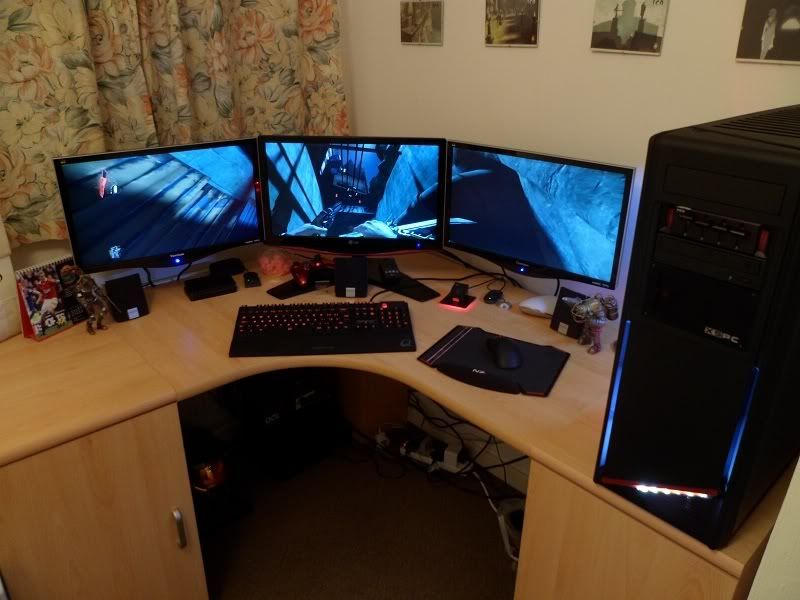
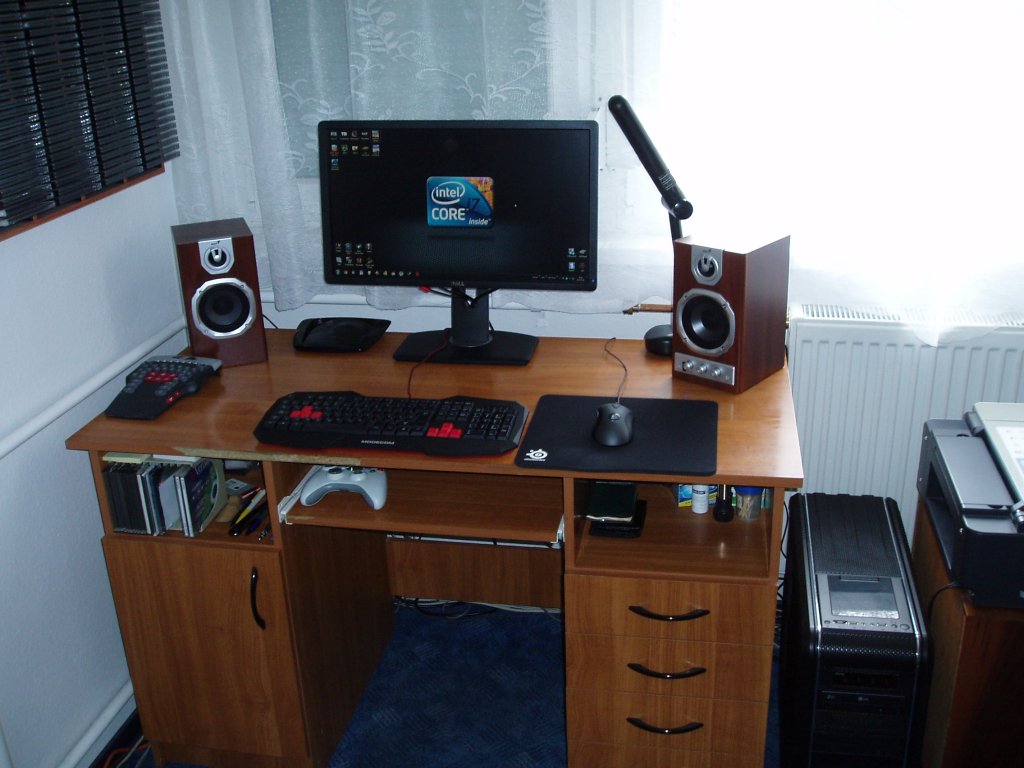
My setup feels so mild compared to some here :O Really need cable organization now that i look at it....
If anyone has any other advice i'm all ears.
hey,good monitors and good
Posted: 23 Oct 2012, 19:14
by crispy
hey,
good monitors and good speaker set up
cables are always a pain in the ass
if you buy some cheap cable tidying covers u can cut the vast majority of those cables down
and it will look alot neater
or what im thinking of doing is making a false back to my desk that completley covers all cables in one go.
brand new config .
Posted: 24 Oct 2012, 18:12
by latinosbr
brand new config :) .
Panoramic Background
Posted: 25 Oct 2012, 16:25
by DRestricted_Tim
Panoramic picture taken on my HTC One X makes a great wallpaper across my screens. :D
Re: suiken_2mieu wrote:5 x Dell
Posted: 18 Nov 2012, 07:17
by suiken_2mieu
Haldi wrote:5 x Dell 2209wa's - My friend snagged my back up mouse. ]
Gosick or Rozen maiden?
btw, where did you get a 5x1P Wallpaper? Selfmade?
Well this may be a bit late, but, it's actually just tiling 2560x1600 wallpapers, I'll probably use a program to have cycling wallpapers for each group. 3x1L and 5x1P. Anyone know a place to get 5250x1680 wallpapers?
Re: Post your "Command Centre" Pictures Here
Posted: 19 Nov 2012, 23:39
by evilmatt
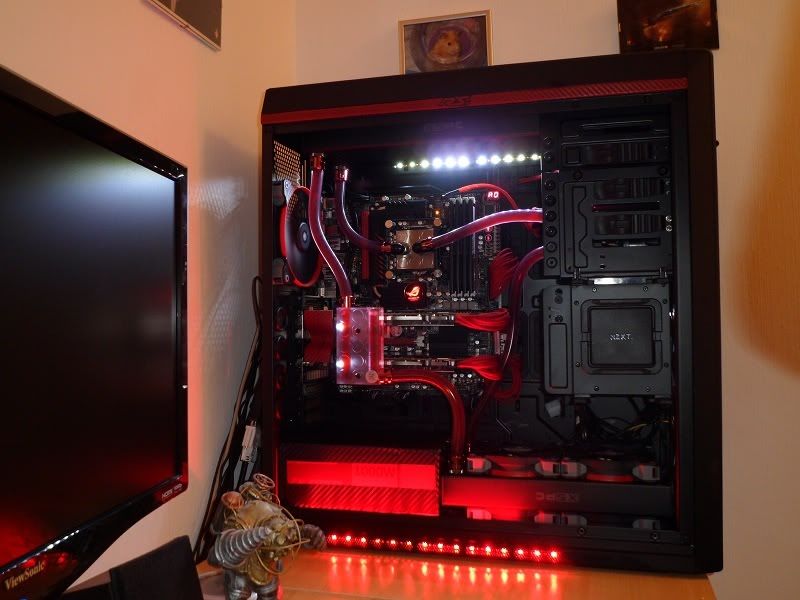
Finally, after about a year of planning and saving, I have watercooled my PC
Very happy with the results, even when maxing out the graphics cards hard I can run the fans about 2/3rds speed and it stays nice and cool and quiet
Note: I've nothing to do with gameranx, just thought some of you would get a laugh out of it
Re: Post your "Command Centre" Pictures Here
Posted: 07 Apr 2013, 10:38
by Csokis
Re: Post your "Command Centre" Pictures Here
Posted: 07 Apr 2013, 21:03
by Dead Faction
Here's my setup...
Left
Right
Re: Post your "Command Centre" Pictures Here
Posted: 08 Apr 2013, 01:14
by AussieTimmeh
Nice setups, guys.
Re: Post your "Command Centre" Pictures Here
Posted: 03 May 2013, 06:25
by shadow5555
small update of my setup at night now
Re: Post your "Command Centre" Pictures Here
Posted: 24 May 2013, 00:44
by Ultimeas
Yes I know its a total rats nest. Mostly LAN cables and power adaptors. Off all weekend so ill be cleaning it all up. I need to get a matching VS238, the MS246 just looks weird in the middle of them.
Re: Post your "Command Centre" Pictures Here
Posted: 24 May 2013, 02:58
by Racer_S
as of late.
moving my triple screens over to my sim rig.
Re: Post your "Command Centre" Pictures Here
Posted: 28 May 2013, 19:49
by Complx
I just got some new screens with super thin bezels which are pictured here, but I thought I would share!
Re: Post your "Command Centre" Pictures Here
Posted: 28 May 2013, 23:18
by Haldi
OMFG GTFO xD
Re: Post your "Command Centre" Pictures Here
Posted: 01 Jun 2013, 09:18
by Racer_S
a wall pc, nice!
Re: Post your "Command Centre" Pictures Here
Posted: 01 Jun 2013, 16:31
by Uhuru NUru
Scan 3XS Vengeance i7 3770K (4.6Ghz) Crossfired XFX (3GB) Radeon HD 7970 GHz Edition DD Customised Gaming System
My New Elder Scrolls Modding Ice Breathing Dovah (Because it Runs Cooler than My Fridge - The 3 Monitors are the Fire Breathers)
Case: (Scan Code: LN37378 - Manufacturer Code:CC650DW-1) Corsair Obsidian Series 650D All Black Mid Tower Case (SATA Dock and Side Window without PSU)Motherboard - Intel Z77 Chipset: (Scan Code: LN44184 - Manufacturer Code:Sabertooth Z77) Asus Sabertooth Z77 Ivy Bridge Motherboard (Intel Z77 Socket 1155 DDR3, SATA III - 6Gb/s, SATA RAID, PCIe 3.0, DisplayPort/ HDMI, ATX)CPU: (Scan Code: LN42833 - Manufacturer Code:BX80637I73770K) Intel Core i7 3770K 3.5GHz Quad Core Ivy Bridge Processor Retail (Socket 1155, 5 GT/s DMI, 650MHz GPU, 8MB Smart Cache, 35x Ratio, 77W)CPU Coolers: (Scan Code: LN47896 - Manufacturer Code:CW-9060009-WW) Corsair H100i Hydro Series High Performance Liquid CPU Cooler (LGA 115x, 1366, and 2011)Overclocking CPU: Scan Web Page Extreme Overclock - 4.6Ghz (Tuned to Absolute Safe Maximum - Performance Prioritised Over Acoustics)Memory DDR3: (Scan Code: LN47645 - Manufacturer Code:CMD16GX3M2A1866C10) 16GB (2x8GB) Corsair Dominator Platinum Dual Channel Desktop - Requires Hydro CPU Cooler (PC3-14900 (1866), Non-ECC Unbuffered, CAS 10-11-10-30, DHX, XMP, 1.5V)ATI Graphics - Multi GPU Crossfire Options Available: (Scan Code: LN46617 - Manufacturer Code:FX-797G-TDFC) 2 Card Crossfire Option XFX Radeon HD 7970 GHz Edition 3GB DD (Double Dissipation) with Ghost Thermal and Hydrocell AMD/ATI Graphics Card (1050MHz GPU 28nm 2048 Cores 6000MHz GDDR5 2 x Mini -DisplayPort / DVI-I Dual / DVI-D Dual / HDMI) Free Games While Stocks Last Buy this Graphics Card to Get a Free Voucher Good for One Digital Download of Bioshock: Infinite and Crysis 3 PC GamesWhile Stock Lasts Buy an Identical Second Card to Get a Free Crossfire Voucher Good for a Digital Download of Hitman: Absolution, Far Cry 3: The Lost Expeditions Edition and Special Announcement (Email a Month After Buying!) - Far Cry 3: Blood Dragon too!Power Supply Unit: (Scan Code: LN33941 - Manufacturer Code:CMPSU-1200AXUK) 1200W Corsair Professional Series AX1200 Full Modular (80 Plus Gold - 90% Efficiency EPS 12V, 1 x 120mm Fan, ATX v2.31 PSU)Braided Power Supply Cables - Requires Modular PSU: (Scan Code: LN45184 - Manufacturer Code:CP-8920003) Corsair Individually Sleeved Blue Modular Cable Upgrade Kit (for the Pro Series Gold AX1200 PSU's)System OS Solid State Drive: (Scan Code: LN44326 - Manufacturer Code:VTX4-25SAT3-256G) 256GB 2.5” OCZ Vertex 4 SSD - Controller: Indilinx Everest 2 (SATA III 6Gb/s, MLC-Flash, Read 560MB/s, Write 510MB/s, 120k IOPS Max)System Games Solid State Drive (Non-Standard Option Chosen at Scan Shop): (Scan Code: LN47446 - Manufacturer Code:MZ-7TD500BW) 500GB 2.5” Samsung 840 Series Basic SSD - Controller: 3-Core MDX (SATA III 6Gb/s, Flash Memory Type: 21nm Toggle NAND, Read 530MB/s Write 330MB/s 97k IOPS)Storage Hard Drives: (Scan Code: LN40361 - Manufacturer Code:WD20EARX) 2 Selected 2TB 3.5” Western Digital Caviar Green Quiet (SATA 6Gb/s IntelliPower. 5900 RpM, 64MB Cache 8 ms HDD)Optical Drive - DVD Blu-ray: (Scan Code: LN42660 - Manufacturer Code:IHOS104-06) LiteOn 4×Blu-ray and 8×DVD Reader (OEM Software Included PowerDVD)Sound Card: (Scan Code: LN21614 - Manufacturer Code:90-YAA055-1UAN0BZ) Asus Xonar D2X Ultra Fidelity 7.1 Hi-Def PCI-Express Sound Card (Dolby/DTS)Lighting Effects: (Scan Code: LN17198 - Manufacturer Code:4044951002375) Sharkoon 4 Blue CCFL 2in1 Kit (x2 CCFL Tubes + 1 Dual Inverter + Adhesive Velcro Strips)Operating System: (Scan Code: LN29165 - Manufacturer Code: GLC-01844) Microsoft Windows 7 Ultimate 64 Bit SP1 Operating System (Single, OEM)Software - Acronis True Image 2013 Complete Back-Up Software: (Scan Code: LN47291 - Manufacturer Code:TIHSL1UKS) Acronis True Image 2013 (PC Backup and Recovery Software, Digital Download Licence Key, A Hidden Partition is Created and a Complete System Image is Produced)TFT Monitor: (Scan Code: LN32363 - Manufacturer Code:U2711) 3 Selected Eyefinity 3 x 1 Landscape Arrangement: Maximum Resolution = 7680 x 1440 Pixels (Apparent Maximum Resolution with Full Bezel Correction = 8448 x 1440 Pixels) Dell UltraSharp 27” Widescreen Flat Panel Monitor with PremierColor (IPS A12 2560 x 1440, DisplayPort/2xDVI-D/HDMI, 5 Port USB Hub, 8-in-1 Card Reader, Fully Adjustable Stand)Gaming Keyboard: (Scan Code: LN41404 - Manufacturer Code:CH-9000003-UK) Corsair Vengeance K90 Performance MMO Mechanical Gaming Keyboard (Cherry MX Red Mechanical Switches, 18 G Macro Keys, 502mm × 163mm × 24mm L×W×H)Gaming Mouse Option: (Scan Code: LN49340 - Manufacturer Code:CH-9000022-EU) Corsair Vengeance M65 Performance Laser Gaming Mouse - Gunmetal Black (8200 DpI, Selectable Response Time - Choose Between 1ms, 2ms, 4ms or 8ms, 8 Programmable Buttons, Dedicated Sniper Button)Gaming Mouse Mat: (Scan Code: LN36932 - Manufacturer Code:RZ02-00211100-R3M1) Razer Goliathus Standard Control Fragged Gaming Pad (Heavily Textured Cloth Weave, Optimised for All Sensitivity Settings and Sensors, 355mm × 254mm × 3mm L×W×H)Gaming Mouse Mat: (Scan Code: LN37697 - Manufacturer Code:RZ02-00211600-R3M1) Razer Goliathus Extended Control Mouse Mat (Heavily Textured Cloth Weave, Optimised for All Sensitivity Settings and Sensors, Limited Edition Extended Design, 920mm × 294mm × 4.3mm W×L×H)Headphones: (Scan Code: LN41535 - Manufacturer Code:CA-9011112-WW) Corsair Vengeance 1500 Dolby 7.1 USB Gaming Headset with Microphone (7.1/5.1 Dolby Digital USB Sound Processing, 50mm Audio Drivers and High-Sensitivity Noise Cancelling Microphone)
Re: Post your "Command Centre" Pictures Here
Posted: 02 Jun 2013, 17:15
by Haldi
hehe, now i understand how you managed to get such a strange post before
Great Post
And really nice Setup. Did you try to overclock your two 7970 ghz Editions ?
Re: Post your "Command Centre" Pictures Here
Posted: 02 Jun 2013, 20:34
by Uhuru NUru
Haldi wrote:hehe, now i understand how you managed to get such a strange post before
Great Post
And really nice Setup. Did you try to overclock your two 7970 ghz Editions ?
The writing I pasted over from Nexus Forums (Elder Scrolls Modding Site) where it is my Forum Signature. They use a WYSIWYG system based on BBCode but with more options than this site (Indenting, Fonts etc) and different values for sizes but as you just see the end result its not obvious how complex underlying BBCode has gotten Added to the fact that I couldn't get BBCodes to work on here at first (I think that was changing my control Panel settings on the fly as it worked fine next time I logged on) resulted in multiple Previews until I hit send in error and being a newb here meant I coudn't just edit it (admin approval thing) but I now know How BBCode works on here. even though I don't generally use much on normal posts.
The Specs above weren't too bad once I knew what needed changing I moved code to Notepad++ and used its find and replace dialog to change most of it in using replace all. I did notice where I'd edited in the original post how inefficiently it was done by auto system.
[b][size=150][color=#0040FF][list] EXISTING POST [/list][/color][/size][/b][b][size=150][color=#0040FF][list] EDIT [/list][/color][/size][/b][b][size=150][color=#0040FF][list] EXISTING POST [/list][/color][/size][/b]
Instead of
[b][size=150][color=#0040FF][list] EXISTING POST EDIT EXISTING POST [/list][/color][/size][/b]
This even for adding a comma made it look like and be the mess you saw. But thats high Level coding v Low level in a BBCode Tag, easier to do fo the writer but a mess to decode.
As for overclocking my two 7970 ghz Editions not done any of that yet (Only got it in April).
Scan have Overclocked i7 3770K from 3.5GHz to 4.6Ghz and its part of the 3 year warranty.
I will do in future as my need and knowledge advance. (My first and only other PC Medion MD8386XL was OEM where BIOS was locked with hidden password I found and got users forum to start cracking campaign that opened eteventually but was still OEM mobo)