Pharaoh, Zeus...on widescreen

Topics about game solutions, and success or failure in getting them to work.
User avatar
jackfuste
Insiders
Insiders
Posts: 521
Joined: 19 Dec 2011, 16:03

Re: Pharaoh, Zeus...on widescreen

Post by jackfuste »

rute25467 wrote:Dear Jackfuste

Do you have a fix for zeus in v.2.0 bacause i don't have v.2.1.4.0
So this fix not support my zeus Pls. Thank you

Maybe you just upgrade to 2.1 - patches here.
If you need a fix exactly for version 2.0, then upload your Zeus.exe. Also, what resolution do you need?
User avatar
jackfuste
Insiders
Insiders
Posts: 521
Joined: 19 Dec 2011, 16:03

Re: Pharaoh, Zeus...on widescreen

Post by jackfuste »

MarkSWH wrote:Just tested, it does support that mode. What other infos can I provide?

What game version you have?
Try 1280x800 resolution, if it works?
walcus
Posts: 3
Joined: 15 Mar 2013, 12:22

Re: Pharaoh, Zeus...on widescreen

Post by walcus »

Jack, thank you so much for your efforts in tweeking classic games to suit the modern computer resolutions!

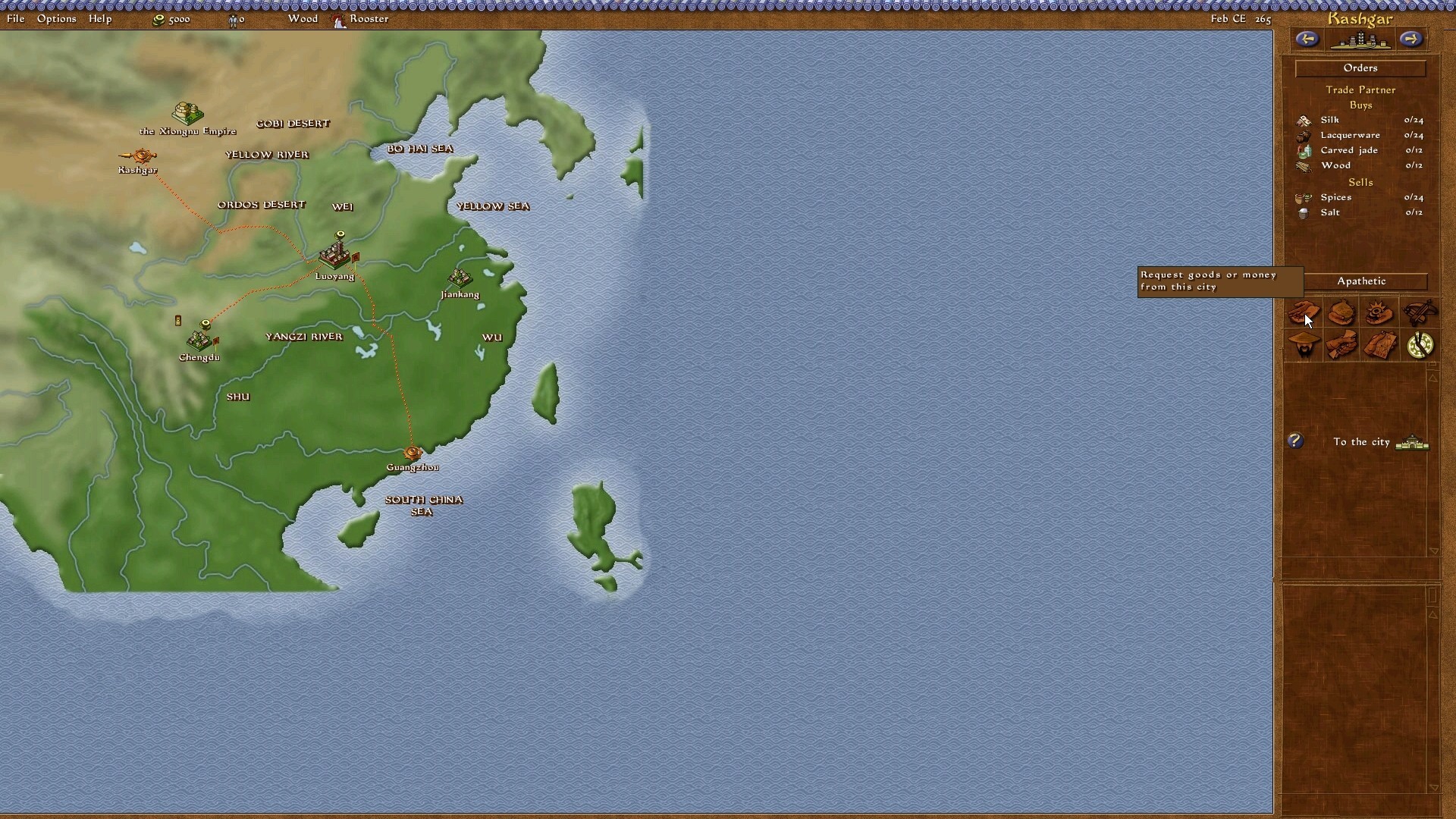
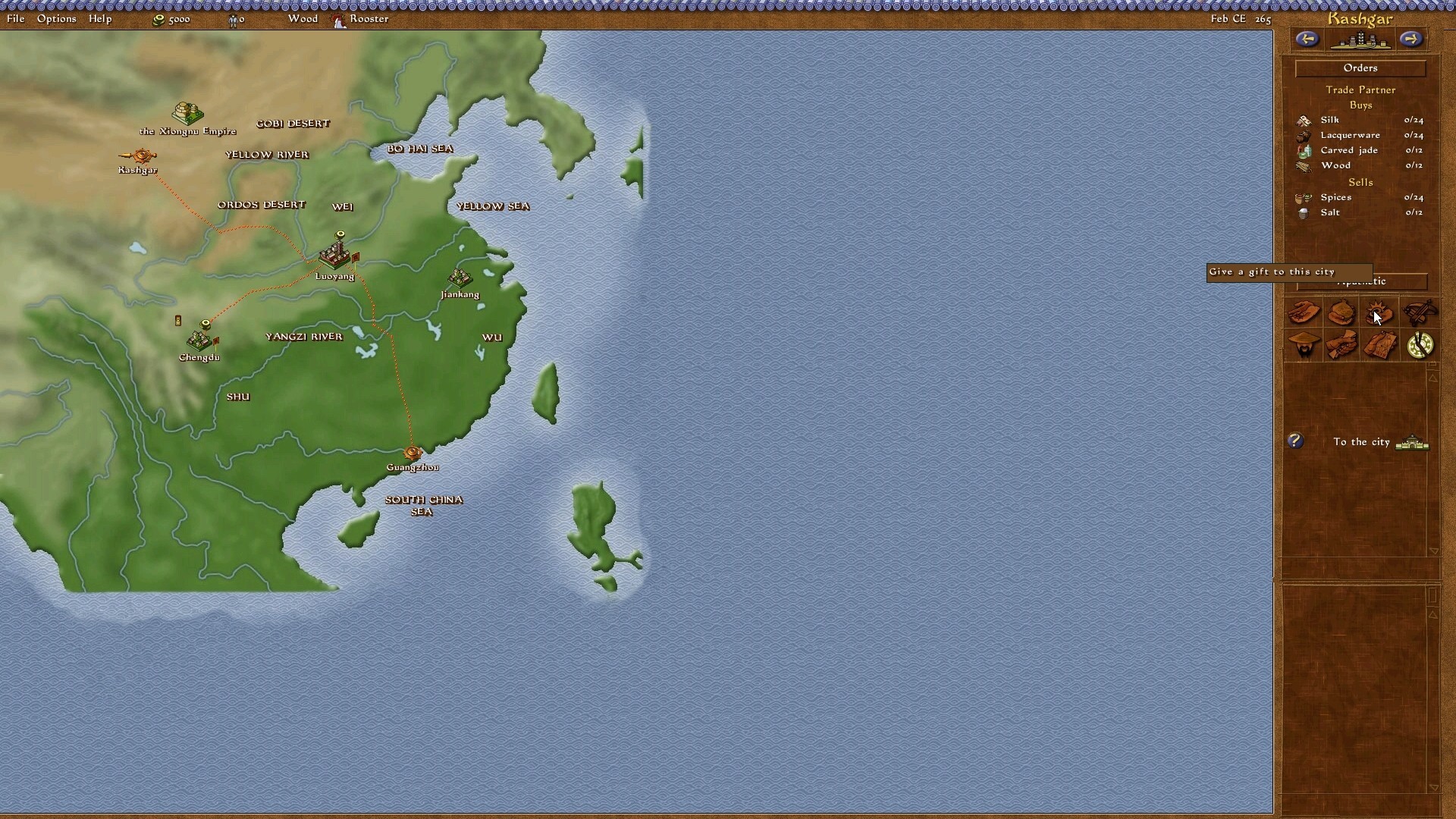
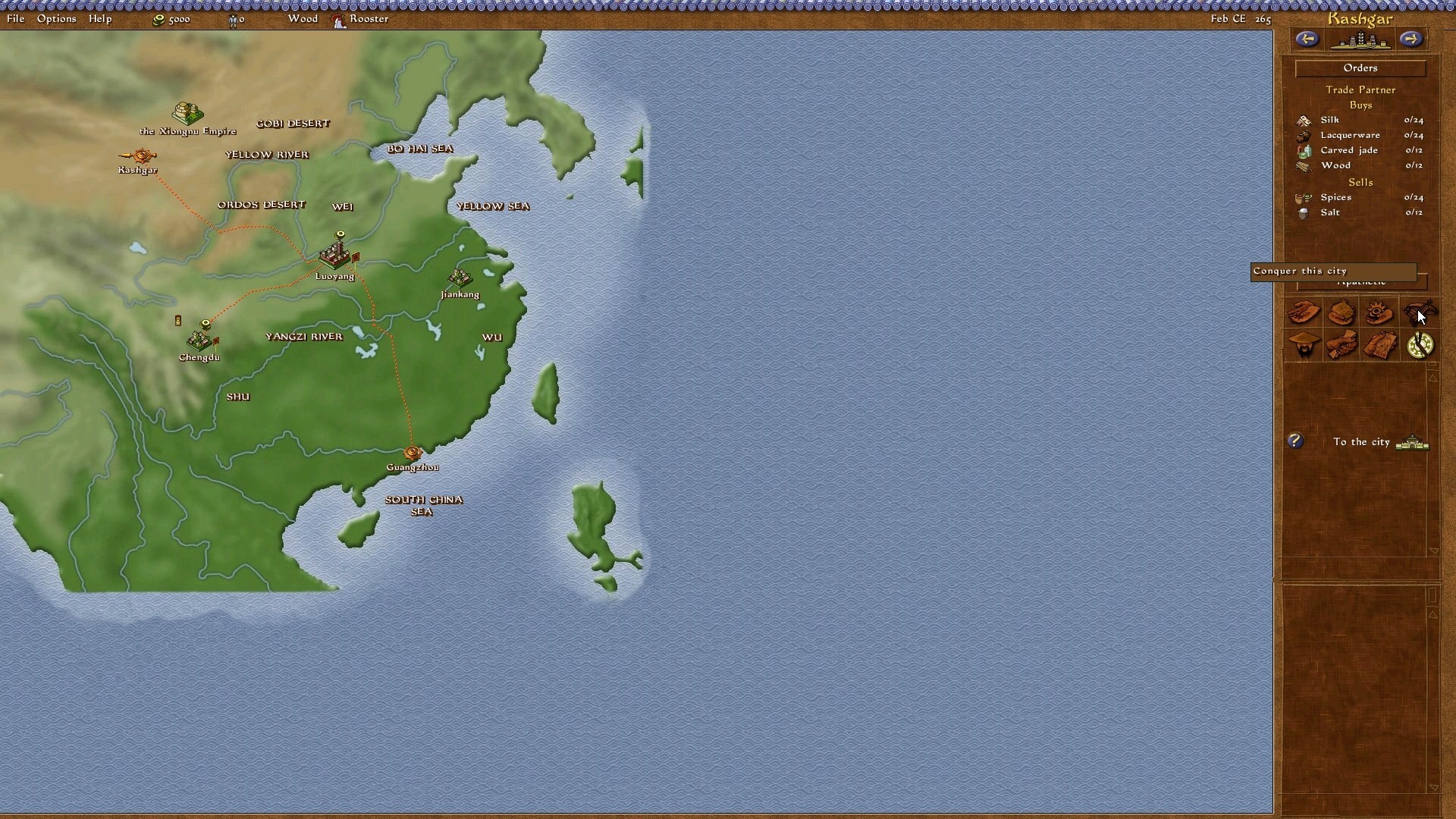
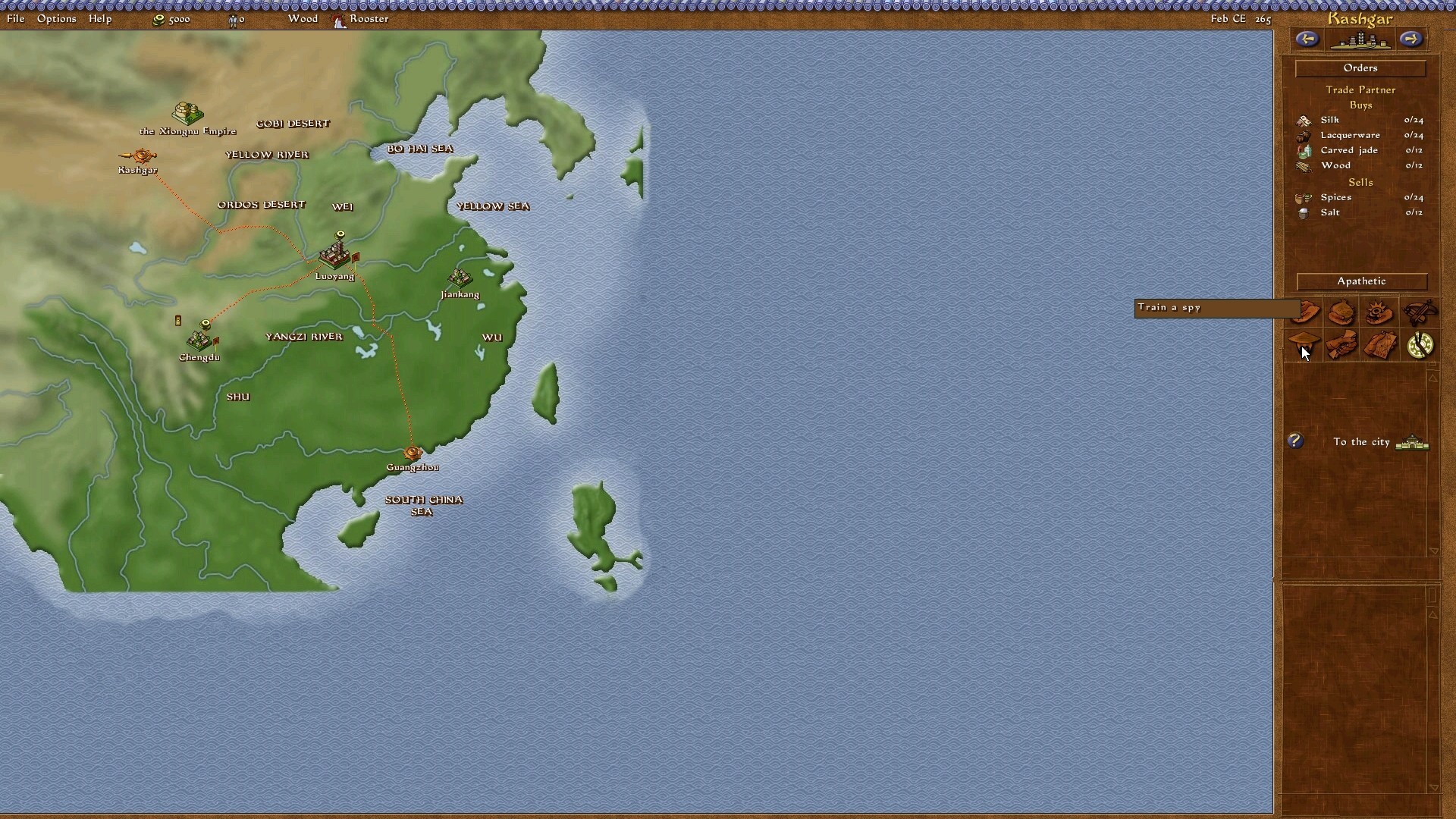
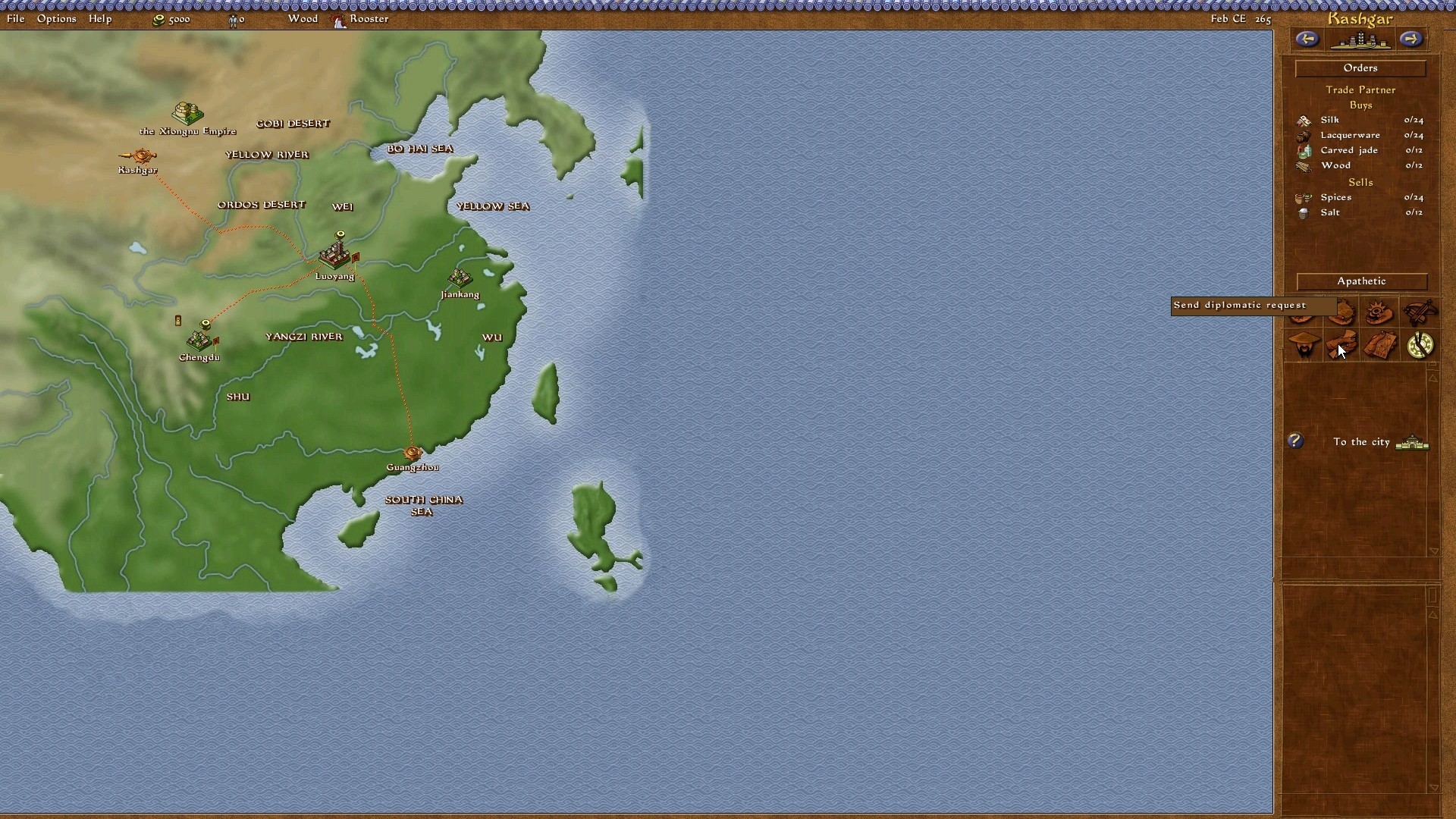
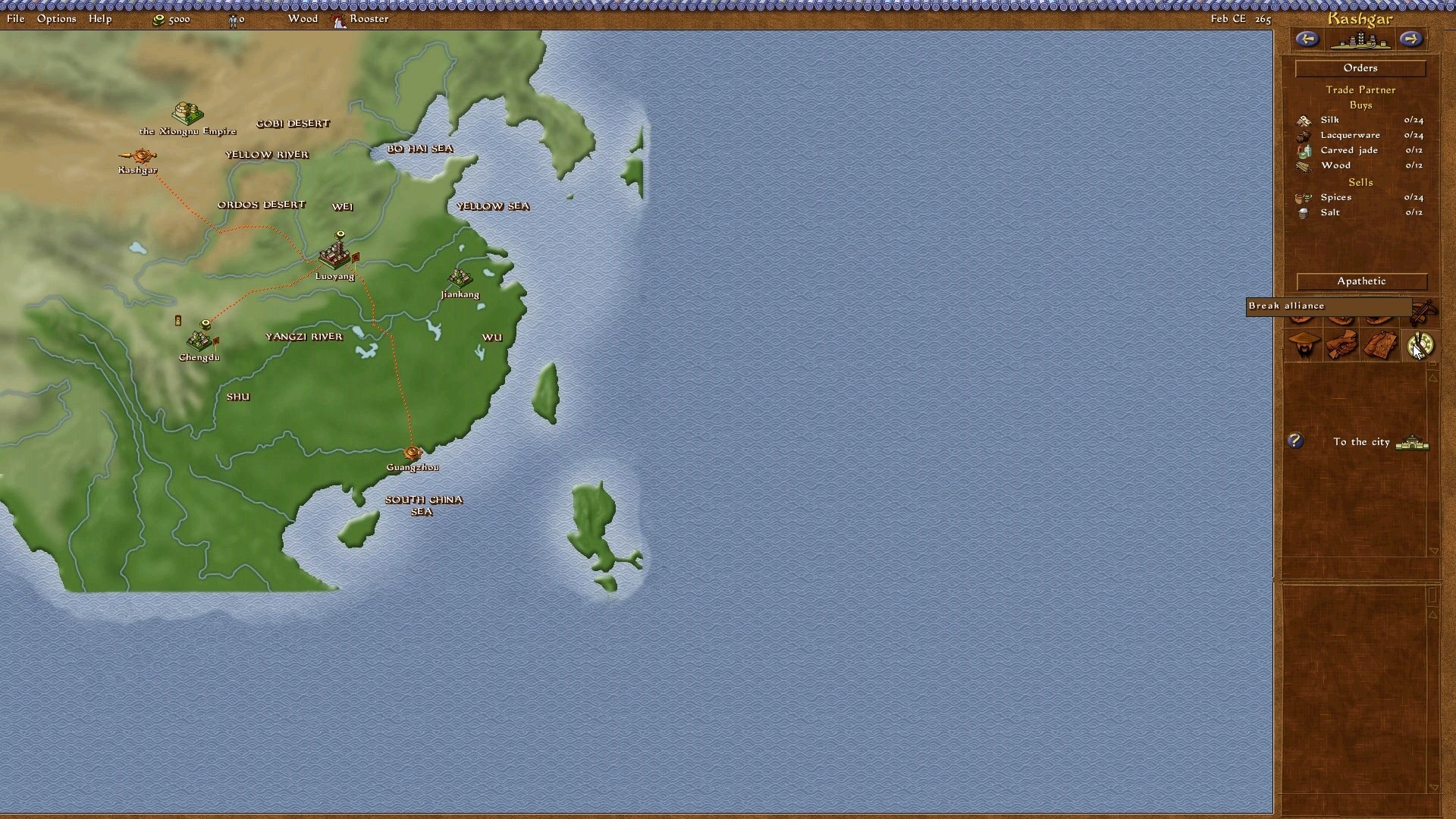
however, what I can't seem to get around is Emperor's empire screen. everything is perfectly scaled to 1920 x 1080, but the empire screen (or diplomatic screen)'s options seems out of sync. the 8 options on the right hand side are off, the high-lighted/captioned options are not in line with the icons - nor do the icons open up the right diplomatic options.

you cannot believe how relieved I am that this forum is still opened and current!

Warmly looking forward to hearing from you mate!
User avatar
jackfuste
Insiders
Insiders
Posts: 521
Joined: 19 Dec 2011, 16:03

Re: Pharaoh, Zeus...on widescreen

Post by jackfuste »

walcus wrote:however, what I can't seem to get around is Emperor's empire screen. everything is perfectly scaled to 1920 x 1080, but the empire screen (or diplomatic screen)'s options seems out of sync. the 8 options on the right hand side are off, the high-lighted/captioned options are not in line with the icons - nor do the icons open up the right diplomatic options.

Looks like I don't understand what you mean. Show me a screenshot what exactly does not work properly and upload your save game.
walcus
Posts: 3
Joined: 15 Mar 2013, 12:22

Re: Pharaoh, Zeus...on widescreen

Post by walcus »

Hi Jack, thanks again on replying so promptly!

It is not the save game files, it is EVERY map/campaign/random map etc. I've tried re-installing it last night, so I have no saved games. Upon testing every dynasty campaign, the errors are still there.

Here are the screen shots, for some reason the mouse icon is not there. But I will present them appearing from left to right (top row first) then left to right again (bottom row):
johnfb76
Posts: 1
Joined: 16 Mar 2013, 22:15

Re: Pharaoh, Zeus...on widescreen

Post by johnfb76 »

Hi
Pleasse jackfuste 1366x768 CaesarIII

Please We all waitfor the best game to become Wider

Can I Help ??
User avatar
jackfuste
Insiders
Insiders
Posts: 521
Joined: 19 Dec 2011, 16:03

Re: Pharaoh, Zeus...on widescreen

Post by jackfuste »

walcus wrote:Hi Jack, thanks again on replying so promptly!
It is not the save game files, it is EVERY map/campaign/random map etc. I've tried re-installing it last night, so I have no saved games. Upon testing every dynasty campaign, the errors are still there.
Here are the screen shots, for some reason the mouse icon is not there. But I will present them appearing from left to right (top row first) then left to right again (bottom row):
the first 2 are ignored because they are working fine.

Looks like you have not installed patch 1.0.1.0.
Reinstall game, install patch 1.0.1.0 - http://emperor.heavengames.com/downloads/lister.php?category=patches, then install widescreen fix.
My icons look like this:
http://www.abload.de/img/1j9sh0.jpg
http://www.abload.de/img/2eksdu.jpg
http://www.abload.de/img/3ocs6t.jpg
http://www.abload.de/img/49pswn.jpg
http://www.abload.de/img/5kyss3.jpg
http://www.abload.de/img/6lbss5.jpg
http://www.abload.de/img/757szf.jpg
http://www.abload.de/img/8p7swr.jpg

johnfb76 wrote:Hi
Pleasse jackfuste 1366x768 CaesarIII

Please We all waitfor the best game to become Wider

Can I Help ??

1366x768 resolution is not supported by the game. You can try 1360x768 - c3.exe (mirror link)
Last edited by jackfuste on 20 Jul 2015, 11:58, edited 1 time in total.
walcus
Posts: 3
Joined: 15 Mar 2013, 12:22

Re: Pharaoh, Zeus...on widescreen

Post by walcus »

Thanks a lot for that Jack... now why did I not think of that?
i'll keep you informed if there are any further hiccups along the way when I get to play it in a few days time!

Again, thanks so much for your great effort! Guys like you don't get thanked enough!
llehsadam
Posts: 4
Joined: 31 Mar 2013, 20:13

Re: Pharaoh, Zeus...on widescreen

Post by llehsadam »

1366x768 resolution is not supported by the game. You can try 1360x768 - c3.exe


:shock: Wow, thanks jackfuste! What you did here is borderline magic! I tried messing around with the .exe but wasn't even able to stretch the map. You got the backgrounds, the buttons to work and the screen to be at full resolution.

Along with the Sim City mess recently, you probably have just revived an almost lost genre. Keep up the good work, jackfuste and thank you.

I have two questions though.

There's the possibility of playing Caesar III on Android phones (see here: http://docs.winulator.com/program-caesariii). What are the game resolutions that could be supported by c3.exe? For example, my phone is 480 x 854.

This is nagging me since I failed at it. How did you get the playable area to full screen? I got all the menus and bars to 1360x768 with simple hex editing but could never get the actual map to work. :thumbup: Thanks!
Space_man
Posts: 1
Joined: 17 Mar 2013, 19:22

Re: Pharaoh, Zeus...on widescreen

Post by Space_man »

I managed to make a 1920x1080 patch for Caesar III a couple weeks ago (after messing around for a while and slowly figuring out what I was doing), I figured some of you would probably be interested in it.

Image

Fun fact: I found what appears to be a bug in the original .exe, in the construction kit menu the map preview picture's vertical position was determined by the horizontal resolution instead of vertical resolution - not very obvious with the game's original resolutions but a major effect on widescreen.

I'll try and modify it for some other resolutions, let me know if there's one you're looking for.
llehsadam
Posts: 4
Joined: 31 Mar 2013, 20:13

Re: Pharaoh, Zeus...on widescreen

Post by llehsadam »

Space_man, you are the man. :thumbup: This is another game-changer for Caesar III. I'm confident thousands of gamers (if they knew about this ) would want to thank you! Thank you, this is awesome.
wlfbck
Posts: 1
Joined: 05 Apr 2013, 15:50

Re: Pharaoh, Zeus...on widescreen

Post by wlfbck »

Great :) Just registered here to ask for 1920x1200 - And thanks for your work! C3 is still my favorite building-sim.
Murfle
Posts: 1
Joined: 06 Apr 2013, 01:33

Re: Pharaoh, Zeus...on widescreen

Post by Murfle »

Hey man! 1680 x 1050 would be amazing! I have such fond memories of this game, you'd really make my day.

Also - to any Win7 users - you might need to right click>run as admin to get it working.

Rock on! :rockout:
Rudolfking
Posts: 2
Joined: 11 Apr 2013, 13:54

Re: Pharaoh, Zeus...on widescreen

Post by Rudolfking »

Hey there!
I have also an 1680x1050 monitor, and I also registered only for requesting an exe for this resolution, it would be amazing! I can even play in 800*600 with this game, I love Caesar III so much! I grew up on this game... Thank you for all your effort, maybe I'll consider a fullHD monitor purchasal :)
Thanks in advance,
Rudolfking
Dipling
Posts: 4
Joined: 10 Sep 2012, 08:29

Re: Pharaoh, Zeus...on widescreen

Post by Dipling »

Hello.

I would also like to have Caesar III on 1680x1050 monitor resolution.

Thanks.

Regards,
Dip
User avatar
jackfuste
Insiders
Insiders
Posts: 521
Joined: 19 Dec 2011, 16:03

Re: Pharaoh, Zeus...on widescreen

Post by jackfuste »

1920x1200 – Files available from https://community.pcgamingwiki.com/files (search there)
1680x1050 – Files available from https://community.pcgamingwiki.com/files (search there)
Last edited by jackfuste on 20 Jul 2015, 11:56, edited 1 time in total.
Dipling
Posts: 4
Joined: 10 Sep 2012, 08:29

Re: Pharaoh, Zeus...on widescreen

Post by Dipling »

This is great.

Thank you.

Regards,
Dip
Rudolfking
Posts: 2
Joined: 11 Apr 2013, 13:54

Re: Pharaoh, Zeus...on widescreen

Post by Rudolfking »

Thanks!
It's stunning, amazing, almost can't believe it! :) Here is an image (1680x1050):
Image
Thank you very much!
Harribel
Posts: 1
Joined: 23 Apr 2013, 10:10

Re: Pharaoh, Zeus...on widescreen

Post by Harribel »

Hi I Made and account just for Thanking you for this. But I cant use it XD. Once i Place it in my install dir and launch it the screen goes black and i cant do anything. (i.e Ctrl-alt-del, Alt-F4, Alt-Tab, Ctrl-Shitf-Esc.) Nothing works and i have to restart my PC.

If anyone knows what the problem might be Feel free to answer as fast as possible. I rly wish to play this game. Brings back memmories.

I run Win 7U 64bit With a SLI config and a 144Hz monitor. Game is installed on the x86 dir and can start normally at 1024x768.
vempire_ghost
Posts: 3
Joined: 23 Apr 2013, 15:12

Re: Pharaoh, Zeus...on widescreen

Post by vempire_ghost »

First thx to Jackfust for the incredible work.

The problems runs on Zeus with Posseion on a 2.1 version.
Now after I apply the fix to my resolution (i have both pcs, one in 1920x1080 and another 1280x1024) I cannot put in window mode anymore, only if I set the 800x600 resolution, or revert back to the original .exe and use a 1024x728 standard resolution.

Anyone have a fix for this, in Pharaoh I can put in window mode in all resolution, only in Zeus is impossible.

Thanks all.
Post Reply

Who is online

Users browsing this forum: No registered users and 6 guests