Page 64 of 72
Re: Post your "Command Centre" Pictures Here
Posted: 24 Jan 2011, 23:49
by MackTheKnight
I just downloaded DCS Blackshark the other day, need to buy a key soon. I play a bunch of flight sims but the learning curve for Black Shark appears to be ridiculous. Is it as difficult as it looks? Perhaps we could fly together once I've got my key, I may need some tutoring.
Also, thank you for the links :-D
No problem, at all.
Blackshark is a bit intimidating at first, but once you get into it you start to appreciate what the team at Eagle Dynamics has done. They're goal is to build the most complex and detailed study-sims to-date. And they have exceeded with flying colours! (I don't work for ED, I'm just very enthusiastic about their products! ;))
I'd be more than happy to help you learn how to fly the Blackshark and master it's many complex systems. I've not found a more rewarding flight-simulator yet and trust me when I say it is worth the extra effort required to tame this beast.
I will PM you with contact info.
-Mack
Re: Post your "Command Centre" Pictures Here
Posted: 25 Jan 2011, 00:23
by McKie
I just downloaded DCS Blackshark the other day, need to buy a key soon. I play a bunch of flight sims but the learning curve for Black Shark appears to be ridiculous. Is it as difficult as it looks? Perhaps we could fly together once I've got my key, I may need some tutoring.
Also, thank you for the links :-D
If your interested i have a hard copy of the game . I bought it with hopes of playing, but I have to many other games on my plate and probably will never play it again. Arma 2 has been taking up most of my time lately . It's been sitting on my shelf for some time now collecting dust . and the liklyhood that ill play it again is nill. If you like i can send you the code. and or the hard copy. Providing you pay for shipping. or just the code if that will work.
Let me know soon . I will be going on vacation on the morning of the 26th
Re: Post your "Command Centre" Pictures Here
Posted: 25 Jan 2011, 02:14
by McKie
It is free. unless you want the hard copy also. in which i will just need money to ship it.
Re: Post your "Command Centre" Pictures Here
Posted: 30 Jan 2011, 22:47
by evilmatt
Pretty happy with my new setup now, could probably do with tidying up some of the wiring though heh :D
 Some more pics coming soon-ish
Re: Post your "Command Centre" Pictures Here
Posted: 30 Jan 2011, 23:37
by SarX
I love that wallpaper. care to share? :)
Re: Post your "Command Centre" Pictures Here
Posted: 31 Jan 2011, 07:33
by xpclassified
Heres mine! Hope you guys like it!

Re: Post your "Command Centre" Pictures Here
Posted: 31 Jan 2011, 10:39
by evilmatt
I love that wallpaper. care to share? :)
I believe I found it via the neogaf link in
this thread :)
Re: Post your "Command Centre" Pictures Here
Posted: 31 Jan 2011, 16:46
by SarX
Ah thanks :) I had completely missed that thread somehow.
Re: Post your "Command Centre" Pictures Here
Posted: 07 Feb 2011, 06:00
by VengefulGiblets
Heres mine! Hope you guys like it!
Which monitors are those? I like how well they fit together. I'll probably aim to replace my three monitors eventually and that's a good way to start.
Presently my left-most monitor is about an inch higher than the other two, and their combined bezels are a bit too much. Still, I can't complain too much. I mean I *am* on a triple monitor set up after all. :-)
HP ZR24W Eyefinity goodness!
Posted: 23 Mar 2011, 11:42
by C8H10N4O2
Hey guys... I've visited the forum a fair bit lately, but never joined. But recently I've made a decision which has given me a reason to join up. So this is my first post...
My Samsung 226BW was recently outgrown by my new video cards. 2 x AMD Radeon 6970 in crossfire.
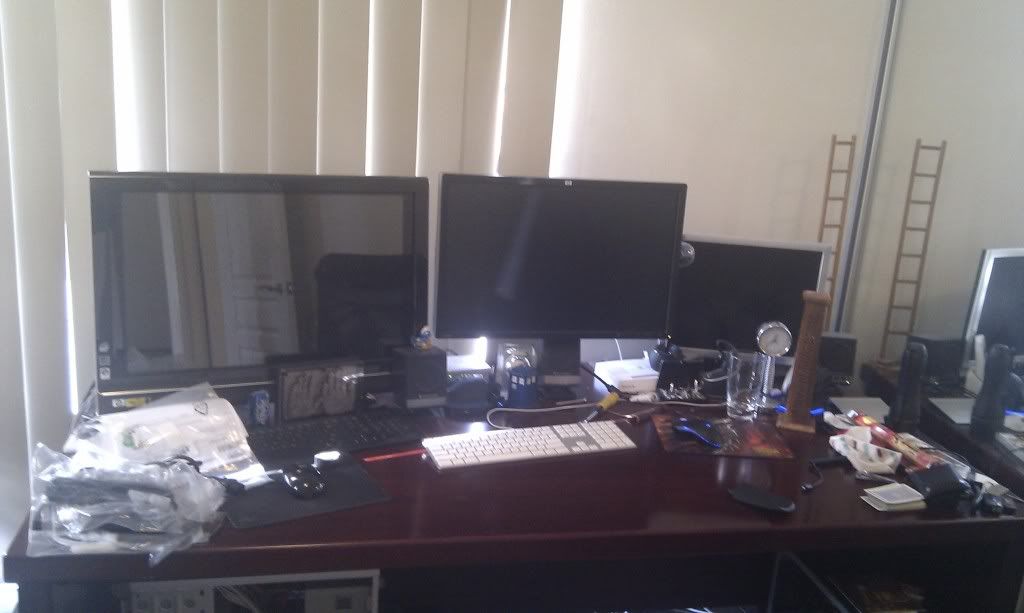
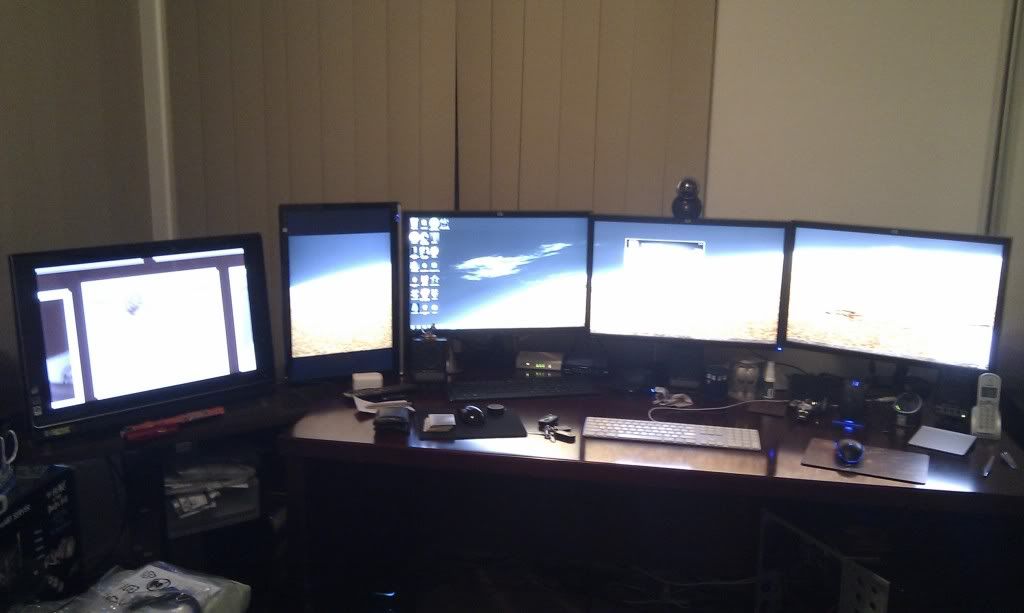
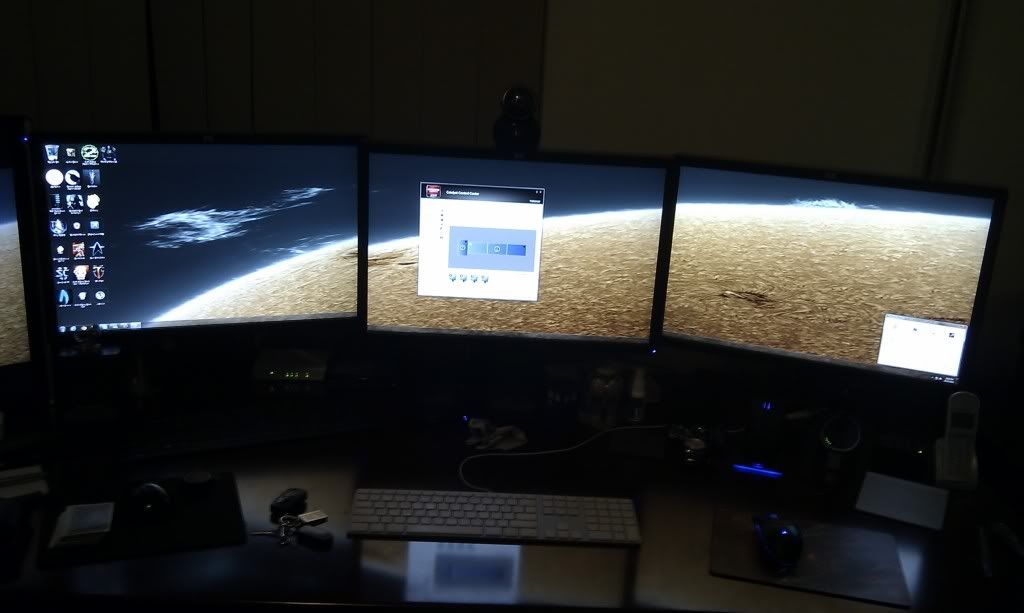
So I decided to go Eyefinity, 3 x HP ZR24w mounted on HP monitor arms.... got the arms so cheap I bought a fourth for the 22".
Three pics. Before shot of the 25" HP Touchsmart 816IQ, HP ZR24W on an HP monitor arm and an old 19" LCD...
After shots of the new setup.... an office full of LCD :shock: :lol: :P :D

Re: Post your "Command Centre" Pictures Here
Posted: 23 Mar 2011, 13:52
by RedRamage
Hi everyone,
New to the forum and triple-screen gaming. Here's a pic of what I've got setup so far. 2 middle screens are both touch-screens, however the bottom touch screen isn't working right since switching to TH2Go, the calibration is a mess. Sadly Windows 7 has no way to specify the screen area that the actual touch overlay is on. Hope to find a fix for this in the future but so far there appears to be no solution.
Cheers,
Mack
Dude!! Nice setup... gotta have that wallpaper. Can you share it?
my frankenstein 3 monitor eyefinity setup
Posted: 01 Apr 2011, 22:40
by discopooh
cheapskate on a budget - cost £0
1x22 LG 2x19 Samsungs - 1 meter of 22mm copper tube and alittle 18mm plyboard =


Alittle tweakage and all should be sorted....man I'm a tight ass
Re: Post your "Command Centre" Pictures Here
Posted: 07 Apr 2011, 20:39
by {SAS}TB


Extended desktop over the centre and right hand side screen and works lappy (on a VGA Connection) on the left hand screen
Then

Full 5760x1200 goodness of desktop space and ready for some gheyming goodness :D
Re: Post your "Command Centre" Pictures Here
Posted: 14 Apr 2011, 19:12
by Anprionsa
Just a question... why is this subject in this forum? Curious.
Re: Post your "Command Centre" Pictures Here
Posted: 14 Apr 2011, 20:48
by tet5uo
Because of....
well 85 pages it's too heavy to move anywhere else. :lol:
Re: Post your "Command Centre" Pictures Here
Posted: 14 Apr 2011, 21:29
by RedRamage
Full 5760x1200 goodness of desktop space and ready for some gheyming goodness :D
Very nice... Great desk too! Seems like a great setup for triple monitors!
Re: Post your "Command Centre" Pictures Here
Posted: 16 Apr 2011, 20:20
by {SAS}TB
[quote]
Full 5760x1200 goodness of desktop space and ready for some gheyming goodness :D
Very nice... Great desk too! Seems like a great setup for triple monitors!
Thanks :D
Yeah the desk is a beast and a few years old now, but ideal for the setup :)
I decided to take my NZXT LED Cables out of the PC when puting some new / additional fans in and thought id see what they looked like just draped over the back of the monitors (1 Blue and 1 White):
No LED
 White LED Only
 Blue LED Only
 White and Blue LEDs
 And some different angles - both LEDs


Picture quality isnt great, so not the best representation, and they are all on the brightest of the three settings, but it really does give a nice ambiance when sat at the PC in the dark - I might just keep em there :P
Re: Post your "Command Centre" Pictures Here
Posted: 11 Jun 2011, 01:59
by phantom
Hi, Guys,
After reaching a zenith with the motorsports features of my cockpits last month:
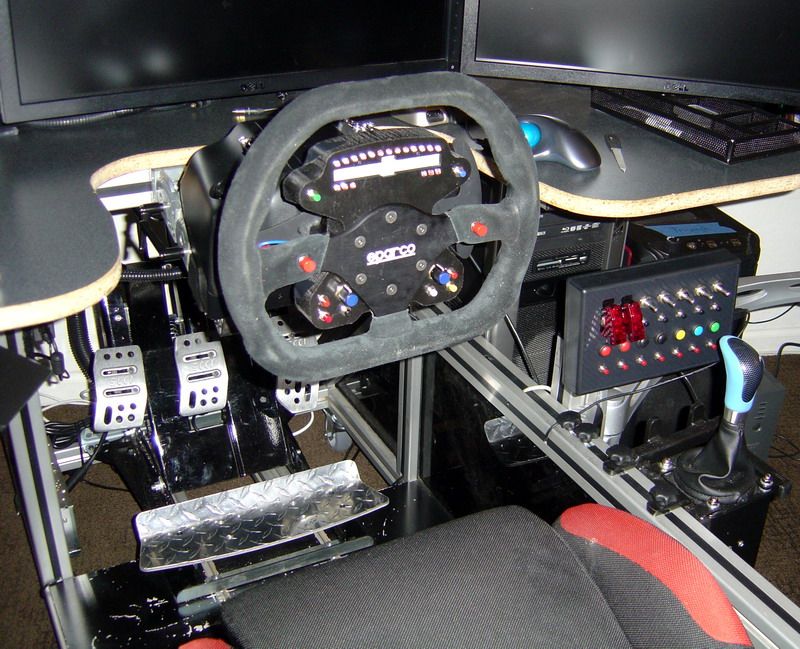
I turned my attention to the aviation features, and this is the result:
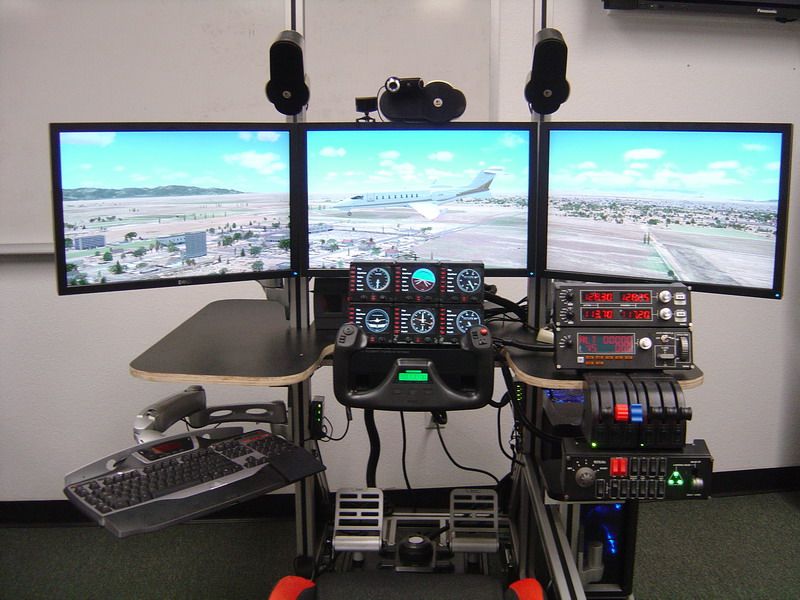
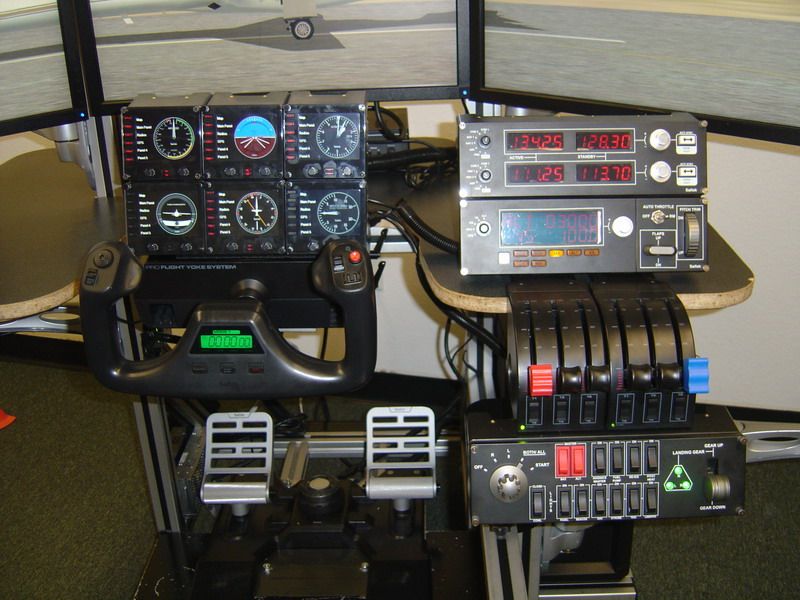
It is a huge improvement because now I can stay eyes outside with frequent crosscheck of the "glass" instruments atop the yoke and with hands-on switch changes rather than panning the view down inside the cockpit to monkey with mouse and cursor changes.
The cockpit changes between motosports and aviation configuration in about 20 minutes.
Re: Post your "Command Centre" Pictures Here
Posted: 11 Jun 2011, 02:14
by JohnnyWakko
Wow.
Re: Post your "Command Centre" Pictures Here
Posted: 13 Jun 2011, 13:23
by zombifiedturkey
Hi everyone,
New to the forums, just got my setup last week and found yas while trying to find a fix for black ops.
Here is some pictures of my setup

Another angle with the Xbox 360 running (The LEDs dont photograph to well on extreme angles from the looks of things)

This is my awesome speaker stand / shelf creation to hide behind the monitors :)
When your sitting down the boxes are perfectly hidden.

And finally, a wider view of my gaming den. Rear speakers are mounted up on the wall behind where I sit

My specs are,
Intel Core i7 930 at standard 2.8GHz, I've had it up to 3.8GHz before but don't really see the point in leaving it overclocked.
Asus P6X58D-Premium
3x 2GB G-Skill Trident DDR3 Memory
Asus 1GB ATi 5870
2x 2TB WD Green Drives
1x 1TB WD Green
1x 1TB WD Blue (OS Drive)
HAF 922 Red Case
Thats about me, see yas around on the forum.
Zombie
[edit]fixed image links.