Page 63 of 72
Re: Post your "Command Centre" Pictures Here
Posted: 19 Dec 2010, 03:28
by LeonHikari
Well you haven't seen my brothers room. IT's a billion times worse than mine. (Plus he uses a CRT on his main rig, which cant really play any games... sometimes, I don't know how were related.)
Quoted for truth. That man's room is a mess.
Re: Post your "Command Centre" Pictures Here
Posted: 30 Dec 2010, 05:30
by _CH_Skyline_
Just finished setting the side two 28"ers up. I've got some more things to move around, but 3x 28" is god-like. My 3x GTX260's are sweating a bit though...


Re: Post your "Command Centre" Pictures Here
Posted: 30 Dec 2010, 18:55
by suiken_2mieu
_CH_Skyline_ what res are those?
Re: Post your "Command Centre" Pictures Here
Posted: 30 Dec 2010, 19:22
by _CH_Skyline_
_CH_Skyline_ what res are those?
1920 x 1200 each. 6064 x 1200 with bezel correction.
Re: Post your "Command Centre" Pictures Here
Posted: 30 Dec 2010, 20:14
by Slinky
[quote]Just finished setting the side two 28"ers up. I've got some more things to move around, but 3x 28" is god-like. My 3x GTX260's are sweating a bit though...
Id consider removing the monitor casings. Those bezels seem thick. Nice setup though.
Re: Post your "Command Centre" Pictures Here
Posted: 30 Dec 2010, 22:02
by _CH_Skyline_
[quote]Just finished setting the side two 28"ers up. I've got some more things to move around, but 3x 28" is god-like. My 3x GTX260's are sweating a bit though...
Id consider removing the monitor casings. Those bezels seem thick. Nice setup though.
What do you mean by 'removing the monitor casings'? They are pretty thick, 28" with 27.5" viewable, I've corrected it a bit by placing the peripheral monitors closer and overlapping the main monitor's bezel.
Re: Post your "Command Centre" Pictures Here
Posted: 30 Dec 2010, 22:45
by Abram
He's speaking of removing the outer casing as detailed in this thread: http://www.widescreengamingforum.com/forum/viewtopic.php?f=9&t=17897
I considered doign it to my side screen, but seeing that silver finish would bug the hell out of me, and I cun't paint worth a shit - so that's out of the question.
Re: Post your "Command Centre" Pictures Here
Posted: 31 Dec 2010, 02:25
by _CH_Skyline_
He's speaking of removing the outer casing as detailed in this thread: http://www.widescreengamingforum.com/forum/viewtopic.php?f=9&t=17897
I considered doign it to my side screen, but seeing that silver finish would bug the hell out of me, and I cun't paint worth a shit - so that's out of the question.
Cool, thanks for that. I'll consider it, but for now I'm just going to enjoy it the way it is. It definitely gives me something to think about.
Re: Post your "Command Centre" Pictures Here
Posted: 31 Dec 2010, 21:15
by McKie
Re: Post your "Command Centre" Pictures Here
Posted: 02 Jan 2011, 19:13
by SarX
I considered doign it to my side screen, but seeing that silver finish would bug the hell out of me, and I cun't paint worth a shit - so that's out of the question.
Black electrical tape is a easy fix and looks quite good if you do it properly.. like carefully following the inner line of the edge with a single strip for the entire length of it, cutting of excess tape and a diagonal cut in the corners.
i did that on my last monitor when the casing got busted.. Of course since I'm "a bit OCD" about my comp i couldn't live with knowing that it was busted.. but it looked alright.
Re: Tom Clancy's HAWX 2
Posted: 03 Jan 2011, 08:03
by Toothless
Mod edit: I've moved your post here as you were pretty much just showing off your desk.
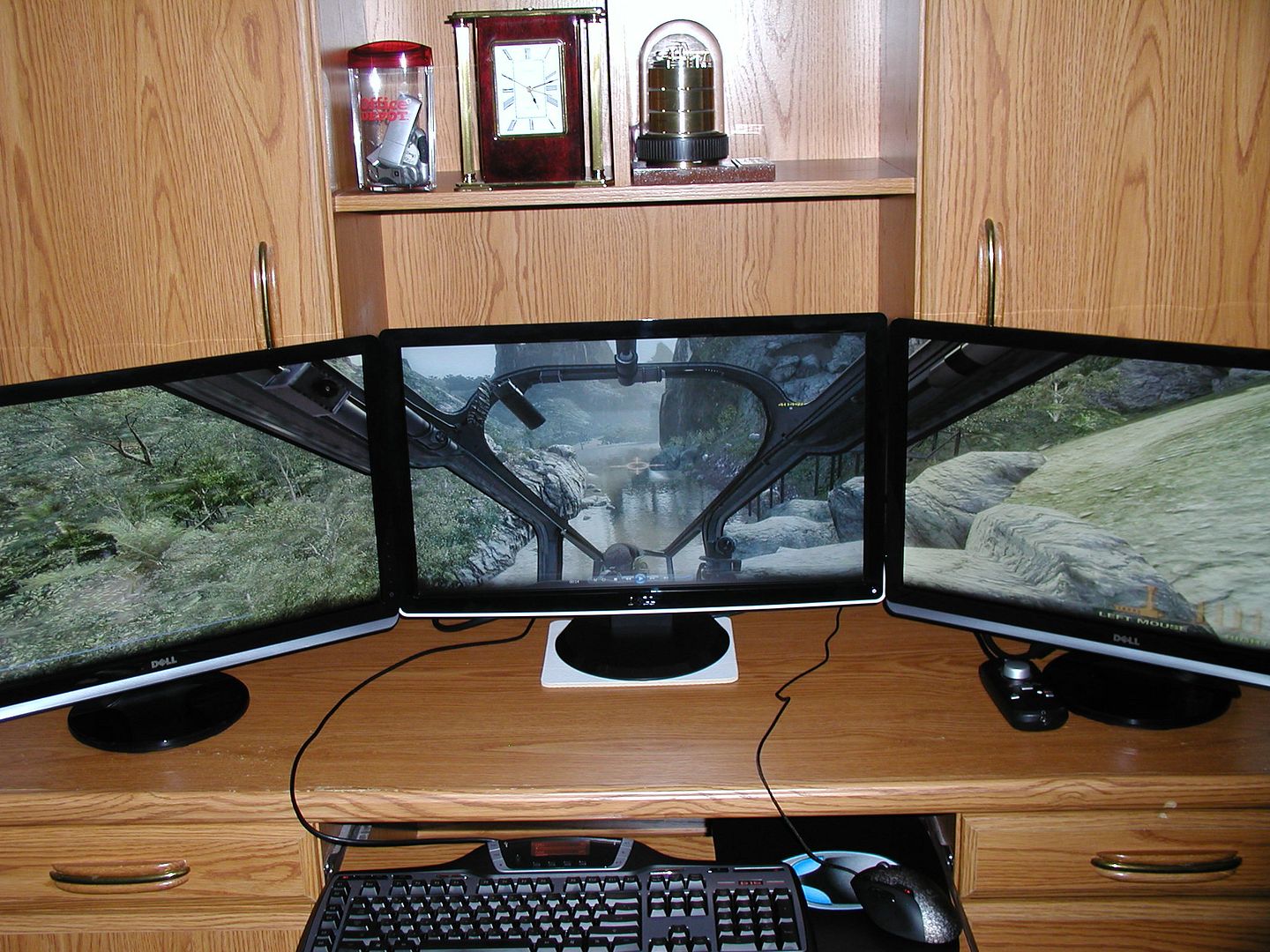
(using triplehead2go-COD Black Ops Game)
Re: Post your "Command Centre" Pictures Here
Posted: 12 Jan 2011, 08:22
by Silastar
Here is a photo of my setup

Re: Post your "Command Centre" Pictures Here
Posted: 13 Jan 2011, 08:33
by packerfan
Here is a photo of my setup
http://img441.imageshack.us/i/eyefinitysetup.jpg/
Code: Select all
<img src="http://img441.imageshack.us/img441/6217/eyefinitysetup.jpg" alt="" />
If you look on the right of your imageshack link there is forum embed code, you can also right click on the image and copy its url and paste it in-between
tags.
Re: Post your "Command Centre" Pictures Here
Posted: 20 Jan 2011, 01:53
by _CH_Skyline_
Just cleaned up my desk and purchased new center and surround speakers, as well as built some shelves. I'm really loving this setup.

Re: Post your "Command Centre" Pictures Here
Posted: 20 Jan 2011, 17:39
by sn0w
Just cleaned up my desk and purchased new center and surround speakers, as well as built some shelves. I'm really loving this setup.
very nice tidy setup :) how have you mounted the rear speakers?
Re: Post your "Command Centre" Pictures Here
Posted: 20 Jan 2011, 18:37
by _CH_Skyline_
[quote]Just cleaned up my desk and purchased new center and surround speakers, as well as built some shelves. I'm really loving this setup.
very nice tidy setup :) how have you mounted the rear speakers?
Thanks! I bought some shelving brackets and built my own speaker shelves :-D The two up top are actually my front right and left speakers.
Re: Post your "Command Centre" Pictures Here
Posted: 22 Jan 2011, 02:44
by MackTheKnight
Hi everyone,
New to the forum and triple-screen gaming. Here's a pic of what I've got setup so far. 2 middle screens are both touch-screens, however the bottom touch screen isn't working right since switching to TH2Go, the calibration is a mess. Sadly Windows 7 has no way to specify the screen area that the actual touch overlay is on. Hope to find a fix for this in the future but so far there appears to be no solution.

Cheers,
Mack
Re: Post your "Command Centre" Pictures Here
Posted: 23 Jan 2011, 19:06
by _CH_Skyline_
Hi everyone,
New to the forum and triple-screen gaming. Here's a pic of what I've got setup so far. 2 middle screens are both touch-screens, however the bottom touch screen isn't working right since switching to TH2Go, the calibration is a mess. Sadly Windows 7 has no way to specify the screen area that the actual touch overlay is on. Hope to find a fix for this in the future but so far there appears to be no solution.
Cheers,
Mack
Nice setup! I wish I could find a stand that would hold my 3x 28"s, let alone a fourth up top.
Could you post a link to that background please? It's awesome!
Re: Post your "Command Centre" Pictures Here
Posted: 24 Jan 2011, 00:43
by MackTheKnight
Nice setup! I wish I could find a stand that would hold my 3x 28"s, let alone a fourth up top.
Could you post a link to that background please? It's awesome!
Thanks. :)
I'm actually using 2 basic wall mounts I found on E-bay for 20 bucks a piece for the side screens. The 2 middle screens are mounted on one of these:
http://www.tigerdirect.com/applications/SearchTools/item-details.asp?EdpNo=5618117&CatId=2465
As for the wallpaper, I got it off of
http://www.digitalcombatsimulator.com DCS: A10C is one of the sims I play, along with DCS: Blackshark.
I can't remember where on the page I got the pic so I've posted it here:
http://www.flextechsconsulting.com/wallpaper4_1920.jpg
And here's a screenshot from DCS: Blackshark that makes a great background, for your viewing pleasure:
http://www.flextechsconsulting.com/ScreenShot_005.jpg
I also have an update of my setup - found some stands for my speakers. Not perfect but it'll do until I find something better.

That's all for now. :)
-Mack
Re: Post your "Command Centre" Pictures Here
Posted: 24 Jan 2011, 17:02
by _CH_Skyline_
Thanks. :)
I'm actually using 2 basic wall mounts I found on E-bay for 20 bucks a piece for the side screens. The 2 middle screens are mounted on one of these: http://www.tigerdirect.com/applications/SearchTools/item-details.asp?EdpNo=5618117&CatId=2465
As for the wallpaper, I got it off of http://www.digitalcombatsimulator.com DCS: A10C is one of the sims I play, along with DCS: Blackshark.
I can't remember where on the page I got the pic so I've posted it here:
http://www.flextechsconsulting.com/wallpaper4_1920.jpg
And here's a screenshot from DCS: Blackshark that makes a great background, for your viewing pleasure:
http://www.flextechsconsulting.com/ScreenShot_005.jpg
I also have an update of my setup - found some stands for my speakers. Not perfect but it'll do until I find something better.
That's all for now. :)
-Mack
I just downloaded DCS Blackshark the other day, need to buy a key soon. I play a bunch of flight sims but the learning curve for Black Shark appears to be ridiculous. Is it as difficult as it looks? Perhaps we could fly together once I've got my key, I may need some tutoring.
Also, thank you for the links :-D

