Well you haven't seen my brothers room. IT's a billion times worse than mine. (Plus he uses a CRT on his main rig, which cant really play any games... sometimes, I don't know how were related.)
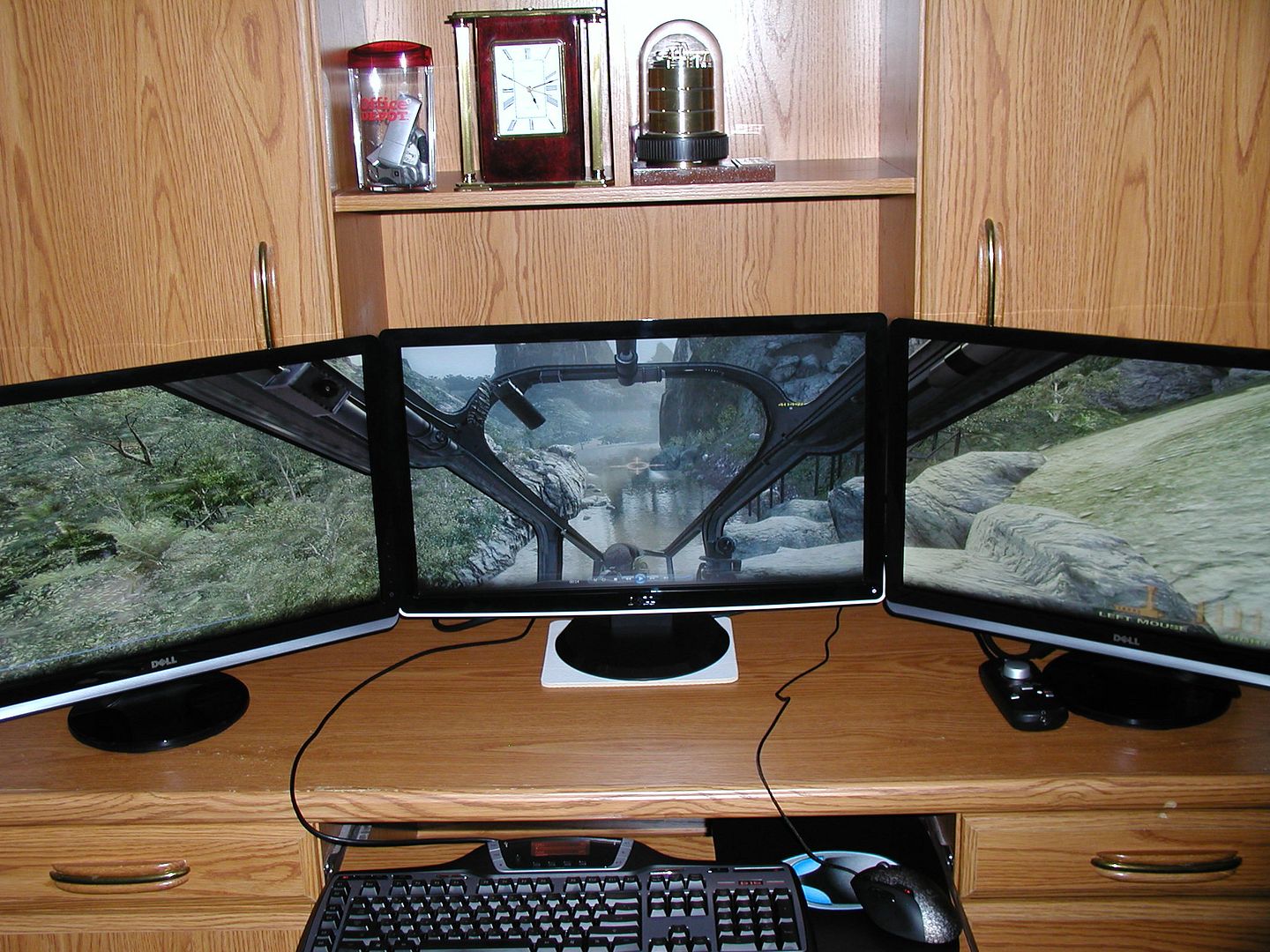
Just finished setting the side two 28"ers up. I've got some more things to move around, but 3x 28" is god-like. My 3x GTX260's are sweating a bit though...
[quote]Just finished setting the side two 28"ers up. I've got some more things to move around, but 3x 28" is god-like. My 3x GTX260's are sweating a bit though...
Id consider removing the monitor casings. Those bezels seem thick. Nice setup though.
[quote]Just finished setting the side two 28"ers up. I've got some more things to move around, but 3x 28" is god-like. My 3x GTX260's are sweating a bit though...
Id consider removing the monitor casings. Those bezels seem thick. Nice setup though.
What do you mean by 'removing the monitor casings'? They are pretty thick, 28" with 27.5" viewable, I've corrected it a bit by placing the peripheral monitors closer and overlapping the main monitor's bezel.
He's speaking of removing the outer casing as detailed in this thread: http://www.widescreengamingforum.com/forum/viewtopic.php?f=9&t=17897
I considered doign it to my side screen, but seeing that silver finish would bug the hell out of me, and I cun't paint worth a shit - so that's out of the question.
He's speaking of removing the outer casing as detailed in this thread: http://www.widescreengamingforum.com/forum/viewtopic.php?f=9&t=17897
I considered doign it to my side screen, but seeing that silver finish would bug the hell out of me, and I cun't paint worth a shit - so that's out of the question.
Cool, thanks for that. I'll consider it, but for now I'm just going to enjoy it the way it is. It definitely gives me something to think about.
I considered doign it to my side screen, but seeing that silver finish would bug the hell out of me, and I cun't paint worth a shit - so that's out of the question.
Black electrical tape is a easy fix and looks quite good if you do it properly.. like carefully following the inner line of the edge with a single strip for the entire length of it, cutting of excess tape and a diagonal cut in the corners.
i did that on my last monitor when the casing got busted.. Of course since I'm "a bit OCD" about my comp i couldn't live with knowing that it was busted.. but it looked alright.
If you look on the right of your imageshack link there is forum embed code, you can also right click on the image and copy its url and paste it in-between
New to the forum and triple-screen gaming. Here's a pic of what I've got setup so far. 2 middle screens are both touch-screens, however the bottom touch screen isn't working right since switching to TH2Go, the calibration is a mess. Sadly Windows 7 has no way to specify the screen area that the actual touch overlay is on. Hope to find a fix for this in the future but so far there appears to be no solution.
New to the forum and triple-screen gaming. Here's a pic of what I've got setup so far. 2 middle screens are both touch-screens, however the bottom touch screen isn't working right since switching to TH2Go, the calibration is a mess. Sadly Windows 7 has no way to specify the screen area that the actual touch overlay is on. Hope to find a fix for this in the future but so far there appears to be no solution.
Cheers,
Mack
Nice setup! I wish I could find a stand that would hold my 3x 28"s, let alone a fourth up top.
Could you post a link to that background please? It's awesome!
I also have an update of my setup - found some stands for my speakers. Not perfect but it'll do until I find something better.
That's all for now. :)
-Mack
I just downloaded DCS Blackshark the other day, need to buy a key soon. I play a bunch of flight sims but the learning curve for Black Shark appears to be ridiculous. Is it as difficult as it looks? Perhaps we could fly together once I've got my key, I may need some tutoring.