
Post your "Command Centre" Pictures Here
-
thisizbrian
- Posts: 50
- Joined: 27 Aug 2010, 08:34
Re: Post your "Command Centre" Pictures Here
i highly recommend it
Current Config:
GTX 680 4GB in SLI
Intel 980 x @ 4Ghz
GTX 680 4GB in SLI
Intel 980 x @ 4Ghz
-
AmericanMeltdown
- Posts: 2
- Joined: 30 Sep 2010, 17:40
-
AmericanMeltdown
- Posts: 2
- Joined: 30 Sep 2010, 17:40
Re: Post your "Command Centre" Pictures Here
Sorry, I posted the picture of 'my command center' without stating specs.
MONITORS: Dell 1800fp de-bezeled (3840x1024) x3
GPU: Single 5770, am going crossfire with my next paycheck :-)
MONITORS: Dell 1800fp de-bezeled (3840x1024) x3
GPU: Single 5770, am going crossfire with my next paycheck :-)
Re: Post your "Command Centre" Pictures Here
I'd just like to add my "Command Centre" to the list.

One in-game shot of my other command centre. P-38 Lightning cockpit in IL2:1946, modded by a small group and me. (bad clipping of the outside airframe)

Hardware on the desk:
Centre screen is a Samsung F2380 and flanked by two Medion Akoya P55004's.
- TrackIR 4 on top of the centre screen
- Thrustmaster HOTAS Cougar, modded with IJ's Ü2NXT gimbals and UTM and CubPilot's hall-effect sensor mods.
- Attached to the Cougar (below desk) : SimPed VarioPro rudder pedals
- Logitech MOMO (red)
- Saitek R.A.T.7 (yup, me too)
- AKG K701
- Sharkoon SATA QuickPort PRO with a Samsung HD203WI docked
Out of view, the PC in the bottom left:
- EVGA 122-CK-NF68-AR, nForce 680i
- Intel Core 2 Duo E6400 [email protected]
- XigmaTek HDT-S1283
- 4x2GB DDR2 OCZ Reaper HPC OCZ2RPR800C44GK
- Radeon 5870 Gigabyte GV-R587D5-1GD-B
- Crucial RealSSD C300 2.5" 64GB (Boot)
- RAID0 2x WD5000 AAKS
- Seasonic S12 Energy+650
- Auzentech X-FI Prelude 7.1
And Logitech G7 and G13 also out of view. I will add an 8800GT to the system, for hybrid-PhysX.

One in-game shot of my other command centre. P-38 Lightning cockpit in IL2:1946, modded by a small group and me. (bad clipping of the outside airframe)

Hardware on the desk:
Centre screen is a Samsung F2380 and flanked by two Medion Akoya P55004's.
- TrackIR 4 on top of the centre screen
- Thrustmaster HOTAS Cougar, modded with IJ's Ü2NXT gimbals and UTM and CubPilot's hall-effect sensor mods.
- Attached to the Cougar (below desk) : SimPed VarioPro rudder pedals
- Logitech MOMO (red)
- Saitek R.A.T.7 (yup, me too)
- AKG K701
- Sharkoon SATA QuickPort PRO with a Samsung HD203WI docked
Out of view, the PC in the bottom left:
- EVGA 122-CK-NF68-AR, nForce 680i
- Intel Core 2 Duo E6400 [email protected]
- XigmaTek HDT-S1283
- 4x2GB DDR2 OCZ Reaper HPC OCZ2RPR800C44GK
- Radeon 5870 Gigabyte GV-R587D5-1GD-B
- Crucial RealSSD C300 2.5" 64GB (Boot)
- RAID0 2x WD5000 AAKS
- Seasonic S12 Energy+650
- Auzentech X-FI Prelude 7.1
And Logitech G7 and G13 also out of view. I will add an 8800GT to the system, for hybrid-PhysX.
-
suiken_2mieu

- Insiders

- Posts: 2351
- Joined: 20 Aug 2009, 04:20
- Location: Virginia
- Contact:
Re: Post your "Command Centre" Pictures Here
I got bored. Here's a very temporary setup. Gonna tear down today.
2 x dell 3007wfp=HC
1 x Samsung 50" Plasma (too lazy to check model number)
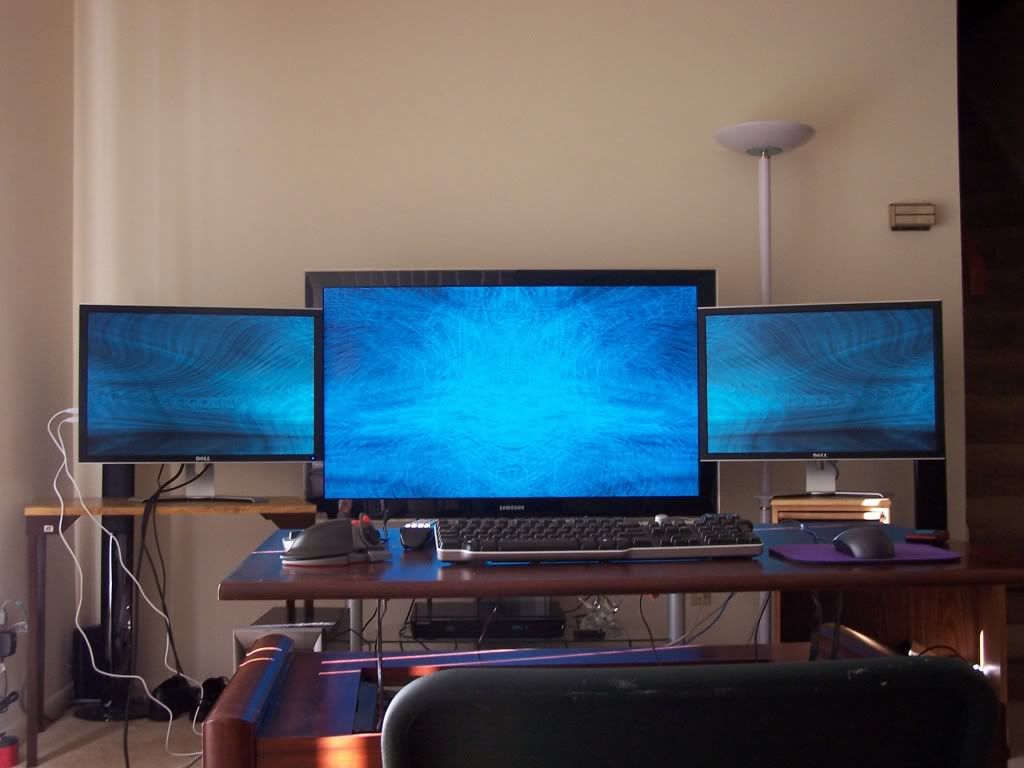
http://i17.photobucket.com/albums/b97/suiken_2mieu/101_2858.jpg
http://i17.photobucket.com/albums/b97/suiken_2mieu/101_2859.jpg
http://i17.photobucket.com/albums/b97/suiken_2mieu/101_2860.jpg
Crappy Video Camera Video of Winamp
2 x dell 3007wfp=HC
1 x Samsung 50" Plasma (too lazy to check model number)
http://i17.photobucket.com/albums/b97/suiken_2mieu/101_2858.jpg
http://i17.photobucket.com/albums/b97/suiken_2mieu/101_2859.jpg
http://i17.photobucket.com/albums/b97/suiken_2mieu/101_2860.jpg
Crappy Video Camera Video of Winamp
System Core: | Intel Core i5-2500K + ASUS P8Z68-V + 16GB Corsair XMS3 DDR3 1333 MHz | Win7 x64 | MSI R7970 Lightning 3GB [1105/1400] |
Display: | 3 x Dell Ultrasharp 3007WFP-HC @ 7680x1600 | Dell u3011 |
Display: | 3 x Dell Ultrasharp 3007WFP-HC @ 7680x1600 | Dell u3011 |
Re: Post your "Command Centre" Pictures Here
Just finished my first custom build (took 6 months of scrimping and saving)
EVGA P55 FTW
i5 750 @ 3.2
8gb Dual Channel Corsair Dominator DDR3 1600mhz
Sapphire 6870 1GB (2nd one will be in a couple of weeks :::::UPDATED:::::
120gb System with 1TB Storage
Creative X-Fi Fatality with Logitec Z-5500 speakers
3 Dell 1908FPs and Gateway FPD2275W 22"
Cooler Master HAF X Case
Logitech G15 and Razor Naga with Fang Game Pad
Im pretty proud of my setup

EVGA P55 FTW
i5 750 @ 3.2
8gb Dual Channel Corsair Dominator DDR3 1600mhz
Sapphire 6870 1GB (2nd one will be in a couple of weeks :::::UPDATED:::::
120gb System with 1TB Storage
Creative X-Fi Fatality with Logitec Z-5500 speakers
3 Dell 1908FPs and Gateway FPD2275W 22"
Cooler Master HAF X Case
Logitech G15 and Razor Naga with Fang Game Pad
Im pretty proud of my setup
Re: Post your "Command Centre" Pictures Here
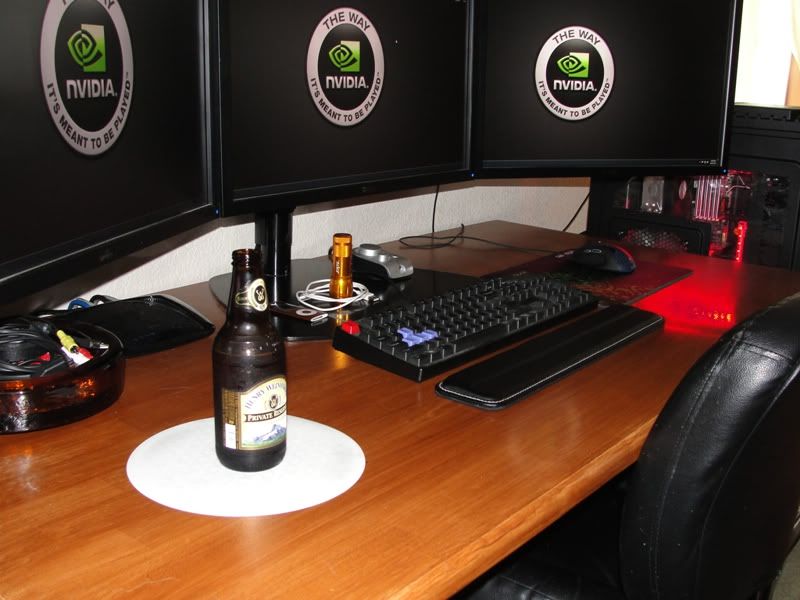
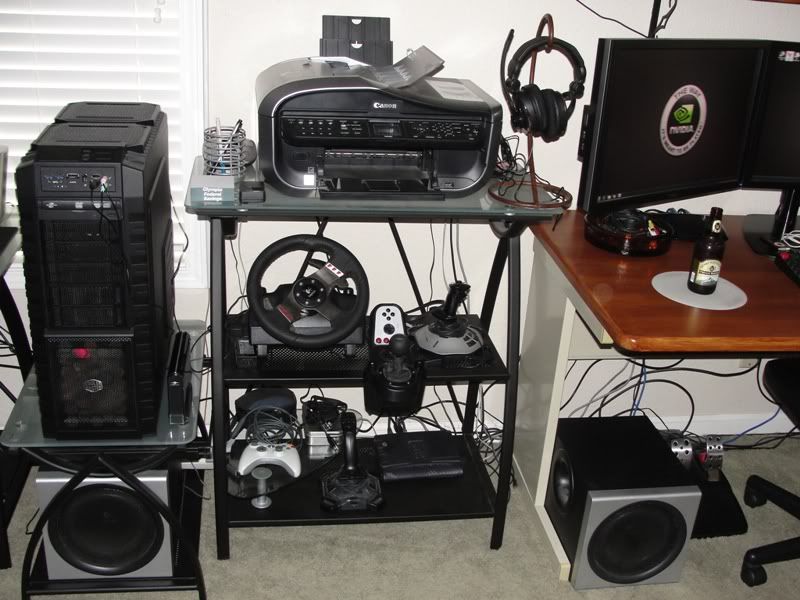
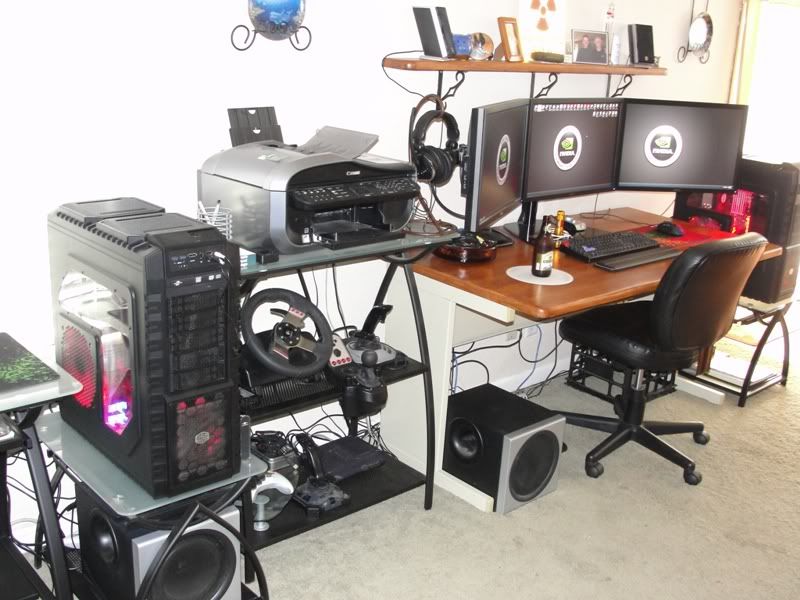
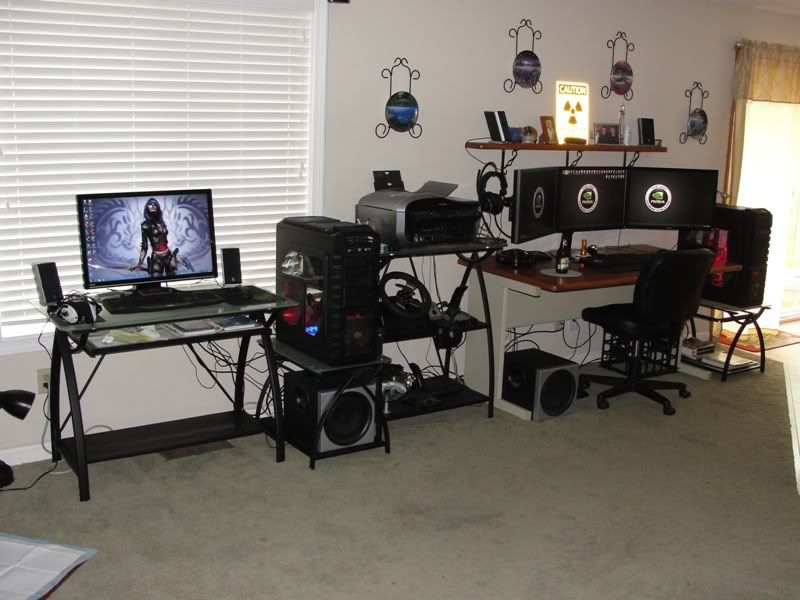
ASUS Rampage III Formula | i7-960 | Corsair A70, push/pull | 2 X GTX 480's Sli | WD 1 Tb | Seagate Barracuda 1 Tb X 2| corsair 1000 w HX | Coolermaster HAF X | Corsair 6GB DDR3 |Dell UltraSharp U2410- 24" X 3 in Surround | Logitech Z-2300 2.1 speakers | Filco Majestouch W/Cherry MX Black Switches |G5 logitech | Win7 premium x64 |
------------------------------------------------------------------------------------------------------------------------------------
MSI 890FXA-GD70 | AMD Phenom II X6 1090T BE | CM Hyper 212 plus, push/pull | Sapphire HD5870 X 2 Crossfire | Western Digital Caviar Black 2 TB | KINGWIN Lazer LZ-850 850W PSU | Coolermaster HAF X | G.SKILL 8 GB DDR3 | ASUS VW266H 25.5" LCD Monitor | Logitech Z-2300 2.1 speakers | logitech G15 | Logitech G500 | Win7 premium x64 |
-
Harbinger87
- Posts: 3
- Joined: 22 Oct 2010, 16:40
Re: Post your "Command Centre" Pictures Here
 ASUS Crosshair IV Formula 890FX
Xclio Windtunnel
BFG Tech ES 800W
Phenom IIX6 1090T Thuban 3.2Ghz
CoolIT ECO ALC (OC @ 4.0Ghz Push/Pull)
8GB DDR3 1600 A-DATA Gaming Series
Gigabyte Radeon HD5870
Creative X-Fi Gamer
32GB A-DATA SSD "boot"
150GB WD Velociraptor 10k "games"
1TB WD Black 7200 "Storage"
Microsoft Reclusa Gaming Keyboard
Logitech G500
Altec Lansing 2.1 Gaming system
3 x 22" ACER X223w LCD WS/ Active DP>DVI adapter (Eyefinity=5040 x 1050)
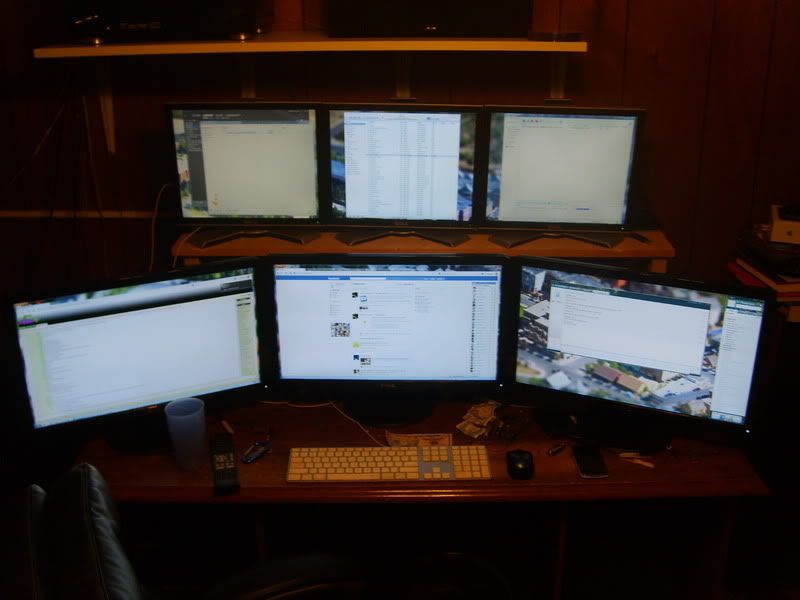

Re: Post your "Command Centre" Pictures Here
Thats looking sick... 6 screens. One old setup I guess and one new?

Re: Post your "Command Centre" Pictures Here
I like the mac keyboard thrown in the mix. :P
-
computer_man20037
- Posts: 12
- Joined: 22 Oct 2010, 16:23
Re: Post your "Command Centre" Pictures Here
Here is a picture of my command center setup ... just got this up and running last night :D

-
Harbinger87
- Posts: 3
- Joined: 22 Oct 2010, 16:40
Re: Post your "Command Centre" Pictures Here
very nice, and cozy too. Hope that left monitor doesnt fall off the little blue table.

Re: Post your "Command Centre" Pictures Here
That's the first thing I thought.
-
LeonHikari
- Posts: 16
- Joined: 21 Sep 2010, 21:24
Re: Post your "Command Centre" Pictures Here
Thats looking sick... 6 screens. One old setup I guess and one new?
Sort of. I had a old setup going 17" Wide, 24", then one of those dells. I went to 3 23", and had the top monitor left over so I went out and bought two more of the same model. While one has backlight issues, and the other one just has different color, they run pretty good altogether. It's a LOT of screen real estate, that's for sure.
-
Paradigm Shifter

- Editors

- Posts: 5706
- Joined: 14 Oct 2003, 13:52
Re: Post your "Command Centre" Pictures Here
Here is a picture of my command center setup ... just got this up and running last night :D
If you don't want to risk a monitor falling off, use a plank of wood across the desk to give them more to sit on. :)
-
suiken_2mieu
- Insiders
- Posts: 2351
- Joined: 20 Aug 2009, 04:20
- Location: Virginia
- Contact:
Re: Post your "Command Centre" Pictures Here
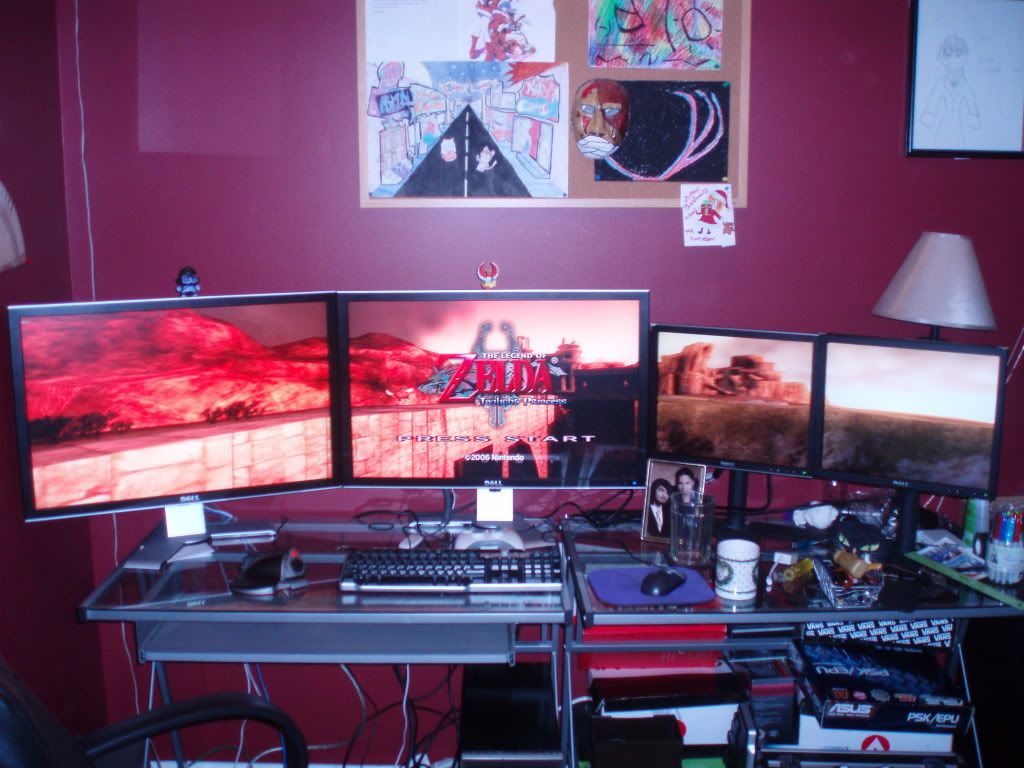

2x Dell 3007wfp-HC
2x Dell 1708fp
System Core: | Intel Core i5-2500K + ASUS P8Z68-V + 16GB Corsair XMS3 DDR3 1333 MHz | Win7 x64 | MSI R7970 Lightning 3GB [1105/1400] |
Display: | 3 x Dell Ultrasharp 3007WFP-HC @ 7680x1600 | Dell u3011 |
Display: | 3 x Dell Ultrasharp 3007WFP-HC @ 7680x1600 | Dell u3011 |
-
suiken_2mieu
- Insiders
- Posts: 2351
- Joined: 20 Aug 2009, 04:20
- Location: Virginia
- Contact:
Re: Post your "Command Centre" Pictures Here
A little update.
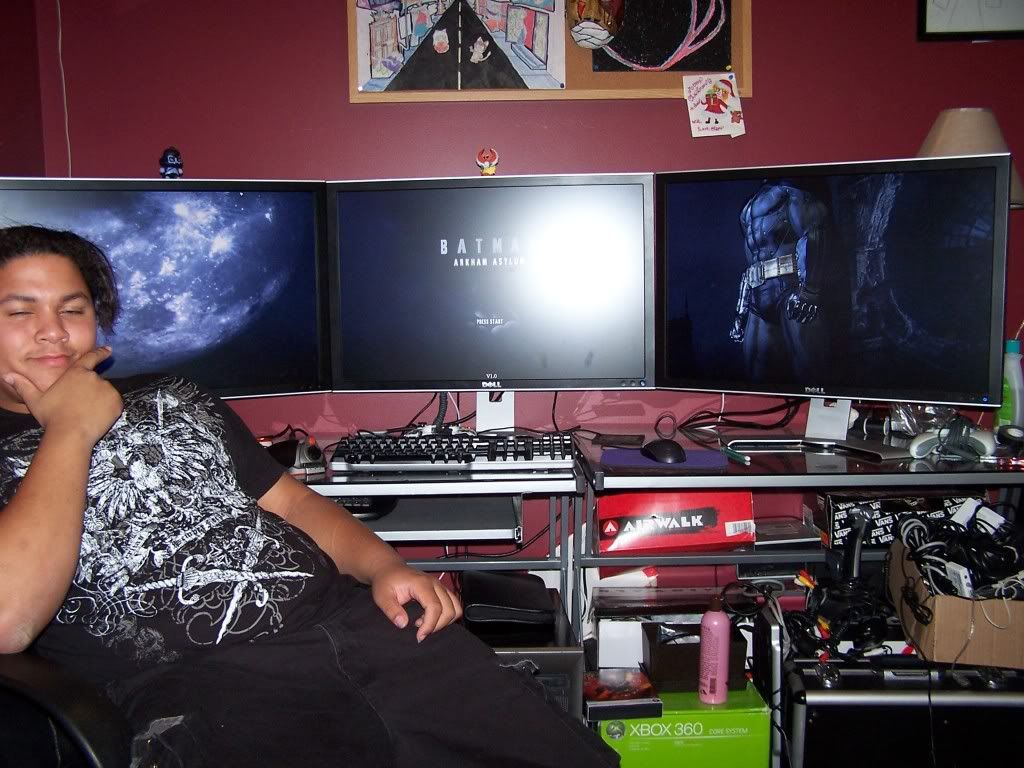
Had to because of this guy:http://img691.imageshack.us/img691/8048/moneyshot1280.jpg
3 x Dell 3007WPF-HC in Eyefinity
Had to because of this guy:http://img691.imageshack.us/img691/8048/moneyshot1280.jpg
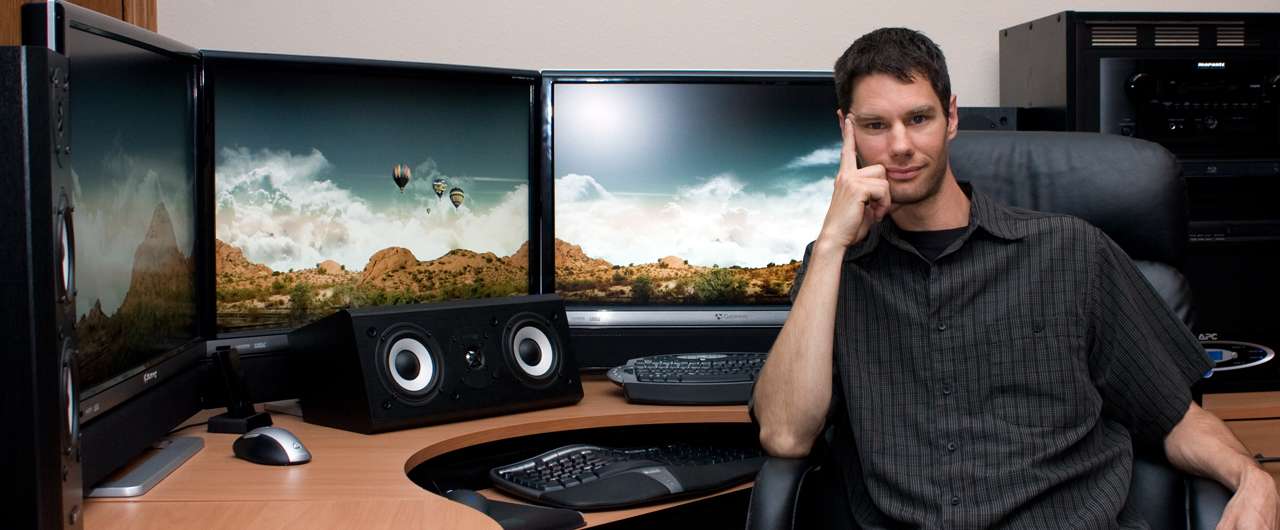

3 x Dell 3007WPF-HC in Eyefinity
System Core: | Intel Core i5-2500K + ASUS P8Z68-V + 16GB Corsair XMS3 DDR3 1333 MHz | Win7 x64 | MSI R7970 Lightning 3GB [1105/1400] |
Display: | 3 x Dell Ultrasharp 3007WFP-HC @ 7680x1600 | Dell u3011 |
Display: | 3 x Dell Ultrasharp 3007WFP-HC @ 7680x1600 | Dell u3011 |
Re: Post your "Command Centre" Pictures Here
:O You finally got the third one. Pics and vids are welcome :)
Re: Post your "Command Centre" Pictures Here
Had to because of this guy:http://img691.imageshack.us/img691/8048/moneyshot1280.jpg
But you look more smug. Take that, other guy.
Who is online
Users browsing this forum: No registered users and 1 guest