Page 7 of 8
Re: Mass Effect: Andromeda
Posted: 29 Apr 2017, 19:35
by Maverick618
Peer_Review wrote: What they are saying good sir is; If you would be so kind as to give us a little information about your computer then we could lend a hand. It is understood that you are correctly placing the files in ME:A's directory and that is what is causing the problem. So it is some other variable messing with things. So lets get you fixed up shall we?
Fist up, what are you specs, Do you run SLI or Crossfire, and what resolution are you playing at? If you have Nvidia what is PhysX setting set to. Have you tried changing that to CPU? Also if on Nvidia have you changed anything with Nvidia inspector or in Manage 3D settings. If you have, reset them to default then tweak them again once we get everything sorted. If On an AMD GPU have you changed any tessellation settings, or have any global settings overridden? If so set them back to default for the time being.
Next; {This would be the most likely cause of problems) Are you running any other overlays that could interfere (Geforce Experience, Rivatuner standalone or one that came with Afterburner or EVGA PrecisionX. If so Is it set to hook into the framebuffer or viewport? Is Origin's overlay enabled? If so try and disable it. Are there any other overlays Razer, ASUS ROG etc... Remember this fix is not a memory hack like the other. It is hooking into DirectX itself. This is a very common method used by many different utlities and they might be clashing. Are you using SweetFX, Reshade, or any other shader suite? If so which one and what version # is it. Do you have DXtory, or Fraps running. Do you have the Steam version of Display Fusion? If so have you made any changes to the viewport that overrides your display driver's?
3rd: Do you have an overclock on your GPU. Frostbite can have issues with certain overclocks set to various speeds. For example on my system If I set the core clock to 96 {a multiple of 12) it is fine, but 100 will quickly throw a dxgi device removed error. Nvidia cards have also historically favored Multiples of 13. AMD cards never were sensitive to those things (For me at least, though I've not owned any AMD cards since 7970 ghz ed. so that may not be the case still). Yet the game engine might not like certain numbers. Perhaps dial it back a little if you have an aggressive overclock. Ideally you should remove it until you get this working then re enable it. That goes for any tweaks really.
4th: What display driver are you on? The newest one for your platform, What version of Windows are you on? If on Windows 10 do you have the creators update?
5th: Are you passing any commands to the game at launch? Either via the launch commands dialogue in Origin, or adding them to target for a shortcut. How about a User.cfg file in the ME:A directory to tweak things like motion blur, readaheadlimit, or tessellation? If so remove any launch commands or user.cfg files for now.
6th:Have you started Modding the game yet? There is already a basic toolkit out by Warranty Voider, and mods have already appeared the Nexus. Or have you yourself changed any game variables with it?
7th:Have you tried using the repair game function on Origin? If not give that a whirl.
8th:Do you have a legit copy or the game, or are you using a cracked version? There's nothing to be done if you don't have a legit version. (Not an accusation, just covering all bases.)
Now these are the type of thing we need to know to help you. None of us know them through voodoo, burning bushes, or sorcery and so forth. Help us help you, and please try not to be obstinate about it good sir. There is a limited set of things (read: Zero) we can do without having your computer in front of us. I do understand being irritated about not being able to play the game properly. Especially if you are (Like most of us I would guess) a huge fan of Bioware games; and have been waiting in anxiousness for a couple years to get our hands on a new Mass Effect game. One with loot and item drops, && crafting like an actual RPG again no less.
So with all that said, hit us with some answers so you can get back to Pathfinding already.

Thank you for actually trying to offer some real help, much appreciated.
specs: 6700k, fury x, 16gb ram, 1tb ssd
havent changed anything in Radeon Settings for MEA.
i use MSI afterburner and RTSS. have tried disabling both, no change. Origin overlay disabled. Not using sweetFX or Reshade, no FRAPS etc. tried turning off ReLive as well.
no GPU overclock.
do not have Windows Creator update, current build is 14393. most recent AMD driver.
no launch commands. have tried repairing twice now, no such luck. also not using a custom user.cfg
no mods.
i have a legit copy of the game, bought on Origin.
I apologize for being an asshat, but that first response to my initial request for help was a bit grating as it literally parroted back what I first posted.

Thank you again for offering to help. I am using the FWS fix atm, and that working fine-ish, the black bars arent too distracting. Would be nice to get this better fix working tho. I have spent a lot of time now trying to troubleshoot it myself, bit frustrated that nothing seems to work.
Re: Mass Effect: Andromeda
Posted: 03 May 2017, 04:55
by Travmanman
oxide7 wrote:Trick Of Light wrote:helifax wrote:Right guys,
Here is the fix (wrapper + shader) that removes the blackbars in Surround.
Now I haven't tested it on AMD Eyefinity or 21:9. I only run 3D Surround.
But 99% chances are it will work for everyone;) If not, I am sorry

Like stated above, I am not sure it will work with any other type of wrapper! You are a bit on your own there!
Download link:
http://3dsurroundgaming.com/3DVision/Ma ... d_Only.rarLet me know if it works for you!
Cheers!
How do I install this?
Forgive me if I'm being a noob, but if I drag and drop the files into the Andromeda directory my game wont start.
Same for me. I hear "beepboop beepboop" and the game process takes up some processing power but the game never actually runs.
SpriggsyUK wrote:Got another instance of it not launching correctly and causing a beeping noise took a video as well for reference
https://youtu.be/ZSXuBtoocGw
Hello! I'm similarly having the same issues as these two users after installing helifax's fix, where the game won't launch, makes a beep boop noise and then runs in the background without actually loading.
PC Spec
AMD FX6300, XFX RS RX480 8GB, 16GB Corsair Vengeance DDR3 Ram
I'm also currently running AMD's latest drivers, and am also on the W10 creators update.
Has anyone found a solution to getting the game to launch and not Boop like Sombra?

Re: Mass Effect: Andromeda
Posted: 03 May 2017, 10:03
by LuPoNe
Being a simple user like you two, and making an educated guess here, I see two common factors:
1. Windows 10 Creators Update
2. AMD card
While I would assume that the latter would be very unlikely, given the wide range of issues that the former still holds, I could safely assume that it would be the Windows Creators Update changes that don't "talk" with the 3D Migoto libraries of the second "easy" fix from Helifax
I don't have an AMD card, but I don't have the Creators Update either, so they're the only two factors I can think of, and to rule them out, we would need more feedback from other users.
Re: Mass Effect: Andromeda
Posted: 03 May 2017, 11:06
by SpikedSouls
LuPoNe wrote:Being a simple user like you two, and making an educated guess here, I see two common factors:
1. Windows 10 Creators Update
2. AMD card
While I would assume that the latter would be very unlikely, given the wide range of issues that the former still holds, I could safely assume that it would be the Windows Creators Update changes that don't "talk" with the 3D Migoto libraries of the second "easy" fix from Helifax
I don't have an AMD card, but I don't have the Creators Update either, so they're the only two factors I can think of, and to rule them out, we would need more feedback from other users.
Win 10 creators update installed: check
NVIDIA card here...
no problems with the fix...
Re: Mass Effect: Andromeda
Posted: 05 May 2017, 03:00
by Travmanman
So it's sounding like it might be an AMD card issue getting Helifax's fix working. Terribly sad. Hopefully Helifax comes back and takes a look, or i'll just have to get by with the Flawless Widescreen fix with the black back flashing.
Help me, Helifax! you're my only hope.

Re: Mass Effect: Andromeda
Posted: 10 May 2017, 19:59
by LuPoNe
Patch 1.06 is out: no proper 21:9 fix.
3D Migoto fix from Helifax still works, I've noticed a little performance hit though (but it also may be windows 10 preparing the system update + my older CPU)
Re: Mass Effect: Andromeda
Posted: 10 May 2017, 20:57
by SpikedSouls
LuPoNe wrote:Patch 1.06 is out: no proper 21:9 fix.
3D Migoto fix from Helifax still works, I've noticed a little performance hit though (but it also may be windows 10 preparing the system update + my older CPU)
can confirm...
something interesting (in an amusing way): if the game is in windowed mode, it will adapt to whatever aspect ratio the window takes... on the fly... just resizing the window to whatever will do... only for widescreen up to triplewide (possibly even more) squishing the window horizontally just cuts off the sides...
anyway... like I said, just something amusing...
Re: Mass Effect: Andromeda
Posted: 11 May 2017, 03:23
by theblacklaser
LuPoNe wrote:Patch 1.06 is out: no proper 21:9 fix.
3D Migoto fix from Helifax still works, I've noticed a little performance hit though (but it also may be windows 10 preparing the system update + my older CPU)
It looks like the new patch actually broke 21:9 support. The game seems to think that 21:9 is the same as 4:3. All the GUI elements are pushed toward the center, where they weren't just yesterday. It is most noticeable in the Nomad with the mining interface open. I tried it with and without Hellifax, and it made no difference.
Pretty lame.
Re: Mass Effect: Andromeda
Posted: 11 May 2017, 07:11
by maxatv
theblacklaser wrote:LuPoNe wrote:Patch 1.06 is out: no proper 21:9 fix.
3D Migoto fix from Helifax still works, I've noticed a little performance hit though (but it also may be windows 10 preparing the system update + my older CPU)
It looks like the new patch actually broke 21:9 support. The game seems to think that 21:9 is the same as 4:3. All the GUI elements are pushed toward the center, where they weren't just yesterday. It is most noticeable in the Nomad with the mining interface open. I tried it with and without Hellifax, and it made no difference.
Pretty lame.
I have noticed this same issue also. Cannot tell if it's due to something from the old fix or if they broke this for every single ultrawide user. Please help Helifax!
Re: Mass Effect: Andromeda
Posted: 11 May 2017, 12:06
by Tempo
Helifax wrote:Right guys,
Here is the fix (wrapper + shader) that removes the blackbars in Surround.
Now I haven't tested it on AMD Eyefinity or 21:9. I only run 3D Surround.
But 99% chances are it will work for everyone;) If not, I am sorry
Like stated above, I am not sure it will work with any other type of wrapper! You are a bit on your own there!
Download link:
http://3dsurroundgaming.com/3DVision/Ma ... d_Only.rar
Let me know if it works for you!
Cheers!
using this with 1.05 everything was fine... still works with 1.06 but some of the HUD elements are out of place, specifically the quest objective display in the top right is now moved in towards the center, underneath the right side of the compass
thanks for your work on this!
edit: it's the entire ui basically... scrunched in real far
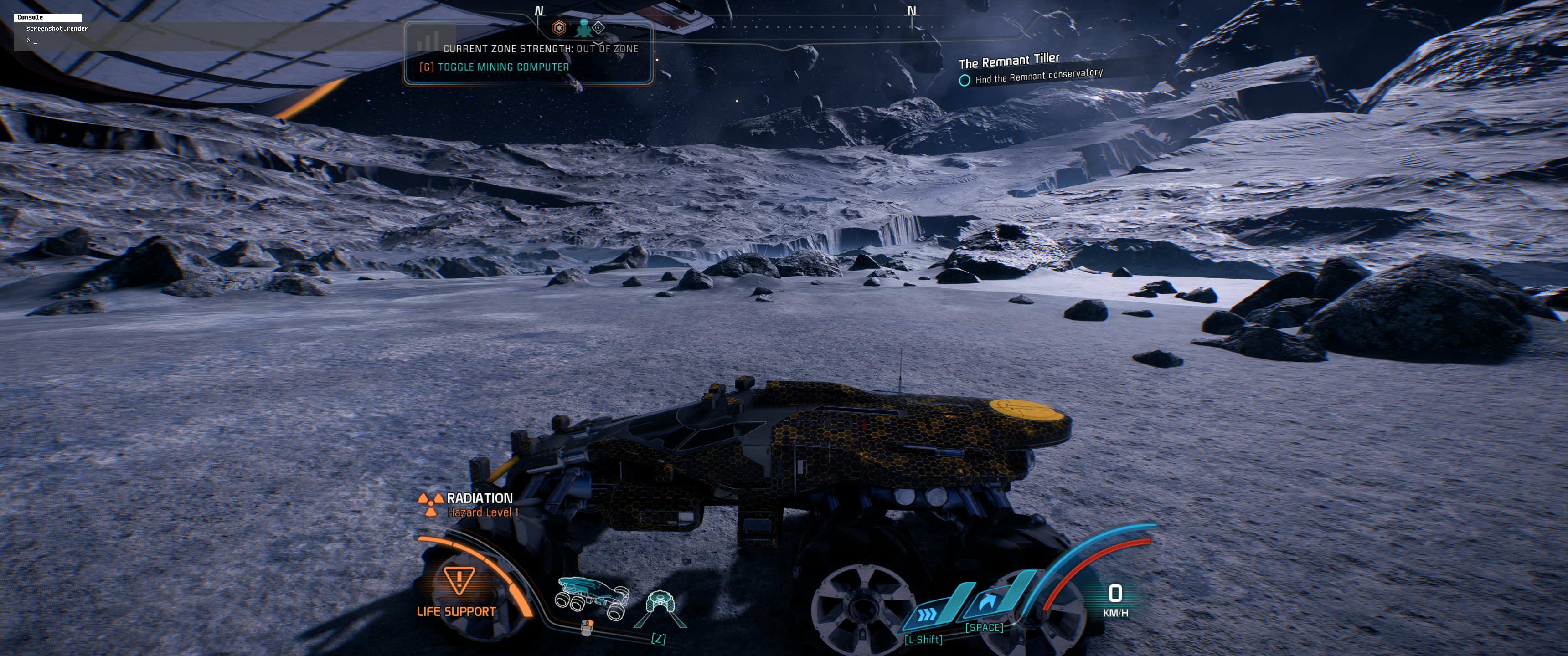
- ScreenshotWin32.jpg (1.94 MiB) Viewed 7079 times
Re: Mass Effect: Andromeda
Posted: 11 May 2017, 19:46
by LuPoNe
Apologies for the quick posting! I had it on and just loaded my final game save and in conversations was ok, didn't noticed that until now, I'm experiencing the same issue with the UI.
Although, removing the 3DMigoto files doesn't solve the issue, it seems like a game issue now.
Re: Mass Effect: Andromeda
Posted: 11 May 2017, 20:12
by theblacklaser
LuPoNe wrote:Apologies for the quick posting! I had it on and just loaded my final game save and in conversations was ok, didn't noticed that until now, I'm experiencing the same issue with the UI.
Although, removing the 3DMigoto files doesn't solve the issue, it seems like a game issue now.
Definitely a game issue. The UI scales sort of correctly (within a 16:9 box) up to 2560x1080. After that it gets weird, even at 2560x1440. They broke something in the 1.06 update.
Re: Mass Effect: Andromeda
Posted: 11 May 2017, 20:23
by LuPoNe
theblacklaser wrote:LuPoNe wrote:Apologies for the quick posting! I had it on and just loaded my final game save and in conversations was ok, didn't noticed that until now, I'm experiencing the same issue with the UI.
Although, removing the 3DMigoto files doesn't solve the issue, it seems like a game issue now.
Definitely a game issue. The UI scales sort of correctly (within a 16:9 box) up to 2560x1080. After that it gets weird, even at 2560x1440. They broke something in the 1.06 update.
You know, I was sort of happy when reading the
patch notes I saw this line:
PC – Improvements to display when running at different resolutions
Improvements? They broke something that was fine.
Re: Mass Effect: Andromeda
Posted: 12 May 2017, 18:55
by LuPoNe
Got a tweet from Mike Gamble about this issue: they're fixing it, but he gave no ETA.
Re: Mass Effect: Andromeda
Posted: 17 May 2017, 02:27
by Trick Of Light
hey guys
I was using Helifaxs' flawless widescreen fix up untill the latest patch, as I can't use his second fix beacuse the game wont launch for me when I use it. However ever since the latest patch when I try to enable the fix on flawless widescreen it says "Could not find ArFix Injection point, Mass Effect: Andromeda may have updated to a version that is no longer supported"
does anyone know how I can fix this issue please or can anyone post an updated version of the files?
Thanks!
Re: Mass Effect: Andromeda
Posted: 18 May 2017, 20:31
by SpikedSouls
newest hotfix has fixed UI...
Re: Mass Effect: Andromeda
Posted: 03 Jun 2017, 07:36
by Maverick618
So an update on the 'fail to launch' bug: Just upgraded from my Fury X to a 1080Ti, and the wrapper fix worked 1st time, no tinkering required. After spending ~3hrs troubleshooting it before, Im fairly certain that its an issue specifically related to AMD. Was anyone with an AMD GPU able to get it to work?
Re: Mass Effect: Andromeda
Posted: 04 Jun 2017, 17:26
by Guest
I have an RX470 and the wrapper fix never worked for me ^^
Re: Mass Effect: Andromeda
Posted: 11 Jun 2017, 15:36
by jedolley
Can anyone elaborate which cinematic this fixes? I've tried both the FWS and the wrapper and the initial cinematic is still 16:9, but so far any in game cinematic stays 21:9. Just trying to make sure I have it applied right and what my expectations should be.
Re: Mass Effect: Andromeda
Posted: 10 Jul 2017, 00:44
by RivalRevelation
So both Patch 1.09 for Mass Effect Andromeda and the updated flawless widescreen has broken this fix.
So even when I change READWRITE to WRITECOPY in the .lua, FWS tells me AR injection point cannot be found and that the game must have been updated to an incompatible version.
Also, When initially installing the patch into the FWS directory every time you open flawless widescreen it asks you to update. If you update it will download all plugins that FWS offers and will get rid of ME: Andromeda from the list, which is super annoying. If you don't update you still have problem 1 to deal with.
I've used this fix in the past. However, recently the plugin disappeared off my FWS for no reason while the files are still there in the directory, not getting discovered by FWS. So i completely uninstalled FWS downloaded the latest version and started from scratch. Still have the same issues. I tried just reverting back to READWRITE just to see if it fixed anything, but have had no success.
I don't know if Andromeda has now been abandoned by now, but I would still love to play this game without black bars on cutscenes.