Page 55 of 72
Post your "Command Centre" Pictures Here
Posted: 22 Feb 2009, 16:45
by Mr.Ã
Posted this in a other topic but its almost death so here is my ''space shuttle'' :twisted:


EDIT:
Stats+Gear:
Corsair TR3X6G1600C8D 6 GB 1600 MHz
Corsair HX1000 1000 Watt
intel Core I7 920
3xSamsung SyncMaster T220
Logitech Keyboard G15 V2 (G19 almost coming out :( )
Logitech Mouse G9
Logitech QuickCam Sphere AF
Creative Fatal1ty Gaming Headset
EVGA GeForce GTX 295
Asus Rampage II Extreme
2xWD Caviar Black 1 TB (RAID 0)
Scythe Kaze Master 5.25 V2
Cooler Master Cosmos S
Matrox TripleHead2GO Digital Edition
Wacom Bamboo Fun Medium A5, 2540 Dpi
WD VelociRaptor Backplane Ready 300 GB (Boot)
Microsoft Windows Vista 64Bit SP1 Ultimate
Post your "Command Centre" Pictures Here
Posted: 23 Feb 2009, 09:01
by Mythiasis
My TH2Go setup:


Me playing Left4Dead:

Smoker still got me (far left) despite the fact I could now see him out of the corner of my eye. ; )
Post your "Command Centre" Pictures Here
Posted: 26 Apr 2009, 14:31
by HarvesteR
Here's my rig:
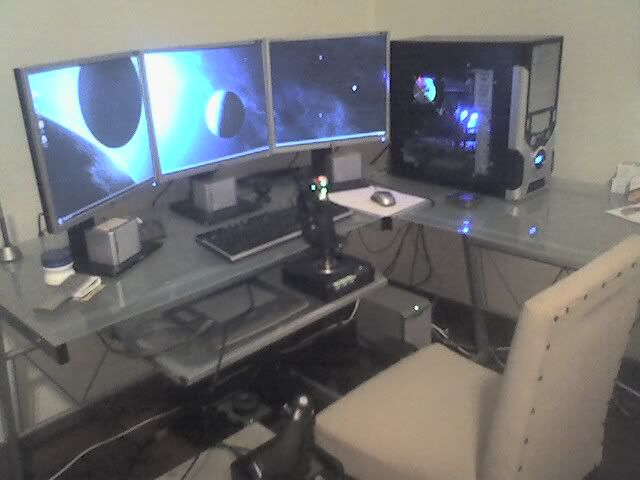
Here are the specs:
Intel Core i7 920 CPU
6GB Corsair DDR3 PC12800 (1666mhz) RAM
Intel DX58SO MoBo
Geforce 8800GTX 768MB GPU
Seventeam 750W RMS PSU
640GB Seagate Barracuda 7200RPM HD
200GB Maxtor 7200RPM HD
and the peripherals:
Matrox's Triple Head Analog
3x LG 1952h 19" LCDs
5.1 Surround Sound
Microsoft Sidewinder X6 keyboard (not showing on this pic)
Saitek X52 Pro HOTAS Stick
Saitek Pro Flight Rudder Pedals
Wacom Intuos 3 Tablet
and there's a Mio C230 GPS in the desk that normally is attached to the plexiglass side of the case, and sits there as a fourth screen... just because it's cool :roll:
Cheers
Post your "Command Centre" Pictures Here
Posted: 30 May 2009, 15:58
by Frraksurred
Command Center huh? lol. Ok, this is still a work in progress but here you go. Still to come are a new desk (moved back into the corner),
Axiom M22 fronts,
VP-100 center,
QS8 surrounds and
HSU VTF-1 sub, plus HTPC for the A/V rack and media storage.
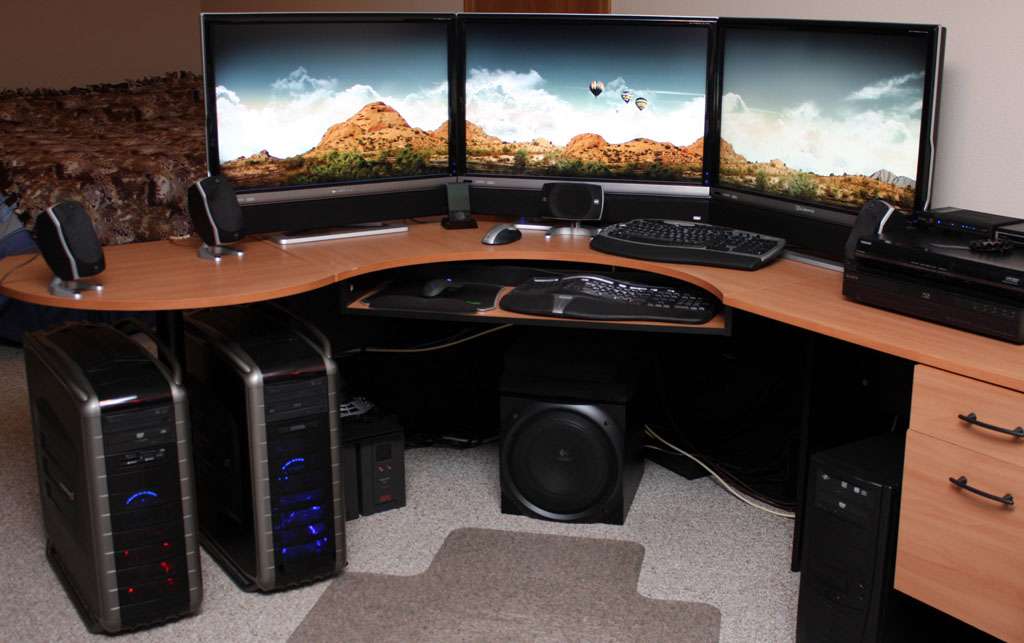


Most the stats for the main rig are in my sig, but you can read more
here. I'll pick up a TH2G when I'm done.
Post your "Command Centre" Pictures Here
Posted: 31 May 2009, 01:55
by maherie
thsat's hot man. Nice setup.
Post your "Command Centre" Pictures Here
Posted: 01 Jun 2009, 01:14
by Frraksurred
Thanks, I'm eager to get it finished.
Post your "Command Centre" Pictures Here
Posted: 03 Jun 2009, 05:20
by packerfan
I did a decent update recently and will have to post it soon. (moved stuff around added some things etc.
Post your "Command Centre" Pictures Here
Posted: 04 Jun 2009, 13:49
by skeeder
Marantz makes good stuff. where's your sound?
All I see is logitechs.
Post your "Command Centre" Pictures Here
Posted: 06 Jun 2009, 22:21
by packerfan
Marantz makes good stuff. where's your sound?
All I see is logitechs.
Its on the way I think Skeeder
As for my setup update built a stand for my laptop and got a Sony SDM-S51R
from a friend who wasn't using it at the time. Stand wobbles a bit so it is resting on a thin pad on top of an AP test study book (with many subjects inside) for elevation. Also added a Microsoft Comfort Curve 2000 Keyboard. Stand is to help with posture and cooling. LaTeX Cheatsheet is the paper under the stand and some random headphones to the left for when I dislike fullsized headphones.


Post your "Command Centre" Pictures Here
Posted: 07 Jun 2009, 03:09
by MaxDarklighter
That's my :D
Just installed :P
http://pikucha.ru/104771
http://pikucha.ru/104770
P.S.: sorry for links but not images. I tryed but can't get how to posi image. teg ant work...
Post your "Command Centre" Pictures Here
Posted: 07 Jun 2009, 06:31
by packerfan
Nice setup, any reason why two are resting on things (monitors)
Code: Select all
<img src="http://pikucha.ru/104771/IMG195%20[1280x768].jpg" alt="" />
You would need to right click and copy image address to use img tags like so. Odd site that doesn't want direct linking and causes a dl of image when you open it in new window/tab
Post your "Command Centre" Pictures Here
Posted: 07 Jun 2009, 14:51
by MaxDarklighter


I get it :D
And about monitors resting on boxes))) I make this setup one day ago when all stuffs arrived. And I alredy ordered desk with needed shape and now is looking for 2-3inch legs for it
Post your "Command Centre" Pictures Here
Posted: 07 Jun 2009, 18:09
by packerfan
My curiosity was why have two resting on boxes and one with its stand extended, couldn't you all have them on the surface of your desk with their stands at same height.
Regardless, nice setup :)
Post your "Command Centre" Pictures Here
Posted: 08 Jun 2009, 04:03
by MaxDarklighter
Yeh I probably can but I tried to lift monitors a little bit closre to sight line of my eyes :D
Post your "Command Centre" Pictures Here
Posted: 14 Jun 2009, 16:08
by Frraksurred
Marantz makes good stuff. where's your sound?
All I see is logitechs.
Its on the way I think Skeeder
Indeed, they were on the way. Axioms all around (
front,
center,
surrounds), except for the sub. That will be an
HSU VTF-2 MK3, which will not be here for another week (sniffle).

It's all entirely too cramped for my tastes, but I am currently house shopping and don't want to get a new desk until I know what kind of room all this will go in. Ideally I want to wall mount the 30's, the surrounds and maybe even put the rack into a false wall, but we'll have to see. At the very least the rack will go under the new desk and out of the way.
Post your "Command Centre" Pictures Here
Posted: 17 Jun 2009, 18:36
by Tommy Trauma
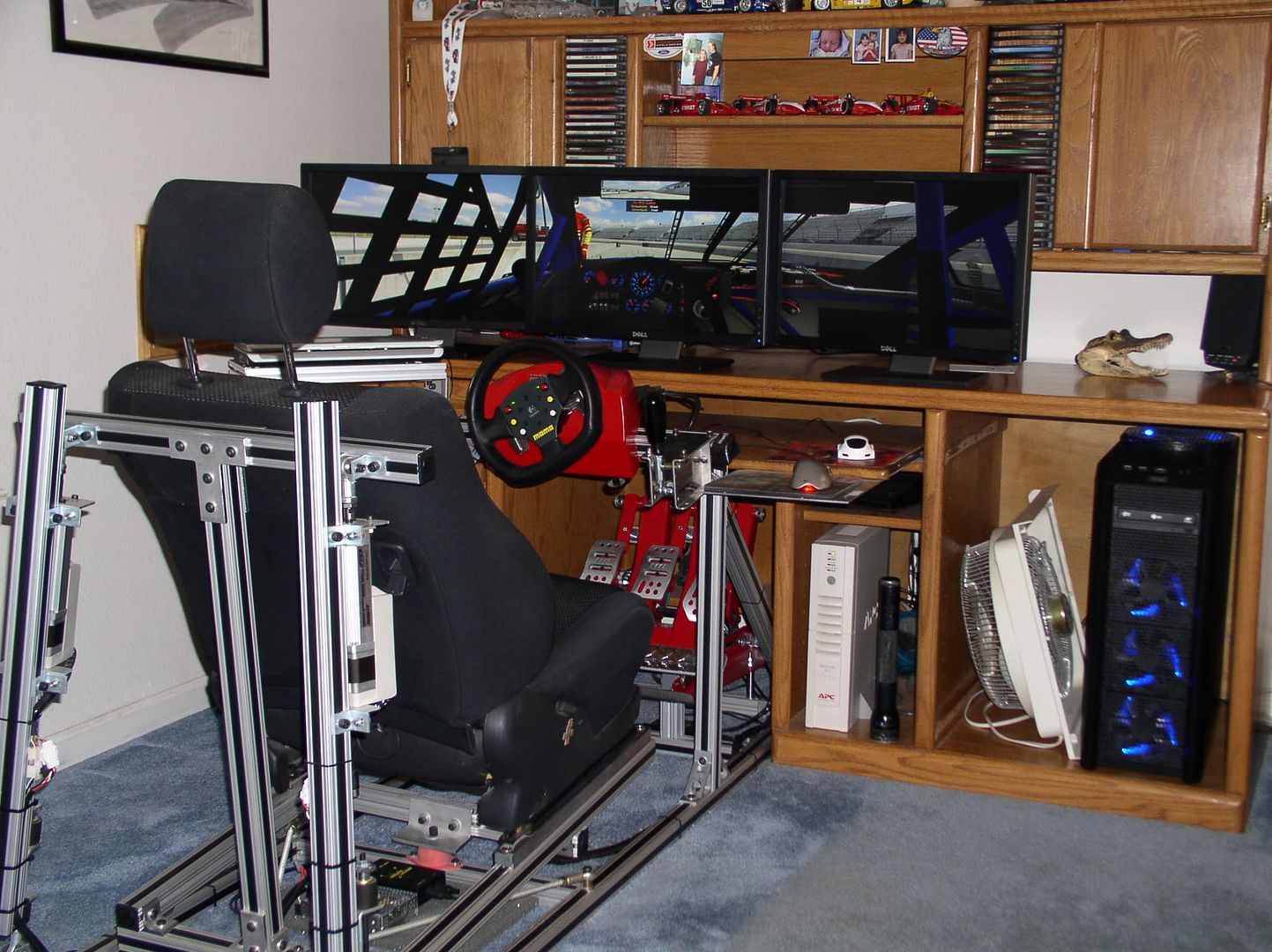
My holy Shrine. Absolutely loving my DHT2go so far. Would love to find a good site with 5040-1050 wallpapers.
Tom
Post your "Command Centre" Pictures Here
Posted: 17 Jun 2009, 18:59
by packerfan
One of the more hardcore sim setups i have seen so far.
Is the frame made out of extruded aluminum similar to 8020?
Post your "Command Centre" Pictures Here
Posted: 18 Jun 2009, 07:12
by maherie
HOLY FRAKKING SHIT. that's deaicated. What do you do if you need to type? Awesome set up guys!
Post your "Command Centre" Pictures Here
Posted: 18 Jun 2009, 07:17
by maherie
My holy Shrine. Absolutely loving my DHT2go so far. Would love to find a good site with 5040-1050 wallpapers.
http://www.widescreenbabes.com/gallery/3360x1050 - close.
I'll probably make a section for that resolution soon.
also check out - http://www.triplemonitorbackgrounds.com/ great site (most images of chicks are mine, but he's doing a really good job of those sites)
Post your "Command Centre" Pictures Here
Posted: 18 Jun 2009, 11:28
by Tommy Trauma
One of the more hardcore sim setups i have seen so far.
Is the frame made out of extruded aluminum similar to 8020?
Yes, that is exactly where I got my 1515s t-slot aluminum from. Bought all of it off of 80/20incs site from Ebay. Cut it all, assembled it, then basically bought Frex's motion components and bolted them on. It works great, and really adds to the immersion factor especially in iRacing with their laser scanned tracks. You can feel every bump in the road etc etc. I should have posted a video link to it in action. Shot this video last year in GTR2 back when I was using a 20" for a monitor. Now with three lcds' it is just insane when racing. Pay no mind to the old goofy guy driving. I am not a movie star lol.
http://www.youtube.com/watch?v=8T65CXTjYmU
HOLY FRAKKING SHIT. that's deaicated. What do you do if you need to type? Awesome set up guys!
I have a Microsoft naturalsoft keyboard mounted just to the left of the cockpit to type with. And thanks for the link to the wallpapers. I will check it out.
OT: The other day I was reading on here and ran across a thread (about 3 posts long) that someone linked a poster to a triple monitor stand that for the life of me I cant find it again. It was a clamp mounted triple stand I think maybe made in Europe. I remember seeing the price was something like 38L or something. Would love to find it again, but have looked and looked, but no luck. Damned if I can find it again.
Tom


