Page 52 of 151
thales100 wrote:V0.3 fixed
Posted: 20 Nov 2011, 00:01
by Kayden
V0.3 fixed the dark objects in inventory, lock pick is still a bit darker, plus if you fast travel, you should press "TAB" after you "arrive" to re-enable the fix.
I must have missed that, thanks Thales!
EDIT:
I have found 2 mods that I think will interest every one here.
lets you configure your gamepad, I don't use a gamepad but some have mentioned they do. I haven't tested it.
http://www.skyrimnexus.com/downloads/file.php?id=655
QD Inventory, redoes the entire inventory UI so make it more friendly for PC players. I have tested this and it does work with HaYDeN's fix, I have not tried it with helifax's yet but it shouldn't be a problem.
http://www.skyrimnexus.com/downloads/file.php?id=667
EDIT2: I tried it and it worked just fine for my alt+tab problem. Thanks again Thales for pointing that out. Next time I should read everything in detail rather then just skimming. (c;
Thank you HaYDeN the new
Posted: 20 Nov 2011, 00:44
by JoeDavola
Thank you HaYDeN the new version works great. I run bezel corrected 5960x1080 and leaving the settings on auto detect ( 5760x1080 ) works great.
bakersville123 wrote:Thanks
Posted: 20 Nov 2011, 00:57
by kohan69
Thanks for the v.3 release HaYden
One comment, it would appear that text gets jumbled together on the 2nd level and higher of the skill/perk trees
I also experienced this! like when looking at the second branch of sneak, the text overlaps
another small issue is in the map when it saays something in the top-left of the screen (like error about unable to travel there, or whatever), it's on the top left of the left monitor, not the middle one.
also, because the fix hooks the tab and m key, sometimes when you press shift+tab ingame, you will be unable to leave the menu, and will think you're stuck
FEAR NOT!! press ctrl+tab to "release" the tab key
Still CTDs to desktop withj Hayden 0.3
Posted: 20 Nov 2011, 03:22
by BobMarkinson
Hello,
Since Hayden's 0.3, I'm experiencing the same immediate crash to desktop as I have with Helifax's most recent solution when starting the game. Hayden's 0.1 works fine.
Running 3840x1024. (3x1). Tried 3072x768 - same issue. Tried setting the resolution manually - no dice. Running Cat 11.10 no bezel comp.
Here's 0.3's output - nothing out of the ordinary...
+ Searching for RUNNING Skyrim Process...
+ Skyrim process found...
+ Process opened successfully!
+ Executing ASM injection...
+ Allocating additional memory to process...
+ Generating Function call 1...
+ Function 1 written successfully...
+ Generating Function call 1...
+ Generating Function call 2...
+ Function 2 written successfully...
+ Patching Mouse Handler...
+ Patched Mouse Handler Successfully...
+ Patching Overscaling..
+ Patched Overscaling Successfully...
+ Too close for missles, switching to guns (switching to hotkey mode)
+ Skyrim thread exited... we're done!
Is there some kind of crash log I can enable to help solve this issue?
It's interesting that both Hayden's and Helifax's crash exactly at the same point (immediately).
Thanks!
Running Hayden's 0.3 - all I
Posted: 20 Nov 2011, 03:54
by Redsplinter
Running Hayden's 0.3 - all I can say is it's freaking awesome. Been waiting for a fix with a natural feel so I can truly enjoy the game as it should be played.
There are a few hitches, but nothing close to game breaking if you don't mind navigating skill trees with WASD. It seems the mouse handling patch or some related part of the engine thinks the monitor resolution is 2x, and starts at the left edge of my center monitor, the effects of which only seem apparent in the skill menu and when I try and mouse look during a conversation - left look occurs when the mouse hits the left edge of the center monitor, but right look occurs upon hitting the right edge of the right monitor - further, the mouse cursor is invisible on the right monitor.
Again, awesome work - honestly I'd be happy if 0.3 ends up being the final version, but I'll cross my fingers that it isn't. :p
(Oh, and I can see flame distortion through walls and other objects.... but that's mostly just funny.)
Mods
Posted: 20 Nov 2011, 03:57
by wt73
Not sure if this has been posted but here is a list of mods for Skyrim from PCgamer/Skyrim Nexus
http://www.pcgamer.com/2011/11/14/the-10-best-skyrim-mods-so-far/
I tried the 3D enhanced map but it was too dark and un-detailed to use properly. That might be due to other mods already in place, but if it works it's a great tool.
There is also a different Large Address Aware program to try if deemed necessary.
I have read about Alt+Tab problems and find that if I MINIMIZE with Alt+Tab I can open back up w/ no issues if I hit Windows+Tab a few times until it shows game instead of blank black screen
Just installed ati's 11.11 -
Posted: 20 Nov 2011, 04:39
by BobMarkinson
Just installed ati's 11.11 - same issue. :
Running on a 6950, Win7 32 bit, 4 GB.
BobMarkinson wrote:Just
Posted: 20 Nov 2011, 04:55
by c69
Just installed ati's 11.11 - same issue. :
Running on a 6950, Win7 32 bit, 4 GB.
Run msconfig and shut down all non-Microsoft system services, reboot, make sure the services are still off, then try the game.
I dont think the fix has anything to do with your crash.
Doesn't work with non-english localizations.
Posted: 20 Nov 2011, 05:28
by timtl
I have installed the english skyrim localization, and now I can confirm that the fix works perfect!
But with non-english all sad :(
Thanks a bunch Hayden! I've
Posted: 20 Nov 2011, 05:53
by Hydralisk_X
Thanks a bunch Hayden! I've been bogged down this week and have only put about 12 hours into the game. Now I'm kind of glad I can go the rest of the way with this awesome fix.
timtl wrote:I have installed
Posted: 20 Nov 2011, 06:19
by HaYDeN
I have installed the english skyrim localization, and now I can confirm that the fix works perfect!
But with non-english all sad :(
If this is the case then likely the layout for the executable for the different localization is completely different, unless there was call for a specific localization to be added for support unfortunately you'd need to continue using the english EXE....
Have you tried the English EXE with the localized data files? - I could imagine playing the game in non-native language probably quite annoying.
poop. i said "thanks hayden
Posted: 20 Nov 2011, 07:44
by ugzz
poop. i said "thanks hayden and thanks hayden. i obviously meant thanks hayden and thanks helifax :P
also keydan or kayden, i forget how its spelled heh, but a BIG thanks for modding helifax's files. also thanks to Thales for keeping the detailed report up to date. its thanks to the 4 of you (any any other who may have helped) that everyone out there has been able to really play this game. you guys are all our Saviors!
thales100, What FOV are
Posted: 20 Nov 2011, 07:56
by -Sn1PeR-
thales100,
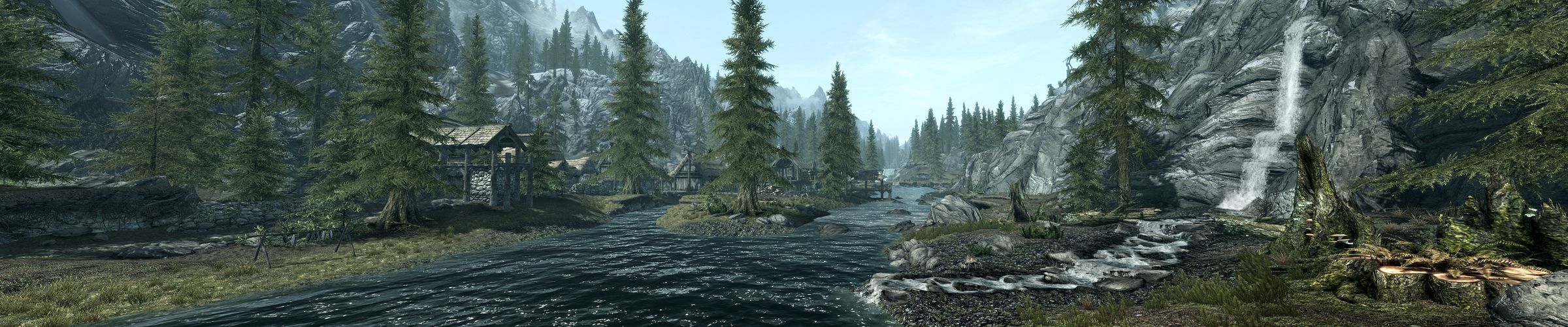
Did you do anything special when taking those screenshots? There really isn't much noticeable fisheye at all in those. What's your default FOV set to? I've been trying to get screenshots of the landscape like those and they never look quite that good. I noticed that you are really close in the majority of your 3rd person views - maybe that's the trick.
Oh Hell Yeah
Posted: 20 Nov 2011, 10:41
by edgarecayce
HaYDen's Fix is THE BOMB. Just had a blast of a time.
Thanks HaYDen!!! Thanks Helifax!
Awesome fixes by the two
Posted: 20 Nov 2011, 11:24
by SilenTKK8
Awesome fixes by the two legends!
-Sn1PeR- wrote:thales100,
Posted: 20 Nov 2011, 12:03
by thales100
thales100,
Did you do anything special when taking those screenshots? There really isn't much noticeable fisheye at all in those. What's your default FOV set to? I've been trying to get screenshots of the landscape like those and they never look quite that good. I noticed that you are really close in the majority of your 3rd person views - maybe that's the trick.
Hey -Sn1PeR-, no nothing special, running default FOV (i havent changed it), yes 3rd person view in 3D is a winner.
HaYDeN will soon release a
Posted: 20 Nov 2011, 12:07
by thales100
HaYDeN will soon release a new version of his fix, without any toggles ! :love: Yes you'll run the app, start the game and no other adjustments will be required, including after a fast travel or exiting the map, he found out a way of hooking the map to a memory value, not to M key,so please keep checking WSGF.
The large address fix finally
Posted: 20 Nov 2011, 12:53
by slaWter
That's so sexy.
Posted: 20 Nov 2011, 13:16
by El Tigre
That's so sexy.
Does there need to be a FOV
Posted: 20 Nov 2011, 13:55
by HaYDeN
Does there need to be a FOV option in the tool? seems like it resets everytime I reload the level, I hate how zoomed in the hands are...