
Dave... Eyefinity6
Re: Dave... Eyefinity6
Yeah im debating on the getting the dual 5870 six.. But ill wait to see performance first. Actually at this point im more interested in the contents in the box so I can start organizing the cables I need to order to get it all working.
-
Paradigm Shifter

- Editors

- Posts: 5706
- Joined: 14 Oct 2003, 13:52
Re: Dave... Eyefinity6
[quote]I'm planning around $450. Another question is will the 5870 water-blocks fit on the eyefinity card?
the PCB is pretty much the same, so i think it will (only one GPU).
If they've moved any circuitry around (as I suspect they will if it has 2GB of VRAM) then chances are full-cover blocks won't be compatible between the two...
-
WaveZtream
- Posts: 140
- Joined: 07 Mar 2008, 14:00
Re: Dave... Eyefinity6
Still going to stick with just 3 monitors, not going to be jumping to 4 or 5 anywhere in the near future.
On another note, I expect to see sites start the pre-order for this pretty soon, what do ya think?
Mate if you aint going 5x monitors why get this card? get this one then http://www.tcmagazine.com/comments.php?id=32616

Re: Dave... Eyefinity6
Because I don't want to have to deal with all the adapters. I have 3 DP monitors and all I had to get was 3 DP to Mini DP cables for this to work for me. The ROG would require not 1 but, 2 adapters. Also, when I was waiting for this card it was the only one with 2G of VRAM. We also don't know ALL of the specifications of this card, it could well have more goodies that the others do not have, which makes for another reason to get this card over the others for me.
Professional... well I'll figure that out.
"I sense something, a presence I've not felt since......."
"I sense something, a presence I've not felt since......."
-
rookjcarter
- Posts: 25
- Joined: 12 Oct 2009, 02:55
Re: Dave... Eyefinity6
wow nice doublejj0305
i have three u2410 in horizontal.. how difficult was it to strip the monitors down, what tools did you use, would you recommend someone else with money to burn try it?
NM did a google search for it and took me right back to to you lol
You motivated me to do this to my U2410's and 2405wpf. Very simple to do and it cuts out trims it down about ~1/4" on each monitor. I would like to make a mold of some sort of mold to make the appearance that it is all one unit. Any ideas?
If anyone is curious about the U2410's:
1)Take the front bezel off using gentle force. Once you get around the power putton area their are two connectors, take some needle nose plyers and release the clips.
2)pull the screen out of the box (go around to each corner and pull) Eventially it will come loose, just take your time.
3) once out unscrew the mini screw that holds the power button board in. Comes out easy
4) for the remaining 5 sensor buttons... This is the most delicate part. take a flat head and pry closes to where the power button was. This strip is taped down and takes some very gentle force.
5) Once your done with that the screen is ready to go back on the stand. I put the sensor buttons in some clear heatshrink for the time being just to protect the stickiness of it. It works well as long with the power button. There is no way to mount them so I just put them behind the screen out of site.
At this point everything can be put in the original case with no problems and no way to tell that I dismantled it.
I plan on using this is portrait mode which is perfect for this. The problem with doing this in landscape is there are 4 little tabs on the left and right parts of the U2410's that will make it difficult to butt them against each other. You could hack these off with a dremel but then you would be altering the screen and will probably void your warranty.
i have three u2410 in horizontal.. how difficult was it to strip the monitors down, what tools did you use, would you recommend someone else with money to burn try it?
NM did a google search for it and took me right back to to you lol
You motivated me to do this to my U2410's and 2405wpf. Very simple to do and it cuts out trims it down about ~1/4" on each monitor. I would like to make a mold of some sort of mold to make the appearance that it is all one unit. Any ideas?
If anyone is curious about the U2410's:
1)Take the front bezel off using gentle force. Once you get around the power putton area their are two connectors, take some needle nose plyers and release the clips.
2)pull the screen out of the box (go around to each corner and pull) Eventially it will come loose, just take your time.
3) once out unscrew the mini screw that holds the power button board in. Comes out easy
4) for the remaining 5 sensor buttons... This is the most delicate part. take a flat head and pry closes to where the power button was. This strip is taped down and takes some very gentle force.
5) Once your done with that the screen is ready to go back on the stand. I put the sensor buttons in some clear heatshrink for the time being just to protect the stickiness of it. It works well as long with the power button. There is no way to mount them so I just put them behind the screen out of site.
At this point everything can be put in the original case with no problems and no way to tell that I dismantled it.
I plan on using this is portrait mode which is perfect for this. The problem with doing this in landscape is there are 4 little tabs on the left and right parts of the U2410's that will make it difficult to butt them against each other. You could hack these off with a dremel but then you would be altering the screen and will probably void your warranty.
Re: Dave... Eyefinity6
Do you have any pictures of the process? :)
wow nice doublejj0305
i have three u2410 in horizontal.. how difficult was it to strip the monitors down, what tools did you use, would you recommend someone else with money to burn try it?
NM did a google search for it and took me right back to to you lol
You motivated me to do this to my U2410's and 2405wpf. Very simple to do and it cuts out trims it down about ~1/4" on each monitor. I would like to make a mold of some sort of mold to make the appearance that it is all one unit. Any ideas?
If anyone is curious about the U2410's:
1)Take the front bezel off using gentle force. Once you get around the power putton area their are two connectors, take some needle nose plyers and release the clips.
2)pull the screen out of the box (go around to each corner and pull) Eventially it will come loose, just take your time.
3) once out unscrew the mini screw that holds the power button board in. Comes out easy
4) for the remaining 5 sensor buttons... This is the most delicate part. take a flat head and pry closes to where the power button was. This strip is taped down and takes some very gentle force.
5) Once your done with that the screen is ready to go back on the stand. I put the sensor buttons in some clear heatshrink for the time being just to protect the stickiness of it. It works well as long with the power button. There is no way to mount them so I just put them behind the screen out of site.
At this point everything can be put in the original case with no problems and no way to tell that I dismantled it.
I plan on using this is portrait mode which is perfect for this. The problem with doing this in landscape is there are 4 little tabs on the left and right parts of the U2410's that will make it difficult to butt them against each other. You could hack these off with a dremel but then you would be altering the screen and will probably void your warranty.
-
suiken_2mieu

- Insiders

- Posts: 2351
- Joined: 20 Aug 2009, 04:20
- Location: Virginia
- Contact:
Re: Dave... Eyefinity6
So I have 5 of the 6 now, I'm waiting on the card atm.
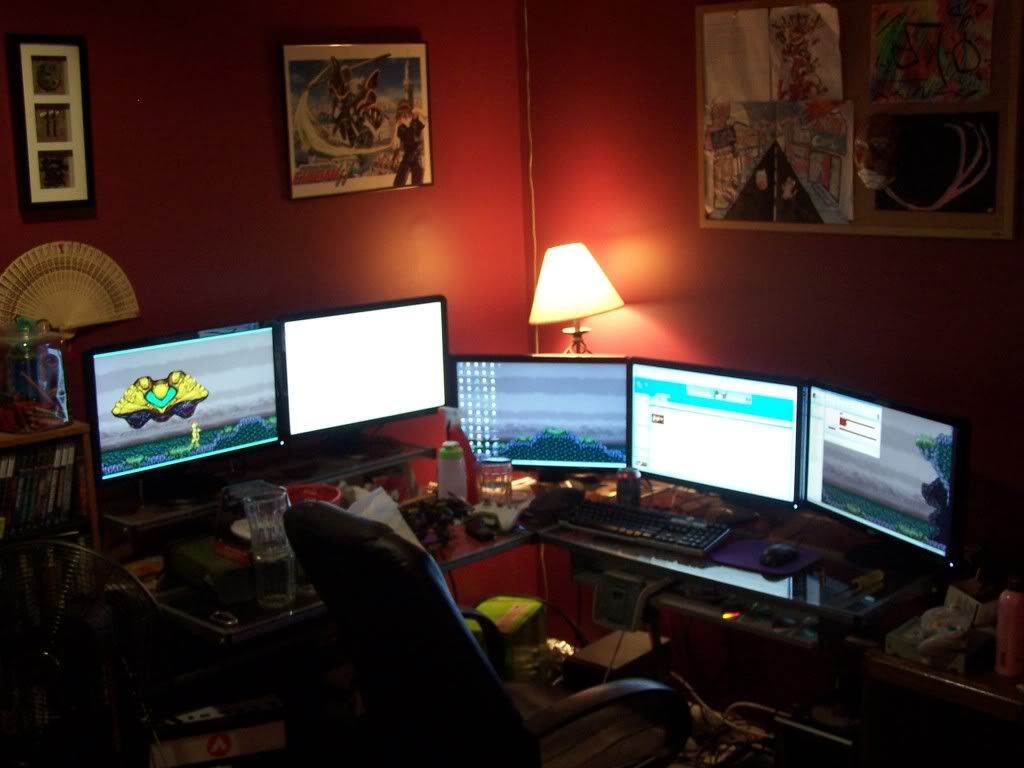
System Core: | Intel Core i5-2500K + ASUS P8Z68-V + 16GB Corsair XMS3 DDR3 1333 MHz | Win7 x64 | MSI R7970 Lightning 3GB [1105/1400] |
Display: | 3 x Dell Ultrasharp 3007WFP-HC @ 7680x1600 | Dell u3011 |
Display: | 3 x Dell Ultrasharp 3007WFP-HC @ 7680x1600 | Dell u3011 |
Re: Dave... Eyefinity6
Very nice Suiken! If I was to have a setup of 5 or 6 monitors it would look like this.
Professional... well I'll figure that out.
"I sense something, a presence I've not felt since......."
"I sense something, a presence I've not felt since......."
-
suiken_2mieu
- Insiders
- Posts: 2351
- Joined: 20 Aug 2009, 04:20
- Location: Virginia
- Contact:
Re: Dave... Eyefinity6
Very nice Suiken! If I was to have a setup of 5 or 6 monitors it would look like this.
Hahah thanks, I was in a rush to take a picture I didn't even clean up my desk. (Actually that seems to happen every time I upgrade. BTW, it feel like I'm in a space ship. I also get paranoid sometimes as my wallpapers changer every 10 second and i see stuff moving out the corner of my eye.
System Core: | Intel Core i5-2500K + ASUS P8Z68-V + 16GB Corsair XMS3 DDR3 1333 MHz | Win7 x64 | MSI R7970 Lightning 3GB [1105/1400] |
Display: | 3 x Dell Ultrasharp 3007WFP-HC @ 7680x1600 | Dell u3011 |
Display: | 3 x Dell Ultrasharp 3007WFP-HC @ 7680x1600 | Dell u3011 |
-
doublejj0305
- Posts: 49
- Joined: 09 Dec 2009, 17:03
Re: Dave... Eyefinity6
[quote]Do you have any pictures of the process? :)
I didn't take any pictures of the process, After doing 5 screens it takes literally 2 minutes to do. following those
instructions. One thing I forgot to mention is to unscrew the 4 screws where a 3rd party stand would screw into FIRST.
Just take your time and you will be amazed at how easy it actually is. I was very nervous about do this to my $500 screen but definitely no big deal in hind site. the pictures in the thread where I originally posted the instructions is almost identical to what you need to do to strip the u2410. Let me know if you run into any problems and I can try to help.
I didn't take any pictures of the process, After doing 5 screens it takes literally 2 minutes to do. following those
instructions. One thing I forgot to mention is to unscrew the 4 screws where a 3rd party stand would screw into FIRST.
Just take your time and you will be amazed at how easy it actually is. I was very nervous about do this to my $500 screen but definitely no big deal in hind site. the pictures in the thread where I originally posted the instructions is almost identical to what you need to do to strip the u2410. Let me know if you run into any problems and I can try to help.
-
skipclarke

- Founder

- Posts: 7358
- Joined: 13 Oct 2003, 05:00
Re: Dave... Eyefinity6
Posted a new thread to talk about the actual announced product, rather than speculation on release and specs.
http://www.widescreengamingforum.com/forum/viewtopic.php?f=64&t=18583
http://www.widescreengamingforum.com/forum/viewtopic.php?f=64&t=18583
-
l88bastard
- Posts: 98
- Joined: 06 Oct 2009, 22:47
Re: Dave... Eyefinity6
I want to strip the bezels off my three dell 2007fps but I need to know what triple stand they will mount on if I do it because the bezel part contains the section which allows the monitor to clip into the stock mounts. Once I remove the bezel I am left with the four screw holes in the back of the monitors so what mount can I buy that will work?
Thanks!
Thanks!
-
suiken_2mieu
- Insiders
- Posts: 2351
- Joined: 20 Aug 2009, 04:20
- Location: Virginia
- Contact:
Re: Dave... Eyefinity6
I want to strip the bezels off my three dell 2007fps but I need to know what triple stand they will mount on if I do it because the bezel part contains the section which allows the monitor to clip into the stock mounts. Once I remove the bezel I am left with the four screw holes in the back of the monitors so what mount can I buy that will work?
Thanks!
For the most part, all commercial stands use those four screw holes for mounting. The only thing you need to worry about is whether those screw holes are 75, 100, or larger spaced apart. If it's of the larger spaced variety than you will need an adapter plate to go with your mount.
System Core: | Intel Core i5-2500K + ASUS P8Z68-V + 16GB Corsair XMS3 DDR3 1333 MHz | Win7 x64 | MSI R7970 Lightning 3GB [1105/1400] |
Display: | 3 x Dell Ultrasharp 3007WFP-HC @ 7680x1600 | Dell u3011 |
Display: | 3 x Dell Ultrasharp 3007WFP-HC @ 7680x1600 | Dell u3011 |
Re: Dave... Eyefinity6
I finally got all my screens and patiently waiting for this card!!! :cheers
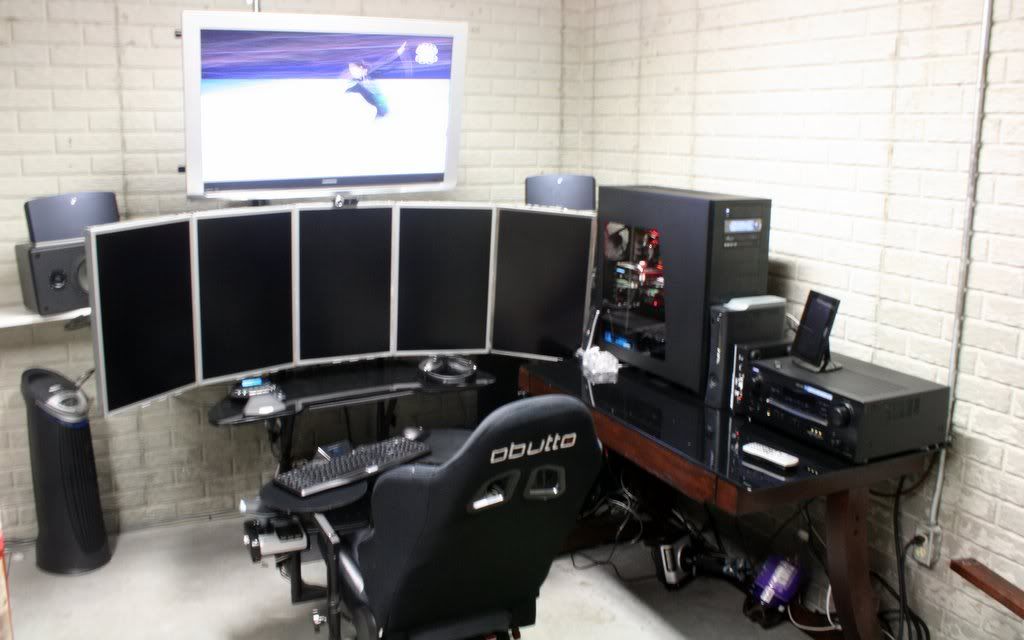
Okay , I'm Jealous
Who is online
Users browsing this forum: No registered users and 1 guest