Nexus: The Jupiter Incident

Detailed breakdowns of how games react to widescreen, ultra-wide, 4k and multi-mon
Post Reply
User avatar
Garrett
Insiders
Insiders
Posts: 366
Joined: 12 Mar 2013, 23:18

Nexus: The Jupiter Incident

Post by Garrett »


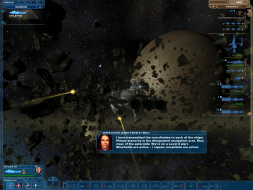
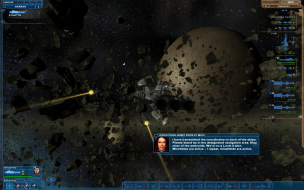
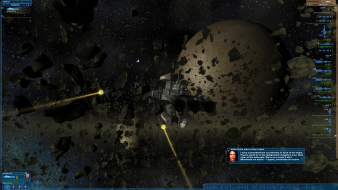
Widescreen Grade: A
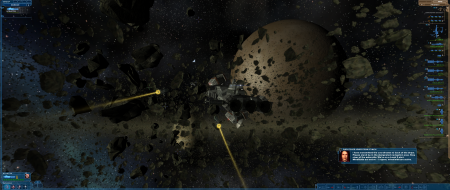
Ultra-Widescreen Grade: A
Multi-monitor Grade: B
4k Grade: Incomplete

Read Full Detailed Report - Nexus: The Jupiter Incident

Nexus - The Jupiter Incident, released in November 2004, is a real-time stategy game set in space. The gameplay consists of controlling a small number of complex and highly detailed capital ships through a story based campain. The game is very much about micromanaging the few ships you control. You define the loadout for each ship before a mission and once in mission you can adjust energy levels and determine the targeting of individual weapons on each ship. Think Star Trek more than Star Wars. Despite the game's age, its graphics are still quite impressive. Unfortunately, it is a bit buggy. The game has a number of 100% guaranteed crashes in certain missions if the objectives aren't completed in the intended order. Support for the game was abandoned relatively quickly due to low sales and the developer, Mithis Entertainment, was eventually aquired by Eidos.


4:3


16:10


16:9


21:9


3x1

Last edited by Garrett on 09 Apr 2016, 09:58, edited 6 times in total.
Reason: Edit
The_cranky_hermit
Insiders
Insiders
Posts: 3010
Joined: 07 Nov 2005, 04:16

Nexus - The Jupiter Incident

Post by The_cranky_hermit »

Grade is C+. Coverage is 100%. Vert - and registry solution are consequential flaws.
Varg007
Posts: 12
Joined: 14 Jan 2008, 23:21

Nexus - The Jupiter Incident

Post by Varg007 »

For Vista 64-bit the registery entry is found in;

HKEY_LOCAL_MACHINESOFTWAREWow6432NodeMithisNex us - The Jupiter Incident
Sweetz
Posts: 287
Joined: 03 Mar 2007, 06:34

Nexus - The Jupiter Incident

Post by Sweetz »

For Vista 64-bit the registery entry is found in;

HKEY_LOCAL_MACHINESOFTWAREWow6432NodeMithisNexus - The Jupiter Incident

Although you may see an entry there, if you take a look at it, it will be empty. The actual settings would once again be subject to the registry virtualization, so you'll once again find the actual settings being used under the corresponding VirtualStore node:

HKEY_CURRENT_USERSoftwareClassesVirtualStoreMACHINESOFTWAREWow6432NodeMithisNexus - The Jupiter Incident
Varg007
Posts: 12
Joined: 14 Jan 2008, 23:21

Nexus - The Jupiter Incident

Post by Varg007 »

Well, I checked it again and it's still;

HKEY_LOCAL_MACHINESOFTWAREWow6432NodeMithisNex us - The Jupiter Incident

Here is the proof:

Part 1


Part 2

Sweetz
Posts: 287
Joined: 03 Mar 2007, 06:34

Nexus - The Jupiter Incident

Post by Sweetz »

Do you have UAC turned off?

In that case yes you wouldn't get the registry virtualization. I guess I assumed most people would have it turned on.
Varg007
Posts: 12
Joined: 14 Jan 2008, 23:21

Nexus - The Jupiter Incident

Post by Varg007 »

Do you have UAC turned off?

In that case yes you wouldn't get the registry virtualization. I guess I assumed most people would have it turned on.


It's indeed off :D
Sweetz
Posts: 287
Joined: 03 Mar 2007, 06:34

Nexus - The Jupiter Incident

Post by Sweetz »

[quote]Do you have UAC turned off?

In that case yes you wouldn't get the registry virtualization. I guess I assumed most people would have it turned on.


It's indeed off :D
That would explain it then, I have updated the DR to include all registry locations.
Neosashi
Posts: 1
Joined: 22 Apr 2010, 01:55

Re: Nexus - The Jupiter Incident

Post by Neosashi »

YO! I've edited the correct registry values in regedit32, but whenever I play the game is still runs at the lowest resolution! I'm playing the game through steam cuz that's where I downloaded it from. Would steam interfere with this in some way? I'm running windows 32 XP.
Celidor
Posts: 4
Joined: 07 Apr 2015, 22:40

Re: Nexus: The Jupiter Incident

Post by Celidor »

I am developing a mod that makes the game look better in widescreen and fixes some stretching that occurs when playing in widescreen. As well as improving the look of the background starfields drastically and other small HD improvements. Currently it is only for 16:9 resolutions such as 720, 1080p 2560x1440, etc. But I plan to release a 16:10 version as well.

I recommend anyone playing this game in widesceen downloads this mod. As it only seeks to improve the look of the game.

Unfortunately this doesn't fix the briefings but I am looking into how difficult that might be to fix.

You can find the mod on Moddb.com at:
http://www.moddb.com/mods/nexus-jupiter ... /downloads

Or just search ModDB for "Nexus HD widescreen"

The current title of the mod is "Nexus: Jupiter HD Widescreen 16:9 (1080)"
User avatar
Garrett
Insiders
Insiders
Posts: 366
Joined: 12 Mar 2013, 23:18

Re: Nexus: The Jupiter Incident

Post by Garrett »

I have re-issued the report based on the new GOG.com and Steam version. Multi-monitor support is much better although the HUD is still spanned.
Post Reply

Who is online

Users browsing this forum: No registered users and 5 guests