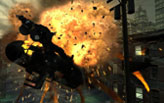
This is some kind of "Pushing the oldie to the limit" part 2, as a sequel to the topic i started some time ago at ghostrecon.net, concerning Ghost Recon - you may check it here .
Btw who would say that antialiasing in GRAW 2 could be done (Nvidia users only).
And what else would contribute to a better gfx experience running this title ? The answer is quite obvious for us, surround gamers - proper multi monitor support, what means a way to fix the aspect ratio when running GRAW 2 on super wide resolutions.
GRAW 1 supports surround resolutions out of the box, due to an "auto" option for the "aspect ratio", in the game menu, that was unfortunately "forgotten" in GRAW 2.
Playing a FPS on multi monitors is obviously much more immersive than on a single screen, no matters its size.
Add antialiasing, as said before, to the mix, that already features PhysX, and you have the ultimate Ghost Recon graphics experience.
Then you may also run some cool mods, like Brettzies Weapon Pack Graw2, edit the HUD to get rid of some unnecessary stuff (edit as you wish hud_visibilty.xml file at ...ghost recon advanced warfighter 2Settings, using the notepad) and voila - a refreshed ghost recon for all fans of the series, in both SP and MP.
You can download the GRAW 2 Widescreen Fix (created by HaYDeN ) so it'll run fine on multi monitors (steam version was used and tested, cant guarantee that retail will properly work, but HaYDeN offered to update the app upon a request to make it compatible with retail too :wink: ), from here.
Cutscenes and all gameplay (including scoped view) will be HOR+, expanding the horizontal component of the FOV while keeping the vertical component roughly the same. This is the ideal solution for widescreen and multi monitors setups, as it grants a wider picture.
I recommend you to try Ghost Recon Advanced Warfighter 2 with antialiasing (if you are a Nvidia user) and running on multi monitors - its a refreshed gaming experience.
Ah well, now i really wish we had less "run and gun" SP/coop "missions" for this game, and many more with an original Ghost Recon touch, stealth and action well balanced for realism and additional immersion, but thats another story.
Check the mini video and screenshots below (click on the pics to enlarge 5040x1050).
Users browsing this forum: No registered users and 10 guests
You cannot post new topics in this forum You cannot reply to topics in this forum You cannot edit your posts in this forum You cannot delete your posts in this forum You cannot post attachments in this forum


 Login
Login FAQ
FAQ Search
 Members