Command & Conquer 3: Tiberium Wars

Detailed breakdowns of how games react to widescreen, ultra-wide, 4k and multi-mon
Apple
Posts: 259
Joined: 31 Jan 2007, 18:04

Command & Conquer 3: Tiberium Wars

Post by Apple »


Widescreen Grade: B
Multi-monitor Grade: Unsupported

Read Full Detailed Report - Command & Conquer 3: Tiberium Wars

The highly anticipated game Command & Conquer 3 Tiberium Wars is the next installment in the long running Real Time Strategy series from Electronic Arts.Play as either the Global Defense Initiative (GDI) or The Brotherhood of NOD for control of Tiberium and the World.


Last edited by Apple on 27 Mar 2013, 13:12, edited 1 time in total.
Reason: Edit
User avatar
P-Storm
Posts: 764
Joined: 24 Dec 2006, 18:56

Command & Conquer 3 Tiberium Wars

Post by P-Storm »

Nice, i was thinking to do a report by myself, but now i will download the demo and look if i can run it on my natve resolution (1680x1050 :) )
emanuel.en
Posts: 185
Joined: 31 Aug 2006, 19:00

Command & Conquer 3 Tiberium Wars

Post by emanuel.en »

Go EA go. :lol:
User avatar
P-Storm
Posts: 764
Joined: 24 Dec 2006, 18:56

Command & Conquer 3 Tiberium Wars

Post by P-Storm »

Maybe something usefull

To play Nod in skirmish game

Start skirmish game
Where you can chose between nod and gdi press N
Press by opponent G

For different tactics you only have to press the type, so for a rushing enemy press R

source

Something more usefull is

==================================================================

Command Line Parameters

==================================================================

The Command & Conquer 3 Tiberium Wars Demo supports several

command line parameters that may give you increased flexibility in

the way that you run the game. To set a command line parameter,

you need to do the following:

1. Go to the location of the game's executable. This is

typically found in C:Program FilesEA GamesCommand & Conquer 3

Tiberium Wars DemoCNC3Demo.exe.

2. Right-click on the CNC3Demo.exe icon and select "Create

Shortcut".

3. This will create a shortcut of the executable within the same

folder. This will typically be called "Shortcut to

CNC3Demo.exe".

4. Right-click on this new shortcut and select "Properties".

5. Add a space to the end of the string in the "Target:" field,

followed by a "-" and then the command line parameter.

The following command line parameters are supported by Command

& Conquer 3:

-noaudio (Launches the game without any audio)

-xres (Forces the game to a specific horizontal resolution)

-yres (Forces the game to a specific vertical resolution)

Source

The_cranky_hermit
Insiders
Insiders
Posts: 3010
Joined: 07 Nov 2005, 04:16

Command & Conquer 3 Tiberium Wars

Post by The_cranky_hermit »

I haven't forgotten this. There are just a few things I'd like to see for myself, and download speeds for the demo aren't exactly blazingly fast for a 1.2GB file. I swear, it feels like entire game installation sizes were smaller than that just yesterday.

*downloads 84MB demo for Sam & Max Ep4 in 15 minutes and finishes it in 5*
Kon$olE
Posts: 60
Joined: 28 Sep 2006, 13:16

Command & Conquer 3 Tiberium Wars

Post by Kon$olE »

Can confirm 16x10.

I'm impressed with EA for this :)
Apple
Posts: 259
Joined: 31 Jan 2007, 18:04

Command & Conquer 3 Tiberium Wars

Post by Apple »

Yeah I know what you mean Cranky. I had to leave my computer running over night to get the demo because I didn't want to wait around for it during the day. :P

Also those command lines are interesting, I'll try to get 1280x768 working like that.

Edit: Ok it works... editing the report.
The_cranky_hermit
Insiders
Insiders
Posts: 3010
Joined: 07 Nov 2005, 04:16

Command & Conquer 3 Tiberium Wars

Post by The_cranky_hermit »

I've played the demo, and I've seen what I want to. However, this game has a case that the system doesn't yet resolve - all of the resolutions work natively EXCEPT for 1280x768 (I tested them all, including 1680x1050, 1920x1080, and 1920x1200). 1280x768 users must use the command line solution. I'll get back to this in a day or two, I want to hear some "insider" opinions on how to handle this.

FYI on the aspect ratio, I found that everything wider than 16:10 is vert - compared to it. The wider the aspect ratio, the

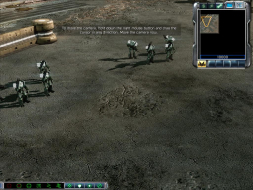
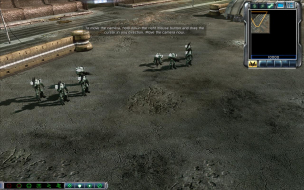
Also, here are a few superimposition shots of my own. In all of these shots, widescreen is black & white, and 4:3 is in color.

First, 4:3 on 16:10:


This shows that the FOV is overshot, and by a lot.

Next, 4:3 on 16:9:


Here, the FOV is still overshot, but not by as much.

Last, 4:3 on 3:1:


At this point it is both hor + and vert -, but the hor + gain is higher than the vert - loss. I estimate that at 4:1, they would be roughly equal.

Finally, here's thumbnails of the 4:3 and 3:1 images. Something tells me that Ibrin would want them.


Apple
Posts: 259
Joined: 31 Jan 2007, 18:04

Command & Conquer 3 Tiberium Wars

Post by Apple »

Yeah there is quite alot of extra FOV for 16:10 resolutions.
It seems they may of worked more to get the 16:9 FOV correct, even though it still is slighty vert+ compared to 4:3.
They have added more to the top and bottom for 16:10 rather then cutting back the sides.
I guess its better then Vert-... but its not quite right.
The_cranky_hermit
Insiders
Insiders
Posts: 3010
Joined: 07 Nov 2005, 04:16

Command & Conquer 3 Tiberium Wars

Post by The_cranky_hermit »

I just discovered another thing. If you compare 5:4 and 16:9, the 16:9 shot is almost exactly hor +.


I have a hypothesis about how this works. EA has chosen two FOV baselines - one for standard, and one for widescreen. The standard baseline is actually optimized for 5:4, not 4:3. The widescreen baseline is optimized for 16:9. Therefore, when you use a 4:3 resolution, you are getting an FOV that is too small, and when you use a 16:10 resolution, you are getting an FOV that is too big.

If we assume that the FOV at 5:4 is just right and the FOV at 16:10 is too big, we can approximate how "too big" 16:10 is with a 5:4 on 16:10 shot.


Going by this, the FOV overshoot isn't quite as big.

Now for the grade. The general consensus is that the manual solution for 1280x768 should be considered a minor singleplayer anomaly. I would go with this for the time being - if someone objects strongly enough to cause the general consensus to change, I'll come back to this and let you know what happened.

Also, I consider the FOV overshoot at 16:10 to be another singleplayer anomaly.

==Grading==

Calculated grade: B+

Major unresolved issues: None
Minor unresolved issues: None

Summary of widescreen-related flaws:
FOV overshoot on 16:10 resolutions
Manual solution for 1280x768

Cranky's coverage estimate: 100%
Apple
Posts: 259
Joined: 31 Jan 2007, 18:04

Command & Conquer 3 Tiberium Wars

Post by Apple »

Nice discovery Cranky. It seems they have optimized the game for 5:4 and 16:9.

Well I have no objections to the grading, seems fair to say that both those things are singleplayer anomalies as the game actually does widescreen quite well. Although the FOV is overshot for 16:10 it still works and the game is much more playable then if it were vert-, or if you had to dolly the camera.

I'm glad EA have done this, lets hope all there games from now on actually have good widescreen support.
H0Ju
Posts: 16
Joined: 27 Feb 2007, 08:08

Command & Conquer 3 Tiberium Wars

Post by H0Ju »

I'm glad EA have done this, lets hope all there games from now on actually have good widescreen support.


Well, I wouldn't go so far as to praise EA yet, as this is a hack of a widescreen support. I mean, if they really wanted to support the resolutions why not put them in the video options menu like Supreme Commander and Company of Heroes does.

Great find though, thanks Apple! I was wondering how to get it working on my 3840x1024 TH2G. Looks good and plays well.

cheers
emanuel.en
Posts: 185
Joined: 31 Aug 2006, 19:00

Command & Conquer 3 Tiberium Wars

Post by emanuel.en »

[quote]I'm glad EA have done this, lets hope all there games from now on actually have good widescreen support.


Well, I wouldn't go so far as to praise EA yet, as this is a hack of a widescreen support. I mean, if they really wanted to support the resolutions why not put them in the video options menu like Supreme Commander and Company of Heroes does.

Great find though, thanks Apple! I was wondering how to get it working on my 3840x1024 TH2G. Looks good and plays well.

cheers

You can choose almost every resolution in the menu. :?
H0Ju
Posts: 16
Joined: 27 Feb 2007, 08:08

Command & Conquer 3 Tiberium Wars

Post by H0Ju »

You can choose almost every resolution in the menu. :?


Really?

How do you see that? All I get in the video options is just the standard 4:3 or 5:4 resolutions which max out at 1600x1200.

In order to go to the TH2G max I have to use the shortcut parameters.

With CoH or SC my desktop res of 3840x1024 is in the video options, but not with C&C3. At least not with the demo.
The_cranky_hermit
Insiders
Insiders
Posts: 3010
Joined: 07 Nov 2005, 04:16

Command & Conquer 3 Tiberium Wars

Post by The_cranky_hermit »

Nobody said it supported triplehead natively. It doesn't.
CooZa
Posts: 6
Joined: 12 Nov 2006, 05:09

Command & Conquer 3 Tiberium Wars

Post by CooZa »

I know that C&C3 was built off a modified SAGE engine (the engine used in C&C generals and BFME:2) I know you could edit an .ini file in generals to zoom out the camera and have a much larger fov, is this possible in C&C3?
lanceuppercut
Posts: 1
Joined: 19 Mar 2007, 23:20

Command & Conquer 3 Tiberium Wars

Post by lanceuppercut »

I know that C&C3 was built off a modified SAGE engine (the engine used in C&C generals and BFME:2) I know you could edit an .ini file in generals to zoom out the camera and have a much larger fov, is this possible in C&C3?

i too would like to know if its possible to hack it for a larger fov, i never saw the point of being able to zoom right in on a unit. :)

iirc, generals/zh was done by extracting the .ini from the the ".BIG" files, editing an entry for larger the higher fov, its got to be similar for c&c3!
CooZa
Posts: 6
Joined: 12 Nov 2006, 05:09

Command & Conquer 3 Tiberium Wars

Post by CooZa »

I've got my fingers crossed, I check this thread regularly, so if someone figures it out let us know!

-.- spoiled by supcom
Violent Ken
Posts: 58
Joined: 18 Mar 2006, 01:22

Command & Conquer 3 Tiberium Wars

Post by Violent Ken »

really sweet game and beautiful at 1680x1050
CnC is back
does anyone know a shortcut command for no intro?
Apple
Posts: 259
Joined: 31 Jan 2007, 18:04

Command & Conquer 3 Tiberium Wars

Post by Apple »

I cleaned the report up a little.
Post Reply

Who is online

Users browsing this forum: No registered users and 11 guests