
NBA LIVE 07 working WIDESCREEN solution!!!!!!!
NBA LIVE 07 working WIDESCREEN solution!!!!!!!
i cant seem 2 get it 2 work :(
NBA LIVE 07 working WIDESCREEN solution!!!!!!!
Is this hor+, vert- or stretch?
It is most definitely a stretch job. :cry:
Just look at the oblong ball. So while the MVP fix may get it to run in your native or favorite widescreen resolutions, it won't look much different than if it were a 4:3 image scaled and stretched to fill your desktop.
I just wish that 2k games would release NBA 2k7 for the PC.
-
vivasawadee
- Posts: 4
- Joined: 03 Nov 2006, 23:35
NBA LIVE 07 working WIDESCREEN solution!!!!!!!
NBA Live 07 is shit. Still its the only option for PC users.
Why is it crap?
* Point guard is a hog and rarely passes
* CPU never substitutes except in foul trouble
The music is good though 8)
I'm still waiting for a patch
Why is it crap?
* Point guard is a hog and rarely passes
* CPU never substitutes except in foul trouble
The music is good though 8)
I'm still waiting for a patch
-
LordJuanlo

- Posts: 97
- Joined: 06 Nov 2006, 10:37
NBA LIVE 07 working WIDESCREEN solution!!!!!!!
What would be the hex value for 1920x1200? Thanks
Asus Rampage IV Formula / Intel i7 3930K C2 / 32 GB G.Skill RipjawsZ DDR3 2133 Quad Channel
Corsair Force GT 60 GB SATA3 / WD Caviar Black 2 TB / Seagate Barracuda Green 2 TB
3 x Radeon 7970 in Benq XL2420T (EyeFinity 5760x1080 @ 120Hz)
Oculus Rift
Corsair Force GT 60 GB SATA3 / WD Caviar Black 2 TB / Seagate Barracuda Green 2 TB
3 x Radeon 7970 in Benq XL2420T (EyeFinity 5760x1080 @ 120Hz)
Oculus Rift
NBA LIVE 07 working WIDESCREEN solution!!!!!!!
After patching the game, I can't find the string "20 03 00 00 58 02" in nbalive07.exe anymore..

NBA LIVE 07 working WIDESCREEN solution!!!!!!!
Hi guys. I found 20 03 00 00 58 02, and replaced it with 90 06 00 00 1A 04 (I first picked 800x600 as the resolution of the game and played it for a while).
Well after I replaced the 2 strings of '20 03 00 00 58 02', the resolution of 800x600 has disappeared and 1680X1050 hasn't shown up, what could be the problem? is it possible this is caused because I'm not using a wide screen monitor right now? (just checking this.. for my new wide screen)
1 more question, on UEFA champions League 06-07, there is a resolution of 1440X900, but not of 1680X1050 wtf with them? :roll:
thanks
Well after I replaced the 2 strings of '20 03 00 00 58 02', the resolution of 800x600 has disappeared and 1680X1050 hasn't shown up, what could be the problem? is it possible this is caused because I'm not using a wide screen monitor right now? (just checking this.. for my new wide screen)
1 more question, on UEFA champions League 06-07, there is a resolution of 1440X900, but not of 1680X1050 wtf with them? :roll:
thanks
NBA LIVE 07 working WIDESCREEN solution!!!!!!!
I've tried, but after I see Tmac I see black screen and get send don't send ..
-
alexandrebr
- Posts: 5
- Joined: 01 Jun 2007, 05:41
NBA LIVE 07 working WIDESCREEN solution!!!!!!!
Wow... thx a lot.
Did the procedure here and now it's working @1440x900 like a charm.
Did the procedure here and now it's working @1440x900 like a charm.
NBA LIVE 07 working WIDESCREEN solution!!!!!!!
Hey, I have a 22' widescreen HP monitor with Vista and everytime i run my game it crashes after i hit 'quit' after a game. but for some reason it works on my full screen dell 19' monitor. (i have dual monitors hooked up). I tried the fix here to make my nba live widescreen but i can't seem to find the "20 03 00 00 58 02" string in my hex editor. i'm just wondering what's going on. i've ran my game in 800x600 then tried again but it still couldn't find that string. can someone help me or is there anyway to send me a fixed nbalive.exe.
thanks
thanks
-
nicolashong
- Posts: 2
- Joined: 07 Jun 2007, 03:26
NBA LIVE 07 working WIDESCREEN solution!!!!!!!
me too.
Do you play the English version?
I play the Chinese tradition version and can't find the string, and I am downloading the English version for a try.
Do you play the English version?
I play the Chinese tradition version and can't find the string, and I am downloading the English version for a try.
-
nicolashong
- Posts: 2
- Joined: 07 Jun 2007, 03:26
NBA LIVE 07 working WIDESCREEN solution!!!!!!!
I try to find the string"20 03 00 00 58 02" in nbalive.exe of English version, I have play a full game in 800*600.
Why....
Why....
NBA LIVE 07 working WIDESCREEN solution!!!!!!!
can someone please give me the code for 1920x1080.
thanks!!!
thanks!!!
NBA LIVE 07 working WIDESCREEN solution!!!!!!!
can someone please give me the code for 1920x1080.
thanks!!!
80 07 00 00 38 04
NBA LIVE 07 working WIDESCREEN solution!!!!!!!
The 1920x1080 doesn't look better than 1920x1200 because it's stretched too :roll:
-
El1iP3S01D
- Posts: 6
- Joined: 14 Nov 2007, 06:50
Kids, my problems is this;
When i installed Driver 169.09 for xp 64 bit, i've tried resizing the screen and it still overscanned. Can any of you help me with a solution to this problem?
8)
8)
NBA LIVE 07 working WIDESCREEN solution!!!!!!!
I think 1920x1200 would be "80 07 00 00 B0 04".
-
El1iP3S01D
- Posts: 6
- Joined: 14 Nov 2007, 06:50
Kopaka649, can you help me?
I think 1920x1200 would be "80 07 00 00 B0 04".
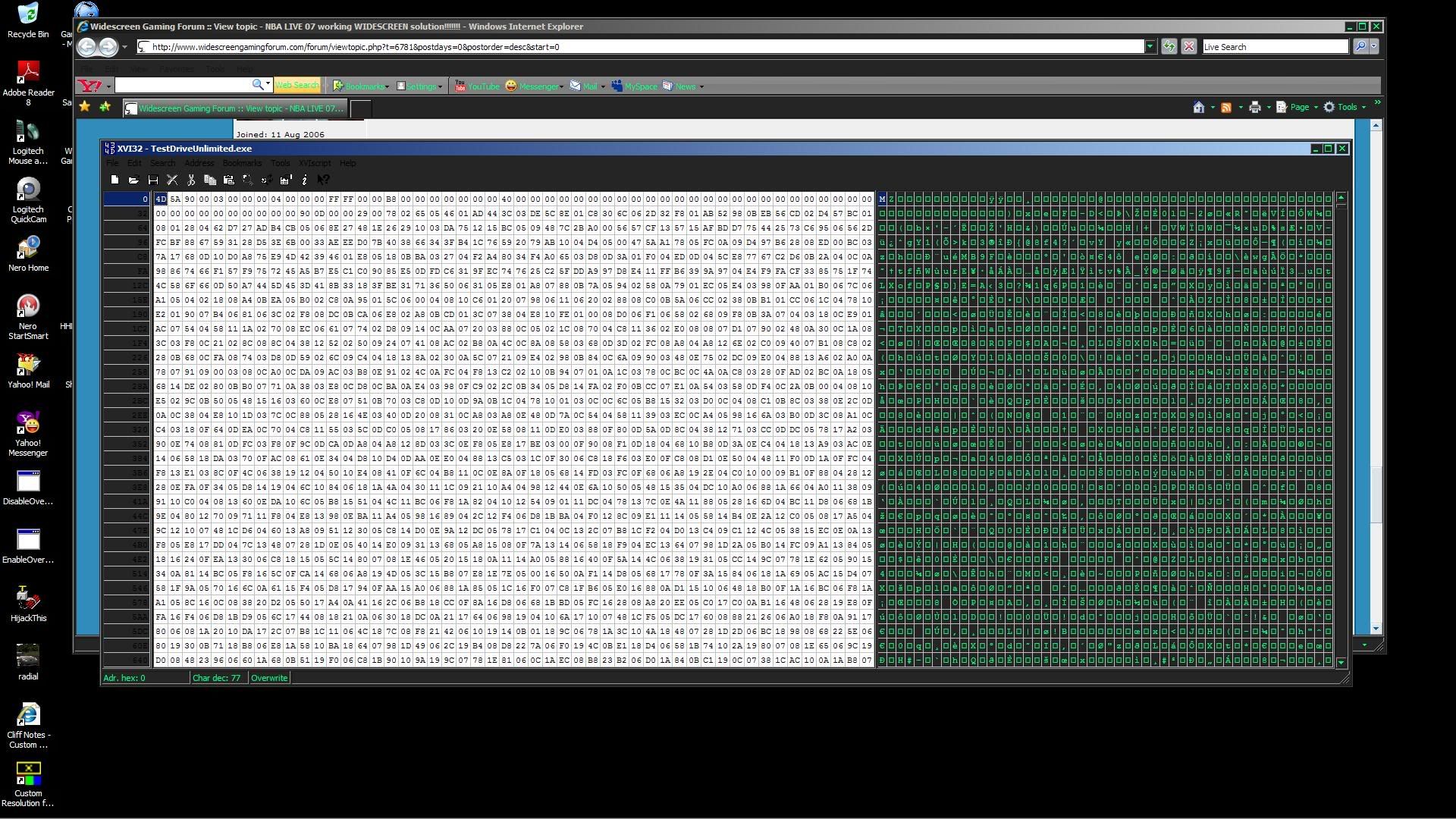
Kopaka, how do i use this code for the game Test Drive unlimited for PC?
In addition, I'm using xp 64 bit and i will use driver 169.09 for my geforce 8800 gtx...Any suggestions as to how i can use your code or any idea that help me with this problem? Finally, i forgot to mention i'm using a Samsung 46 inc LCD TV that is capable of resolutions at 1080i and Overscans as well...So can you or any you fellow members can help with this issues? Please...
-
El1iP3S01D
- Posts: 6
- Joined: 14 Nov 2007, 06:50
Where is the string?
800x600 where is it? This is for Test Drive Unlimited.exe...I can't even find 1920x1080...So can any of you help me?
Who is online
Users browsing this forum: No registered users and 13 guests