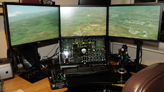
Bioshock Infinite Eyefinity

Hardware discussions about AMD Eyefinity
pillowpants
Posts: 3
Joined: 26 Mar 2013, 21:33

Re: Bioshock Infinite Eyefinity

Post by pillowpants »

I was having the exact same problem but Defcoms solution fixed it.

i5 2500k
ati 6950 with 13.1 drivers running eyefinity at 5760x 1080

WIth the very high preset I'm getting 25-30 fps which is very playable for me.

I took a bunch of screen shots from the early part of the game.. spoilers probably http://imgur.com/a/aNfdA?gallery#17. http://imgur.com/a/8FTDN#0

Click on the little gear for full screen.
Last edited by pillowpants on 24 Jan 2014, 23:50, edited 1 time in total.
BIGGRIMTIM
I Donated
I Donated
Posts: 86
Joined: 28 May 2010, 02:21

Re: Bioshock Infinite Eyefinity

Post by BIGGRIMTIM »

Bifurk8 wrote:Fingers crossed for you, BIGGRIMTIM. I'd love to know either way what your experience is like.


OK I finally got home from work. The game runs perfectly for me. I have everything set to ultra and it looks great. I am also getting really good FPS, well above 60. I am sorry others are having issues.
Corsair Air 540 | Asus Maximus VIII Formula | Intel 6700K @4.6 GHz | 32GB DDR4 3200
Samsung 850 EVO 500GB | EVGA GTX 980 Ti Classified | Creative Sound Blaster Z
Sennheiser HD 598 SE | Zalman Zm-Mic1 | Corsair HX1000i | Dell U3415W | Dell U2715H
Zowie EC1-A | Logitech G15 | Razer Nostromo | Windows 10 Pro x64
User avatar
Slinky
Insiders
Insiders
Posts: 354
Joined: 26 Jan 2010, 01:51

Re: Bioshock Infinite Eyefinity

Post by Slinky »

Im glad you guys found a fix! Im on Windows 8 64 bit by the way and do not have the texture issue. It's truly bizarre.
User avatar
Skid
Administrators
Administrators
Posts: 1031
Joined: 02 Nov 2009, 12:14
Location: Lincoln, UK
Contact:

Re: Bioshock Infinite Eyefinity

Post by Skid »

Thread has been split off and moved to the Eyefinity sub forum.
: ) Skid : )
My Multi-Monitor Focused YouTube Channel: http://www.youtube.com/c/SkidIncGaming
My Twitch channel which I've been known to stream on from time to time: http://www.twitch.tv/SkidInc
"Imagination is the only weapon in the war against reality."
User avatar
Slinky
Insiders
Insiders
Posts: 354
Joined: 26 Jan 2010, 01:51

Re: Bioshock Infinite Eyefinity

Post by Slinky »

BIGGRIMTIM wrote:
Bifurk8 wrote:Fingers crossed for you, BIGGRIMTIM. I'd love to know either way what your experience is like.


OK I finally got home from work. The game runs perfectly for me. I have everything set to ultra and it looks great. I am also getting really good FPS, well above 60. I am sorry others are having issues.


So the crossfire performance is pretty good then?
Defcoms
Posts: 35
Joined: 10 Sep 2012, 02:04

Re: Bioshock Infinite Eyefinity

Post by Defcoms »

Yeah crossfire is working flawless game is playing amazing maxed in eyefinity. Such a beautiful, yet crazy game lol. Really enjoying it prob best game of the year so far for me!
BIGGRIMTIM
I Donated
I Donated
Posts: 86
Joined: 28 May 2010, 02:21

Re: Bioshock Infinite Eyefinity

Post by BIGGRIMTIM »

Slinky wrote:
BIGGRIMTIM wrote:
Bifurk8 wrote:Fingers crossed for you, BIGGRIMTIM. I'd love to know either way what your experience is like.


OK I finally got home from work. The game runs perfectly for me. I have everything set to ultra and it looks great. I am also getting really good FPS, well above 60. I am sorry others are having issues.


So the crossfire performance is pretty good then?


Yes everything is fine for me. I am not sure about GPU usage but it looks and runs great.
Corsair Air 540 | Asus Maximus VIII Formula | Intel 6700K @4.6 GHz | 32GB DDR4 3200
Samsung 850 EVO 500GB | EVGA GTX 980 Ti Classified | Creative Sound Blaster Z
Sennheiser HD 598 SE | Zalman Zm-Mic1 | Corsair HX1000i | Dell U3415W | Dell U2715H
Zowie EC1-A | Logitech G15 | Razer Nostromo | Windows 10 Pro x64
User avatar
Bifurk8
Insiders
Insiders
Posts: 244
Joined: 31 Mar 2011, 02:10

Re: Bioshock Infinite Eyefinity

Post by Bifurk8 »

With Very High settings I averaged 54 FPS on the overall benchmark using 2 7950s at 6048x1080. In actual gameplay I've toned down the settings to between normal and high w/ antialiasing on to keep framerate dips above 30 FPS. That's on Catalyst 13.3 beta 3 without any CAPs installed.
User avatar
Cap Loz
Posts: 15
Joined: 06 Dec 2011, 21:33

Re: Bioshock Infinite Eyefinity

Post by Cap Loz »

Just ran the benchmark on mine for comparison.
Res: 5292 x 1050 (Odd I know but that's what came up apart from my default of 6048 x 1200, and visually is very little different, but of course gives a higher framerate.)
Everything on Ultra
VSync OFF
Overall Av Framerate 70.23
Using Cat 13.2 Beta 6 and 12.11 CAP2 (pre selecting Bioshock Infinite / White List App Application Profile
from the pull down list in CCC)
All other specs in my Sig.

I should add that I did have a few freezes initially but found that either my system or the game didn't like
having the disc (No: 3 as it happens) left in the DVD player!!

Absolutely brilliant game, as I expected from 2K, with great implementation of both multi monitor and Crossfire support.
Just wish we could adjust the HUD elements more towards center screen.
Just hope HaYDen has this in hand :wave:
​i7 920 at 4.0Ghz // ASUS Rampage II Extreme, Intel X58 // 12Gb Corsair DDR3 Ram // 2 x PowerColor HD7970 (Oc'd 1150 MHz Core/1575 MHz Memory) WC'd
// RevoDrive 120Gb PCIe SSD // Windows 7 64 Bit Premium // 3 x Dell u2410 at 6048x1200
BIGGRIMTIM
I Donated
I Donated
Posts: 86
Joined: 28 May 2010, 02:21

Re: Bioshock Infinite Eyefinity

Post by BIGGRIMTIM »

Cap Loz wrote:Just ran the benchmark on mine for comparison.
Res: 5292 x 1050 (Odd I know but that's what came up apart from my default of 6048 x 1200, and visually is very little different, but of course gives a higher framerate.)
Everything on Ultra
VSync OFF
Overall Av Framerate 70.23
Using Cat 13.2 Beta 6 and 12.11 CAP2 (pre selecting Bioshock Infinite / White List App Application Profile
from the pull down list in CCC)
All other specs in my Sig.

I should add that I did have a few freezes initially but found that either my system or the game didn't like
having the disc (No: 3 as it happens) left in the DVD player!!

Absolutely brilliant game, as I expected from 2K, with great implementation of both multi monitor and Crossfire support.
Just wish we could adjust the HUD elements more towards center screen.
Just hope HaYDen has this in hand :wave:


Your HUD is not centered? Mine is perfect.
Corsair Air 540 | Asus Maximus VIII Formula | Intel 6700K @4.6 GHz | 32GB DDR4 3200
Samsung 850 EVO 500GB | EVGA GTX 980 Ti Classified | Creative Sound Blaster Z
Sennheiser HD 598 SE | Zalman Zm-Mic1 | Corsair HX1000i | Dell U3415W | Dell U2715H
Zowie EC1-A | Logitech G15 | Razer Nostromo | Windows 10 Pro x64
llKoinKoinll
Posts: 5
Joined: 27 Mar 2013, 20:57

Re: Bioshock Infinite Eyefinity

Post by llKoinKoinll »

Hi,
My HUD is not centered, And I have little freeze in ultra but my game have high FPS... it's strange, I hope an update for AMD driver will coming fast
I want ton center my HUD, any idea for that ?
anyway, this is a good good game :)
sry for my english
thx
User avatar
Cap Loz
Posts: 15
Joined: 06 Dec 2011, 21:33

Re: Bioshock Infinite Eyefinity

Post by Cap Loz »

BIGGRIMTIM wrote:Your HUD is not centered? Mine is perfect.


Sorry I should have made that more clear. What I meant was, with eyefinity I need Hayden to update Flawless Widescreen,
so that I can pull the elements of the HUD into the centre screen rather than out at the edges.
(Unless there is a way to do it in the game that I've missed. LOL)
​i7 920 at 4.0Ghz // ASUS Rampage II Extreme, Intel X58 // 12Gb Corsair DDR3 Ram // 2 x PowerColor HD7970 (Oc'd 1150 MHz Core/1575 MHz Memory) WC'd
// RevoDrive 120Gb PCIe SSD // Windows 7 64 Bit Premium // 3 x Dell u2410 at 6048x1200
Defcoms
Posts: 35
Joined: 10 Sep 2012, 02:04

Re: Bioshock Infinite Eyefinity

Post by Defcoms »

You can move the HUD around with the following parameters in the "XGame.ini' config file.

Default 1080P

[XCore.XScreenManager]
bUseDefaultSafeRect=true
SafeRectX0=0
SafeRectY0=0
SafeRectX1=1920
SafeRectY1=1200
MaxDefaultSafeRectAspectRatio=1

If you want to move them in center screen more from the outer edges decrease the resolution. Move them out and off the screen increase the resolution (NO HUD). I have not yet figured out how to move individual HUD elements yet.

Here is my settings for default centered hud for 3x1 5760x1080 bezel comp.

[XCore.XScreenManager]
bUseDefaultSafeRect=true
SafeRectX0=2040
SafeRectY0=0
SafeRectX1=3960
SafeRectY1=1080
MaxDefaultSafeRectAspectRatio=1

Mess around with the settings and see if you can get HUD positioned where you like it.

Enjoy!
BIGGRIMTIM
I Donated
I Donated
Posts: 86
Joined: 28 May 2010, 02:21

Re: Bioshock Infinite Eyefinity

Post by BIGGRIMTIM »

Cap Loz wrote:
BIGGRIMTIM wrote:Your HUD is not centered? Mine is perfect.


Sorry I should have made that more clear. What I meant was, with eyefinity I need Hayden to update Flawless Widescreen,
so that I can pull the elements of the HUD into the centre screen rather than out at the edges.
(Unless there is a way to do it in the game that I've missed. LOL)


I am running eyefinity and the HUD is perfect on the center screen. In the display options you have to choose multi-monitor for the aspect.
Corsair Air 540 | Asus Maximus VIII Formula | Intel 6700K @4.6 GHz | 32GB DDR4 3200
Samsung 850 EVO 500GB | EVGA GTX 980 Ti Classified | Creative Sound Blaster Z
Sennheiser HD 598 SE | Zalman Zm-Mic1 | Corsair HX1000i | Dell U3415W | Dell U2715H
Zowie EC1-A | Logitech G15 | Razer Nostromo | Windows 10 Pro x64
User avatar
Skid
Administrators
Administrators
Posts: 1031
Joined: 02 Nov 2009, 12:14
Location: Lincoln, UK
Contact:

Re: Bioshock Infinite Eyefinity

Post by Skid »

BIGGRIMTIM wrote:
Cap Loz wrote:
BIGGRIMTIM wrote:Your HUD is not centered? Mine is perfect.


Sorry I should have made that more clear. What I meant was, with eyefinity I need Hayden to update Flawless Widescreen,
so that I can pull the elements of the HUD into the centre screen rather than out at the edges.
(Unless there is a way to do it in the game that I've missed. LOL)


I am running eyefinity and the HUD is perfect on the center screen. In the display options you have to choose multi-monitor for the aspect.


I believe what he wants to do is shift the UI closer to the centre of the middle screen, not put it on the centre screen.
: ) Skid : )
My Multi-Monitor Focused YouTube Channel: http://www.youtube.com/c/SkidIncGaming
My Twitch channel which I've been known to stream on from time to time: http://www.twitch.tv/SkidInc
"Imagination is the only weapon in the war against reality."
User avatar
skipclarke
Founder
Founder
Posts: 7358
Joined: 13 Oct 2003, 05:00

Re: Bioshock Infinite Eyefinity

Post by skipclarke »

In my graphics options I have set: Fullscreen, aspect - 16:3, res - 5760x1080. I don't see anything for "multi-monitor".
User avatar
Cap Loz
Posts: 15
Joined: 06 Dec 2011, 21:33

Re: Bioshock Infinite Eyefinity

Post by Cap Loz »

BIGGRIMTIM wrote:I am running eyefinity and the HUD is perfect on the center screen. In the display options you have to choose multi-monitor for the aspect.


Similarly I have no setting for Mult-monitor in the graphics.
​i7 920 at 4.0Ghz // ASUS Rampage II Extreme, Intel X58 // 12Gb Corsair DDR3 Ram // 2 x PowerColor HD7970 (Oc'd 1150 MHz Core/1575 MHz Memory) WC'd
// RevoDrive 120Gb PCIe SSD // Windows 7 64 Bit Premium // 3 x Dell u2410 at 6048x1200
User avatar
Cap Loz
Posts: 15
Joined: 06 Dec 2011, 21:33

Re: Bioshock Infinite Eyefinity

Post by Cap Loz »

Still not able to get the hud on the center screen, as I don't get the "multi monitor" choice in the Aspect ratio section of the menu.
Anybody found a way around this.

I tried editing the xgame.ini as suggested above but even though it saves correctly, as soon as you run the game it gets over written.
:doh:
​i7 920 at 4.0Ghz // ASUS Rampage II Extreme, Intel X58 // 12Gb Corsair DDR3 Ram // 2 x PowerColor HD7970 (Oc'd 1150 MHz Core/1575 MHz Memory) WC'd
// RevoDrive 120Gb PCIe SSD // Windows 7 64 Bit Premium // 3 x Dell u2410 at 6048x1200
User avatar
Cap Loz
Posts: 15
Joined: 06 Dec 2011, 21:33

Re: Bioshock Infinite Eyefinity

Post by Cap Loz »

Finally revisited Bioshock Infinite after such a long while. The price of the DLC has come down a lot, so thought I would retry the problem with some Eyefinity users not being able to get the HUD all on the centre screen.

Found that here http://forums.2k.com/showthread.php?229171-HUD-is-too-wide-on-Multi-Monitor&s=1f3cddf104a8cfa0939413a109cd1c08&p=2934861#post2934861 was the answer to my problems.
Works perfectly now.
:onethumb:
​i7 920 at 4.0Ghz // ASUS Rampage II Extreme, Intel X58 // 12Gb Corsair DDR3 Ram // 2 x PowerColor HD7970 (Oc'd 1150 MHz Core/1575 MHz Memory) WC'd
// RevoDrive 120Gb PCIe SSD // Windows 7 64 Bit Premium // 3 x Dell u2410 at 6048x1200
Post Reply

Who is online

Users browsing this forum: No registered users and 4 guests