
Hi there. I was trying to play the game Zoo Tycoon 2, with all the expansions installed, in my native resolution of 1366x768.
And my problem is: the game up to the Marine Mania (excluding), worked flawlessly, displaying the image in a correct 16:9 ratio, when playing in a 16:9 resolution, but from Marine Mania onwards (Extinct Animals), it started displaying the 16:9 resolutions as they were 4:3.
Example: I select my native resolution of 1366x768, and it displays as 1024x768, implementing black bars (and this with the stretching option selected on the nVidia control panel). And does the same for others 16:9 resolutions, such as the 1280x720.
Other ratios does not seem to be affected, because when selecting a 1280x768, which I believe is 16:10, the image does fills the screen. But as all you may know, it decreases quality, and it's not what I'm looking for.
I've searched th Internet for a solution for this, but I found nothing. I even tried to hex-edit the .exe, but if I remember correctly, I couldn't find the resolutions in it. Either that, or it just didn't worked. I even tried searching in the files, trying to find what was causing the problem. I tried running the game in various compatibility modes, made the configuration file read-only (although I knew it was not the problem), and still got nothing.
So I thought about asking for help. So here I am, and that's it.
Oh, and if more information or further clarification is needed, please ask away.
Zoo Tycoon 2 (Marine Mania/Extinct Animals) 16:9 widescreen issues.


Upload your game exe file, I
Upload your game exe file, I look at it.
jackfuste wrote:Upload your
The .exe I've uploaded is the modified no-cd one. Both the original and this one share the problem. If you prefer the original, just say the word and I'll upload that one too.
Here is fix - zt.7zHowever,
Here is fix - available from the PC Gaming Wiki Community Files (search there)
However, the screen changes only stretching.
Hor + version is also possible, but some HUD elements will be shifted.
However, the screen changes only stretching.
Hor + version is also possible, but some HUD elements will be shifted.
Last edited by jackfuste on 20 Jul 2015, 12:34, edited 3 times in total.
Thank you very much for your
Thank you very much for your time and work. I really appreciate it.
Although there is a problem: it seems that instead of a displaying at a 1366x768 resolution, now it displays at a 1364x768 one, plus it still have (minor) black bars, which prevents normal side edge screen panning.
Could you also do the Hor + version, to see if the problem persists?
Although there is a problem: it seems that instead of a displaying at a 1366x768 resolution, now it displays at a 1364x768 one, plus it still have (minor) black bars, which prevents normal side edge screen panning.
Could you also do the Hor + version, to see if the problem persists?
Re: Zoo Tycoon 2 (Marine Mania/Extinct Animals) 16:9 widescr
Hi,
first of all, great job, the edited exe works well for me too, the black bars are (almost) gone!
I was wondering whether there is any hope for a true widescreen version, so it renders the 3D content at the correct resolution instead of stretching from 4:3 to 16:9? The User Interface stretching is no problem at all (I know my way through the game files, so that'd be an easy fix), but I simply have no idea where to look for the render settings in the exe.
I really don't know how much work goes into something like this, so perhaps I'm asking for too much, but it'd be really cool to get it to render without the distortion.
first of all, great job, the edited exe works well for me too, the black bars are (almost) gone!
I was wondering whether there is any hope for a true widescreen version, so it renders the 3D content at the correct resolution instead of stretching from 4:3 to 16:9? The User Interface stretching is no problem at all (I know my way through the game files, so that'd be an easy fix), but I simply have no idea where to look for the render settings in the exe.
I really don't know how much work goes into something like this, so perhaps I'm asking for too much, but it'd be really cool to get it to render without the distortion.
Re: Zoo Tycoon 2 (Marine Mania/Extinct Animals) 16:9 widescr
Hendrix wrote:Hi,
first of all, great job, the edited exe works well for me too, the black bars are (almost) gone!
I was wondering whether there is any hope for a true widescreen version, so it renders the 3D content at the correct resolution instead of stretching from 4:3 to 16:9? The User Interface stretching is no problem at all (I know my way through the game files, so that'd be an easy fix), but I simply have no idea where to look for the render settings in the exe.
I really don't know how much work goes into something like this, so perhaps I'm asking for too much, but it'd be really cool to get it to render without the distortion.
Here is Hor+ fix for 16:9 resolutions - available from the PC Gaming Wiki Community Files (search there)
All add-ons:
- Endangered Species
African Adventure
Marine Mania
Extinct Animals
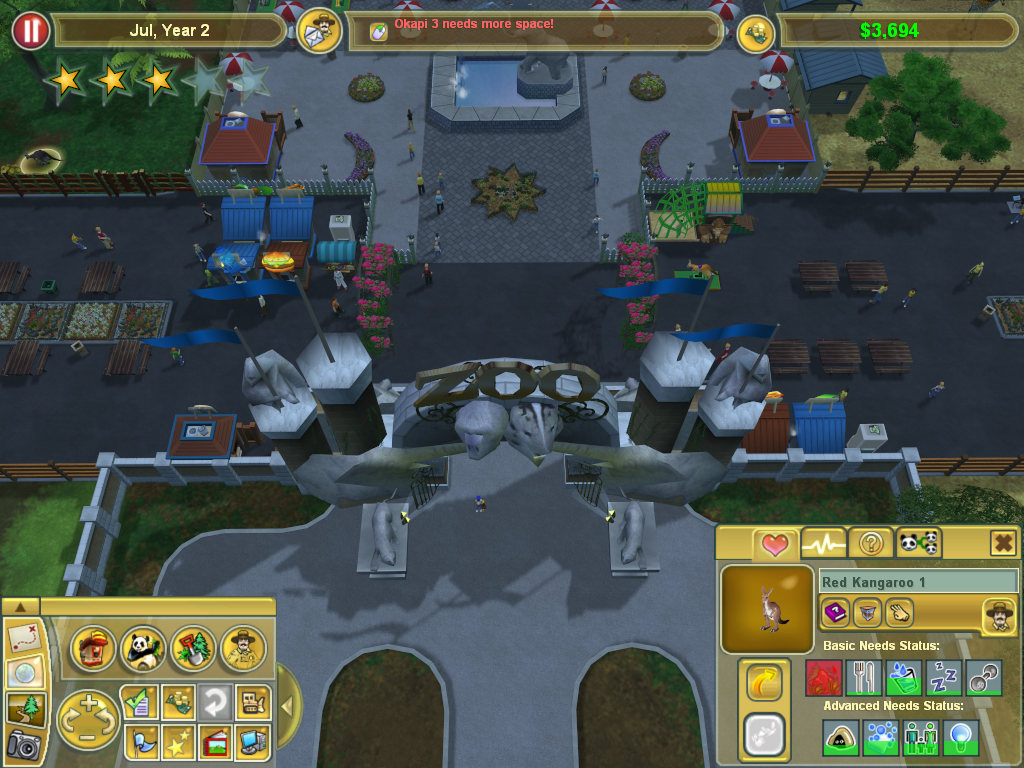
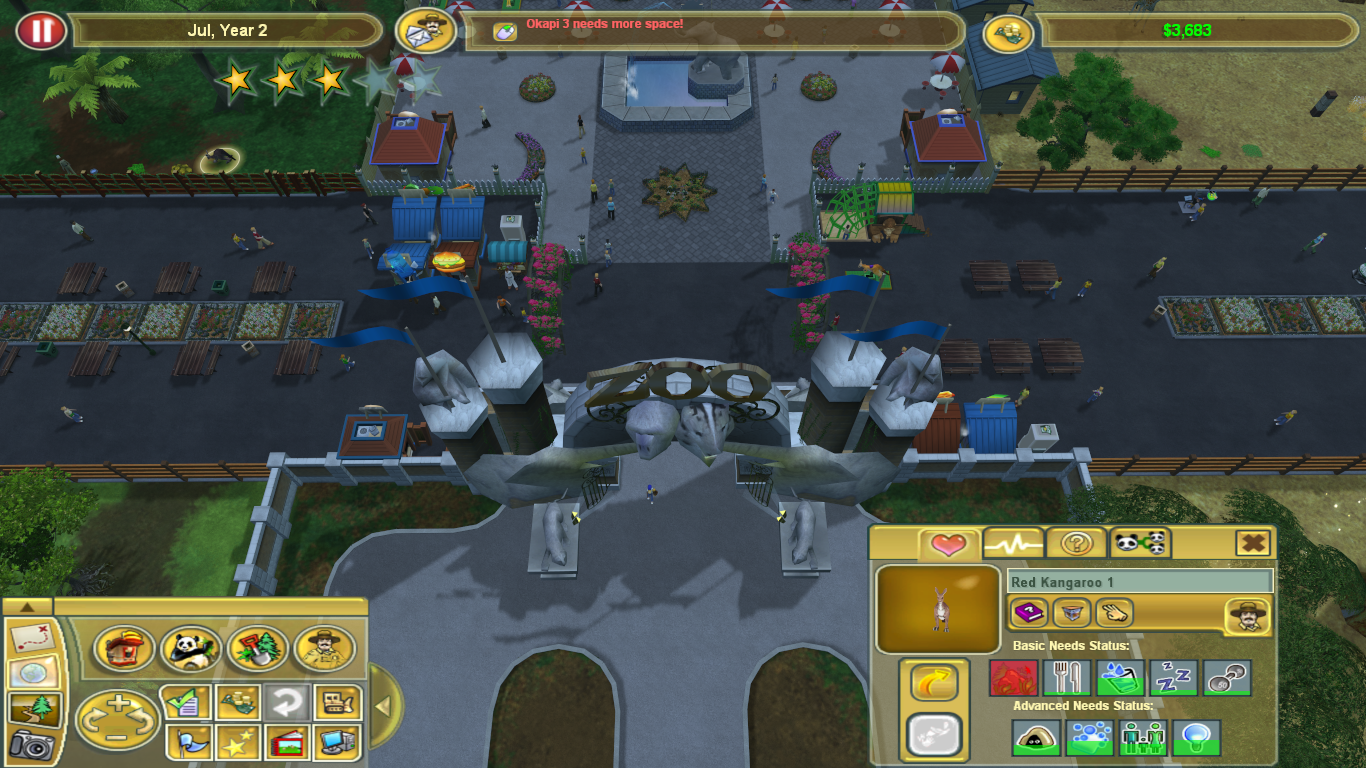
Last edited by jackfuste on 20 Jul 2015, 10:07, edited 1 time in total.
Re: Zoo Tycoon 2 (Marine Mania/Extinct Animals) 16:9 widescr
Great job, thanks so much!
I got an error when I ran it with those Z2Fs included, "You have to agree to the EULA" but then it stopped. Most likely because my game is in a different language; it worked fine when I reduced it to the layout and camera XMLs only. I'll change the position of the stars and infobox tomorrow.
Could I reupload this on a Zoo Tycoon 2 fansite (giving you credit, of course)?
I got an error when I ran it with those Z2Fs included, "You have to agree to the EULA" but then it stopped. Most likely because my game is in a different language; it worked fine when I reduced it to the layout and camera XMLs only. I'll change the position of the stars and infobox tomorrow.
Could I reupload this on a Zoo Tycoon 2 fansite (giving you credit, of course)?
Re: Zoo Tycoon 2 (Marine Mania/Extinct Animals) 16:9 widescr
Those 3D overlays on the zoo fame stars and the entityinfo box are nasty, they don't want to move if the placeholder is moved...
Anyway, here's your version reduced to the essential 4 XML files, so it doesn't have to overwrite original files and works like an update:
Anyway, here's your version reduced to the essential 4 XML files, so it doesn't have to overwrite original files and works like an update:
Re: Zoo Tycoon 2 (Marine Mania/Extinct Animals) 16:9 widescr
@Hendrix:
The dropbox link is dead. Could you repost? I'd like to see if I can make a patch for Zoo Tycoon 2: Ultimate Collection
The dropbox link is dead. Could you repost? I'd like to see if I can make a patch for Zoo Tycoon 2: Ultimate Collection
Who is online
Users browsing this forum: No registered users and 19 guests