
Hi all,
As above I'm looking at three Samsung SA950 monitors as my current ones are on their last legs.The main reason I want to go with the 120hz monitors is to do away with screen tearing, to be able disable vsync in games, and have a smoother/more fluid gaming experience.
I could do with some advice (especially before I blow €1500 on screens), and the more I research this, the more confused I'm getting! :~
Am I right in saying once my GPU's can run a game at over 60hz I won't have tearing-even if i don't get over 120 FPS?
If I'm connecting these to my rig (please see below), what is the best option to avoid screen tearing and get the full 120hz on all panels?
As above, I'm thinking two monitors DP to DP on the GPU, and the third monitor DVI-D to DVI-D?
Many thanks in advance for any help.
Samsung SA950's and 120hz Eyefinity question
-
dr1v3n l1k3 stol3n
- I Donated

- Posts: 54
- Joined: 26 Jul 2011, 12:04
- Location: Ireland
Samsung SA950's and 120hz Eyefinity question
Silverstone FT05 * Asus Maximus VII Formula* I7 4970k * Corsair H80i * 8GB Corsair Vengeance Pro* 2 x EVGA 980ti ACX superclocked * Crucial M4 256GB * Silverstone ST85F-GS 850W* Corsair SP2500 * 3 x 1 Samsung S27A950D's 1 x AOC 24" 1080p something..
You'll get tearing on the
You'll get tearing on the monitor connected to the DVI-D port. I only notice the tearing on my system in Windows as I drag a window across the DVI connected display. Never noticed it in-game.
-
dr1v3n l1k3 stol3n
- I Donated
- Posts: 54
- Joined: 26 Jul 2011, 12:04
- Location: Ireland
Thanks rdqlus. I can live
Thanks rdqlus. I can live with it on the desktop as long as in game is sorted. :)
Correct me if I'm wrong, is the only way to guarantee zero tearing issues using eyefinity is is to get a carrd with 3+ Display ports like the ASUS HD7970 DirectCU II?
Correct me if I'm wrong, is the only way to guarantee zero tearing issues using eyefinity is is to get a carrd with 3+ Display ports like the ASUS HD7970 DirectCU II?
Silverstone FT05 * Asus Maximus VII Formula* I7 4970k * Corsair H80i * 8GB Corsair Vengeance Pro* 2 x EVGA 980ti ACX superclocked * Crucial M4 256GB * Silverstone ST85F-GS 850W* Corsair SP2500 * 3 x 1 Samsung S27A950D's 1 x AOC 24" 1080p something..


Tearing is caused by the
Tearing is caused by the refresh rate of the signal excceeding the refresh rate the screen. Part of the "next" frame gets show with part of the "current" frame, creating a tear.
If you keep less than 120 FPS you shouldn't see any tearing.
It doesn't have anything to do with DVI as rdqlus said, that tearing comes from the way the graphics card gives the outputs, but it not caused by refresh rate alone.
If you keep less than 120 FPS you shouldn't see any tearing.
It doesn't have anything to do with DVI as rdqlus said, that tearing comes from the way the graphics card gives the outputs, but it not caused by refresh rate alone.
P8Z68-V Pro | 2600K | HR02 | HD5850 | 2x4GB Vengeance LP | 128GB M4 + 6TB | X-Fi > HD595 | AX850 | Tai Chi | PB278Q | G110 + Deathadder 2013
P8Z77-V | 3570K | Mugen 2 | HD5850 | 2x4GB Vengeance LP | 500GB | X-750 | Fractal R3 | U2212HM | G110 + G400
P8H77-I | G860 | 4650 | 2x2GB XMS | 320GB | CX500 | Prodigy | T22B350EW | MX518
DC3217IYE | 1x4GB Vengeance | 64GB M4 | TX-42VT20E
P8Z77-V | 3570K | Mugen 2 | HD5850 | 2x4GB Vengeance LP | 500GB | X-750 | Fractal R3 | U2212HM | G110 + G400
P8H77-I | G860 | 4650 | 2x2GB XMS | 320GB | CX500 | Prodigy | T22B350EW | MX518
DC3217IYE | 1x4GB Vengeance | 64GB M4 | TX-42VT20E
-
dr1v3n l1k3 stol3n
- I Donated
- Posts: 54
- Joined: 26 Jul 2011, 12:04
- Location: Ireland
Anyone?If connect like
Anyone?
If connect like this:
Mon 1: DP <=====DP/MiniDP cable=====>7970 DisplayPort 1 output
Mon 2: DP <=====DP/MiniDP cable=====>7970 DisplayPort 2 output
Mon 3: DVI-D <=====DVI-D cable=======>7970 DVI-D output
Would I be right in thinking as all three are digital connections (no VGA, adapters etc.), I should have no tearing issues?
If connect like this:
Mon 1: DP <=====DP/MiniDP cable=====>7970 DisplayPort 1 output
Mon 2: DP <=====DP/MiniDP cable=====>7970 DisplayPort 2 output
Mon 3: DVI-D <=====DVI-D cable=======>7970 DVI-D output
Would I be right in thinking as all three are digital connections (no VGA, adapters etc.), I should have no tearing issues?
Silverstone FT05 * Asus Maximus VII Formula* I7 4970k * Corsair H80i * 8GB Corsair Vengeance Pro* 2 x EVGA 980ti ACX superclocked * Crucial M4 256GB * Silverstone ST85F-GS 850W* Corsair SP2500 * 3 x 1 Samsung S27A950D's 1 x AOC 24" 1080p something..
-
dr1v3n l1k3 stol3n
- I Donated
- Posts: 54
- Joined: 26 Jul 2011, 12:04
- Location: Ireland
Tack för svaret Gilly.Mostly
Tack för svaret Gilly.
Mostly playing BF3 & Skyrim, so keeping the FPS over 80 should be fine. I read somewhere that the time it takes for the digital signal/image(?) to be sent from the graphics card can differ based on the method used, DVI-D or DisplayPort. Would this cause tearing?
I have two mini DisplayPort > DVI adapters I got with the 7970's, both have 'active' stamped on them. If I was to connect the monitors:
Mon 1: DVI-D <======DVI-D cable ====================>7970 DVI-D output
Mon 2: DVI-D <=====> MiniDP/DVI-D active adapter <=====>7970 DisplayPort output
Mon 3: DVI-D <=====> MiniDP/DVI-D active adapter <=====>7970 DisplayPort output
Would this work? theoretically it should keep timings the same, as all three are DVI-D?
The other option to buy a 7970 flex when they come out, or.... to win the lottery & buy a GTX 690 off ebay :O
Mostly playing BF3 & Skyrim, so keeping the FPS over 80 should be fine. I read somewhere that the time it takes for the digital signal/image(?) to be sent from the graphics card can differ based on the method used, DVI-D or DisplayPort. Would this cause tearing?
I have two mini DisplayPort > DVI adapters I got with the 7970's, both have 'active' stamped on them. If I was to connect the monitors:
Mon 1: DVI-D <======DVI-D cable ====================>7970 DVI-D output
Mon 2: DVI-D <=====> MiniDP/DVI-D active adapter <=====>7970 DisplayPort output
Mon 3: DVI-D <=====> MiniDP/DVI-D active adapter <=====>7970 DisplayPort output
Would this work? theoretically it should keep timings the same, as all three are DVI-D?
The other option to buy a 7970 flex when they come out, or.... to win the lottery & buy a GTX 690 off ebay :O
Silverstone FT05 * Asus Maximus VII Formula* I7 4970k * Corsair H80i * 8GB Corsair Vengeance Pro* 2 x EVGA 980ti ACX superclocked * Crucial M4 256GB * Silverstone ST85F-GS 850W* Corsair SP2500 * 3 x 1 Samsung S27A950D's 1 x AOC 24" 1080p something..
Gilly wrote:Tearing is caused
Tearing is caused by the refresh rate of the signal excceeding the refresh rate the screen. Part of the "next" frame gets show with part of the "current" frame, creating a tear.
If you keep less than 120 FPS you shouldn't see any tearing.
It doesn't have anything to do with DVI as rdqlus said, that tearing comes from the way the graphics card gives the outputs, but it not caused by refresh rate alone.
Sigh, okay then, there are 2 types of tearing. Both of them are a result of the frame buffer being updated at a different rate than the monitor video signal.
As to the OP's question; if you get a video card with 3 matched outputs then you will eliminate the type of tearing that I was referring to (tearing on the DVI output as compared to the DP ports due to a subtle frequency mismatch between the ports).
FYI, my day job has me designing and verifying silicon that implements the DVI and DP specs. I've made a few posts explaining what screen tearing is on this and other forums. I hate that those posts seem to float off the bottom of the screen and then I need to explain it all over again.
-
dr1v3n l1k3 stol3n
- I Donated
- Posts: 54
- Joined: 26 Jul 2011, 12:04
- Location: Ireland
Hi rdqlus, Would using
Hi rdqlus,
Would using adapters eliminate the tearing caused by this subtle frequency mismatch between the DP and DVI outputs?
Thanks for heads up, I will look for your posts re.same. I like this site a lot however its a pig to navigate at times. Suffice to say it would be a great idea if stickies were limited to known solutions/proven configs and locked, as it can be a pain in the arse wading through the different and often contradictory opinions posted.
Would using adapters eliminate the tearing caused by this subtle frequency mismatch between the DP and DVI outputs?
Thanks for heads up, I will look for your posts re.same. I like this site a lot however its a pig to navigate at times. Suffice to say it would be a great idea if stickies were limited to known solutions/proven configs and locked, as it can be a pain in the arse wading through the different and often contradictory opinions posted.
Silverstone FT05 * Asus Maximus VII Formula* I7 4970k * Corsair H80i * 8GB Corsair Vengeance Pro* 2 x EVGA 980ti ACX superclocked * Crucial M4 256GB * Silverstone ST85F-GS 850W* Corsair SP2500 * 3 x 1 Samsung S27A950D's 1 x AOC 24" 1080p something..
dr1v3n l1k3 stol3n wrote:Hi
Hi rdqlus,
Would using adapters eliminate the tearing caused by this subtle frequency mismatch between the DP and DVI outputs?
Thanks for heads up, I will look for your posts re.same. I like this site a lot however its a pig to navigate at times. Suffice to say it would be a great idea if stickies were limited to known solutions/proven configs and locked, as it can be a pain in the arse wading through the different and often contradictory opinions posted.
No, adapters don't fix the problem. The output of the adapter is still frequency locked to the signal source and so it will exhibit the same tearing. Only similar outputs from the GPU can fix it or alternatively if AMD can match the effective pixel clocks between DP and DVI outputs. This should be doable because DP runs at 1.6G or 2.7G and the pixel data is packed into transfer units that are padded out with fill characters. If the clock used to generate the pixels that go into DP transfer units was matched to the DVI pixel clock then it should work. I'm assuming that there is some architectural roadblock within the GPUs that makes this difficult (or someone's lazy).
-
dr1v3n l1k3 stol3n
- I Donated
- Posts: 54
- Joined: 26 Jul 2011, 12:04
- Location: Ireland
Got my new screens today
Got my new screens today :party: Please excuse the crap iphone camera quality pictures. I keep meaning to get a decent camera, but as you might have guessed all available spare funds go on PC gear first!
They're big, but not as big as I thought, desk will just about do!

The power bricks.

Up and running, default colour settings.

The small bezels were a big factor in choosing these screens, I'm not brave enough to start stripping the bezels-yet.

Width non monitor-11mm, compared to USB.

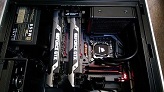
The PC running it.

So far have only played BF3 @ 5760 x 1080 high settings getting about 80 fps, no tearing whatsoever=amazing! Xfire & eyefinity are not working well with the 12.4 drivers (20fps if full screen-work s better windowed?) so back using 12.2 & CAPS for same.
The only other thing played so far is Mafia II, all settings full, FPS steady at 119, capped with MSI afterburner and it looks stunning..so smooth.
The quality of these screens is amazing, everything is so much more smooth & responsive when @ 120hz, even desktop stuff.
I was wary of the backlight bleeding issues ans all three have slight bleeding on the left edge. From reading another forum, this can be fixed by unscrewing an internal screw slightly apparently, as part of the casing is overtightened. Minor detail tbh.
So the screen tearing; I have not noticed anything very obvious, a small barely noticeable amount on one screen only-the DVI connected screen. Saying that, I have barely gamed on them soon to be corrected :bigsmile:
They're big, but not as big as I thought, desk will just about do!
The power bricks.
Up and running, default colour settings.
The small bezels were a big factor in choosing these screens, I'm not brave enough to start stripping the bezels-yet.
Width non monitor-11mm, compared to USB.
The PC running it.
So far have only played BF3 @ 5760 x 1080 high settings getting about 80 fps, no tearing whatsoever=amazing! Xfire & eyefinity are not working well with the 12.4 drivers (20fps if full screen-work s better windowed?) so back using 12.2 & CAPS for same.
The only other thing played so far is Mafia II, all settings full, FPS steady at 119, capped with MSI afterburner and it looks stunning..so smooth.
The quality of these screens is amazing, everything is so much more smooth & responsive when @ 120hz, even desktop stuff.
I was wary of the backlight bleeding issues ans all three have slight bleeding on the left edge. From reading another forum, this can be fixed by unscrewing an internal screw slightly apparently, as part of the casing is overtightened. Minor detail tbh.
So the screen tearing; I have not noticed anything very obvious, a small barely noticeable amount on one screen only-the DVI connected screen. Saying that, I have barely gamed on them soon to be corrected :bigsmile:
Silverstone FT05 * Asus Maximus VII Formula* I7 4970k * Corsair H80i * 8GB Corsair Vengeance Pro* 2 x EVGA 980ti ACX superclocked * Crucial M4 256GB * Silverstone ST85F-GS 850W* Corsair SP2500 * 3 x 1 Samsung S27A950D's 1 x AOC 24" 1080p something..
Nice screens. We have one of
Nice screens. We have one of those in the lab at work for testing out our silicon at 120Hz refresh rates. It's a good thing your desk has enough room since these have no VESA mount capability! Looks great, enjoy.
Who is online
Users browsing this forum: No registered users and 7 guests