Widescreen Gaming Forum

[-noun] Web community dedicated to ensuring PC games run properly on your tablet, netbook, personal computer, HDTV and multi-monitor gaming rig.
It is currently 12 Jul 2026, 12:06

All times are UTC [ DST ]


Post new topic Reply to topic  [ 48 posts ]  Go to page Previous  1 ... 9, 10, 11, 12, 13, 14, 15 ... 48  Next
Author Message
PostPosted: 14 May 2019, 14:25 
Offline
User avatar

Joined: 14 May 2019, 14:18
Posts: 1
Location: Croatia
Woking thank you!


Top
 Profile  
Reply with quote  
PostPosted: 14 May 2019, 14:37 
Offline

Joined: 22 Mar 2019, 06:20
Posts: 5
OnkelJupp
thx. but, It does not work, I replaced it with an editor, it will work in a window without a frame, but not full screen, when you do full screen, the bands remain(((


Top
 Profile  
Reply with quote  
PostPosted: 14 May 2019, 15:29 
Offline
User avatar

Joined: 30 Jul 2018, 08:40
Posts: 2
Pls give me Hex number for 3840:1080 32:9. I know how to replace it by using Hex. Thanks alot

_________________
Samsung CHG90 49inch 32:9 144hz, 1ms, VA panel Qled Monitor


Top
 Profile  
Reply with quote  
PostPosted: 14 May 2019, 15:44 
Offline
User avatar

Joined: 09 Mar 2019, 04:24
Posts: 10
mjhieu wrote:
Pls give me Hex number for 3840:1080 32:9. I know how to replace it by using Hex. Thanks alot

Yes, need fix to 3840x1080 resolution. Maybe u can explain how calculate it?

_________________
Samsung LC49J890DKI 49inch 32:9 144hz, 5ms, VA panel Qled Monitor
A Plague Tale Innocence 39 8E E3 3F to 39 8E 63 40
Dark Souls III 800700003804 to 000F00003804


Top
 Profile  
Reply with quote  
PostPosted: 14 May 2019, 17:45 
Offline
User avatar

Joined: 30 Jul 2018, 08:40
Posts: 2
Li wrote:
mjhieu wrote:
Pls give me Hex number for 3840:1080 32:9. I know how to replace it by using Hex. Thanks alot

Yes, need fix to 3840x1080 resolution. Maybe u can explain how calculate it?


I found the Hex fix for 3840:1080, It isnt perfect but playable. Look for APlagueTaleInnocence_x64.exe in game folder and search 39 8E E3 3F Hex Values, then change all to 39 8E 63 40

_________________
Samsung CHG90 49inch 32:9 144hz, 1ms, VA panel Qled Monitor


Top
 Profile  
Reply with quote  
PostPosted: 14 May 2019, 19:12 
Offline

Joined: 14 May 2019, 19:07
Posts: 1
BigBOSS wrote:
OnkelJupp wrote:
Rose wrote:
This Fix is only for the Steam Version.


What will be ideas for start in Codex? Can you make a patcher?

You do something wrong.
39 8E E3 3F>26 B4 17 40 - works for me on codex version.


Top
 Profile  
Reply with quote  
PostPosted: 14 May 2019, 20:03 
Offline

Joined: 23 Oct 2018, 15:59
Posts: 13
You can find the most common ones here: http://www.wsgf.org/article/common-hex-values !
Sorry, I only play in Borderless Window Mode; after some Steam Community Hub Feedback I thought it would work fine with Fullscreen.


Top
 Profile  
Reply with quote  
PostPosted: 14 May 2019, 21:41 
Offline
User avatar

Joined: 09 Mar 2019, 04:24
Posts: 10
mjhieu wrote:
Li wrote:
mjhieu wrote:
Pls give me Hex number for 3840:1080 32:9. I know how to replace it by using Hex. Thanks alot

Yes, need fix to 3840x1080 resolution. Maybe u can explain how calculate it?


I found the Hex fix for 3840:1080, It isnt perfect but playable. Look for APlagueTaleInnocence_x64.exe in game folder and search 39 8E E3 3F Hex Values, then change all to 39 8E 63 40


Work's fine - thank you very match

_________________
Samsung LC49J890DKI 49inch 32:9 144hz, 5ms, VA panel Qled Monitor
A Plague Tale Innocence 39 8E E3 3F to 39 8E 63 40
Dark Souls III 800700003804 to 000F00003804


Top
 Profile  
Reply with quote  
PostPosted: 14 May 2019, 22:18 
Offline

Joined: 02 Feb 2017, 17:18
Posts: 24
OnkelJupp wrote:
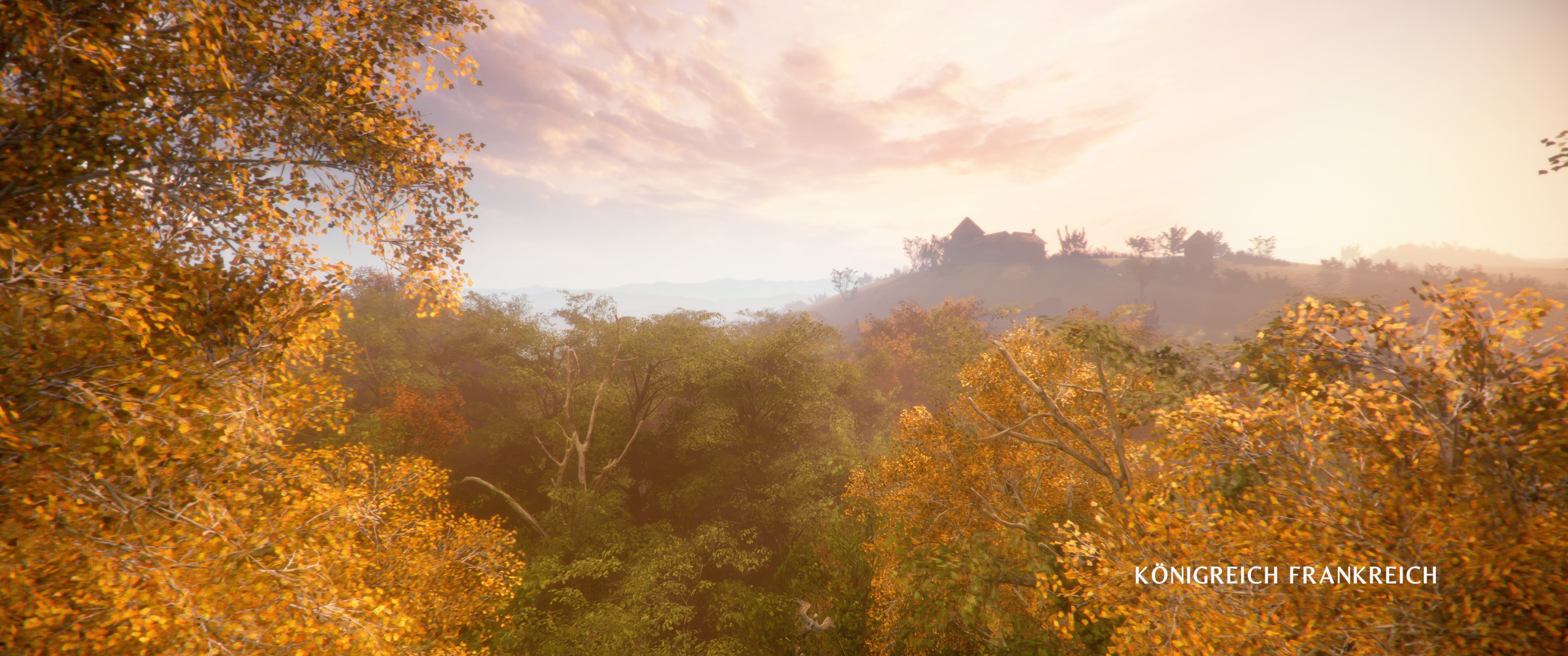
A Plague Tale: Innocence is an amazing game which sadly doesn't support Ultrawide (neither Gameplay nor Cutscenes).

You can easily fix this by Hex Editing the Game and changing all 39 8E E3 3F Hex Values with 8E E3 18 40 Hex Values (for 3440x1440; 26 B4 17 40 [instead of 8E E3 18 40] for 2560x1080; 9A 99 19 40 [instead of 8E E3 18 40] for 3840x1600).

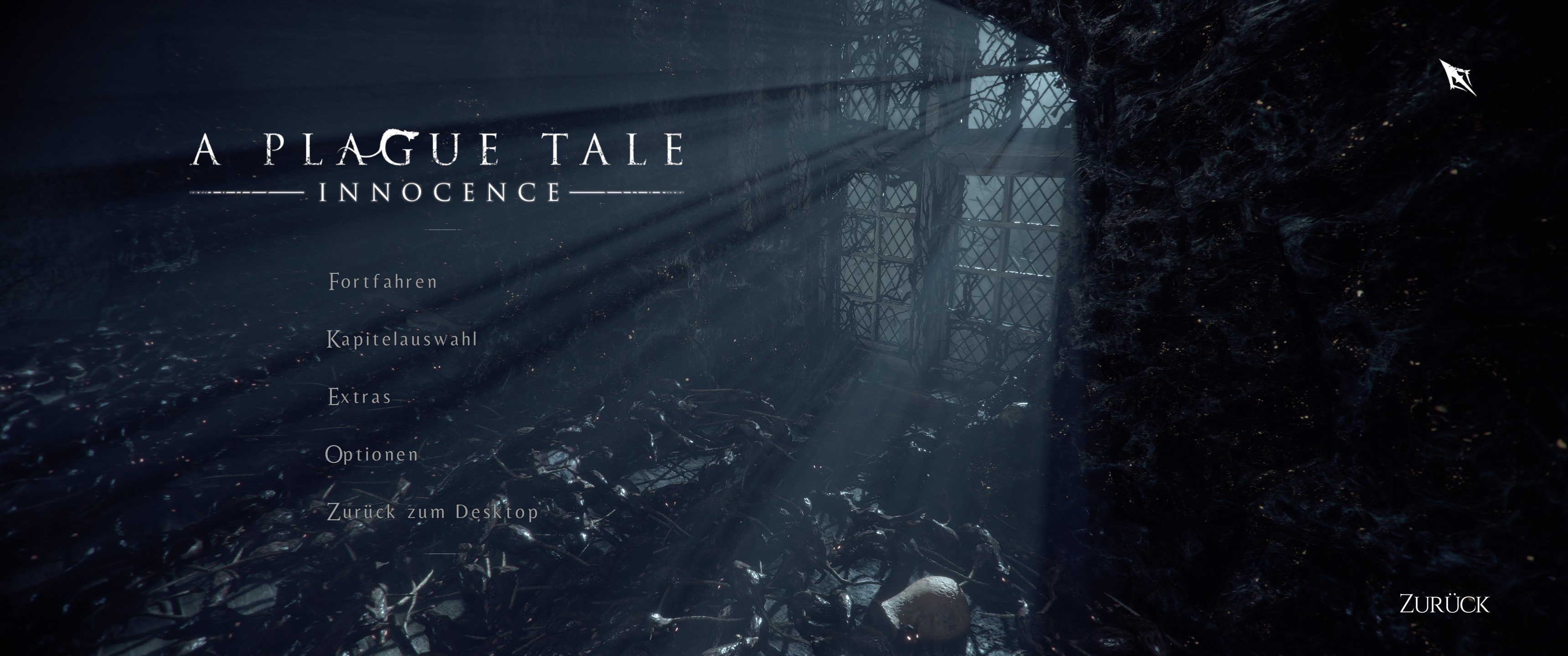
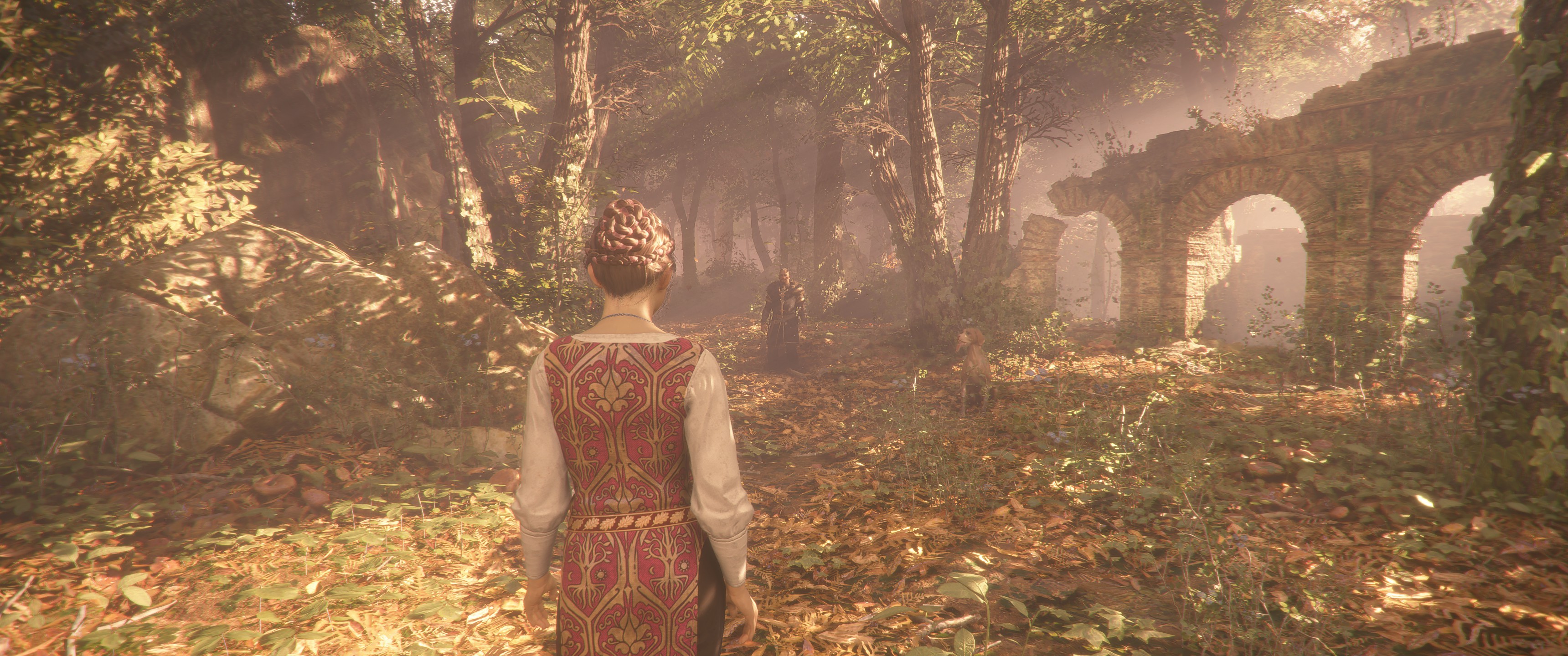
Now you can enjoy both Gameplay and Cutscenes (aswell as the HUD) in 21:9 (even the Main Menu works).
Sometimes the transition between Loading Screen and Cutscene glitches out with red bars on the side but it shouldn't be too worrying (since it lasts only for the duration of the Loading Screen).

Keep in mind that this Fix only works for Steam and needs to be redone after every Update (also keep in mind to read the short Hex Edit Info down below if you don't know how to Hex Edit).
If the Fix strangely doesn't work try to set the inGame resolution to 16:9 (1920x1080) since the 39 8E E3 3F Hex Values are for 16:9.

Main Menu:
Spoiler:
Image

Cutscene:
Spoiler:
Image

Gameplay:
Spoiler:
Image


If you don't know how to Hex Edit:
Just download HxD --> Open HxD --> Press Control O --> Choose the Game's Exe (''APlagueTaleInnocence_x64'' in steamapps/common/APlagueTaleInnocence) --> Press Control R --> Go to Hex Values (on top) --> Search for 39 8E E3 3F and change it with 8E E3 18 40 --> Activate Search direction all --> Press Change everything (bottom middle) --> (should change two values) Now go to the top left and save it where the normal exe is, changing it with the old one. If you have problems just repair the Game via Steam.


Onkeljupp!
thanks a lot!


Top
 Profile  
Reply with quote  
PostPosted: 14 May 2019, 23:37 
Offline

Joined: 21 Mar 2019, 23:37
Posts: 3
OnkelJupp wrote:
You can find the most common ones here: http://www.wsgf.org/article/common-hex-values !
Sorry, I only play in Borderless Window Mode; after some Steam Community Hub Feedback I thought it would work fine with Fullscreen.


I don´t know what people are talking about. 3440x1440 Hex you gave works great on Fullscreen and also on CODEX which is what I´m using.
So thank you very much, game looks so freaking better in UltraWide!


Top
 Profile  
Reply with quote  
PostPosted: 15 May 2019, 00:16 
Offline

Joined: 24 Oct 2018, 10:49
Posts: 6
Digital79 wrote:
OnkelJupp wrote:
You can find the most common ones here: http://www.wsgf.org/article/common-hex-values !
Sorry, I only play in Borderless Window Mode; after some Steam Community Hub Feedback I thought it would work fine with Fullscreen.


I don´t know what people are talking about. 3440x1440 Hex you gave works great on Fullscreen and also on CODEX which is what I´m using.
So thank you very much, game looks so freaking better in UltraWide!

Also search shows nothing in Codex version. If your one works with 3440x1440, could you just post the exe?


Top
 Profile  
Reply with quote  
PostPosted: 15 May 2019, 01:20 
Offline

Joined: 15 May 2019, 01:17
Posts: 1
Azelician wrote:
Digital79 wrote:
OnkelJupp wrote:
You can find the most common ones here: http://www.wsgf.org/article/common-hex-values !
Sorry, I only play in Borderless Window Mode; after some Steam Community Hub Feedback I thought it would work fine with Fullscreen.


I don´t know what people are talking about. 3440x1440 Hex you gave works great on Fullscreen and also on CODEX which is what I´m using.
So thank you very much, game looks so freaking better in UltraWide!

Also search shows nothing in Codex version. If your one works with 3440x1440, could you just post the exe?


Make sure you change the datatype to hex-values (default is text-string) otherwise the search will fail.


Top
 Profile  
Reply with quote  
PostPosted: 15 May 2019, 08:21 
Offline

Joined: 15 May 2019, 08:17
Posts: 1
Hello, for a resolution 3840 x 1080 ratio 32:9, I don't succeed to find the way to enjoy in fullscreen. Someone can help please? Best regards


Top
 Profile  
Reply with quote  
PostPosted: 15 May 2019, 11:49 
Offline
User avatar

Joined: 09 Mar 2019, 04:24
Posts: 10
Bad wrote:
Hello, for a resolution 3840 x 1080 ratio 32:9, I don't succeed to find the way to enjoy in fullscreen. Someone can help please? Best regards

Read 2st page

_________________
Samsung LC49J890DKI 49inch 32:9 144hz, 5ms, VA panel Qled Monitor
A Plague Tale Innocence 39 8E E3 3F to 39 8E 63 40
Dark Souls III 800700003804 to 000F00003804


Top
 Profile  
Reply with quote  
PostPosted: 15 May 2019, 12:24 
Offline

Joined: 24 Oct 2018, 10:49
Posts: 6
Quote:
Make sure you change the datatype to hex-values (default is text-string) otherwise the search will fail.


It worked, thanks, I messed bcz was searching 8E E3 18 40 instead of 39 8E E3 3F, most likely screwed bcz of my English, but now I know how to do it in future.


Top
 Profile  
Reply with quote  
PostPosted: 15 May 2019, 13:55 
Offline

Joined: 06 Apr 2019, 13:12
Posts: 3
@OnkelJupp Thank u so much :))
Can you make 3840x1620 please? I didn't it.


Top
 Profile  
Reply with quote  
PostPosted: 15 May 2019, 16:49 
Offline

Joined: 26 Apr 2019, 06:09
Posts: 2
BigBOSS wrote:
Rose wrote:
blaze1961 wrote:
My display is 2560x1080 I did a search with 8E E3 18 40 but the hex key wasn't found. What am I doing wrong?


The guide can be confusing. Replace every instance of 39 8E E3 3F with 26 B4 17 40.

8E E3 18 40 is 3440x1440 and isn't something to search for.

In the version from CODEX it does not work. Crash on launch


Works just fine for me, changed 2 instances for 2560x1080


Top
 Profile  
Reply with quote  
PostPosted: 15 May 2019, 21:17 
Offline

Joined: 21 Mar 2019, 23:37
Posts: 3
Azelician wrote:
Digital79 wrote:
OnkelJupp wrote:
You can find the most common ones here: http://www.wsgf.org/article/common-hex-values !
Sorry, I only play in Borderless Window Mode; after some Steam Community Hub Feedback I thought it would work fine with Fullscreen.


I don´t know what people are talking about. 3440x1440 Hex you gave works great on Fullscreen and also on CODEX which is what I´m using.
So thank you very much, game looks so freaking better in UltraWide!

Also search shows nothing in Codex version. If your one works with 3440x1440, could you just post the exe?


Glad you got it working, would have posted the exe somewhere if you didn't.


Top
 Profile  
Reply with quote  
PostPosted: 16 May 2019, 21:04 
Offline

Joined: 03 Apr 2019, 11:17
Posts: 2
Hi,

can some one maybe help me out with HEX for 6040x1200?c would be appreciate

THX


Top
 Profile  
Reply with quote  
PostPosted: 17 May 2019, 16:27 
Offline

Joined: 17 May 2019, 16:23
Posts: 1
Hi,

It worked partly for me (original steam version) but is there a hex code for the 3840 x 1080 available ? It is still not full screen because I´m using the hex code for the 3840 x 1600

thanks


Top
 Profile  
Reply with quote  
PostPosted: 17 May 2019, 17:06 
Offline
Insiders
Insiders
User avatar

Joined: 26 Jan 2010, 01:51
Posts: 354
Dumbass lazy devs...

Thanks guys for sharing a fix. Currently torrenting this now and will try it here shortly. Maybe if the devs ever pull their head out of their ass I'll buy the game.


Top
 Profile  
Reply with quote  
PostPosted: 18 May 2019, 12:11 
Offline

Joined: 18 May 2019, 12:04
Posts: 1
can anybody help me? What should I put for the codex version and resolution 2560x1080?

I go through chapter 4 and even with the black bands :(

if someone can upload the exe I would appreciate it!


Top
 Profile  
Reply with quote  
PostPosted: 18 May 2019, 20:15 
Offline

Joined: 13 Jun 2017, 19:59
Posts: 2
Just an update for some people.

Thanks to SAMI :

"7680/1440 = 5.333333333333333

Go to: https://www.h-schmidt.net/FloatConverter/IEEE754.html

Paste "5.333333333333333" there on "You entered" and press enter.

Then look the result of "Hexadecimal Representation"
The result would be 0x40aaaaab Ignore 0x,"

Hope that helps. It works but the text in the menus is too large and some text is off the screen.
So you should be able to calculate any resolution with that by dividing the width by the height.

So for 7680 x 1440 it would be :

1. Set in game res to 1920 x 1080
2. Search for 39 8E E3 3F (1920 x 1080 in hex)
3. Replace it with AB AA AA 40"

To get the correct Hex code for your resolution:

1. Set in game res to 1920 x 1080
2. Search for 39 8E E3 3F (1920 x 1080 in hex) using the Hxd Program
1. 7680/1440 = 5.3333333, Your Resolution width divided by height = Result
2. Go to : https://www.h-schmidt.net/FloatConverter/IEEE754.html
3. Enter : Your result in the "You entered" field.
4. Press Enter.
5. In the Hexadecimal Representation you will get a result eg "0x40aaaaab"
6. Remove 0x from the beginning.
7. This gives you: e.g. 40aaaaab which is 40 AA AA AB
8. REVERSE the result in 2's AB AA AA 40.
9. Replace 39 8E E3 3F with AB AA AA 40 in the HX program by pressing Ctrl + R, replace both occurances

It works.

0x40aaaaab


Last edited by rangerbob on 20 May 2019, 17:33, edited 1 time in total.

Top
 Profile  
Reply with quote  
PostPosted: 19 May 2019, 20:01 
Offline

Joined: 19 May 2019, 19:56
Posts: 2
Hello, folks,
I'm afraid I have to beg too. Could someone please find out the specifications for 5292x1050. In spite of good instructions I am probably too stupid to find out for myself. Sorry !
Many thanks in advance
greetings


Top
 Profile  
Reply with quote  
PostPosted: 19 May 2019, 21:36 
Offline

Joined: 19 Aug 2010, 23:05
Posts: 145
Pandoranga wrote:
Hello, folks,
I'm afraid I have to beg too. Could someone please find out the specifications for 5292x1050. In spite of good instructions I am probably too stupid to find out for myself. Sorry !
Many thanks in advance
greetings


Your aspect ratio is 5.04
Follow the post just before yours and look for the hexadecimal value 39 8E E3 3F.
Then replace it with AE 47 A1 40.
You may find two occurencies of that hexadecimal values though. If i remember well, that's the first occurency.


Top
 Profile  
Reply with quote  
PostPosted: 20 May 2019, 19:01 
Offline

Joined: 19 May 2019, 19:56
Posts: 2
Hi K4sh.
Thank you so much.
It really works great.
I have an eyefinity setup of three monitors each1680x1050

There are some artifacts on the picture, but they are only visible on the screen. In the game everything is propper :rockout:


Top
 Profile  
Reply with quote  
PostPosted: 20 May 2019, 20:02 
Offline

Joined: 19 Aug 2010, 23:05
Posts: 145
Your artefacts may reveal some frequencies flaws. Is your card overclocked ? If so, try to lower the frequencies. Even if the card is not overclocked.
This game really makes graphic cards have a hard time (temp rises high and quite quick).


Top
 Profile  
Reply with quote  
PostPosted: 30 May 2019, 23:52 
Offline
User avatar

Joined: 05 Feb 2019, 00:50
Posts: 9
3840x1080?

My bad, missed it from earlier.


Top
 Profile  
Reply with quote  
PostPosted: 04 Jun 2019, 21:09 
Offline

Joined: 04 Jun 2019, 21:07
Posts: 1
I have tried to get this to work for 2 days. Change resolution in game, try windowed, no results. It cannot find the values to change at all. I have tried a fresh install and no results. Can anyone help? Post me an exe or something? The problem seems to be that no matter what resolution is set in game it reverts to a "custom" resolution which I have no idea on how to find in HxD. Thank you in advance.


Top
 Profile  
Reply with quote  
PostPosted: 28 Jun 2019, 18:10 
Offline

Joined: 28 Jun 2019, 18:05
Posts: 1
I have the same problem as tcoster21, cannot find the values.
Damn this sucks so much every game you have to edit yourself I whish I would have never experienced 21:9 now I can´t get back :D

Edit: Instead of using HxD I used UltraEdit, found it and changed it.
It works now perhaps you can add this to your instructions.
Thx


Top
 Profile  
Reply with quote  
PostPosted: 05 Jul 2019, 02:23 
Offline

Joined: 05 Jul 2019, 02:16
Posts: 2
Describe how to change '3440x1440; 26 B4 17 40 [instead of 8E E3 18 40] for 2560x1080; 9A 99 19 40 [instead of 8E E3 18 40] for 3840x1600). '

but I have a projector and screen 21: 9. My maximum resolution is 1920x800. knows someone how to change 39 E3 3F to 1920x800 (21: 9)


Top
 Profile  
Reply with quote  
PostPosted: 05 Jul 2019, 14:02 
Offline
Administrators
Administrators
User avatar

Joined: 05 Jun 2018, 05:10
Posts: 112
wrmufc wrote:
Describe how to change '3440x1440; 26 B4 17 40 [instead of 8E E3 18 40] for 2560x1080; 9A 99 19 40 [instead of 8E E3 18 40] for 3840x1600). '

but I have a projector and screen 21: 9. My maximum resolution is 1920x800. knows someone how to change 39 E3 3F to 1920x800 (21: 9)


1920x800 is the same aspect ratio as 3840x1600. You go with 9A 99 19 40

_________________
you can buy me a coffee at ko-fi.com/rozziroxx


Top
 Profile  
Reply with quote  
PostPosted: 05 Jul 2019, 20:28 
Offline

Joined: 05 Jul 2019, 02:16
Posts: 2
Rose wrote:
wrmufc wrote:
Describe how to change '3440x1440; 26 B4 17 40 [instead of 8E E3 18 40] for 2560x1080; 9A 99 19 40 [instead of 8E E3 18 40] for 3840x1600). '

but I have a projector and screen 21: 9. My maximum resolution is 1920x800. knows someone how to change 39 E3 3F to 1920x800 (21: 9)


1920x800 is the same aspect ratio as 3840x1600. You go with 9A 99 19 40


thanks. It's work


Top
 Profile  
Reply with quote  
PostPosted: 10 Jul 2019, 10:53 
Offline

Joined: 30 May 2016, 14:29
Posts: 4
Can someone help me with the resolution 5120x1440?
I can not get it somehow.

I would need the hex code and the information which page to replace with it.

THX;)


Top
 Profile  
Reply with quote  
PostPosted: 10 Jul 2019, 12:01 
Offline
Administrators
Administrators
User avatar

Joined: 05 Jun 2018, 05:10
Posts: 112
Sub200 wrote:
Can someone help me with the resolution 5120x1440?
I can not get it somehow.

I would need the hex code and the information which page to replace with it.

THX;)


39 8E 63 40

_________________
you can buy me a coffee at ko-fi.com/rozziroxx


Top
 Profile  
Reply with quote  
PostPosted: 10 Jul 2019, 12:22 
Offline

Joined: 30 May 2016, 14:29
Posts: 4
Thx!!;) Work perfekt!


Top
 Profile  
Reply with quote  
PostPosted: 16 Jul 2019, 17:17 
Offline
Founder
Founder
User avatar

Joined: 13 Oct 2003, 05:00
Posts: 7358
I want to share with @everyone an issue that has beset the WSGF over the last week or so. Google has decided that the files we host (exe files, patchers, etc.) are malware. Thus, they have flagged the entire WSGF as hosting and/or linking malware, which inhibits site access and search rankings.

Both the WSGF and our older media server (WSGF Media dot com) have been flagged. We have found a solution for our hosted files, via our friends at PC Gaming Wiki. However, we still have an issue with the forums linking to the old WSGF Media server.

There is no feasible way to go through the forums and edit the possible thousands of posts that reference the WSGF Media server. And there is absolutely no guarantee that Google won't ping some future post attachment and flag the entire site again.

The forums are much quieter today then they used to be, with just 1 or 2 active posts per day on average, on top of this we continue to have issues with bots or humans creating accounts to post spam. Additionally, the forums have hampered our ability to enable HTTPS and update the site to be more modern and mobile friendly.

The internet itself has also shifted, with sites like Reddit and services like Discord, YouTube and Twitch being where most discussion happens. Given all of the above we are exploring the idea of "archiving" the forums into their own domain so that everything could be read, but no new posts or accounts could be created. We would then direct all new discussion to a Reddit community and/or our Discord server, which we hope will make discussing and working on fixes more practical.

We are really at a crossroads where the forums have gone from being a minor or moderate inhibitor to growth of the WSGF, to now a major roadblock (thanks to Google). We need a road forward, and wanted to reach out to the community to socialize the issue and our ideas, and to get your feedback.

I'd love to hear your feedback in our Discord Server - https://discord.gg/FcVYWgh


Top
 Profile  
Reply with quote  
Display posts from previous:  Sort by  
Post new topic Reply to topic  [ 48 posts ]  Go to page Previous  1 ... 9, 10, 11, 12, 13, 14, 15 ... 48  Next

All times are UTC [ DST ]


Who is online

Users browsing this forum: No registered users and 14 guests


You cannot post new topics in this forum
You cannot reply to topics in this forum
You cannot edit your posts in this forum
You cannot delete your posts in this forum
You cannot post attachments in this forum

Search for:
Jump to:  
cron


Powered by phpBB® Forum Software © phpBB Group