Widescreen Gaming Forum

[-noun] Web community dedicated to ensuring PC games run properly on your tablet, netbook, personal computer, HDTV and multi-monitor gaming rig.
It is currently 12 Jul 2026, 09:41

All times are UTC [ DST ]


Post new topic Reply to topic  [ 4 posts ]  Go to page Previous  1, 2, 3, 4  Next
Author Message
PostPosted: 15 Mar 2016, 08:20 
Offline
Insiders
Insiders

Joined: 21 Oct 2014, 23:33
Posts: 291
VeerK, for those two games (Revelations, Brotherhood), use SoftTH. (They are both DX9)

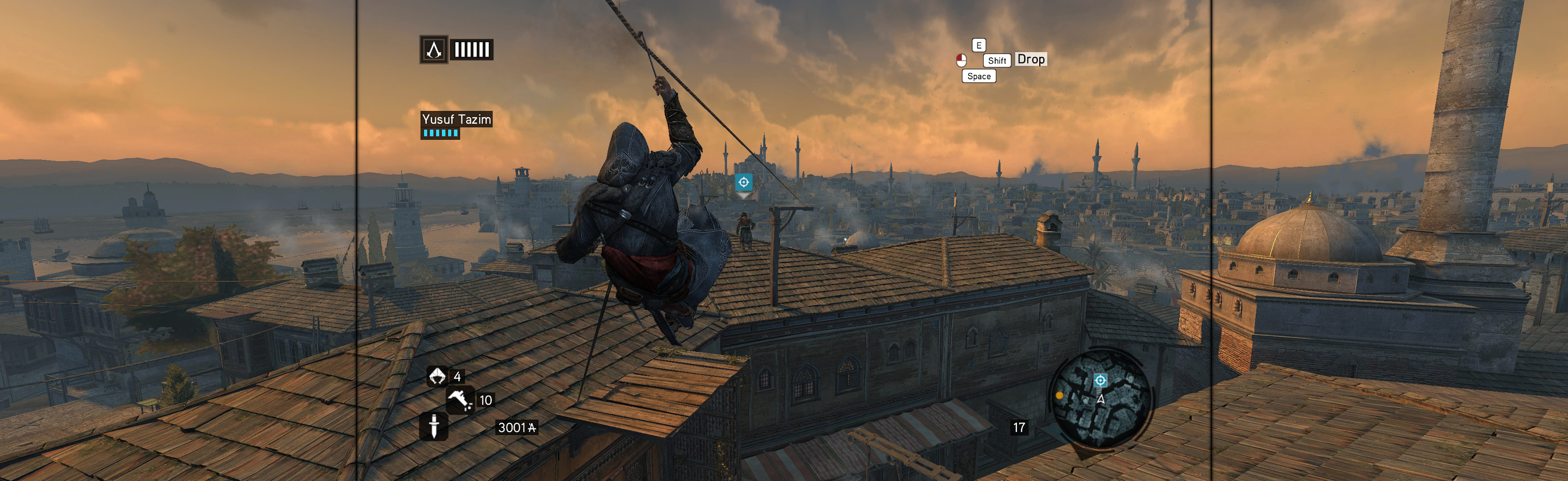
1. Revelations Manual PLP Instructions (take what you need):
http://www.wsgf.org/blog/imusrt/2015/05/04/assassins-creed-revelations-2011-manual-plp-instructions
Image

2. Brotherhood Manual PLP:
Unconfirmed, but logical. ~95% chance. Consistent engine & game. SoftTH (fullscreen, DX9 x86). Most likely, in-game select massive resolution. If it's not there, regedit is likely workaround; shown in Prince of Persia: TFS 2010 (same engine). Failing that, attempt resolution edit in %USERPROFILE%\Saved Games\Assassin's Creed Brotherhood\(game-name).ini.


Top
 Profile  
Reply with quote  
PostPosted: 15 Mar 2016, 19:54 
Offline

Joined: 29 Nov 2015, 02:42
Posts: 8
Maybe I should have been more clear about my question, I'm sorry about that.

In ACII, Brotherhood, and Revelations there is a problem where in-game cutscenes show up as 16:9 with black bars on the left and right sides to fill the 21:9 space. However, these are not pre-rendered cutscenes so when they end the game goes back to full 21:9 support natively. There is a fix on WSGF for ACII where the black bars on the left and right sides during cutscenes are eliminated, fully supporting 21:9 throughout the whole game. Since Brotherhood and Revelations use the same engine, they share the same problem which should be easily fixable like ACII, without the use of something like SoftTH or FlawlessWidescreen.


Top
 Profile  
Reply with quote  
PostPosted: 15 Mar 2016, 21:30 
Offline
Insiders
Insiders

Joined: 21 Oct 2014, 23:33
Posts: 291
EDITED
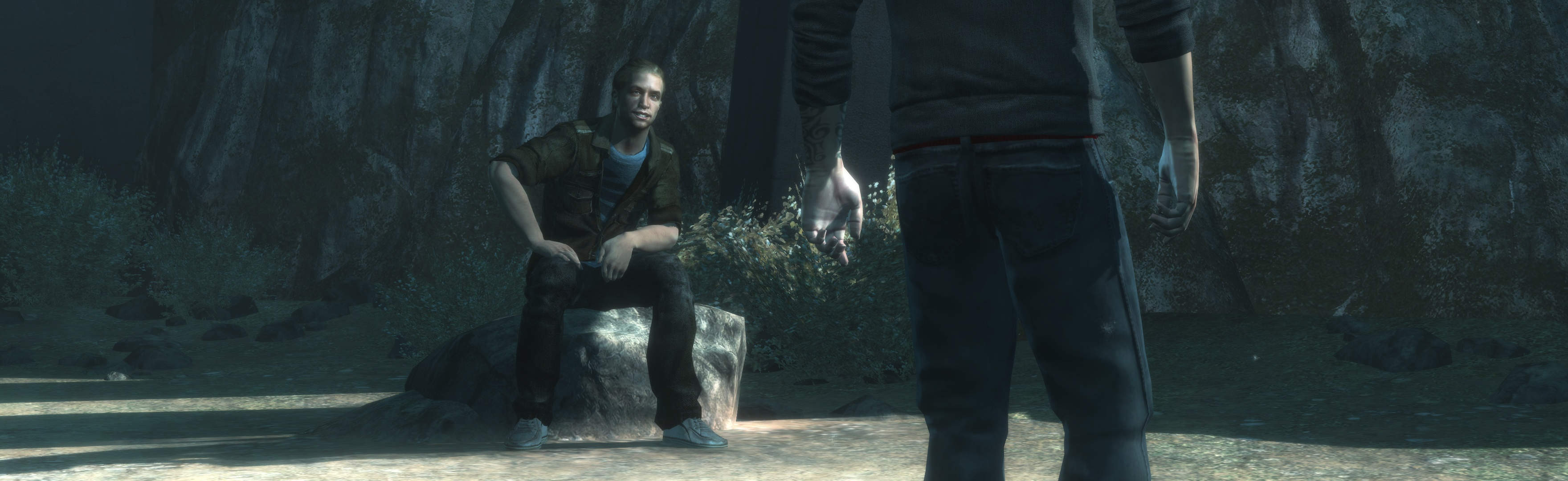
I have now tested & confirmed, SoftTH spreads this game better than native support. Rendered cutscenes are full hor+. There is no drawback to using SoftTH, it just makes game better.
Attached below are the two SoftTH files you need, zipped with instruction on where they go. Files will support 21:9 (2560x1080 or 3440x1440).

Proof (blog post also updated):
Image
(rendered cutscene, full hor+ with SoftTH)

However, some people may have a problem in Win10. If so, respond to discuss fix.

Attachment:
SoftTH 21_9 files (corrected).zip [422.91 KiB]
Downloaded 1219 times

(sorry there was a mistake in previous attachment's 3440x1440, now fixed)


Top
 Profile  
Reply with quote  
Display posts from previous:  Sort by  
Post new topic Reply to topic  [ 4 posts ]  Go to page Previous  1, 2, 3, 4  Next

All times are UTC [ DST ]


Who is online

Users browsing this forum: No registered users and 9 guests


You cannot post new topics in this forum
You cannot reply to topics in this forum
You cannot edit your posts in this forum
You cannot delete your posts in this forum
You cannot post attachments in this forum

Search for:
Jump to:  
cron


Powered by phpBB® Forum Software © phpBB Group