Game renders all well, hor+ & FOV looks proper. But minor issues (none a problem): A. Zoomed text on loading screens. B. Rendered video is mostly single-screen that requires key-press for proper FOV. C. When heavy damage is taken, the bloody red overlay which appears starts as shrunken square, then fills center screen properly (but not sides).

(PLP screenshot with bezel effect)
1. SoftTH (fullscreen, DX9 x86).
2. Edit %USERPROFILE%\ Documents\My Games\Hunted\ DFGame\Config\ DFInput.ini (game creates this file).
A. In section [DFGame.DFPlayerInput], add two line: Bindings=(Name="I",Command="FOV 122.782") & Bindings=(Name="Equals",Command="FOV 90").
B. FOV number bound to "I" (it's an i) is approximate, adjust as needed. FOV bound to "Equals" (the = key) is default setting.
3. In-game select massive resolution. Wait for player, press I.
4. If game FOV reverts (rare), press I again. When a single-screen rendered cutscene, press Equals key (optional, corrects videos' FOV).

(bow stance, common running)
NOTES:
1. If using mouse & OS interferes, use PrimaryLock utility to limit mouse movement (instructions in guide/parent page).
2. Above FOV method adjusts the master setting, which adjusts all scenarios' FOV. This causes single-screen rendered video to have strong FOV, fixed by pressing Equals key.
3. FOVAngle can be tweaked for specific scenarios in DFCamera.ini (not recommended).

(melee stance, elf)

(melee stance, human)

(stationary gun)
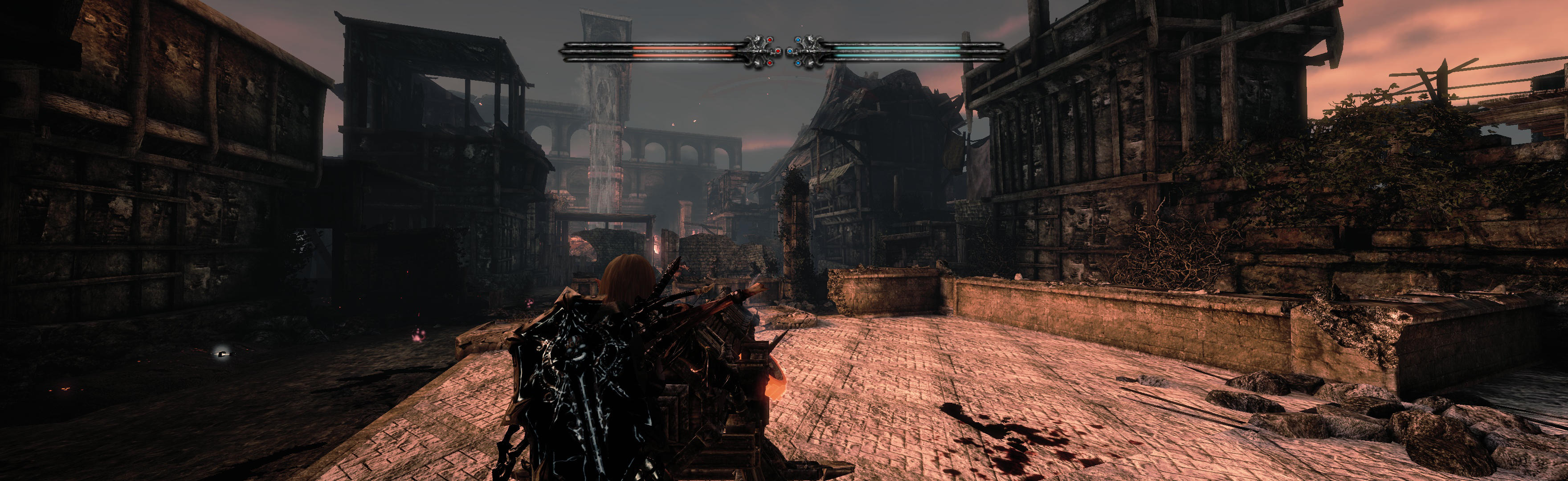
(stationary gun)

(rendered cutscene, FOV 122.782 -- uncorrected)

(rendered cutscene, FOV 90 -- corrected to default with bound key)
View guide for general help with the instructions.