Looks good. Stock FOV bit strong, correctible.
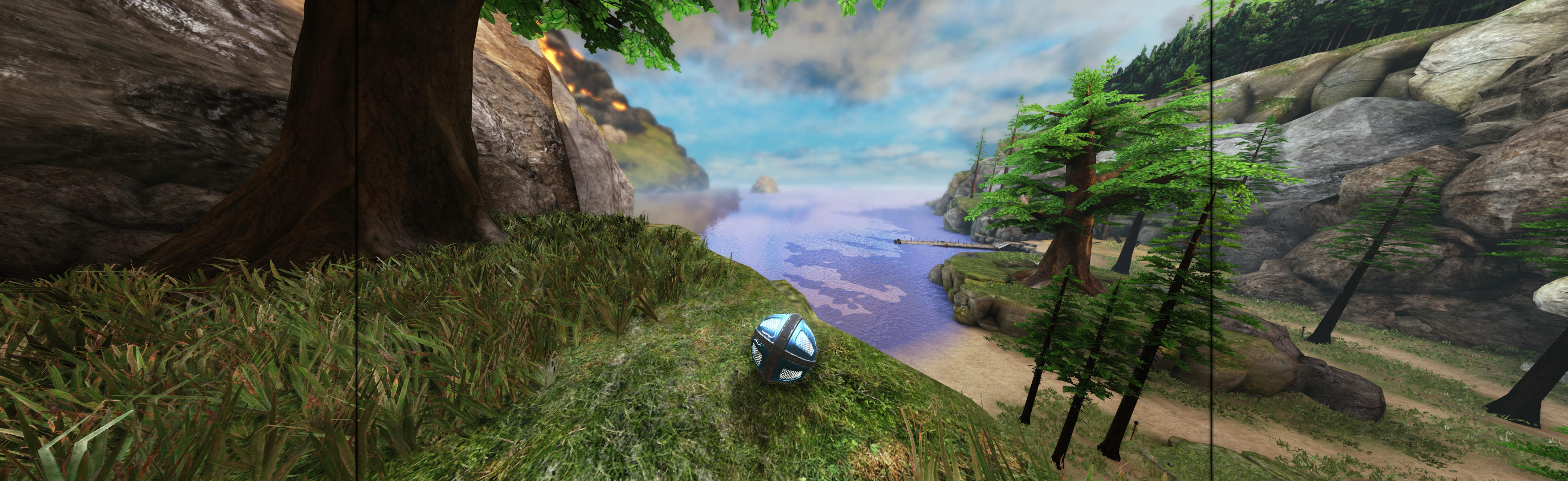
(PLP screenshot with bezel effect)
SoftTH (DX9 x86). In-game fullscreen & select massive resolution. Edit (path-to-game)\UDKGame\ Config\UDKEngine.ini. Switch AspectRatio_MaintainXFOV to ...YFOV. Flexible zoom view on scroll wheel.
Optional FOV (not needed, nice option): Edit UDKInput.ini (same folder). Under [Engine.PlayerInput], add line: Bindings=(Name="F12",Command="FOV 85"). At each gameplay start, press F12 for FOV fix. Sometimes reverts (e.g. new chapter); press F12 again. (Screenshot shows stock 90 FOV; adjust as needed.)

FIXES:
1. If clicking Play is ignored, change in-game resolution to single screen. Click play & then switch resolution back.
2. If no ground texture at start, restarting game will fix.
View guide for general help with the instructions.