| Widescreen Gaming Forum https://www.wsgf.org/phpBB3/ |
|
| Divinity: Dragon Commander (Triple Monitors / Eyefinity / Su https://www.wsgf.org/phpBB3/viewtopic.php?f=83&t=26537 |
Page 1 of 1 |
| Author: | Skid [ 14 Aug 2013, 00:24 ] |
| Post subject: | Divinity: Dragon Commander (Triple Monitors / Eyefinity / Su |
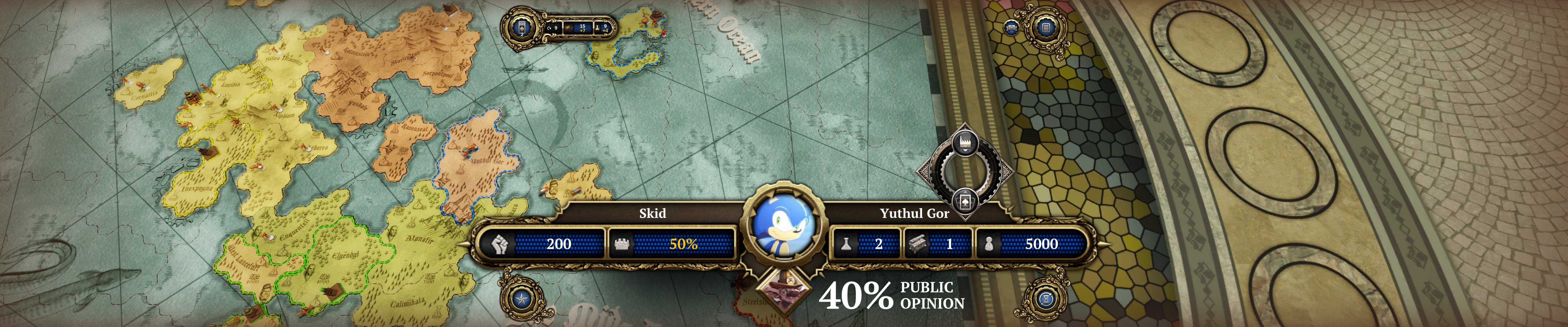
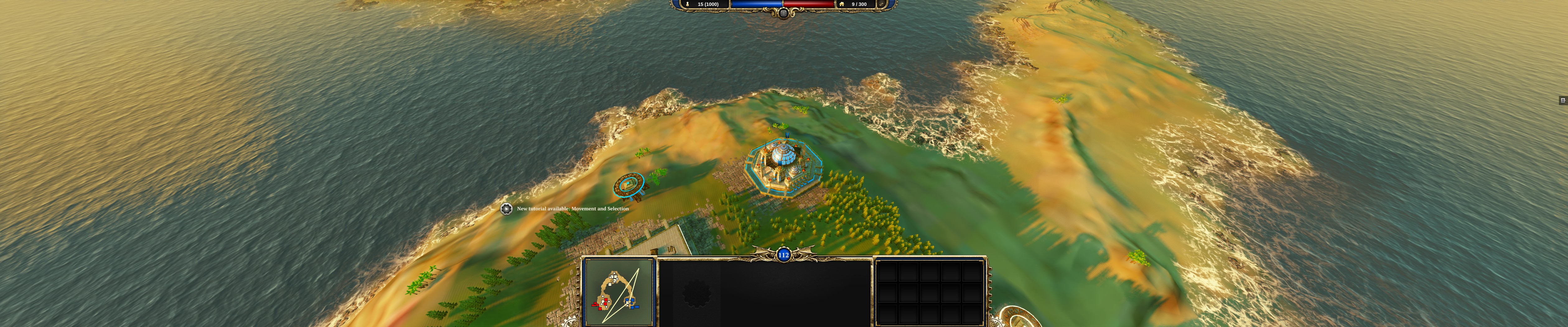
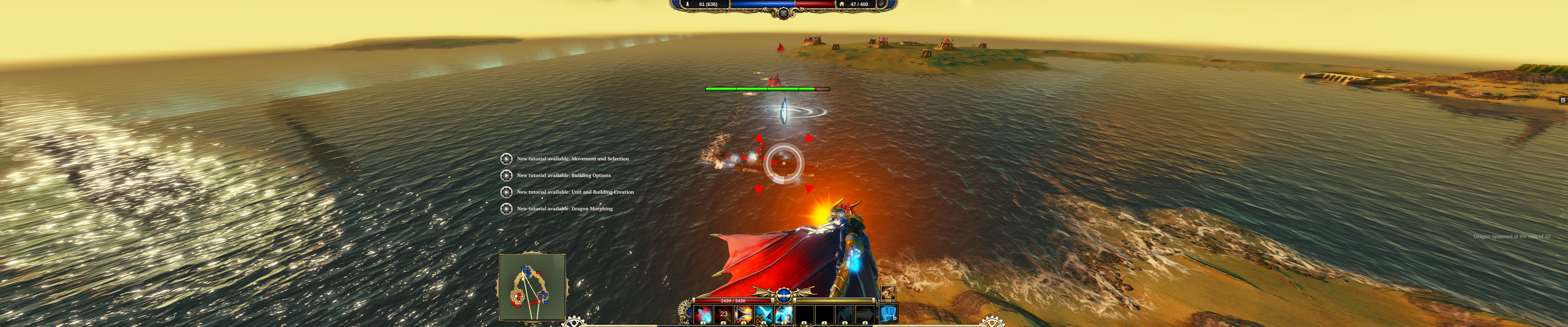
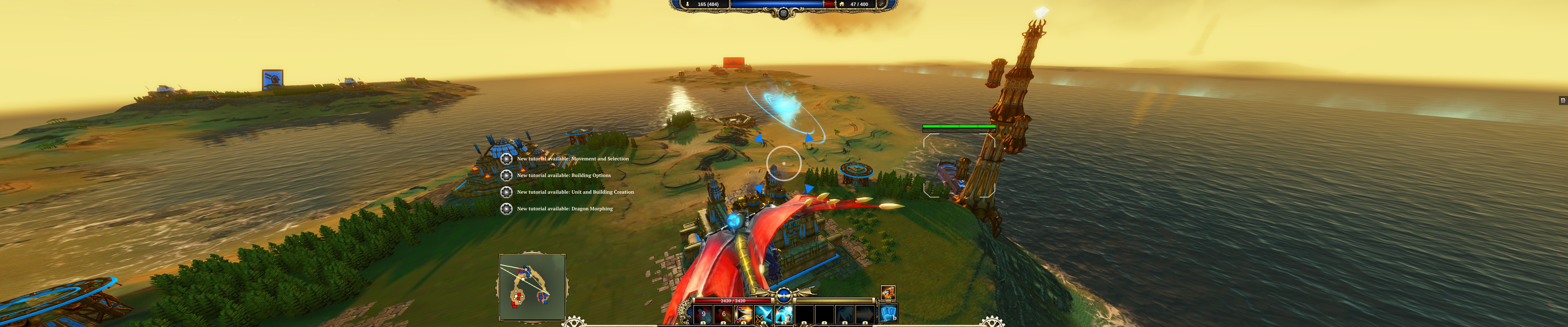
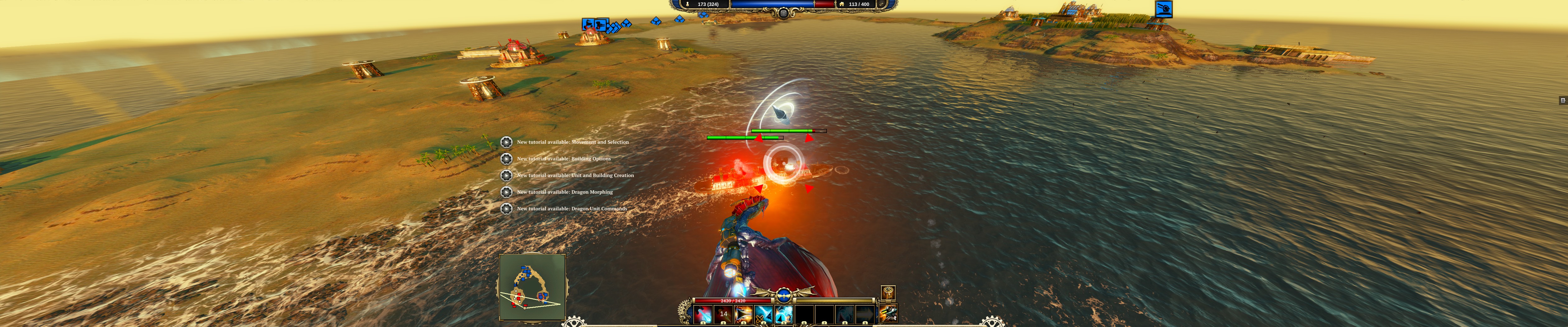
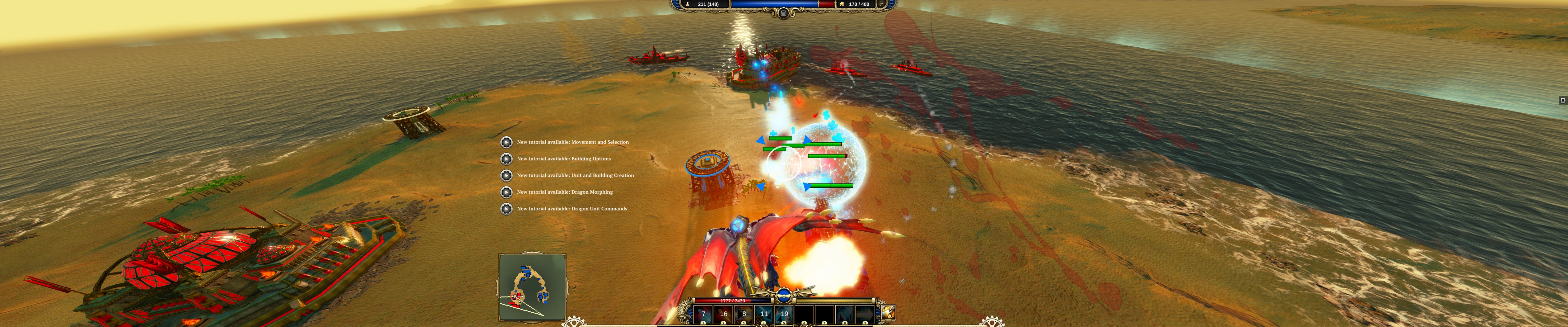
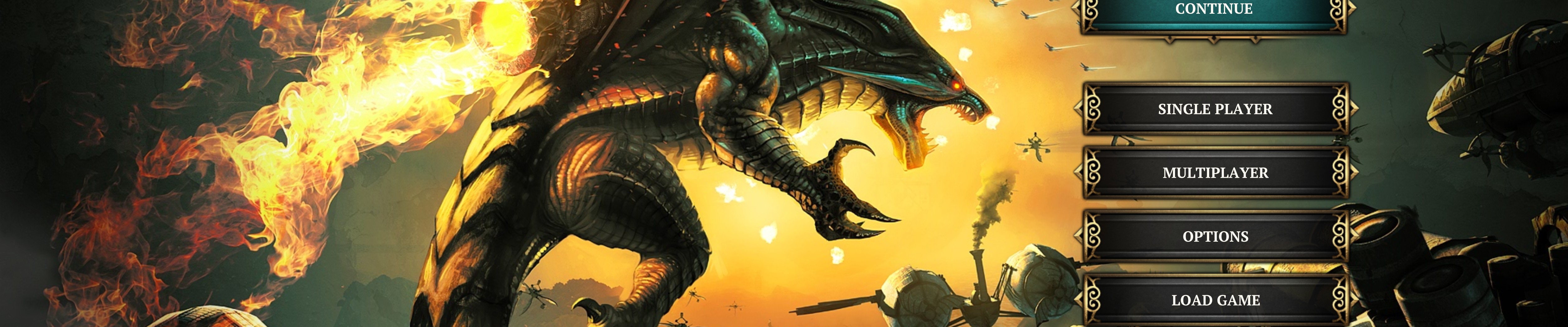
Divinity: Dragon Commander is a strategy game that implements many different elements, from moving your forces around a turn based strategic view, to morphing into a dragon with a jetpack in the real-time tactical battles, to managing your empires and trying to keep the 5 factions councillors happy via the games political systems. The game has a ton of dialogue that is well delivered and helps deliver the story as well as add depth to the characters you'll have to detail with in the political section of the game. The game is a mixed bag in terms of multi-monitor support, some of the UI is fine and centred to a 16:9 aspect ratio, others are scaled and stretched making them very large and cutting the top and bottom off them. The games 3D all renders horizontal plus, and inspite of some of the issues with the UI it can still be used so the game isn't completely broken because of it. The video itself is part analysis, part walkthough and part waffle, feel free to like or dislike my video and comment are always welcome too. Direct Video Link: Divinity: Dragon Commander (Triple Monitors / Eyefinity / Surround) [~4K] Channel Link: /n11skid While this video can be watched on any screen it has been encoded to look best on a multi-monitor system, so if your running such a system, then select original quality from the drop down box and watch in fullscreen.
|
|
| Author: | Toothless Spoon [ 14 Aug 2013, 03:49 ] |
| Post subject: | Re: Divinity: Dragon Commander (Triple Monitors / Eyefinity |
I've played this and it's great to see a strategy have almost flawless multimonitor support and a centre HUD in game! The problem are the zoomed menus, which make it very hard to select anything, but if hayden, or helifax get their hands on a copy, I can't imagine it would be hard to fix. |
|
| Author: | desertsnake54 [ 26 Aug 2013, 17:29 ] |
| Post subject: | Re: Divinity: Dragon Commander (Triple Monitors / Eyefinity |
Sorry Guys, I must have missed it but I can't figure out how to get above 1920 x 1200 in Dragon Commander. Been using 5720 x 1200 for some time but when I start DC my only option is 1920 x 1200 at max. What have I missed? The video above is what sold me on buying DC on STEAM. My system, EVGA x58 E748, i7 980x. 24 GB ram. 2 x HD 7970 GE HELP! Thanks, troy. |
|
| Author: | Toothless Spoon [ 27 Aug 2013, 03:39 ] |
| Post subject: | Re: Divinity: Dragon Commander (Triple Monitors / Eyefinity |
desertsnake54 wrote: Sorry Guys, I must have missed it but I can't figure out how to get above 1920 x 1200 in Dragon Commander. Been using 5720 x 1200 for some time but when I start DC my only option is 1920 x 1200 at max. What have I missed? The video above is what sold me on buying DC on STEAM. My system, EVGA x58 E748, i7 980x. 24 GB ram. 2 x HD 7970 GE HELP! Thanks, troy. I believe when I load up it uses your desktop resolution - but I believe there is an .ini file you can edit to try and force the resolution. The problem is the menu's though are vert-. |
|
| Author: | Foe_West [ 28 Aug 2013, 23:16 ] |
| Post subject: | Re: Divinity: Dragon Commander (Triple Monitors / Eyefinity |
I also cannot find a way to get this game running at a multimonitor resolution, I have a amd radeon 7770 running 3840 by 1024 eyefinity, dragon commander only lists resolutions up to 1280 by 1024 and I found no .ini file that would let me change the resolution manually. |
|
| Author: | Toothless Spoon [ 29 Aug 2013, 04:20 ] |
| Post subject: | Re: Divinity: Dragon Commander (Triple Monitors / Eyefinity |
Foe_West wrote: I also cannot find a way to get this game running at a multimonitor resolution, I have a amd radeon 7770 running 3840 by 1024 eyefinity, dragon commander only lists resolutions up to 1280 by 1024 and I found no .ini file that would let me change the resolution manually. You must not be looking too hard: Go to ...Documents\Larian Studios\Dragon Commander\graphicSettings.Isx and open with notepad/notepad++ Look down toward the end you'll see: <node id="ConfigEntry"> <attribute id="MapKey" value="ScreenHeight" type="22" /> <attribute id="Type" value="0" type="5" /> <attribute id="Value" value="1080" type="4" /> <--------------Change this value </node> <node id="ConfigEntry"> <attribute id="MapKey" value="ScreenWidth" type="22" /> <attribute id="Type" value="0" type="5" /> <attribute id="Value" value="5760" type="4" /> <----------------- Change this value I just went into the game and it lets me choose my resolution - I have Nvidia - which may be the problem you kids are having. |
|
| Author: | Foe_West [ 30 Aug 2013, 00:17 ] |
| Post subject: | Re: Divinity: Dragon Commander (Triple Monitors / Eyefinity |
Thank you I had to mess around with fake full-screen but this worked. |
|
| Page 1 of 1 | All times are UTC [ DST ] |
| Powered by phpBB® Forum Software © phpBB Group https://www.phpbb.com/ |
|