| Widescreen Gaming Forum https://www.wsgf.org/phpBB3/ |
|
| Black Shark view options https://www.wsgf.org/phpBB3/viewtopic.php?f=68&t=16956 |
Page 1 of 2 |
| Author: | GSENN [ 30 Jan 2009, 23:21 ] |
| Post subject: | Black Shark view options |
Hey Gang Just got the matrox TripleHead2Go Digital Edition T2G-D3D-IF for around $299 used And 3 new HANNS-G 1280x1024 HX191D monitors at newegg for around $130 ea Here are my ingame BS settings
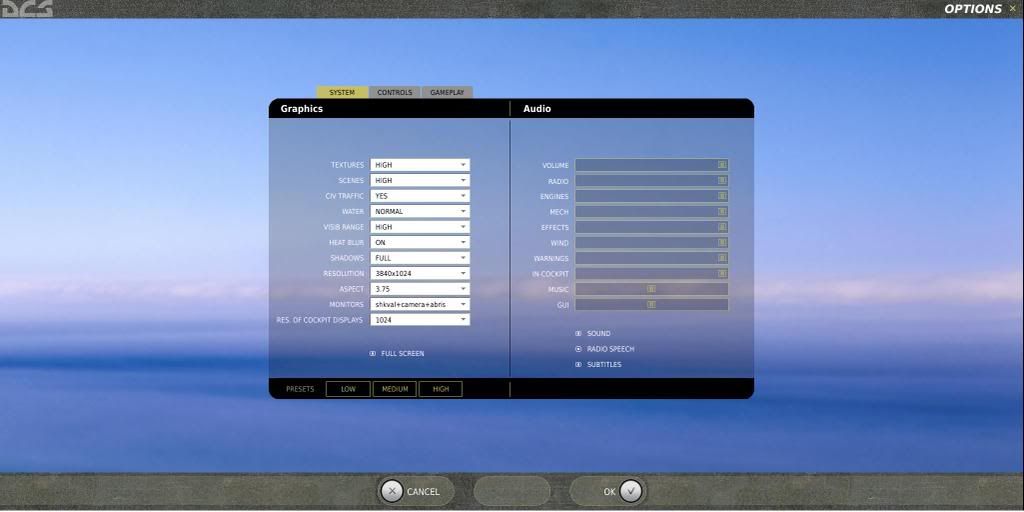
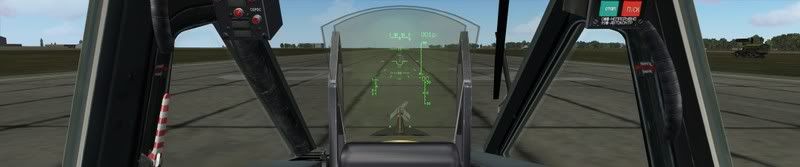
As you all know there are several different 'MONITOR' options to choose from.. The only 3 of interest to me are.. 1) 1camera 2) 3camera 3) shkaval+camera+abris With that in mind I set out to see what the difference are.. As a benchmark semi repeatable test I used the Winter Attack track file to test each MONITOR setting.. Basically took 3 screen captures from each setting.. 1) Forward Level 2) External 3) Forward Banked Here is the 3 forward views.. 1camera @ 3.75 aspect ratio
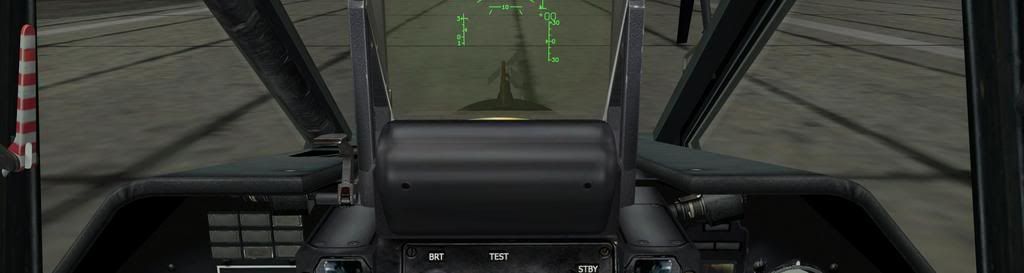
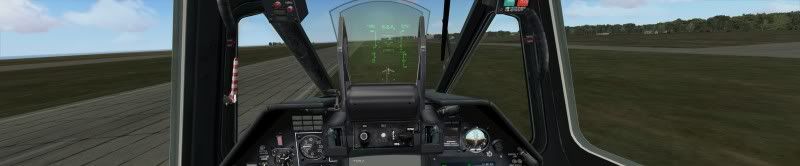
3camera @ 3.75 aspect ratio
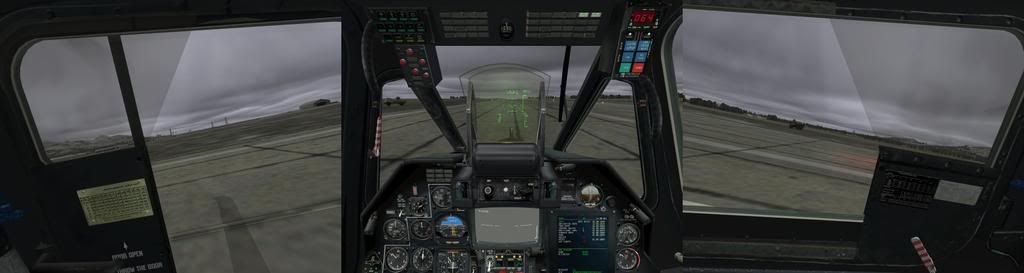
shkaval+camera+abris @ 3.75 aspect ratio
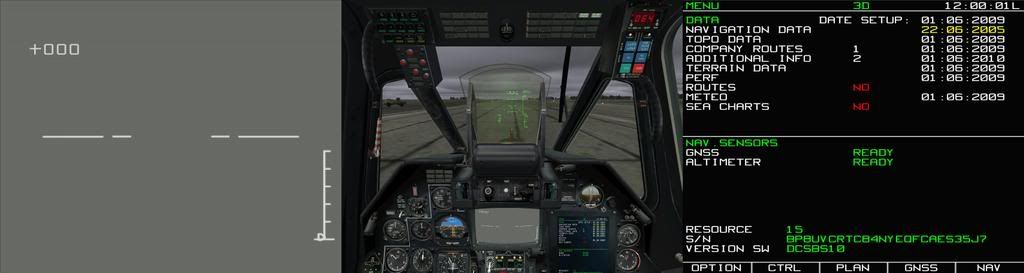
Here are the three external views 1camera @ 3.75 aspect ratio
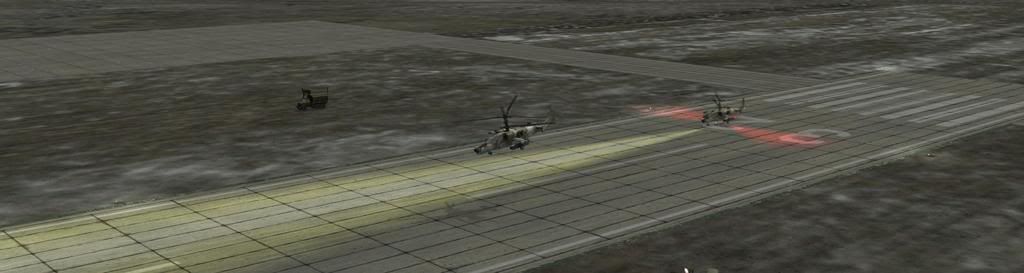
3camera @ 3.75 aspect ratio
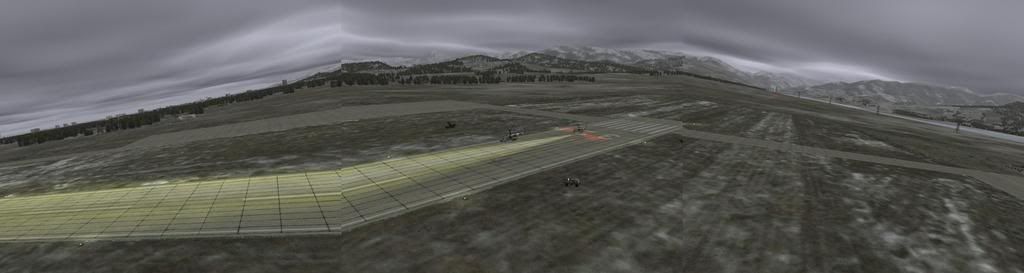
shkaval+camera+abris @ 3.75 aspect ratio
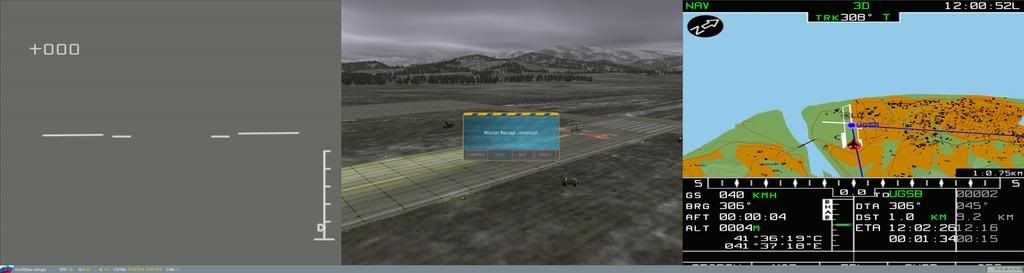
Here are the three banked views.. 1camera @ 3.75 aspect ratio
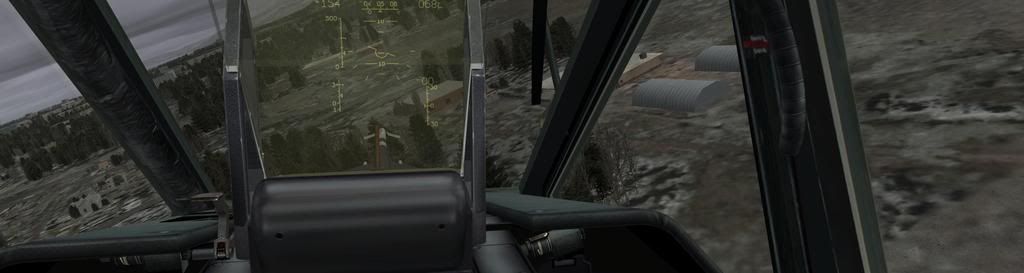
3camera at 3.75 aspect ratio
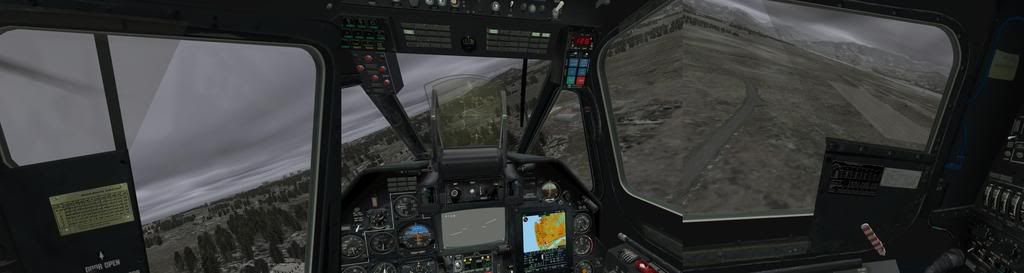
shkaval+camera+abris @ 3.75 aspect ratio
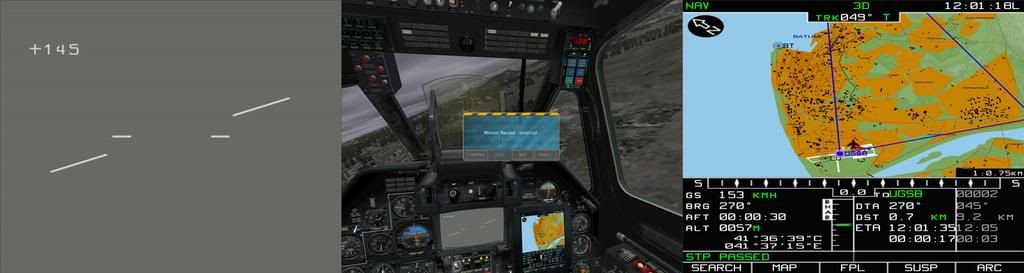
At this point I decided to go with the shkaval+camera+abris MONITOR option.. In that the center view is just like the view I had prior to TH2G with only one 1280x1024 monitor.. The aspect ratio in the center view looks fine.. no squashing of the view like in the 1camera option.. An no distortion at the points of overlap like in the 3camera option.. And with TrackIR you really don't need a wider view.. And the large shkaval and abris are Sooooo nice! The two side views never move/slew with TrackIR, only the center view does.. So if your old like me and had trouble seeing targets let alone IDing targets.. THIS IS THE MONITOR SETUP FOR YOU! Granted.. The 1camera option is also good for that.. You can see all the button names very clearly in the 1camera option.. and the squashed view in the up/down does not affect Black Shark as much as it would a dog fighting sim like IL2 where you need to maintain view of a bogie in the middle of a dog fight.. So you might want to consider 1camear view.. The 3camera view is not an option IMHO. Maybe it works better with systems that done have TH2G? As in maybe multi video card multi monitor setups.. So with that said here are a few more pictures from the shkaval+camera+abris @ 3.75 aspect ratio view Searching for targets
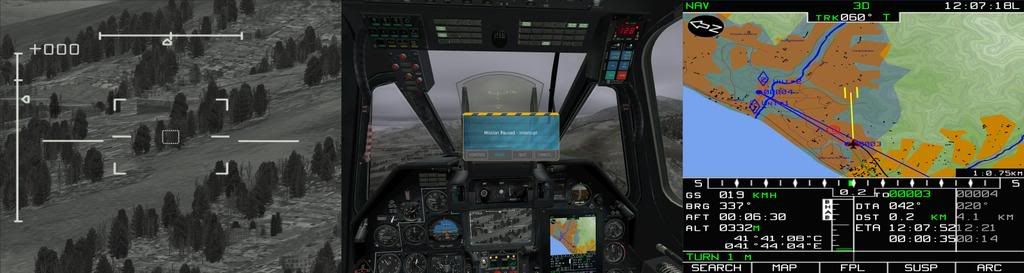
IDing the bigger threat.. i.e. the Vulcan
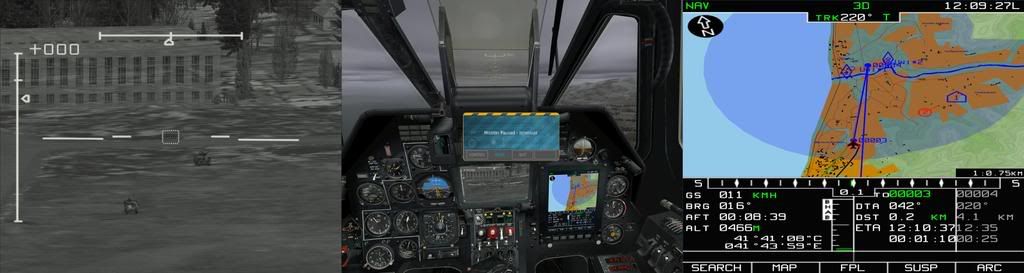
Locking up that threat
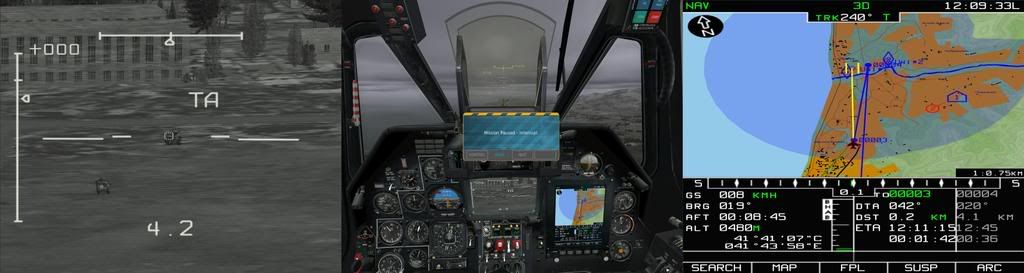
Launching a missile at that threat
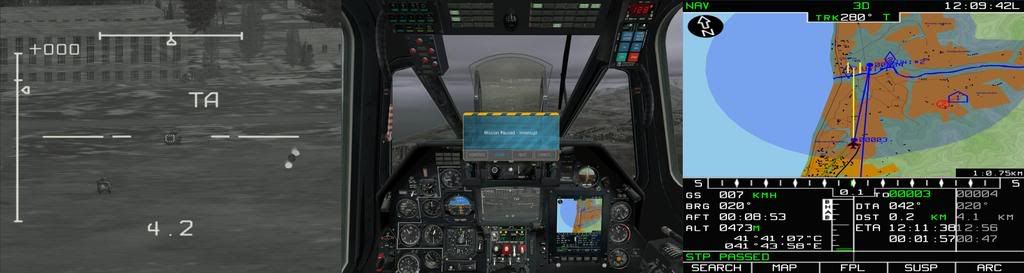
Here are a few views I played with before settling on the shkaval+camera+abris @ 3.75 aspect ratio Here is a shkaval+camera+abris view at 5:4 aspect ratio.. the view is inverted and stretched.. i.e. not good
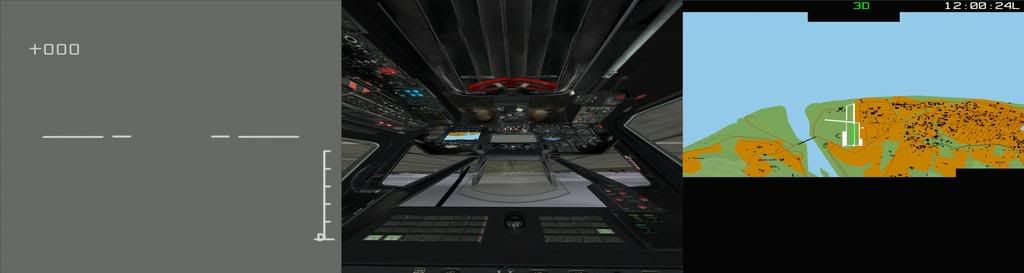
1camera forward view @ 0.9375 aspect ratio
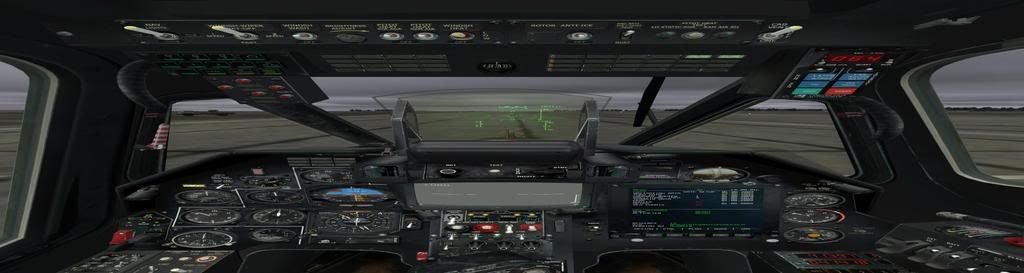
1camera external view @ 0.9375 aspect ratio
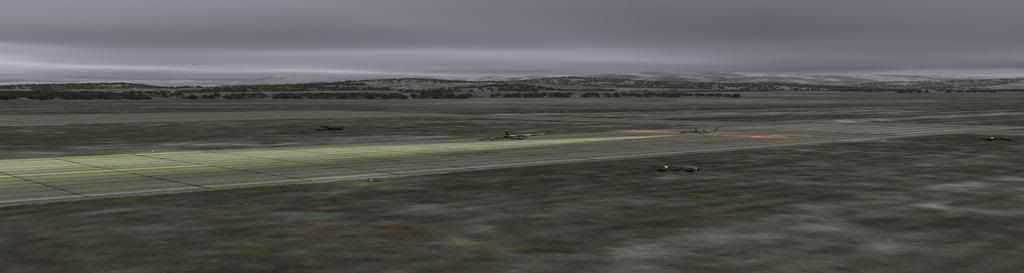
1camera banked view @ 0.9375 aspect ratio
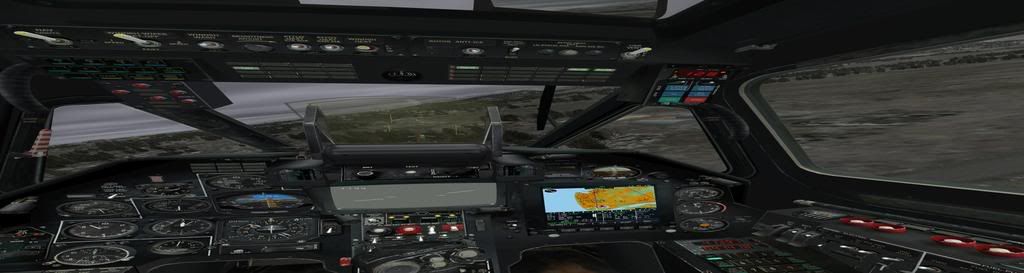
|
|
| Author: | BHawthorne [ 31 Jan 2009, 03:42 ] |
| Post subject: | Black Shark view options |
Looks very cool. Quick question, is there ability to set camera modes that show perspective from the cockpit without the cockpit showing? For use on something like surround projection for a simpit. Also, how is the game with hardware interfacing simpit builds? My curiousity is how is the 3840x720 look? I'd like to see it be able to project something like this:
|
|
| Author: | GSENN [ 31 Jan 2009, 04:09 ] |
| Post subject: | Black Shark view options |
Looks very cool. Quick question, is there ability to set camera modes that show perspective from the cockpit without the cockpit showing? For use on something like surround projection for a simpit Emmm not sure.. my guess is no.. On that note all the buttons and switches are active in that you can toggle them with the mouse.. Seen a youtube where a guy toggled the buttons and switches with a touch screen.. and another with a touch glove thingie.. So in essence.. the simpit is virtual in that everything in the pit is active. Also, how is the game with hardware interfacing simpit builds? If you want to build a pit.. It apears to be very doable There are a few youtube vids showing here is one http://www.youtube.com/watch?v=ml6V-PGNIoI Personally before I did that I would get the touch screen or glove thingie |
|
| Author: | BHawthorne [ 31 Jan 2009, 05:45 ] |
| Post subject: | Black Shark view options |
Wow, that some good hardware scratch-building of panels. Definitely a good sign to see that much compatability. |
|
| Author: | Mark B [ 31 Jan 2009, 08:42 ] |
| Post subject: | Black Shark view options |
For the 1 camera view there should be a tweak guide in BlackShark's manual that shows you how to adjust your FOV to avoid the "squashing" you're talking about. The devs spent lots of time with TripleHead2Go for this title, and optimizing for 1 camera view for Th2Go was also taken into strong consideration. |
|
| Author: | GSENN [ 31 Jan 2009, 18:01 ] |
| Post subject: | Black Shark view options |
For the 1 camera view there should be a tweak guide in BlackShark's manual that shows you how to adjust your FOV to avoid the "squashing" you're talking about. The devs spent lots of time with TripleHead2Go for this title, and optimizing for 1 camera view for Th2Go was also taken into strong consideration.Funny you should mention that.. Turns out I was a little premature with regards to the '1camera' FOV URZE over at http://forums.eagle.ru/ posted this Code: ..Eagle DynamicsKa-50ConfigViewview.lua
-- Camera view angle limits {view angle min, view angle max}. CameraViewAngleLimits = {} CameraViewAngleLimits[PlaneIndex.iSu_27] = {20.0, 140.0} CameraViewAngleLimits[PlaneIndex.iSu_33] = {20.0, 120.0} CameraViewAngleLimits[PlaneIndex.iSu_25] = {20.0, 120.0} CameraViewAngleLimits[PlaneIndex.iSu_39] = {20.0, 120.0} CameraViewAngleLimits[PlaneIndex.iMiG_29] = {20.0, 120.0} CameraViewAngleLimits[PlaneIndex.iMiG_29K] = {20.0, 120.0} CameraViewAngleLimits[PlaneIndex.iA_10] = {5.0, 120.0} CameraViewAngleLimits[PlaneIndex.iF_15] = {20.0, 140.0} CameraViewAngleLimits[PlaneIndex.iKA_50] = {20.0, 120.0} In the view.lua text file there is a line for the KA-50's view angles min and max.. Change the max from 120.0 to 200.0 to increase the view angle. Which in turn pulls the view back a bit.. i.e. you dont feel like you have your chin on the gun sight.. After that change use the ingame zoom keys to adj the location of your point of view (POV).. I didn't look into much because I use TrackIR that zooms your POV by simply moving your head.. But these zoom 'keys' seem to move the location of the POV start point.. Which affects the POV start point when using TrackIR.. I tried it and it looks great!! The '1camera' view is now very usable.. But at a big cost! It really does make your vid card work hard! Just about brought my GTX280 to it knees! ;) Here are Shrubbo's before and after pictures.. Before
After
|
|
| Author: | BHawthorne [ 01 Feb 2009, 00:33 ] |
| Post subject: | Black Shark view options |
Cool, the FOV definitely looks better with those tweaks. With how it was originally, are we sure this game isn't -vert? |
|
| Author: | GSENN [ 01 Feb 2009, 19:43 ] |
| Post subject: | Black Shark view options |
are we sure this game isn't -vert? Me sure? Hardly! ;) I'm new to all this wide stuff! So new I don't even know what 'vert' means! I will say this.. Black Shark is pretty cutting edge game wise.. So Im sure it has all the things going for it that most new games have.. But again.. That is from a game user perspective.. Not a wide screen expert perspective! ;) |
|
| Author: | BHawthorne [ 02 Feb 2009, 12:28 ] |
| Post subject: | Black Shark view options |
-vert is a term used for the way a camera is rendered in a game, making for less vertical field of view with the aspect ratio gets larger. I saw that the game allows for 3 different things on 3 different displays in your screen captures. Can you setup 3 different cameras for 3 different displays like you can in MSFS? I'm thinking on gaming with the setup like I have in the picture below:
|
|
| Author: | GSENN [ 04 Feb 2009, 05:57 ] |
| Post subject: | Black Shark view options |
-vert is a term used for the way a camera is rendered in a game, making for less vertical field of view with the aspect ratio gets larger.Ah.. Ok thanks for the def! I don't recall seeing that option in the game.. I wonder is that something I would have to do in TH2G? |
|
| Page 1 of 2 | All times are UTC [ DST ] |
| Powered by phpBB® Forum Software © phpBB Group https://www.phpbb.com/ |
|