Widescreen Gaming Forum

[-noun] Web community dedicated to ensuring PC games run properly on your tablet, netbook, personal computer, HDTV and multi-monitor gaming rig.
It is currently 12 Jul 2026, 16:18

All times are UTC [ DST ]


Post new topic Reply to topic  [ 78 posts ]  Go to page Previous  1 ... 21, 22, 23, 24, 25, 26, 27 ... 78  Next
Author Message
PostPosted: 06 Apr 2009, 08:24 
Offline

Joined: 26 Aug 2008, 18:13
Posts: 59


Top
 Profile  
Reply with quote  
PostPosted: 06 Apr 2009, 15:44 
Offline

Joined: 02 Jan 2007, 21:35
Posts: 61
Love the background image :)


Top
 Profile  
Reply with quote  
PostPosted: 11 Apr 2009, 11:36 
Offline

Joined: 03 Apr 2009, 21:42
Posts: 7
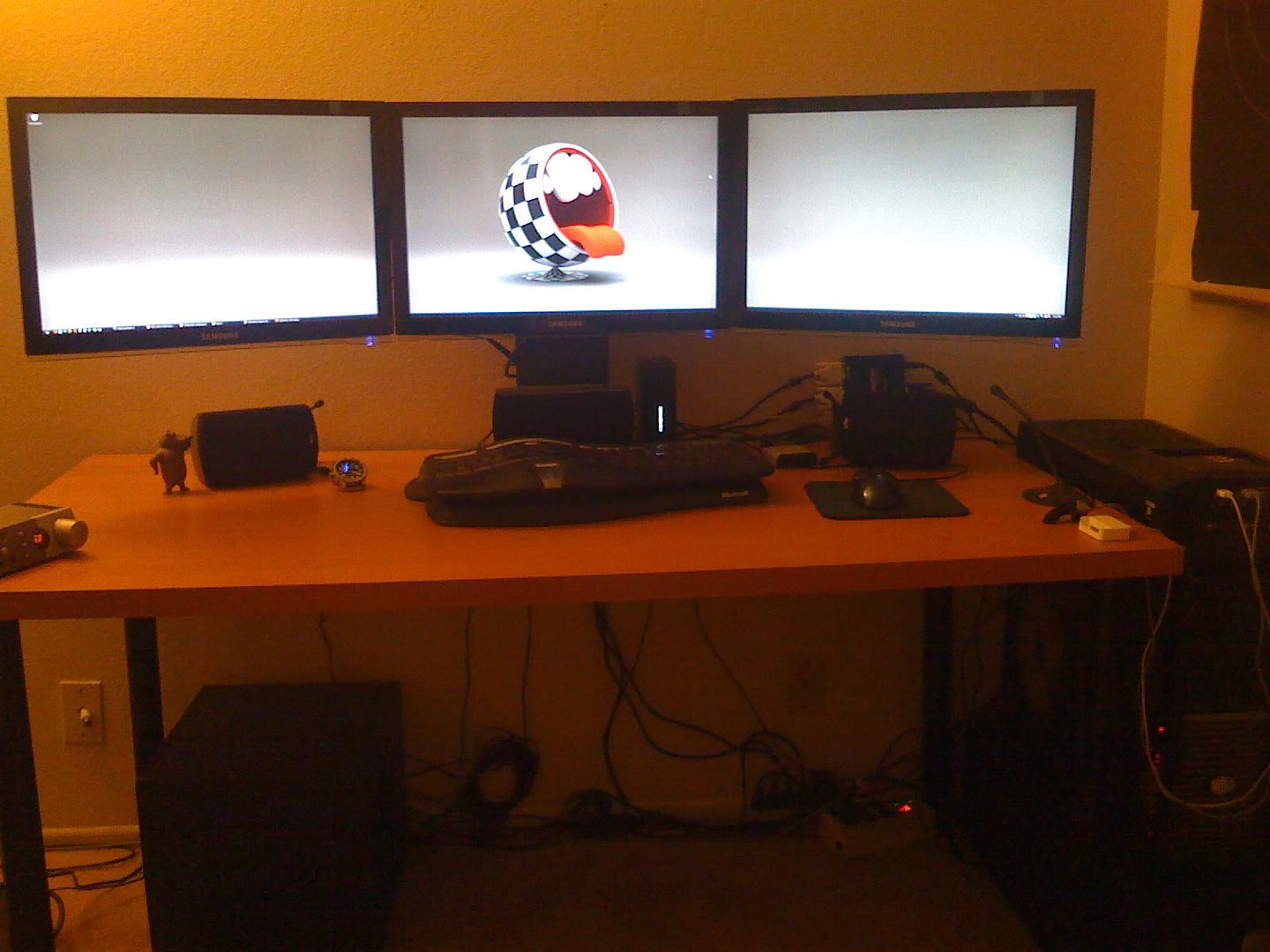
My setup

Coolermaster Cosmos
Thermalright Xtreme120 - Intel Q9450 @ 3,6ghz
Asus P5Q-deluxe
M-audio Revolution 5.1
4gb Corsair 4-4-4-12 @ 5-5-5-15
XFX GTX295
3x 226BW's 22" @ 5040x1050
Logitech G25 / 2x Logitech Rumblepad / Logitech Attack3 Joystick
Logitech Z4 2.1

And a crappy open desk :D
(btw, its all in my living area) the wife doesn't like me to go upstairs with this :D lol

This whas before i hanged them up to the wall :


Up to the wall :


The mountings : 3 seperate onces (one hell of a job to get it right :D )


Grtz Mr.noob (Belgium)


Top
 Profile  
Reply with quote  
 Post subject: Re: rply
PostPosted: 16 Apr 2009, 07:56 
Offline

Joined: 08 Apr 2009, 19:45
Posts: 19


This is actually my old set up.


Very nice... as I'm duplicating a similar deal now.

3x24s with a 30" above, mounted off the wall.

(pictures coming soon)


Top
 Profile  
Reply with quote  
PostPosted: 16 Apr 2009, 10:31 
Offline

Joined: 10 Apr 2009, 20:27
Posts: 25
I finally got what I've been wishing for, a triplewide gaming setup. :eek:
I used the Matrox Triplehead2go adaptor, upgraded from a Nvidia 8800GTS graphics card to a Nvidia GTX260 OC, and bought two Samsung 22" 2243BWX monitors to go with my Samsung 226BW center monitor.
My max resolution in games and desktop is now 5040x1050 and OMG it looks sweet!!! :lol:

Not the best pics here, I had to use my cell phone:


Couple of my desktops:


Now these are comparisons of the difference of triplewide in game, I took screenshots myself last night:


Now hopefully all new games in the future will have support for surround gaming. 8)

You guys and this forum were a tremendous help to me to get everything up and running properly. I thank you, and I made a donation to this site, keep up the good work.


Top
 Profile  
Reply with quote  
 Post subject: Re: rply
PostPosted: 21 Apr 2009, 19:03 
Offline

Joined: 08 Apr 2009, 19:45
Posts: 19
[quote]


This is actually my old set up.


Very nice... as I'm duplicating a similar deal now.

3x24s with a 30" above, mounted off the wall.

(pictures coming soon)


I too thank this site for the help...
Thus far, I've abandoned SoftTH and am running with TH2Go.

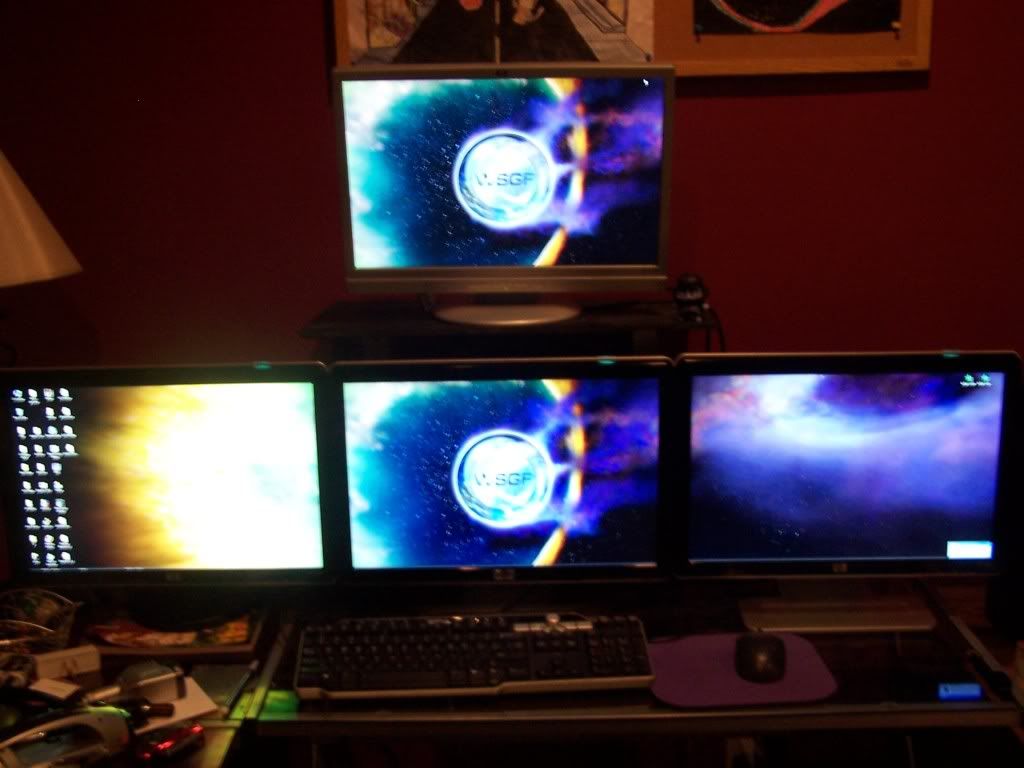
Here's the (3) 24"s on desk and the 30" on the wall.

... Works GREAT for work, and play!!


Top
 Profile  
Reply with quote  
PostPosted: 30 Apr 2009, 07:58 
Offline
User avatar

Joined: 26 Jul 2008, 00:55
Posts: 22
I have to pick up the TH2G yet, but the rest of the hardware is now in place:


3 x Gateway 30" XHD3000's. Looking forward to seeing familar games across all three screens. New desk and an A/V rack are in the works soon to, so this pic will change over the next month.

_________________
Cosmos S / PC&C1200 / Evga E760 "Classified" X58 / i7 960 3.2Ghz Quadcore / 6 Gb Dominator GT DDR3 / 128Gb SSD / WD 1TB Black / Evga GTX 680 4Gb / X-Fi Titanium HD / Dell U3011 30" / Marantz-Axiom-Velodyne 5.1


Top
 Profile  
Reply with quote  
PostPosted: 30 Apr 2009, 14:28 
Offline

Joined: 25 Mar 2009, 19:38
Posts: 20
Is not to big the 3x30" for playing ?

Where you find all your desktop wallpaper on 5040x1050 ? I didn't find alot on google.


Top
 Profile  
Reply with quote  
PostPosted: 08 May 2009, 20:48 
Offline

Joined: 16 Apr 2008, 17:16
Posts: 273


4 * 24", Planning to get TH2Go when they release a version that supports 3 * 1920 * 1200


Top
 Profile  
Reply with quote  
PostPosted: 24 May 2009, 06:29 
Offline

Joined: 27 Aug 2008, 23:30
Posts: 20
Here's mine. Just finished the custom screens stand so I can publish pictures of it.


Rest of the photos over here : http://public.fotki.com/inteljoc/th2go-setup/


Top
 Profile  
Reply with quote  
PostPosted: 02 Jun 2009, 01:16 
Offline

Joined: 30 May 2009, 00:19
Posts: 71
[/img]
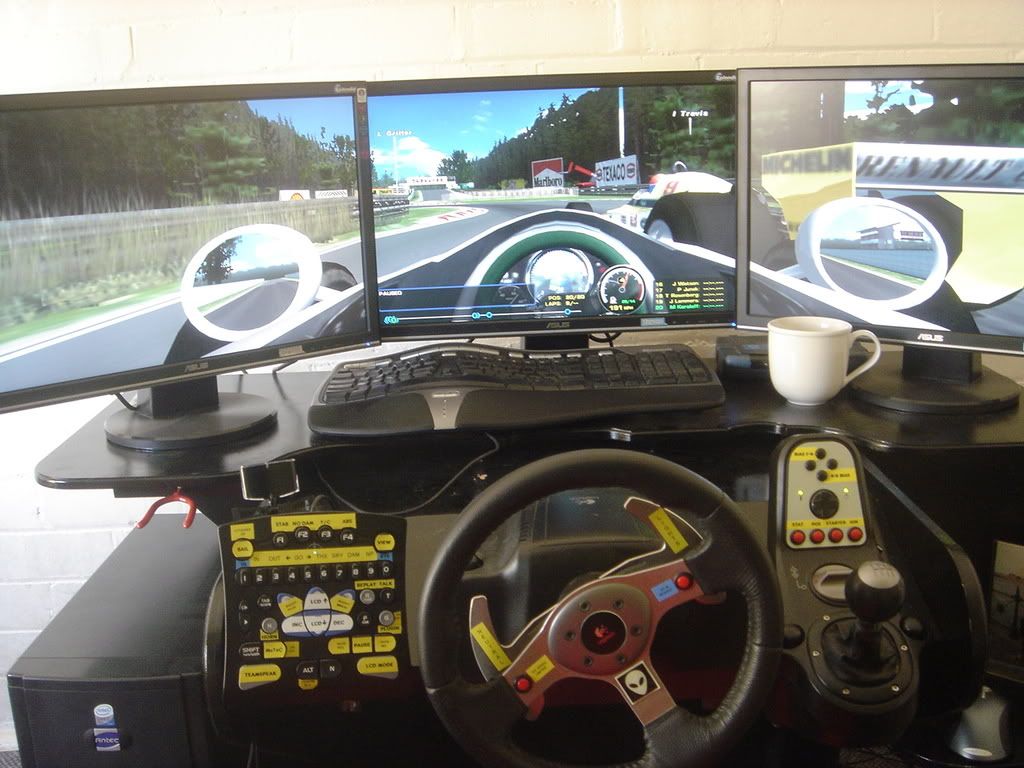
This is the set up I built in about April 07


[/img]

This was the view at the time when racing, it is before the Matrox update and my computer update so res is better now (although not optimum) as the screens are Asus VW222U and on the list of non 57hz running monitors. Hence my questions about upgrading to Samsung 2693HM screens elswhere.


[/img]

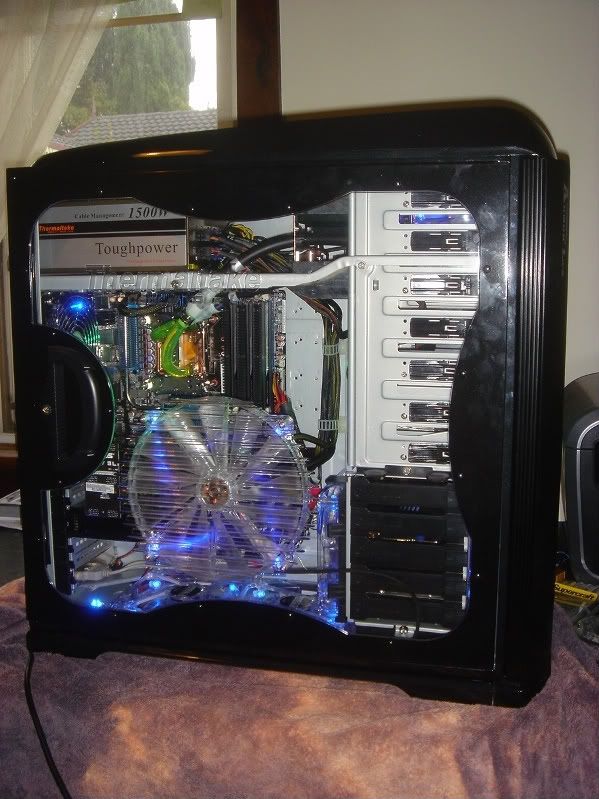
New computer Jan 09
Thermaltake Armour LCS+
Thermanltake 1500w PSU
Asus P6T6
i7 940
6gig ram
2 x O/C GTX 280 (SLI)
Raptor HDD 300 gig
Samsung HDD 500gig
Samsung DVD/CDw
Sentry LX Fan contoller
Thermaltake HDD fan cooler
4 x 140mm intake/exhaust fans
party lights for no real good reason...


Top
 Profile  
Reply with quote  
PostPosted: 08 Jun 2009, 23:19 
Offline

Joined: 10 May 2009, 15:23
Posts: 4
Finally settled in with my TH2Go and happened to snag up a starter AmbX kit too.

These are three Olevia 32 inch HDTVs and some puny ViewEra 14 inch on the side all running on one PC.

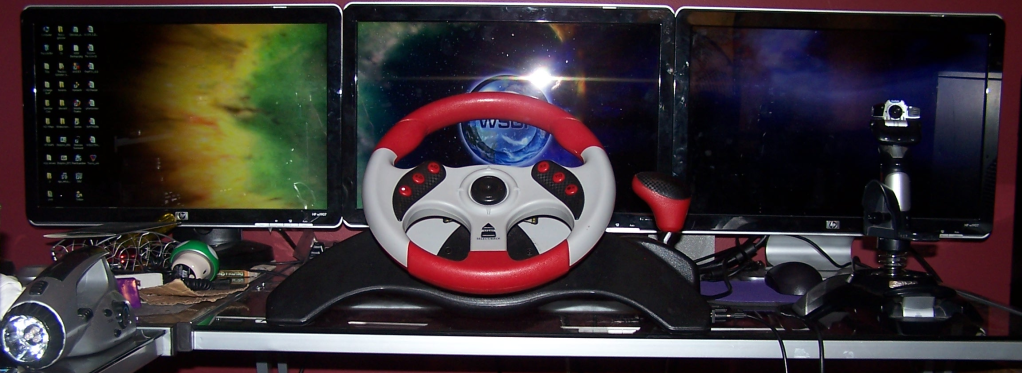
This was majorly intended for racing games as you can see with the G-25 and Act Labs shifter.

Sounds are provided via a Klipsch 2.1 for fronts, and my Pyramat 2.1 gaming chair for rears giving 4.2 Surround. (So good when you're driving a MR car and you hear the engine rumbling behind you're ears)


Top
 Profile  
Reply with quote  
 Post subject: Re: reply
PostPosted: 11 Jun 2009, 04:17 
Offline

Joined: 09 Oct 2007, 02:05
Posts: 74
Here is mine ... I have a new bigger desk but no photos of it ... :P


Awesome setup Paddy.... I'll have to post my racing TH2G.

Please tell me where did you get the handle bars for motorcycle racing games? Also the name of it and which games they work with please!

Thanks
RKip 8)


Top
 Profile  
Reply with quote  
PostPosted: 12 Jun 2009, 14:25 
Offline

Joined: 17 Mar 2007, 01:20
Posts: 169
My SoftTH rig, before it got stolen:


After the burglary, I've decided not to go back into surround gaming. I got a Dell 3008WFP 30" monitor instead.


Top
 Profile  
Reply with quote  
 Post subject: Re: rply
PostPosted: 01 Jul 2009, 18:52 
Offline

Joined: 05 Feb 2009, 00:24
Posts: 80
[quote][quote]


I have a 30" I was getting ready to mount for use just as an HDTV. How are you guys incorporating it with your 3x24"s?

Right now I'm running 3x24"s on TH2Go off of two 8800s in SLI.


Top
 Profile  
Reply with quote  
PostPosted: 02 Jul 2009, 20:07 
Offline

Joined: 19 Apr 2008, 22:46
Posts: 144
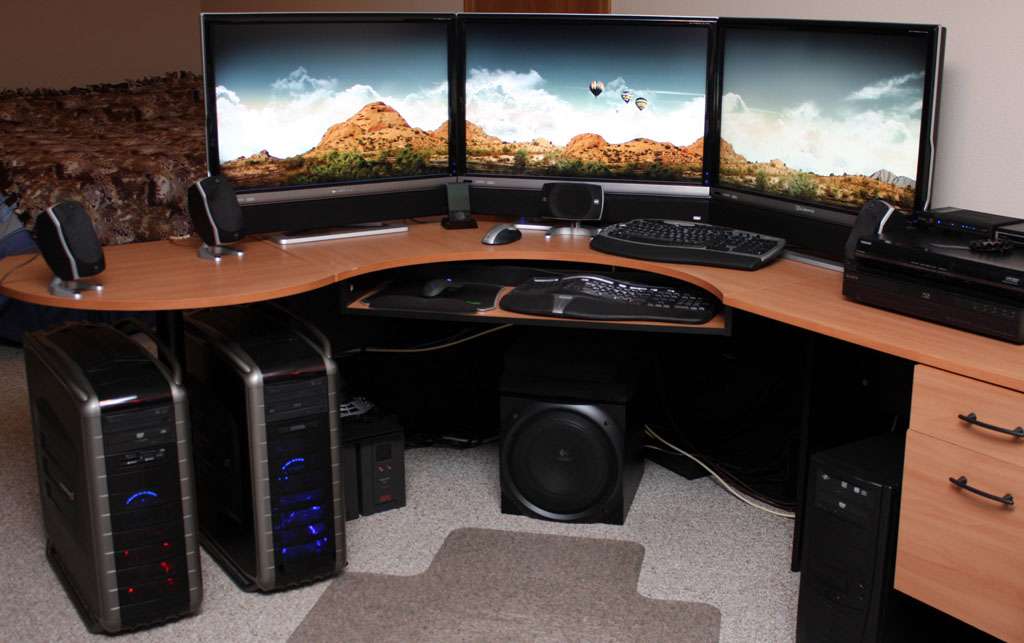
I decided to take the hutch off of my desk, and boy, what an improvement! My setup looks cleaner and the room itself looks bigger without it in here.


Anybody know of any triple-monitor stands/wall mounts/whatever that can hold three 22" widescreens? Most seem to be too narrow for the job...


Top
 Profile  
Reply with quote  
PostPosted: 08 Aug 2009, 04:35 
Offline

Joined: 02 Aug 2009, 20:33
Posts: 28


I got 3 samsung 226BW 22" and they fit on the Ergotron LX Triple LCD Stand perfectly.


Top
 Profile  
Reply with quote  
PostPosted: 11 Aug 2009, 03:34 
Offline

Joined: 19 Apr 2008, 22:46
Posts: 144
Ooooh, nice, apart from the gigantic base it uses. Any sort of mounting hardware that would allow bolting it through the desk instead?

By the way, isn't the LX too narrow to allow you to pull out and rotate 22" monitors?


Top
 Profile  
Reply with quote  
PostPosted: 12 Aug 2009, 11:24 
Offline

Joined: 07 Mar 2008, 14:00
Posts: 140
I never rotate my monitors and yes the LX stand is not made for 22 inch but it fits :) And the base isn't big compared to having 3 before for each monitor :)


Top
 Profile  
Reply with quote  
PostPosted: 25 Aug 2009, 21:14 
Offline

Joined: 20 Jun 2009, 08:55
Posts: 64


Top
 Profile  
Reply with quote  
PostPosted: 25 Aug 2009, 21:18 
Offline
Insiders
Insiders
User avatar

Joined: 06 May 2006, 12:46
Posts: 1640
Here's another pic of my setup. Dual DH2G and Eve Online.


_________________
Brad Hawthorne
Product Manager
Nthusim Pty. Ltd. | www.nthusim.com


Top
 Profile  
Reply with quote  
PostPosted: 25 Aug 2009, 21:25 
Offline
User avatar

Joined: 22 Mar 2006, 03:09
Posts: 1296
Dual Dual Head, as awesome as it looks the bezels would bother me so much. Would be plain awesome on a projector setup but would also need a massive wall =P

Mixfloors I like all the labels for the buttons ;)


Top
 Profile  
Reply with quote  
PostPosted: 26 Aug 2009, 02:47 
Offline

Joined: 15 Sep 2007, 21:28
Posts: 446
BHawthorne
whats your main toon in eve?


Top
 Profile  
Reply with quote  
PostPosted: 27 Aug 2009, 01:46 
Offline

Joined: 30 May 2009, 08:20
Posts: 37


Top
 Profile  
Reply with quote  
PostPosted: 01 Sep 2009, 18:10 
Offline
Insiders
Insiders
User avatar

Joined: 06 May 2006, 12:46
Posts: 1640
BHawthorne
whats your main toon in eve?


Gimpi, he's currently 40mil SP.

_________________
Brad Hawthorne
Product Manager
Nthusim Pty. Ltd. | www.nthusim.com


Top
 Profile  
Reply with quote  
PostPosted: 03 Sep 2009, 03:48 
Offline
Insiders
Insiders
User avatar

Joined: 20 Aug 2009, 04:20
Posts: 2351
Location: Virginia
Here's another pic of my setup. Dual DH2G and Eve Online.


I have a TripleHead2Go and 4 19" Monitors. Could I do a Similar Setup that would work like yours does in Eve since I have a Video Card with two DVI ports?

_________________
System Core: | Intel Core i5-2500K + ASUS P8Z68-V + 16GB Corsair XMS3 DDR3 1333 MHz | Win7 x64 | MSI R7970 Lightning 3GB [1105/1400] |
Display: | 3 x Dell Ultrasharp 3007WFP-HC @ 7680x1600 | Dell u3011 |


Top
 Profile  
Reply with quote  
PostPosted: 03 Sep 2009, 23:38 
Offline

Joined: 18 Sep 2006, 18:29
Posts: 2


Top
 Profile  
Reply with quote  
PostPosted: 04 Sep 2009, 06:08 
Offline
Insiders
Insiders
User avatar

Joined: 06 May 2006, 12:46
Posts: 1640
[quote]Here's another pic of my setup. Dual DH2G and Eve Online.


I have a TripleHead2Go and 4 19" Monitors. Could I do a Similar Setup that would work like yours does in Eve since I have a Video Card with two DVI ports?

Yes, it would require buying a DH2G and using your TH2G like a DH2G then horizontal spanning them in XP.

_________________
Brad Hawthorne
Product Manager
Nthusim Pty. Ltd. | www.nthusim.com


Top
 Profile  
Reply with quote  
PostPosted: 04 Sep 2009, 13:24 
Offline

Joined: 07 Mar 2008, 14:00
Posts: 140
To be honest 4 monitors?? unequal numbers always, so you have a full center point. 1,3,5,9 and so on but not 4 :/ .

Imagine playing any fps game with that shit lol corsair in the middle gg :P or any other game for that matter.


Top
 Profile  
Reply with quote  
PostPosted: 04 Sep 2009, 17:25 
Offline
Insiders
Insiders
User avatar

Joined: 20 Aug 2009, 04:20
Posts: 2351
Location: Virginia
To be honest 4 monitors?? unequal numbers always, so you have a full center point. 1,3,5,9 and so on but not 4 :/ .

Imagine playing any fps game with that shit lol corsair in the middle gg :P or any other game for that matter.


I wouldn't use it for an FPS. It's nice to use a larger amount of screens for RTS's and Certain RPG's. It feels like a command center.

_________________
System Core: | Intel Core i5-2500K + ASUS P8Z68-V + 16GB Corsair XMS3 DDR3 1333 MHz | Win7 x64 | MSI R7970 Lightning 3GB [1105/1400] |
Display: | 3 x Dell Ultrasharp 3007WFP-HC @ 7680x1600 | Dell u3011 |


Top
 Profile  
Reply with quote  
PostPosted: 04 Sep 2009, 21:12 
Offline
Insiders
Insiders
User avatar

Joined: 06 May 2006, 12:46
Posts: 1640
To be honest 4 monitors?? unequal numbers always, so you have a full center point. 1,3,5,9 and so on but not 4 :/ .

Imagine playing any fps game with that shit lol corsair in the middle gg :P or any other game for that matter.

I play strategy and flight sims not FPS. My display setup isn't "shit"... it's 4 24" Samsungs. I have a low tolerance for internet a$$holes. Where are your pics anyways? :roll:

_________________
Brad Hawthorne
Product Manager
Nthusim Pty. Ltd. | www.nthusim.com


Top
 Profile  
Reply with quote  
PostPosted: 04 Sep 2009, 22:06 
Offline

Joined: 20 Jun 2009, 08:55
Posts: 64
On his point of view it might be shit since you mess up on shooters with this. His horizon seems to be not as far as it should be...

BHawthorne, nice setup :)


Top
 Profile  
Reply with quote  
PostPosted: 04 Sep 2009, 22:30 
Offline
Insiders
Insiders
User avatar

Joined: 20 Aug 2009, 04:20
Posts: 2351
Location: Virginia
I decided to Post Mine Just because.


_________________
System Core: | Intel Core i5-2500K + ASUS P8Z68-V + 16GB Corsair XMS3 DDR3 1333 MHz | Win7 x64 | MSI R7970 Lightning 3GB [1105/1400] |
Display: | 3 x Dell Ultrasharp 3007WFP-HC @ 7680x1600 | Dell u3011 |


Top
 Profile  
Reply with quote  
PostPosted: 05 Sep 2009, 16:26 
Offline

Joined: 07 Mar 2008, 14:00
Posts: 140
Well I play RTS/MMO/FPS and so on and still I would never go 4 monitors this is my opinion don't be angry for something like this lol. Same thing with 2 monitors same shit I hated it. My next stop will prolly be 9 :P

Since you ask so nicely this is my setup. http://www.aessidhe.net/videos/dreamcore%20-%20surround%20gaming.mp4

Keep in mind It took me like 5 min to make this video. And it was a pure request of my guild mates so they could see how nice it is playing with th2g :D.


Top
 Profile  
Reply with quote  
PostPosted: 05 Sep 2009, 23:15 
Offline
Insiders
Insiders
User avatar

Joined: 20 Aug 2009, 04:20
Posts: 2351
Location: Virginia
Well I play RTS/MMO/FPS and so on and still I would never go 4 monitors this is my opinion don't be angry for something like this lol. Same thing with 2 monitors same shit I hated it. My next stop will prolly be 9 :P

Since you ask so nicely this is my setup. http://www.aessidhe.net/videos/dreamcore%20-%20surround%20gaming.mp4

Keep in mind It took me like 5 min to make this video. And it was a pure request of my guild mates so they could see how nice it is playing with th2g :D.


Maybe it would be the way it was meant to be played if you could do something about those bezels...

_________________
System Core: | Intel Core i5-2500K + ASUS P8Z68-V + 16GB Corsair XMS3 DDR3 1333 MHz | Win7 x64 | MSI R7970 Lightning 3GB [1105/1400] |
Display: | 3 x Dell Ultrasharp 3007WFP-HC @ 7680x1600 | Dell u3011 |


Top
 Profile  
Reply with quote  
PostPosted: 06 Sep 2009, 18:13 
Offline

Joined: 07 Mar 2008, 14:00
Posts: 140
[quote]Well I play RTS/MMO/FPS and so on and still I would never go 4 monitors this is my opinion don't be angry for something like this lol. Same thing with 2 monitors same shit I hated it. My next stop will prolly be 9 :P

Since you ask so nicely this is my setup. http://www.aessidhe.net/videos/dreamcore%20-%20surround%20gaming.mp4

Keep in mind It took me like 5 min to make this video. And it was a pure request of my guild mates so they could see how nice it is playing with th2g :D.


Maybe it would be the way it was meant to be played if you could do something about those bezels...

Well nothing we can do about it really :/


Top
 Profile  
Reply with quote  
PostPosted: 06 Sep 2009, 23:11 
Offline
Insiders
Insiders
User avatar

Joined: 06 May 2006, 12:46
Posts: 1640
Telling someone that thier setup is shit because of bezels...some people need to think before they type...really. I suppose he just doesn't get it though. :wink:

_________________
Brad Hawthorne
Product Manager
Nthusim Pty. Ltd. | www.nthusim.com


Top
 Profile  
Reply with quote  
PostPosted: 07 Sep 2009, 16:50 
Offline
Insiders
Insiders
User avatar

Joined: 20 Aug 2009, 04:20
Posts: 2351
Location: Virginia
[quote][quote]Well I play RTS/MMO/FPS and so on and still I would never go 4 monitors this is my opinion don't be angry for something like this lol. Same thing with 2 monitors same shit I hated it. My next stop will prolly be 9 :P

Since you ask so nicely this is my setup. http://www.aessidhe.net/videos/dreamcore%20-%20surround%20gaming.mp4

Keep in mind It took me like 5 min to make this video. And it was a pure request of my guild mates so they could see how nice it is playing with th2g :D.


Maybe it would be the way it was meant to be played if you could do something about those bezels...

Well nothing we can do about it really :/
Well how about deconstructing the LCD :D Haha, I wouldn't do that either.

_________________
System Core: | Intel Core i5-2500K + ASUS P8Z68-V + 16GB Corsair XMS3 DDR3 1333 MHz | Win7 x64 | MSI R7970 Lightning 3GB [1105/1400] |
Display: | 3 x Dell Ultrasharp 3007WFP-HC @ 7680x1600 | Dell u3011 |


Top
 Profile  
Reply with quote  
PostPosted: 17 Sep 2009, 02:32 
Offline
Insiders
Insiders
User avatar

Joined: 20 Aug 2009, 04:20
Posts: 2351
Location: Virginia
i just added another 19" to my rig. I have 3 on bottom, 1 on top.


_________________
System Core: | Intel Core i5-2500K + ASUS P8Z68-V + 16GB Corsair XMS3 DDR3 1333 MHz | Win7 x64 | MSI R7970 Lightning 3GB [1105/1400] |
Display: | 3 x Dell Ultrasharp 3007WFP-HC @ 7680x1600 | Dell u3011 |


Top
 Profile  
Reply with quote  
PostPosted: 17 Sep 2009, 04:27 
Offline

Joined: 14 Sep 2009, 22:04
Posts: 15
Here's what I've got right now, the other two SyncMaster 245B's are in the mail, I'll post back in here when they arrive... Use your imagination!


(The two "rear" speakers from the Z-5500's are now mounted on speaker stands behind my chair)


Edit:

Look what just came in the mail! Still waiting on the other one though...


Just waiting on the final monitor now!


Top
 Profile  
Reply with quote  
PostPosted: 20 Sep 2009, 18:21 
Offline

Joined: 05 Aug 2006, 18:30
Posts: 19
oh hey freelancer, welcome to the forums :wink:


Top
 Profile  
Reply with quote  
PostPosted: 21 Sep 2009, 06:52 
Offline
Editors
Editors
User avatar

Joined: 30 May 2005, 14:21
Posts: 965
yeah welcome, qucik random question, what's sour puss?

_________________
I still visit occasionally.


Top
 Profile  
Reply with quote  
PostPosted: 21 Sep 2009, 11:19 
Offline
Insiders
Insiders
User avatar

Joined: 29 Jul 2004, 11:47
Posts: 118


just because...

_________________
ToCA EDIT - Over 10 Years of Game Modding and Research


Top
 Profile  
Reply with quote  
PostPosted: 22 Sep 2009, 00:14 
Offline

Joined: 14 Sep 2009, 22:04
Posts: 15
oh hey freelancer, welcome to the forums :wink:

Oh hey you.

yeah welcome, qucik random question, what's sour puss?

It's a drink mix, though I like having a bit straight every now and then. Tastes like apple jollyranchers...


Top
 Profile  
Reply with quote  
PostPosted: 22 Sep 2009, 06:25 
Offline
Editors
Editors
User avatar

Joined: 30 May 2005, 14:21
Posts: 965


[quote]yeah welcome, qucik random question, what's sour puss?

It's a drink mix, though I like having a bit straight every now and then. Tastes like apple jollyranchers...

wow. sexy. I want some.

_________________
I still visit occasionally.


Top
 Profile  
Reply with quote  
PostPosted: 22 Sep 2009, 09:20 
Offline

Joined: 14 Sep 2009, 22:04
Posts: 15
Oh it's good, only 15% as well :)


Top
 Profile  
Reply with quote  
PostPosted: 03 Oct 2009, 00:50 
Offline

Joined: 14 Sep 2009, 22:04
Posts: 15
look what I got today!

http://www.youtube.com/watch?v=xGyoJh9ZuXw

Pics:


Still can't get COD4 working... The WidescreenFixer isn't fixing anything except the HUD using method 2. If I use method 1 my game just locks up and I have to kill the process.


Top
 Profile  
Reply with quote  
PostPosted: 04 Oct 2009, 02:08 
Offline
Insiders
Insiders
User avatar

Joined: 20 Aug 2009, 04:20
Posts: 2351
Location: Virginia
look what I got today!
....
Still can't get COD4 working... The WidescreenFixer isn't fixing anything except the HUD using method 2. If I use method 1 my game just locks up and I have to kill the process.
Did you Bootleg or Use a NoDVD crack? If so it's not going to work (except in MP).

_________________
System Core: | Intel Core i5-2500K + ASUS P8Z68-V + 16GB Corsair XMS3 DDR3 1333 MHz | Win7 x64 | MSI R7970 Lightning 3GB [1105/1400] |
Display: | 3 x Dell Ultrasharp 3007WFP-HC @ 7680x1600 | Dell u3011 |


Top
 Profile  
Reply with quote  
PostPosted: 06 Oct 2009, 11:54 
Offline

Joined: 06 Oct 2009, 11:06
Posts: 20
I have to pick up the TH2G yet, but the rest of the hardware is now in place:


3 x Gateway 30" XHD3000's. Looking forward to seeing familar games across all three screens. New desk and an A/V rack are in the works soon to, so this pic will change over the next month.


Duuuuude, we've almost got the same rig...lol!!! I have those same monitors (but the 22" versions) as well as the Cosmos S case. I kinda regret getting these monitors since the resolution limit is 1680x1050 and in TH2Go mode it's 4390x900...still looks really good. 30" is a lot of real estate...how's the gaming experience since you're sitting pretty close to the screens???

Good taste. haha


Top
 Profile  
Reply with quote  
PostPosted: 06 Oct 2009, 12:40 
Offline

Joined: 06 Oct 2009, 11:06
Posts: 20
Anyone have links to some good desk workstations for multi-display gaming? Mine works but looks like poo so I'd like to upgrade that next.

A bit messy but here you go...

:::GAMING RIG - AM3 Chipset:::


Operating System: Windows Vista™ Ultimate (6.0, 64-bit) SP2
Motherboard: Asus Crosshair III Formula
Computer Chassis: Cooler Master - Cosmos S
Power Supply: Enermax Revolution 85+ 1050W PSU
Power Protection: APC Back-Ups XS 900
Ethernet Protection: APC Protectnet - Gigabit Ethernet Protector
System Fan/Temp Monitor: Kaze Master 4-Channel Digital Controller
Liquid Cooling: RESEARCH IN PROGRESS
Processor: AMD Phenom II X4 955 Black Edition (Stock 3.2GHz - OC'd @ 3800MHz Stable)
Memory: Patriot Memory (AMD Black Edition Ready G-Series) - 4GB PC3-12800 (1600MHz)
Hard Drives (RAID1 Mirrored): Master Drives: 2x Western Digital 160GB VelociRaptor --- Slave Drives: 2x Western Digital Caviar Black 1TB
Video Card: (2x) XFX Radeon XXX HD 4890 1024MB GDDR5 - OC'd GPUs@980MHz & Memory@950MHz
Monitors: (3x) Gateway 22"
Display Extension Module: Matrox Triplehead2Go Digital Edition (Current Resolution: 4320x900)
Sound Card:Sound Blaster X-Fi SupremeFX Series
Speakers: Samson Resolv 50a Studio Monitors
Headphones: Razer Megalodon
Keyboard: Saitek Eclipse III Backlit Multimedia Keyboard
Mouse: Microsoft SideWinder™ Laser Gaming Mouse (IntelliPoint)
Mouse Surface: Razer Destructor
Driving Controller: Logitech G25 Racing Wheel
Flight Controller: Saitek X52 Pro
Gamepad Controller: Saitek PS2700 Rumble Pad
Misc. Accessories: Buttkicker - Gamer Edition (Adds force feedback to your computer chair...works great with FPS games - Found it on sale at Micro Center for $19 clearance :D )


Top
 Profile  
Reply with quote  
PostPosted: 10 Oct 2009, 06:34 
Offline

Joined: 05 Oct 2008, 05:49
Posts: 373
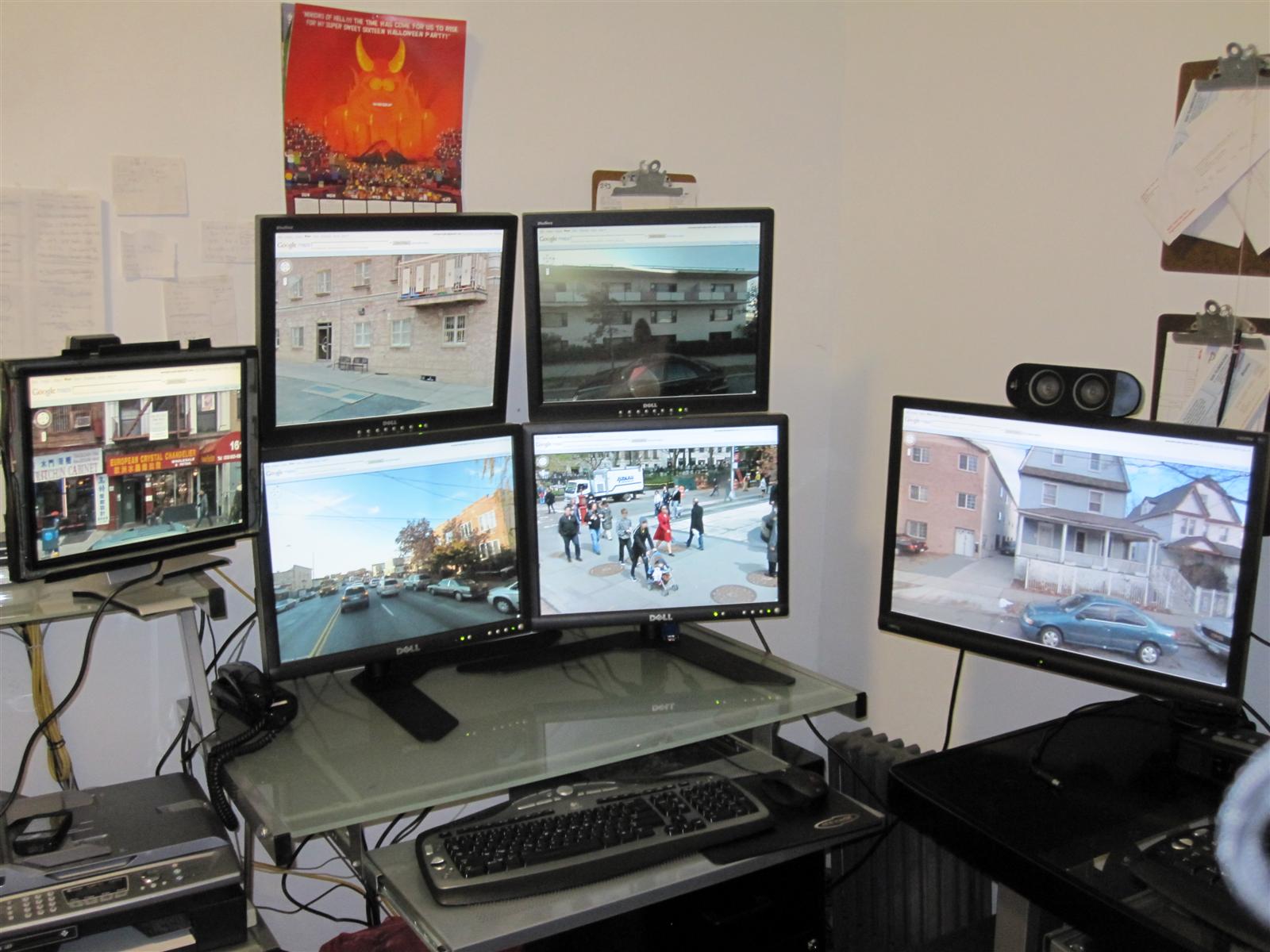
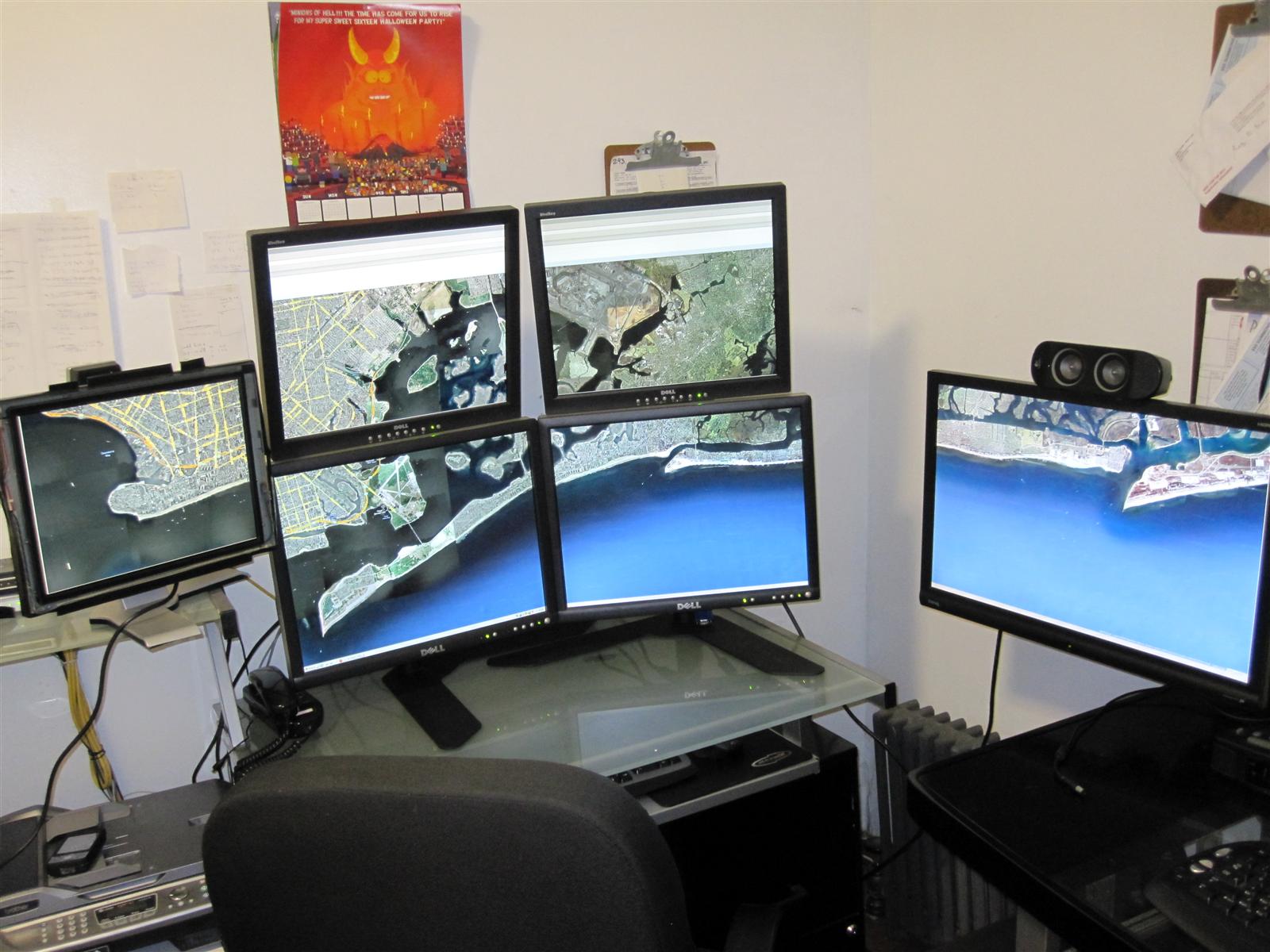
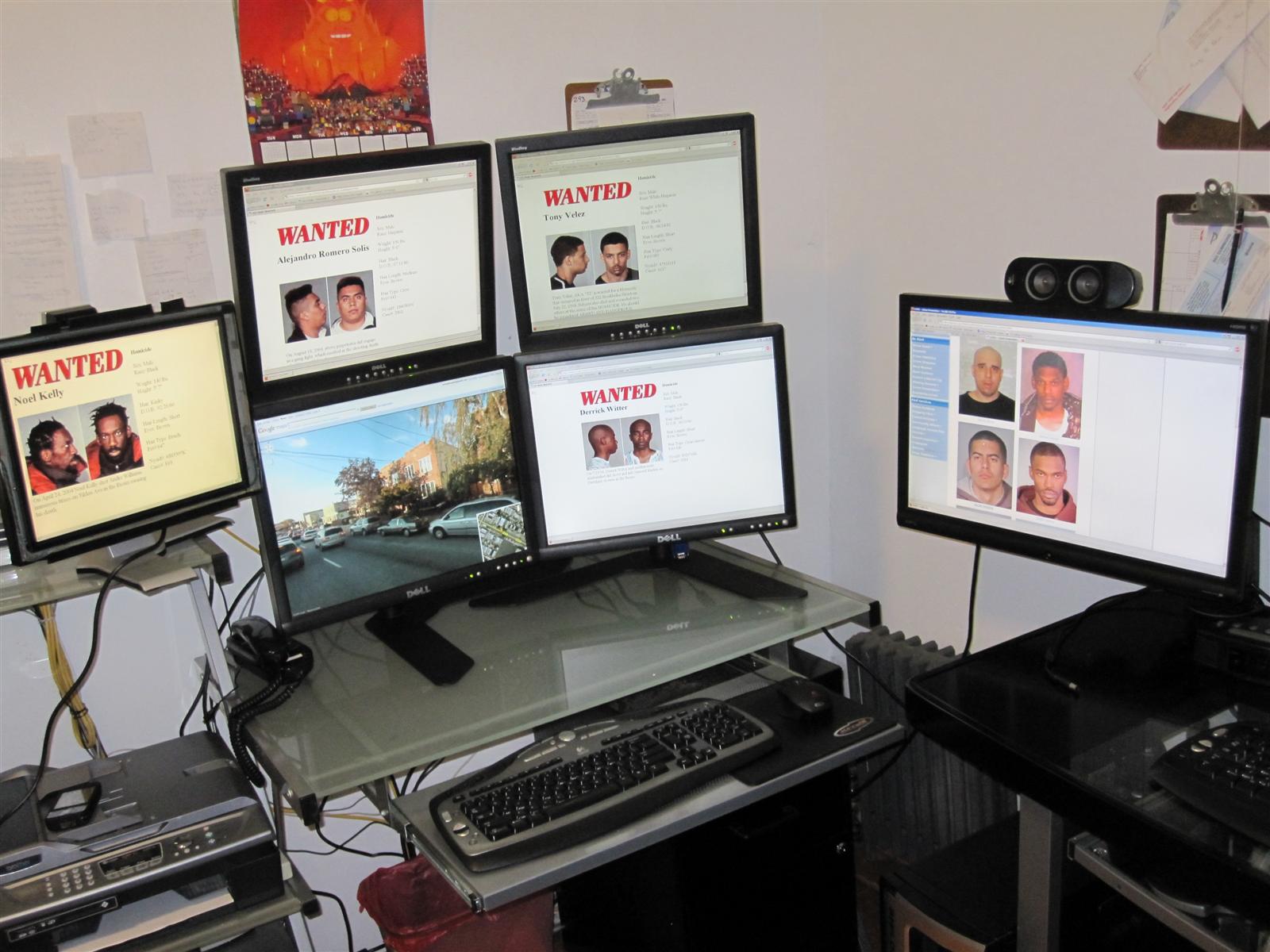
I just set this up today.
my main work computer.


Top
 Profile  
Reply with quote  
PostPosted: 10 Oct 2009, 13:12 
Offline

Joined: 06 Oct 2009, 11:06
Posts: 20
I just set this up today.
my main work computer.


That first dude on the FBI Most Wanted BB looks like Ol' Dirty Bastard from Wu Tang.


Top
 Profile  
Reply with quote  
PostPosted: 12 Oct 2009, 01:53 
Offline

Joined: 09 Oct 2009, 15:36
Posts: 36
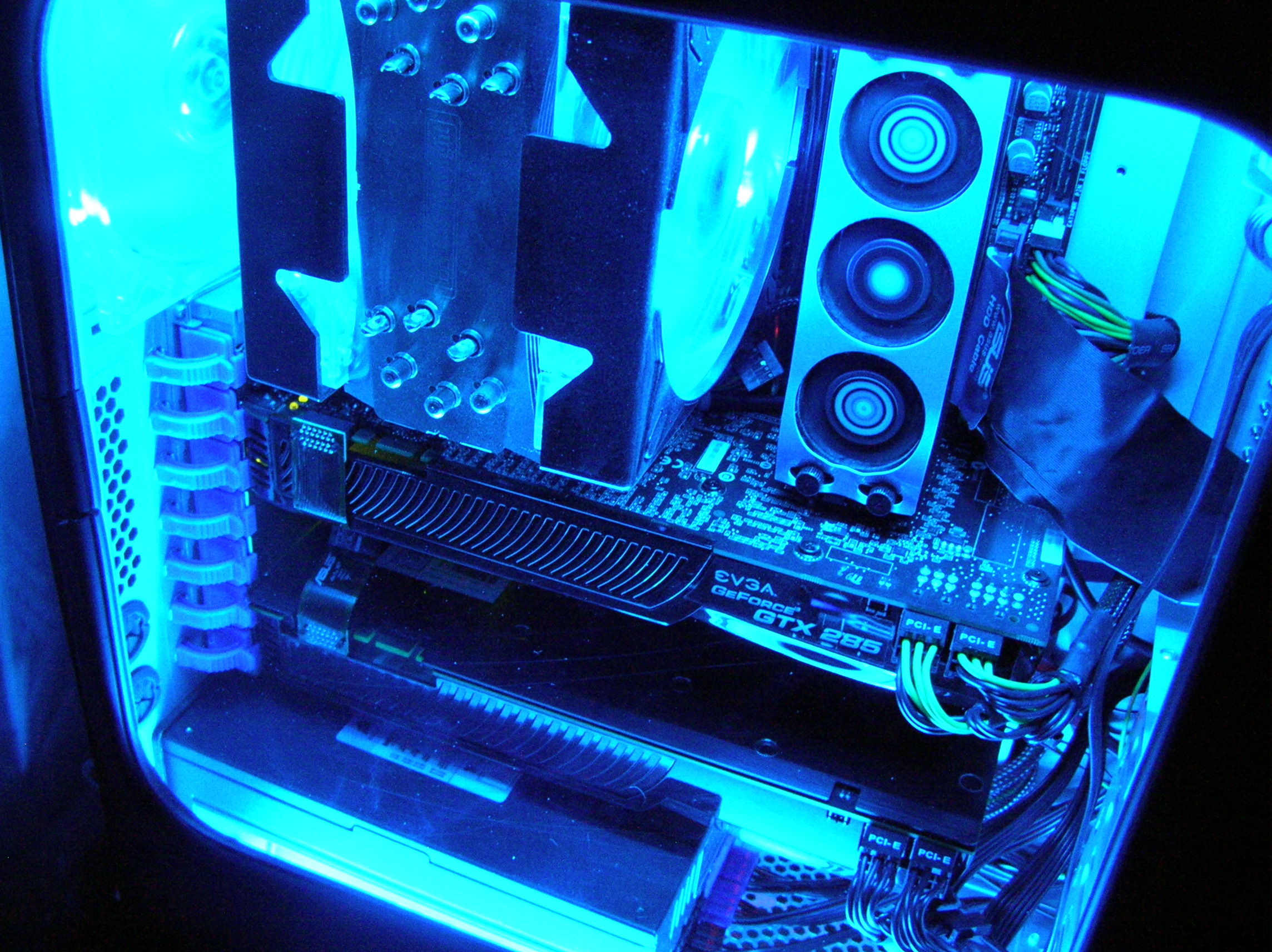
i will post a full desk image once my cam is fixed (sent it back under warrantee as it wouldn´t turn on) but just to get things going, i will post a pick of the rig that is powering it, it´s 3 months old (the picture) just as i had finished customizing it, which incidently also took 3 months to complete:


Will also put picks of it turned on, it´s quite a diff beast with all the neons and lighting touches.

The spec is as follows:

Win 7 Ultimate 64bit
Intel Core 2 Quad Q6600 @ 3.0Ghz with Asus Silent Knight AL
2x 2Gb OCZ DDR3 1333Mhz
eVGA 790i Ultra SLI
2x eVGA 9800GX2 in Quad SLI Mode
6x Seagate Barracuda 750Gb 32Mb Cache S-ATA2


Top
 Profile  
Reply with quote  
PostPosted: 19 Dec 2009, 15:15 
Offline

Joined: 16 Sep 2006, 12:18
Posts: 121
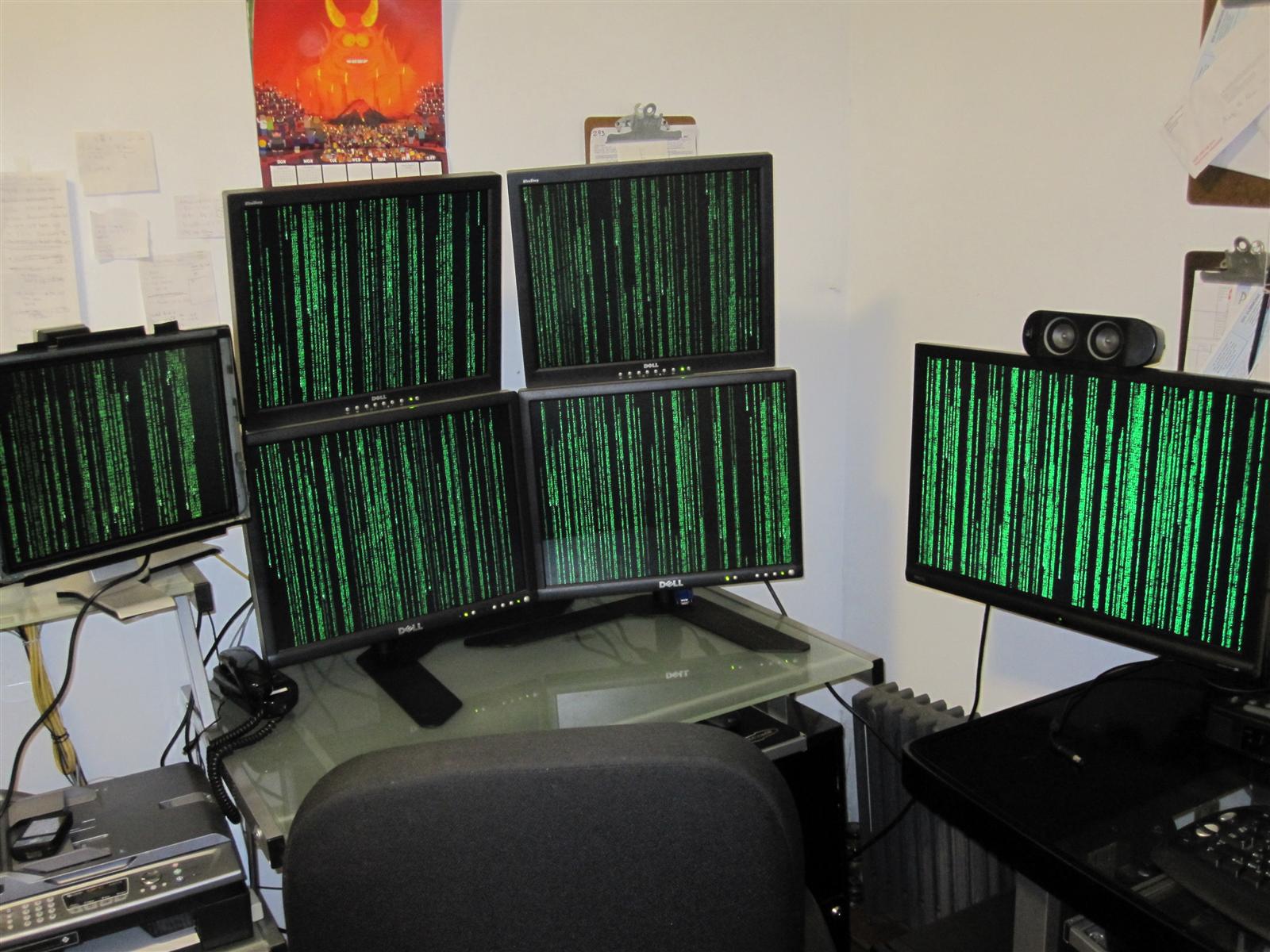
Dell Quadhead:


The optional 17-incher is just for monitoring temps and frames at Triplehead.

My current gaming-setup: Dell 2407WFP flanked by two Dell 2007FPs:


Gaming @ 5120x1200:


Will go for a 20"/30"/20"-Setup soon...

_________________
Intel i7 980X | MSI Big Bang Xpower X58 | 12GB G.Skill Pi Black DDR3-1600 | Sapphire 5870 Vapor-X 2GB | 2x Intel X-25M 160GB | SB X-Fi | Seasonic X-750 | Silverstone FT01 black | 3x HP ZR24w @ 5760x1200 Triplehead

AMD X2 4800+ | Gigabyte K8N Ultra-SLI | 2GB Kingston VS DDR1-400 | Zotac GTX260 AMP! + Gigabyte 8400GS | 3x Samsung HD 2.1TB | SB X-Fi | Seasonic M12-600 | Chieftec CS-601 blue | Dell 2407WFP + Dell 1707FP Dualhead


Top
 Profile  
Reply with quote  
PostPosted: 27 Dec 2009, 17:27 
Offline
Administrators
Administrators
User avatar

Joined: 27 Dec 2009, 14:27
Posts: 1789
My tri-head setup using 3x Dell S2209W's 22"wide 1920x1080 :)


The insides...


Now using a selfmade wallpaper...


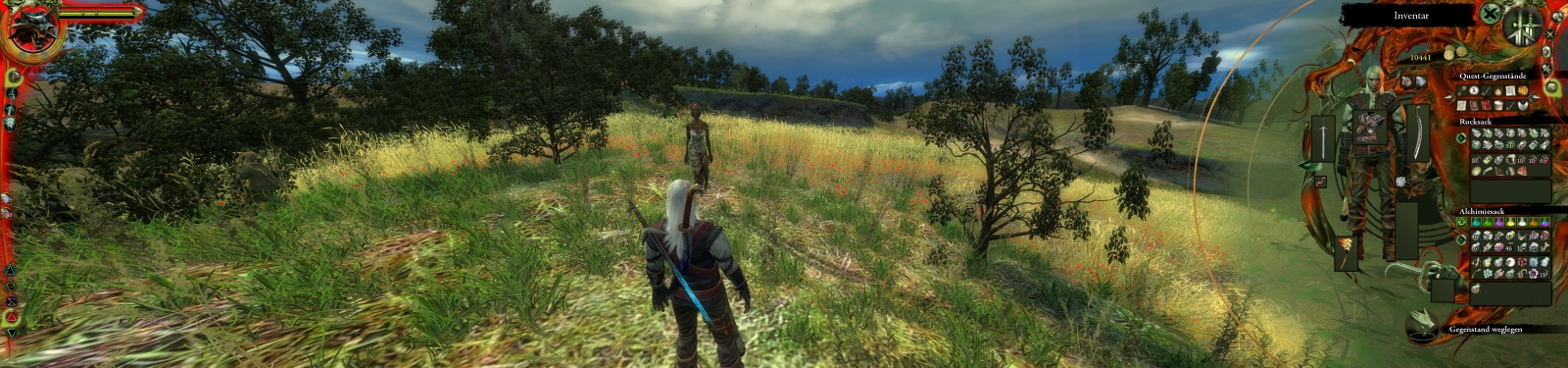
L4D2 @5760x1080 with my own custom HUD fix based on the information provided by this forum thread.

_________________
| Gigabyte X79S-UP5-WiFi Skt2011 | i7 4820k @4.4GHz Watercooled (Ivy Bridge-E) | Corsair Vengence 32GB @2133MHz 11-11-11-27 2T Quad-Channel (8x4GB) | AMD R9-Fury-X 4GB @1140/505MHz + EKWB Watercooled | 256GB Crucial MX200 SSD | 8x 1TB Samsung F3 SATA-II | Corsair 850W TX PSU | 3x Dell S2209W 22"wide TFT's (5760x1080res) | Logitech Z-5400 5.1ch speakers | Win7 Ultimate x64 |


Top
 Profile  
Reply with quote  
Display posts from previous:  Sort by  
Post new topic Reply to topic  [ 78 posts ]  Go to page Previous  1 ... 21, 22, 23, 24, 25, 26, 27 ... 78  Next

All times are UTC [ DST ]


Who is online

Users browsing this forum: Google [Bot] and 26 guests


You cannot post new topics in this forum
You cannot reply to topics in this forum
You cannot edit your posts in this forum
You cannot delete your posts in this forum
You cannot post attachments in this forum

Search for:
Jump to:  
cron


Powered by phpBB® Forum Software © phpBB Group